Cars and bikes
A GPS tracker for your own car: what you actually get
A GPS tracker for your own car shows where it is, where it has been and tells you when it leaves a zone or speeds. What you get, which tracker type suits you, what the SIM and package cover, and what a tracker is not.
Ashish Srivastava6 min read

A GPS tracker for your personal car gives you three things: where the car is right now, where it has been, and a message when something you care about happens, such as the car leaving the street outside your home. A small tracker in the car works out its position and sends it over mobile data to a tracking platform, which you open in a browser on your phone or computer. You do not need a fleet to use one: a single car on a map works the same way as fifty vans.
Key takeaways
- You see the car's live position, its state (moving, idle, parked, offline) and every trip it made.
- Alerts cover leaving a zone, going over a speed you set, and the alarms your tracker itself raises.
- Trackers come plugged in, wired or battery powered; the type decides what it can report and who fits it.
- The tracker needs its own SIM with data; the platform is a separate package.
- A tracker is not a recovery or insurance service: it tells you where the car is, not how to get it back.
Where the car is now, and where it has been
The live map shows your car as a marker that moves while it drives. Next to it you see its state in a word and a colour: Moving, Idle (engine on, standing still), Parked, Offline, or Unknown when the tracker has not reported for a while (10 minutes in a standard setup). Idle needs a tracker that reports the ignition; most wired and plug-in trackers do.
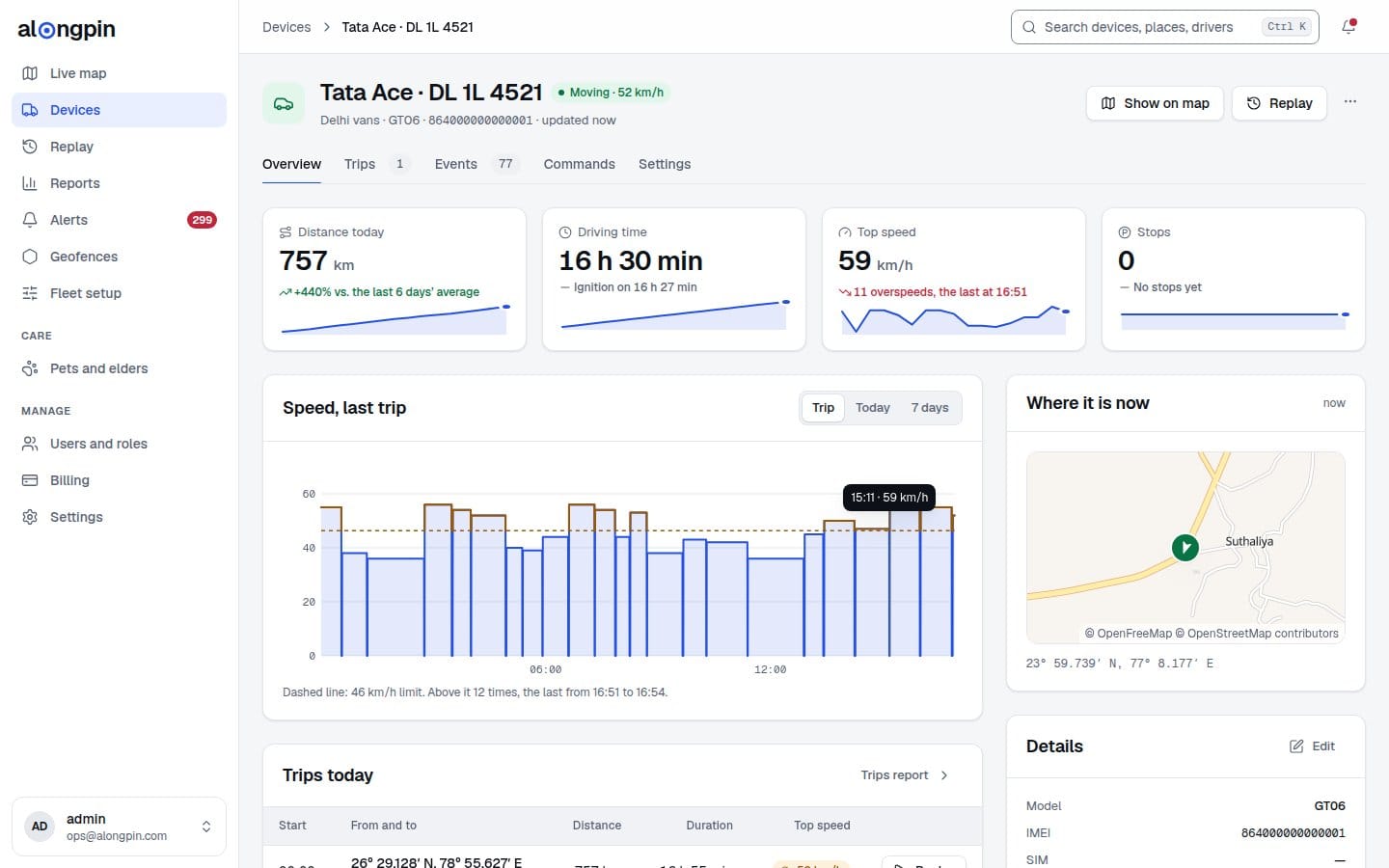
The car's own page in Devices adds the day at a glance: distance today, driving time, top speed and stops. Under Trips, each journey has its start and end, its distance, its top and average speed and its driving time. Replay plays a trip back on the map with the events along the route, which is the quickest way to answer "where did it go on Saturday?".
For a private owner this covers the everyday questions:
- Where did I park at the station this morning?
- Is the car still outside the house?
- When did my partner leave the office car park?
- How far did we drive on the weekend trip?
Alerts you can set for one car
Alerts come from alert rules. You open Alerts, choose New alert rule, pick what the rule reacts to under When this happens, and choose how you are told under Tell people by. Which channels you can pick (email, text message, Telegram, push) depends on what the server has switched on; the portal itself always shows an alert while it is open.
The rules that matter most for a private car:
| Alert | What it needs |
|---|---|
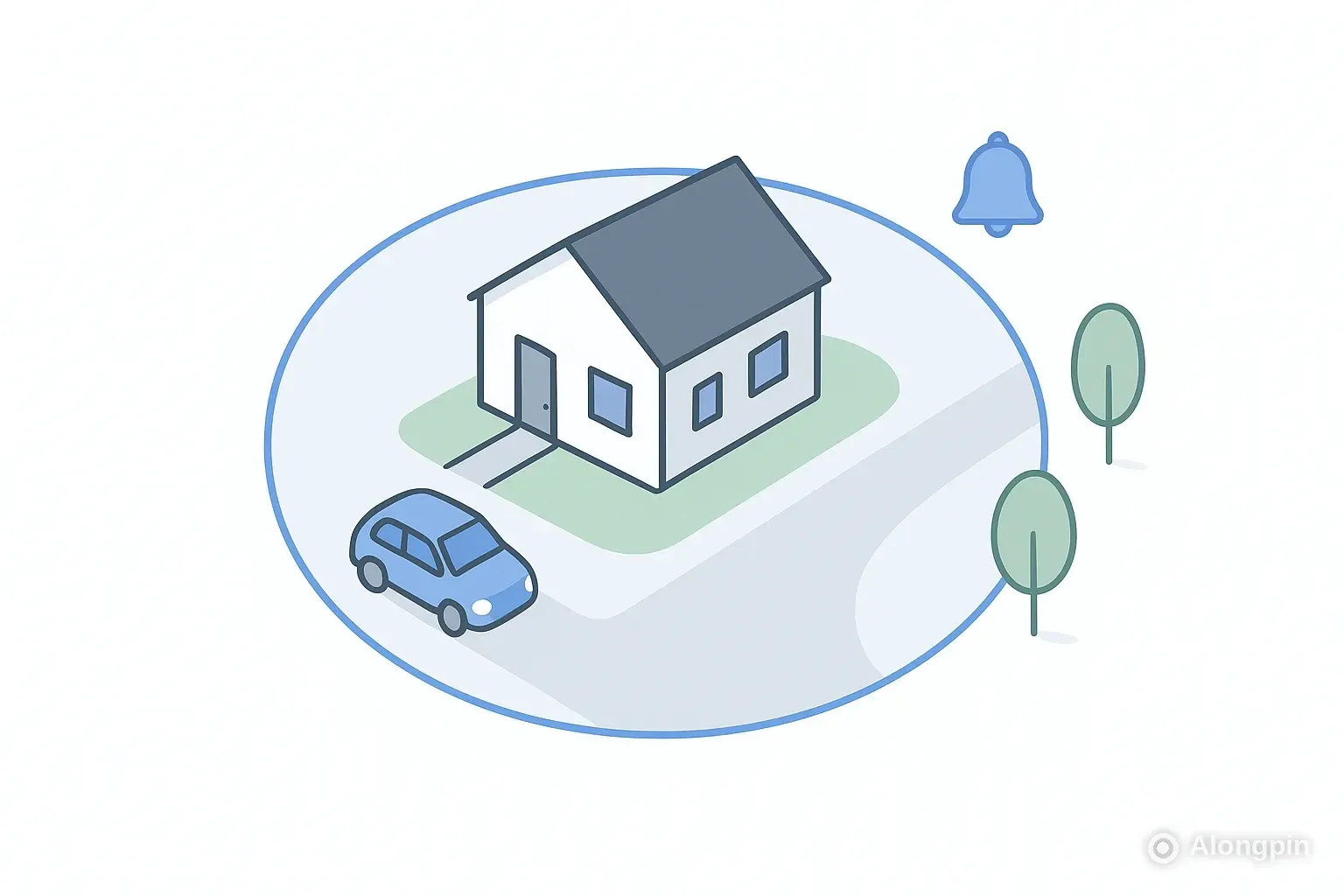
| Geofence exit: the car left a zone, for example the street outside your home | A geofence you draw on the map and attach to the car |
| Overspeed: the car went faster than a limit | A Speed limit on the car, or a speed limit inside a zone |
| Alarm: power cut, tow, vibration, tampering, SOS | A tracker that reports that alarm; the list depends on the model |
| Device offline or Status unknown: the tracker stopped reporting | Nothing extra; useful to notice an unplugged tracker |
A rule can be limited to a schedule with Only during, so a zone alert at home only fires at night. The home parking geofence guide walks through that set-up step by step.
The types of tracker, and who fits them
There are three common types, and the right one depends on how you use the car:
- Plug-in (OBD): plugs into the diagnostic socket under the dashboard. You fit it yourself in a minute; it is easy to find and easy to unplug.
- Wired: connected to the car's power and, usually, the ignition, and hidden behind a panel. An auto electrician or installer fits it in an hour or so.
- Battery-powered: placed anywhere in the car with no wiring, but it reports less often to save its battery and must be recharged.
The comparison of plug-in, wired and battery trackers goes through each type in detail. If you choose a plug-in tracker, the OBD set-up guide shows the steps in your own car. The vehicle trackers page lists what the platform shows for each kind of report.
The SIM and the platform package
A tracker has two running costs, and they are separate:
- A SIM card with a data plan inside the tracker. Each message is small, so a basic data plan is enough, but the SIM must have coverage where you drive and park. Some trackers are sold with a SIM; others need one from a local operator.
- The platform package, which is what you pay Alongpin for: the map, the history, the zones, the alerts and the reports. The pricing page shows the packages and what each includes.
When you add the tracker in the portal (Devices, then Add device, with the tracker's IMEI), Set up the tracker shows the server address and port your tracker needs. You enter them in the tracker by text message or with the maker's set-up tool, as its manual describes.
Check that your tracker is supported first
Many consumer car trackers are tied to the maker's own app and cannot be pointed at another server. Before you buy, look for a tracker whose server address you can set, and type its model, maker or protocol into the device check. It tells you whether the platform decodes that tracker's messages. If you already own a tracker, the same check tells you whether it can move to Alongpin.
What a GPS tracker is not
A tracker and a platform give you information. They do not:
- Recover a stolen car. If the car is stolen, you call the police and give them the position and the route. Going after the car yourself is not safe. The guide on car theft and GPS trackers sets out what a tracker can and cannot do.
- Replace your insurance, or count as an approved security device unless your insurer says so. Ask your insurer before you rely on a tracker for a discount.
- Watch the car for you. Nobody at Alongpin monitors your car; the alerts go to you and to the people you choose.
- Work without power and coverage. A tracker that loses power, or sits in an underground car park, stops reporting until it is back.
How Alongpin helps
Alongpin (alongpin.com) is a GPS tracking platform you open in a browser or on your phone. A tracker in your car, motorbike, scooter or bicycle shows on the live map, with trip history, geofences around home and work, and alerts when it moves or leaves. Check your tracker in the device check, see the vehicle trackers it works with, and start on the pricing page.
Frequently asked questions
Can I see the car on my phone?
Yes. The portal opens in the browser of your phone as well as on a computer, and alerts can reach your phone by email, text message, Telegram or push where the server offers them.
Does the tracker drain the car battery?
A wired or plug-in tracker draws a small current from the car battery, more while it reports and less while it sleeps. For a car that is driven every few days this rarely matters; for a car that stands for weeks, ask the seller about the tracker's standby current and sleep mode.
Can other people in the family see the car?
They can, through a sign-in of their own or a share link that ends on a date you choose. Whether you can add sign-ins for others depends on your account; a share link works on any account that is not read-only.
Will the tracker tell me how someone drove?
It shows speed, trips and overspeed events. Harsh braking and cornering appear only where the tracker reports them, and the platform does not score drivers.