Management
Send a command to a device, even when it is offline.
Ask for a position now, change how often the tracker reports, or send another command your model supports. Commands to an offline tracker wait in a queue and go out when it reconnects.
Choose a package in the portal; you see the first invoice before you confirm.
How it works
From the send button to the device
- 1
Pick the device
Open "Send command" for a device and see the command types its protocol supports, plus the saved commands attached to it or its groups.
- 2
Send
Fill in the parameters, for example "report every 60 seconds". You learn at once whether the device took it now or it is waiting.
- 3
Queued while offline
A command to an offline device waits in a queue and goes out when the device reconnects. Look at the queue and cancel a command in it.
- 4
Recorded
Every command is in the history of the device for 90 days, with who sent it and what became of it.
The history
What became of each command
The history of a device shows every command sent to it in the last 90 days: by a user, to its group, or by an alert rule.
- Delivered
The device was connected and took the command.
- Queued
Waiting for the device to reconnect.
- Failed
It did not go through. The history keeps the device's or the server's message saying why.
- Cancelled
Someone took it out of the queue.
- Expired
It waited in the queue too long, 7 days by default, and was dropped.
Saved commands
Prepare a command once, and let others send it
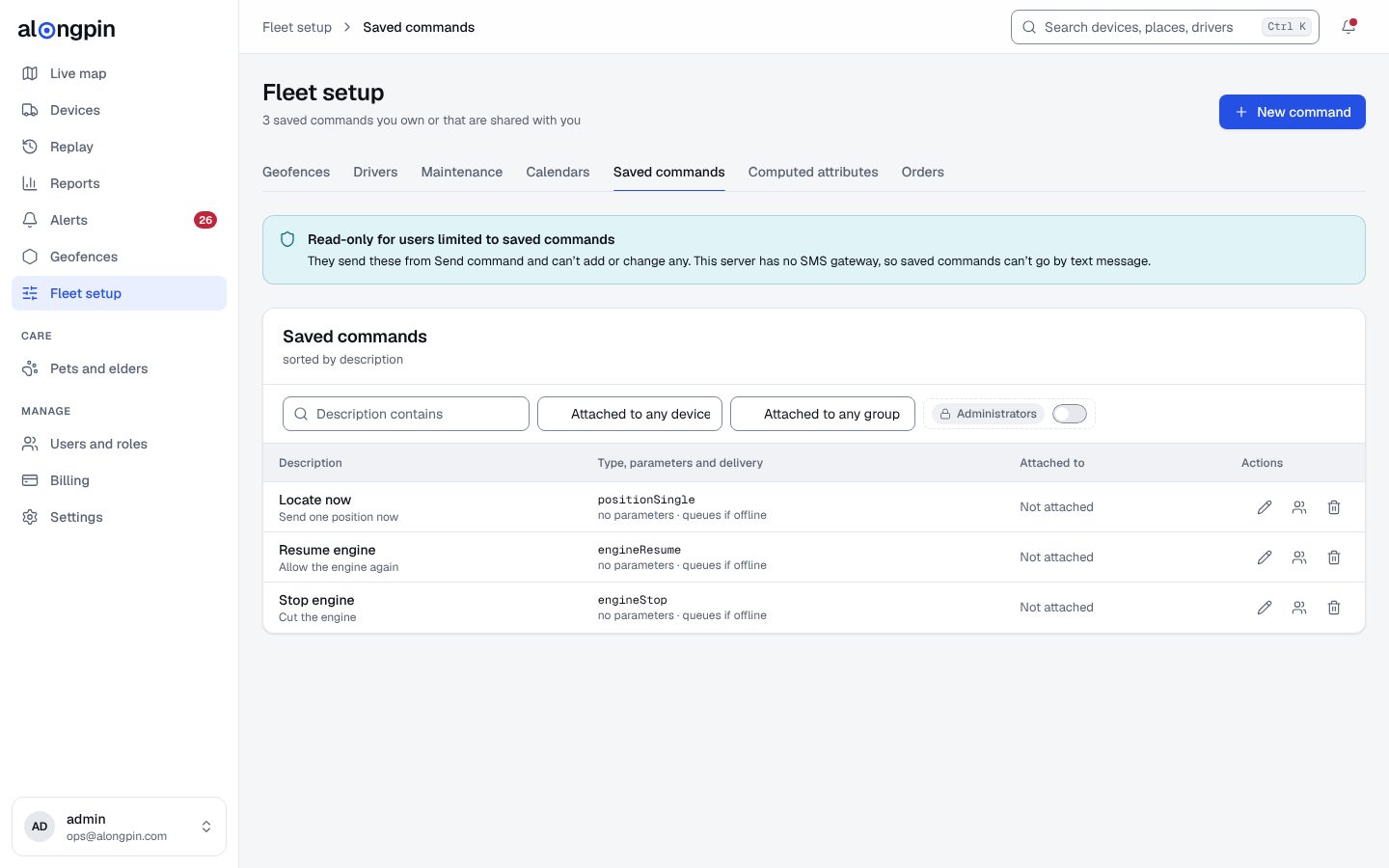
- Keep the commands you use often as saved commands, with a description people understand: "Locate now".
- Attach them to devices and groups, and share them with other users.
- Limit a user to saved commands only, so they send what you prepared and nothing else.
- Send one command to every device of a group at once.
- Let an alert rule send a saved command when its event happens.
For developers
The same command, from your own system
The web app talks to a REST API. You can call it with a token, with exactly the rights of the user who made it.
# send one command to one device
curl -X POST https://tracking.example.com/api/commands/send \
  -H "Authorization: Bearer $TOKEN" \
  -H "Content-Type: application/json" \
  -d '{"deviceId": 12, "type": "positionSingle"}'

# the device is connected
200 delivered
# the device is offline: sent when it reconnects
202 queued- Sending to an offline device answers 202 and delivers when the device reconnects; 200 means delivered.
- Read the command types a device supports, its queue and its history over the same API.
- Send only if the device is connected right now, without queueing.
Before you send
A command acts on a real vehicle
Commands such as cutting the engine affect the vehicle directly. They depend on the tracker and its wiring, can be unsafe on a moving vehicle, and need your own rules for when to use them. Check your device and local law first.
A role decides who may send
Sending a command is a right of its own, given per device or group. Read-only users cannot send.
Share links cannot, by default
People using a share link cannot send commands unless your administrator switches that on.
Every command leaves a trace
Commands sent are in the audit log and in the history of the device, with the name of who sent them.
FAQ
Questions about remote commands
What happens if the tracker is offline?
Which commands does my tracker support?
Can I cut the engine of a vehicle?
Can I change how often a tracker reports?
Can a customer with a share link send commands?
Can I send commands from my own system?
Send your first command today
Create an account and connect a tracker, or let us show you the platform with your own devices. Choose a package in the portal; you see the first invoice before you confirm.