Rental and leasing

Know where each unit is, and who can see it.

See every rented vehicle, trailer or machine on one map. Share one unit with a customer through a read-only link, and move a tracker to another account when a unit changes hands.

Choose a package in the portal; you see the first invoice before you confirm.

Northside yard3 in the yard · 3 outPVan 1PTrailer 5PLoader 2Van 3PDigger 4 · on hirePTrailer 8 · with a customerRead-only share linkBack 21 Nov · link ends thenVan 3 · returning

Sharing

A read-only link for one unit

Create a share link for a vehicle or a group of units. Anyone with the link can watch it and cannot change anything. Give each link a label and an expiry date, add a PIN if your account allows it, and revoke one link without touching the others.

  • Read-only access to one unit or one group
  • A label and an expiry date for each link, and a short link to send
  • An optional 4 to 6 digit PIN, and revoke any link on its own

By default, people using a share link cannot send commands or run reports. Your administrator can change this. If your administrator turns PINs on, the link asks for the PIN before it opens.
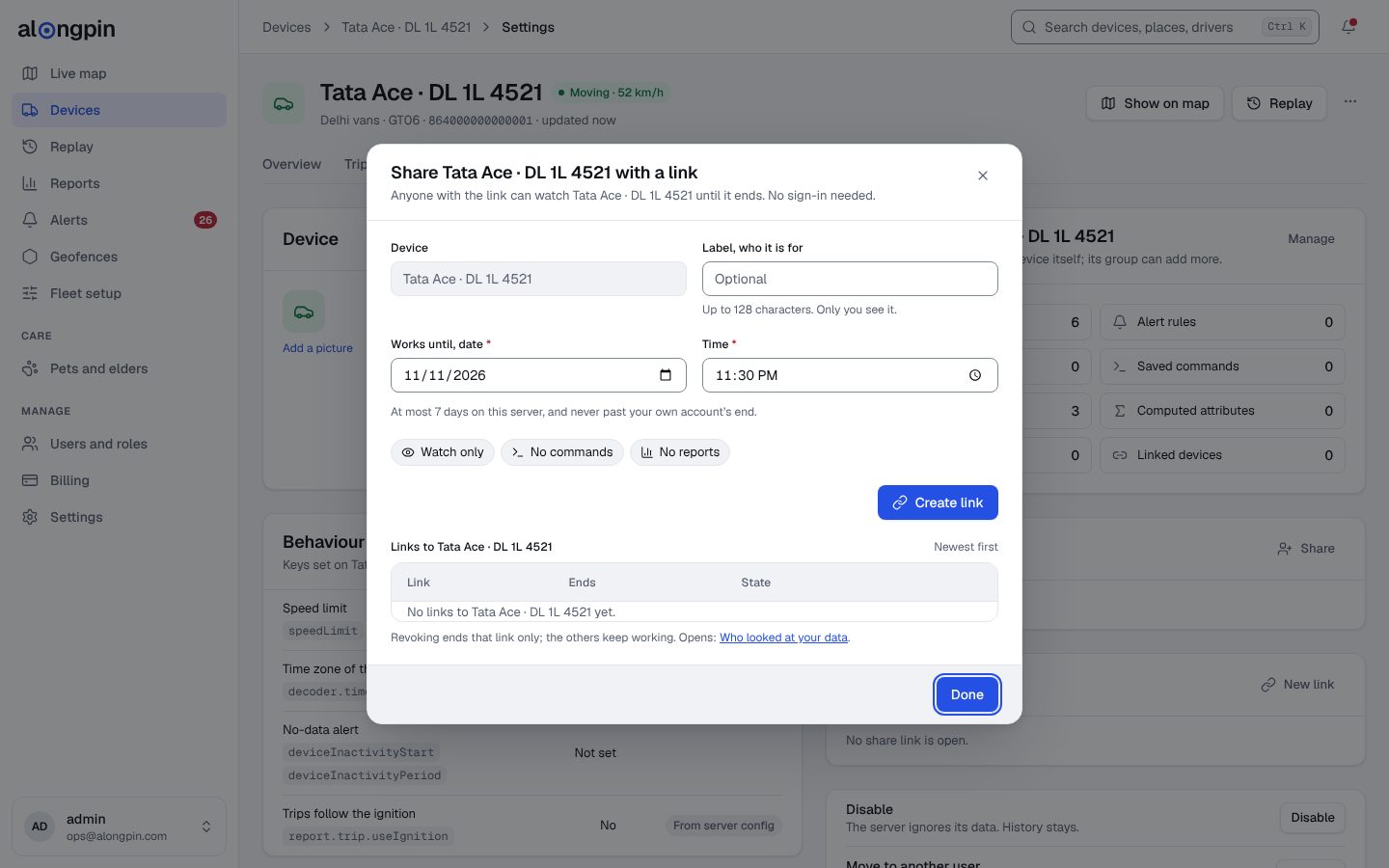
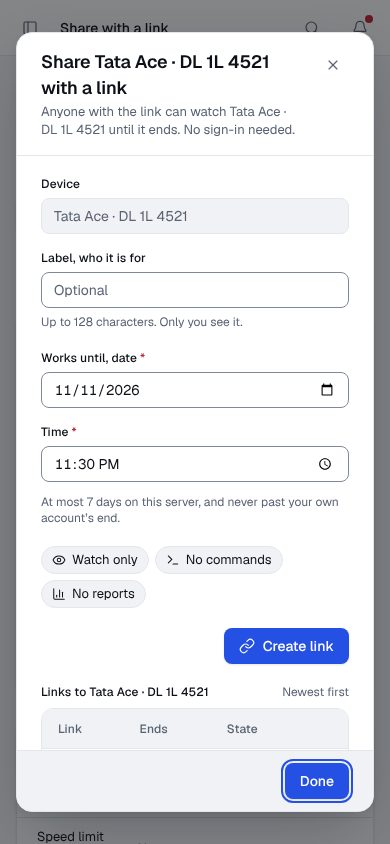
Share links in the portal: each with its label, expiry date, PIN and a revoke button

At the counter

Four things that go wrong with rented units

And what you can check from the office.

  • Nobody is sure where a unit is between rentals.

    Every unit on one map.

    Moving, idle, parked and offline are shown by colour, shape and word, with the last known position.

  • A customer asks where their delivery or hire is.

    A read-only share link to that one unit.

    You revoke it when the rental ends.

  • A unit goes outside the agreed area.

    Geofence alerts on leaving a zone.

    Overspeed alerts work by device or zone limit.

  • Mileage disputes at return.

    Distance driven in the rental period.

    From a summary or trips report for those dates.

While a unit is out

Built for units that change hands.

Maps, sharing, transfers, commands and reports.

Tracking

Every unit, its status and its last position

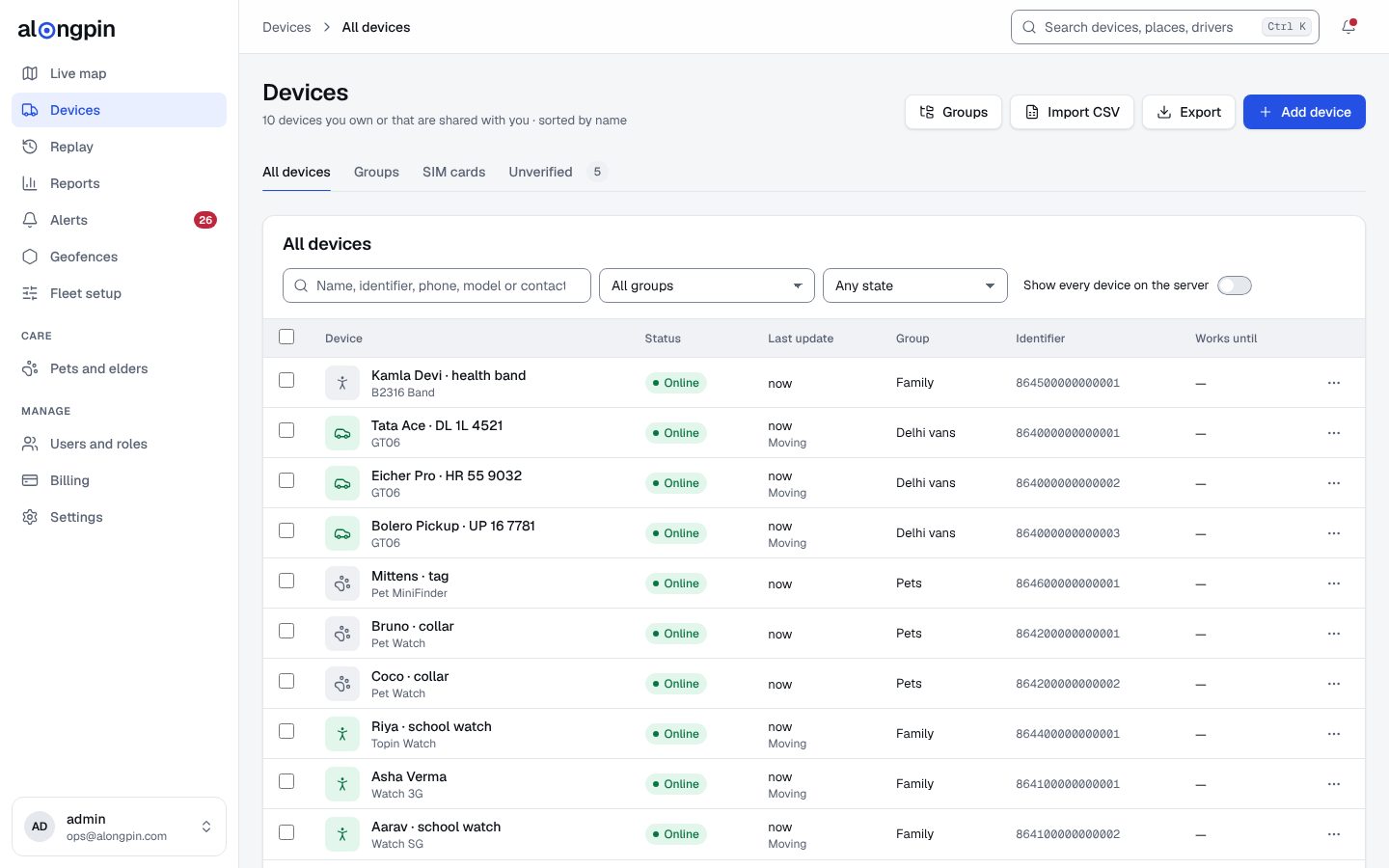
The device list shows each unit's status and when it last reported. Group units by depot, branch or customer and see one group at a time. Open a unit to see its position, speed and recent trips.

  • Status by colour, shape and word
  • Groups for depots, branches or customers
  • Position history with replay
The device list of the portal: each unit with its status, group and when it last reported

Safety and alerts

Alerts when a unit leaves, and kilometres for the invoice

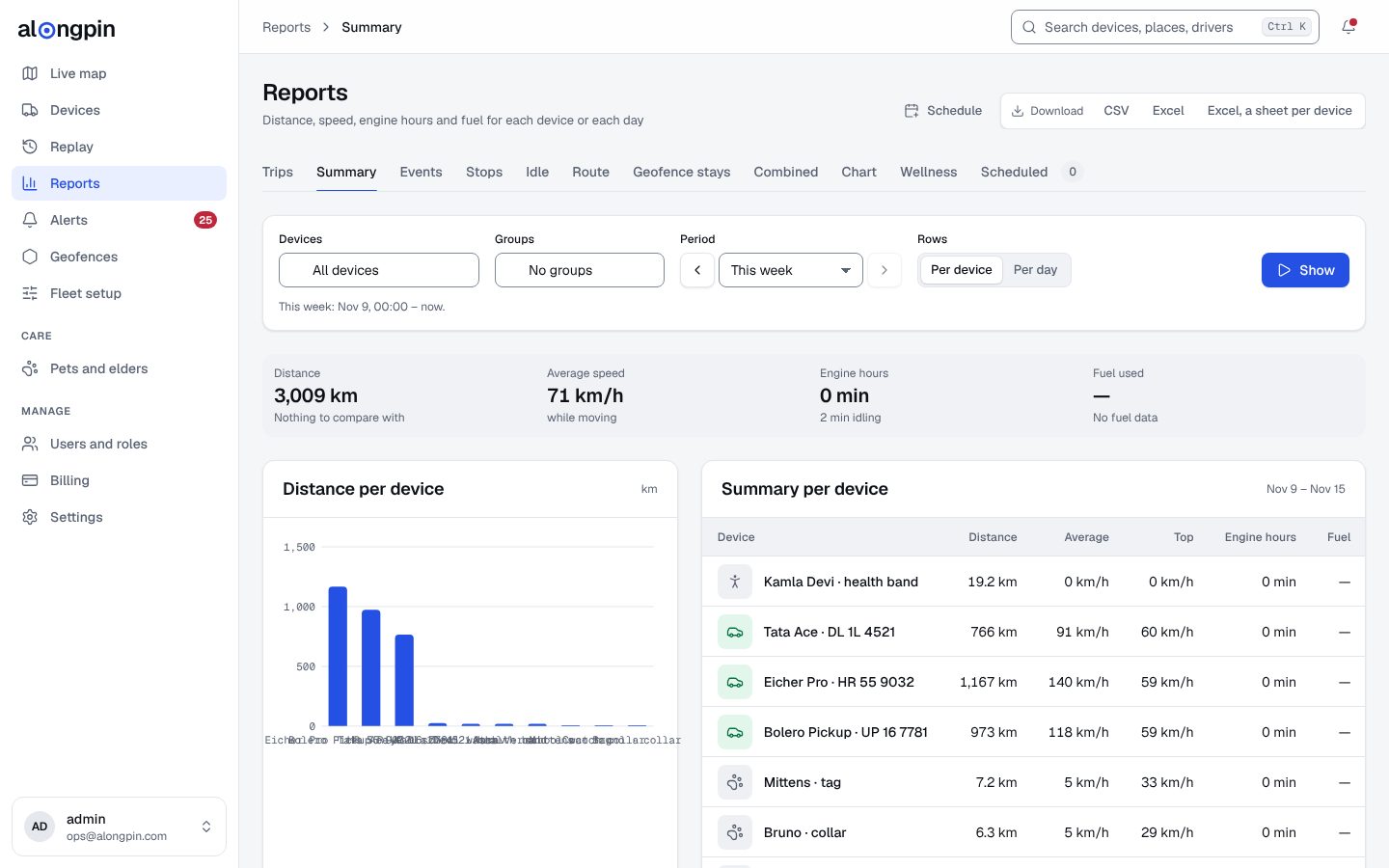
Draw a zone around the agreed area or the depot and get a message when a unit leaves or returns. Run a summary or trips report for the rental dates to see distance driven, top speed and stops. Plan a service by kilometres or engine hours so units are checked between rentals.

  • Leave and return alerts per zone
  • Distance, top speed and stops for any period, as CSV or Excel
  • Maintenance plans by distance or engine hours

Distance comes from the tracker's odometer when it reports one, otherwise from the platform's own count.

A summary report in the portal: distance, top speed and engine hours per unit for the rental dates

Between rentals

Hand a tracker over, or ask it a question

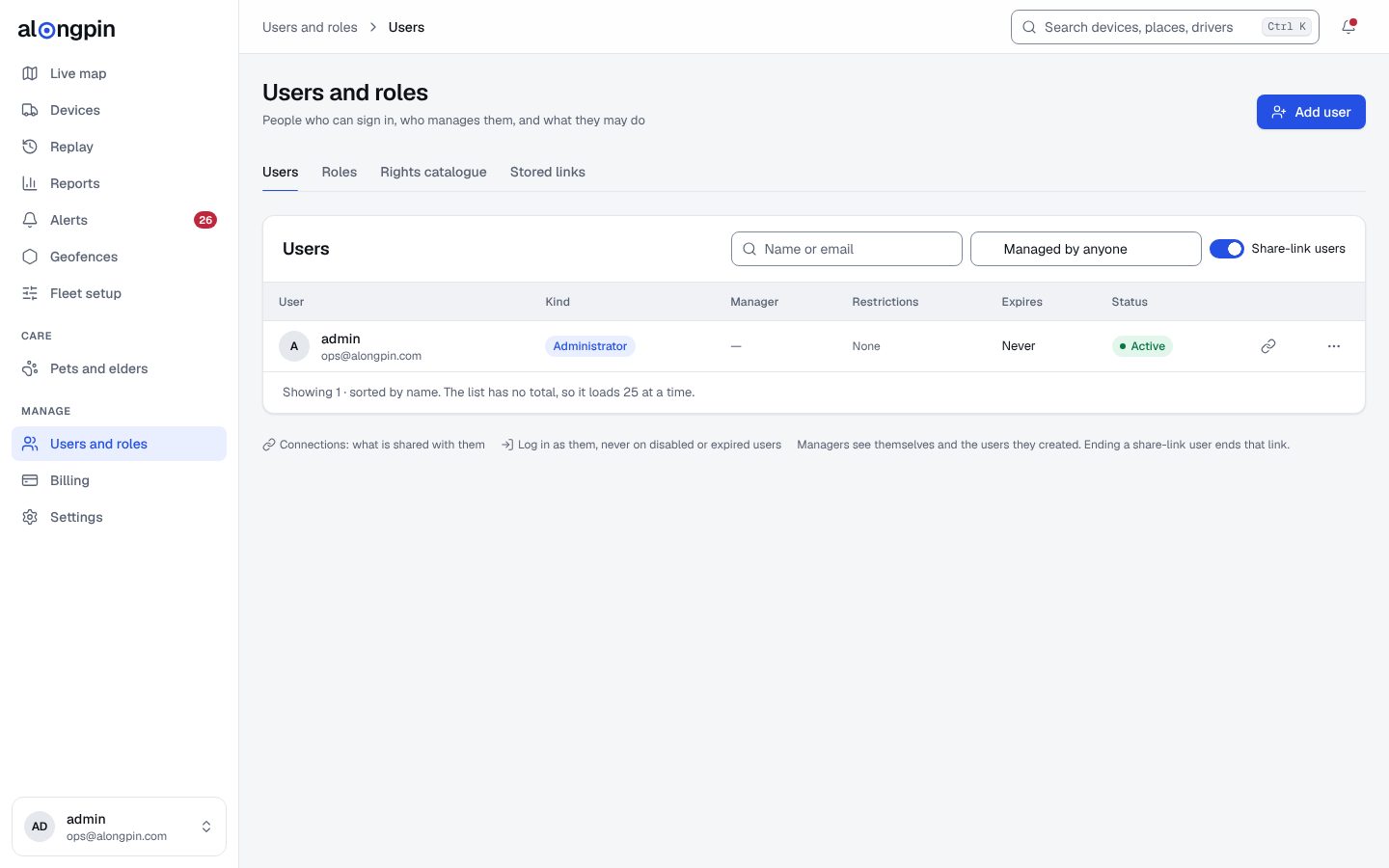
Users in the portal: branch accounts and the units each one owns or is shared

Management

Move a tracker when a unit changes hands

An administrator can hand a tracker to another user. The new owner sees it in their list and the previous owner no longer does. Use it when you move a unit to a branch account or sell it to a customer who runs their own account.

  • Only administrators can transfer
  • The new owner is linked at once and the old owner's own link ends
  • A tracker you only shared with someone stays shared until you remove it

The tracker and its recorded history are not deleted by the transfer.

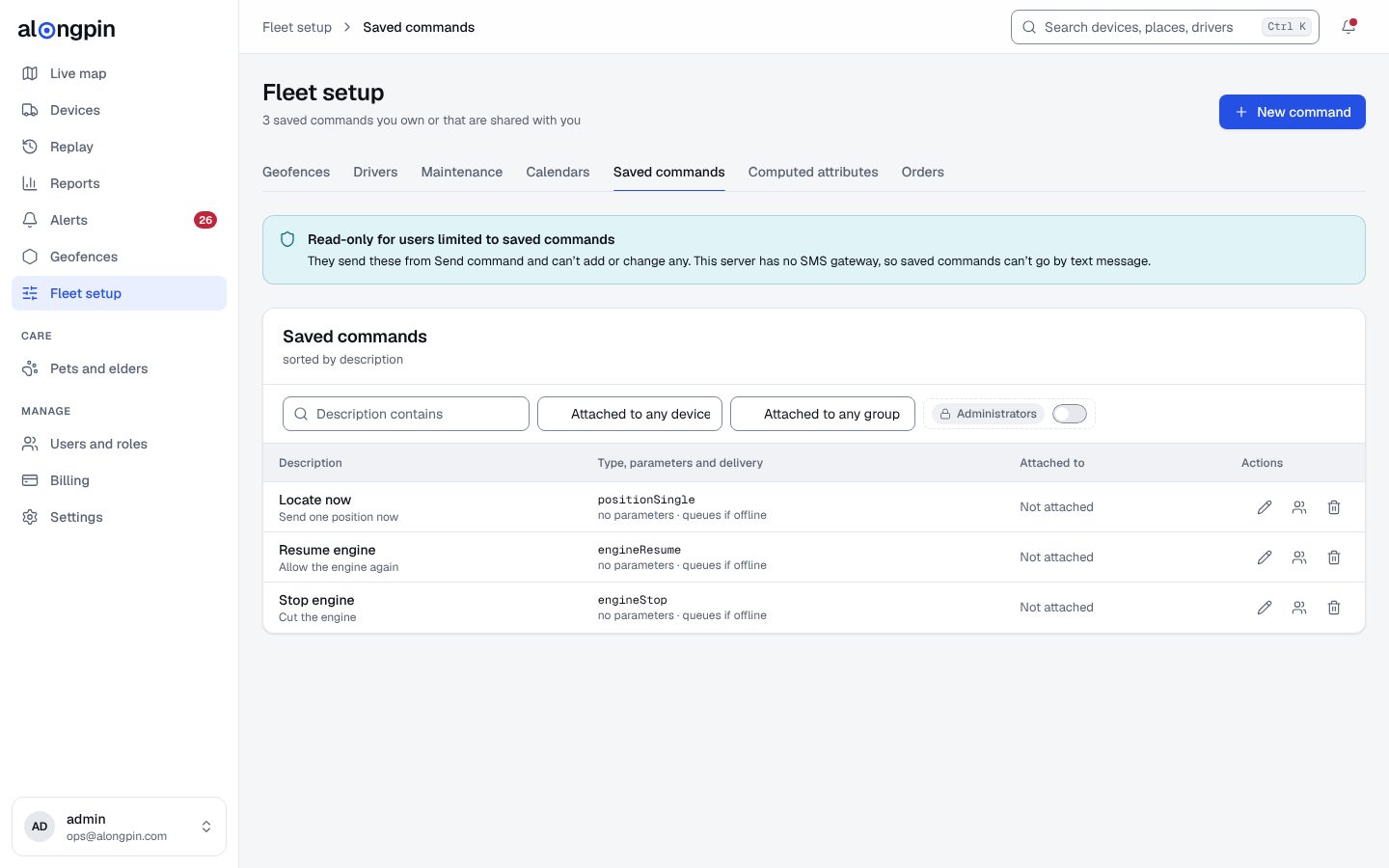
Commands in the portal: the commands a unit supports, the queue and the history with results

Management

Send a command to the unit

Ask for a position now, change how often the tracker reports, or send another command your model supports. Commands to an offline tracker wait in a queue. Every command is recorded with who sent it.

  • Commands the tracker supports, listed per device
  • Queue when offline, with cancel
  • History of the last 90 days with the result

Commands such as cutting the engine affect the vehicle directly. They depend on the tracker and its wiring, can be unsafe on a moving vehicle, and need your own rules for when to use them. Check your device and local law first.

All features

Your customers

Tell your customers they are tracked

A tracker on a rented unit records where it goes, and the record may relate to the person who has it. Tell customers in the rental agreement, keep only what you need, and set retention to match. Use private trips and working hours where they apply to staff. Create roles for branch staff so each sees only their own units.

Run it on your own servers, or let us host it for you. A data processing agreement is available.

  • Rental agreement notice

    Tell customers in the agreement what is recorded and for how long.

  • Private trips

    Working hours and private trips where staff drive the units.

  • Roles per branch

    Branch staff see only the units of their own branch.

Devices

Trackers that fit cars, vans, trailers and equipment

Vehicle trackers with a SIM cover most rental fleets. Battery trackers suit trailers and equipment without power.

Battery life depends on the tracker model and reporting interval. We do not sell hardware.

How teams use it

Stories from customers, in their words, published by our team.

No stories published yet

Customer stories appear here once our team publishes them. In the meantime, book a demo and we will walk you through a setup like yours.

All customer stories

Pay per device

Packages set the price, the features and the number of devices. Start with a free trial where the package has one, and change plan any time.

No packages are offered yet

The platform's administrators have not published any package.

FAQ

Questions people ask first

Can a customer see the unit without an account?

Yes, through a share link. The link gives read-only access to one unit or a group, has an expiry date, can be labelled and revoked, and may be protected by a PIN.

Users, roles and sub-accounts

Can a customer change settings or send commands?

Not through a share link by default. Share link users are read-only, and commands and reports are off unless your administrator switches them on for share links.

Users, roles and sub-accounts

How do I move a tracker to another account?

An administrator changes the tracker's owner. The new owner sees it in their list at once; the previous owner no longer does.

Users, roles and sub-accounts

Can I cut the engine of a rented vehicle?

Only if the tracker model and its wiring support it, and only with your own rules in place. Check the device and local law first.

Remote commands

Is it legal to track a rented vehicle?

The platform gives you tools such as retention settings and access control, not the legal basis. Tell customers in the rental agreement and check local rules.

Privacy and GDPR

Where is my data hosted?

Run it on your own servers, or let us host it for you. A data processing agreement is available.

Data processing agreement

Know where every unit is

Create an account, or let us set up your first branch in a demo. Choose a package in the portal; you see the first invoice before you confirm.

Chat with us