Devices
Dashcams that report like a tracker and send what they see
A JT808 camera reports position, ignition and alarms, and uploads photos and clips. Cameras that also speak JT1078 open live video when you ask.
Choose a package in the portal; you see the first invoice before you confirm.
What it reports
Two protocols, three things on your screen
Where a camera does not report something, the platform does not show it.
- jt808
Position, ignition and alarms
A dashcam is a tracker too: position, ignition and alarms such as SOS, overspeed, fatigue, collision and tampering.
- jt808
Photos, clips and audio
The camera uploads photos, clips and audio for events, a schedule or a request. Each arrives with where it was taken, the camera channel and a reason.
- jt1078
Live video, without sound
Cameras that also speak JT1078 stream on request. The video plays in the browser a few seconds later and stops by itself when nobody is watching.
In the product
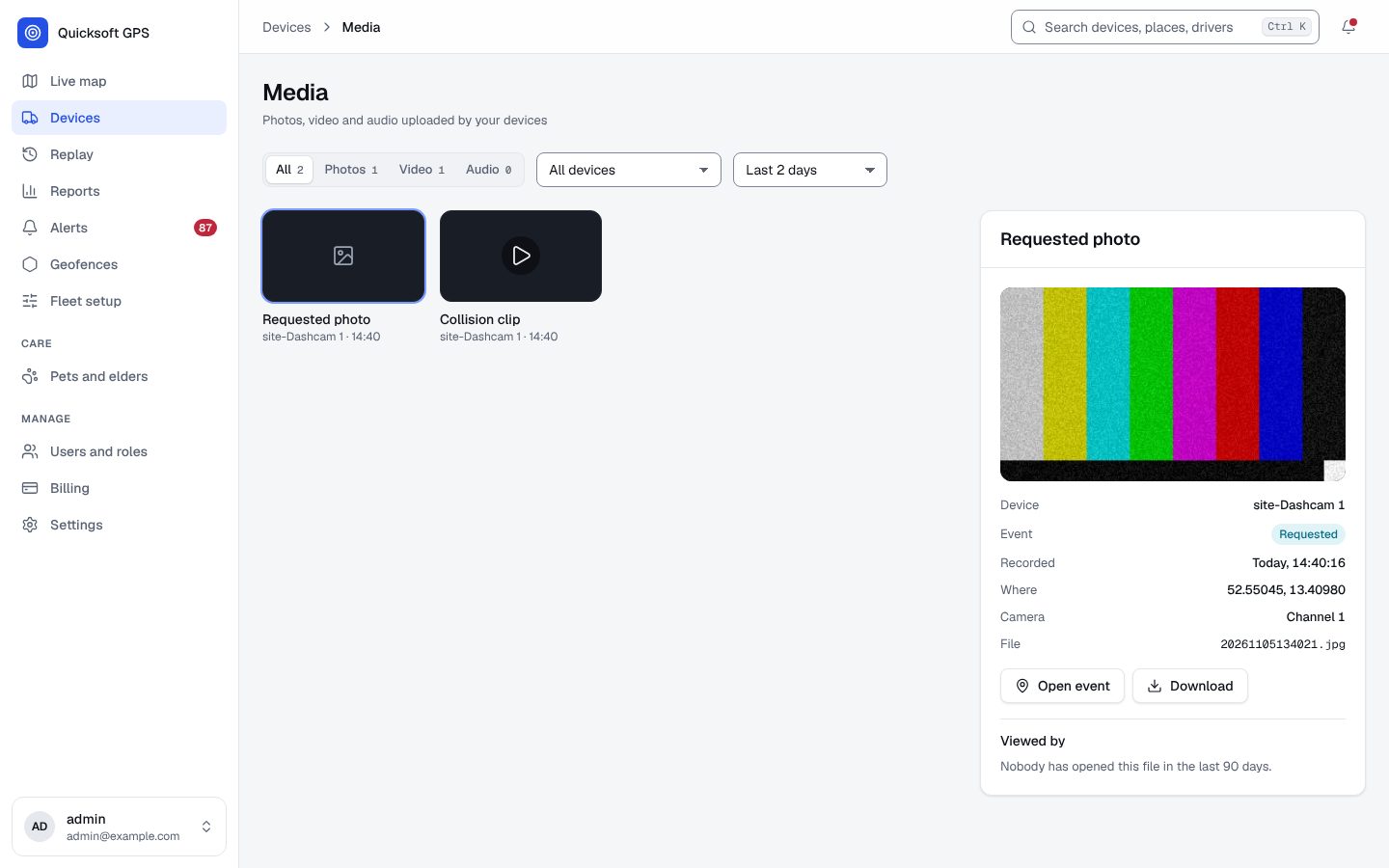
Each recording says why it exists
SOS, collision, harsh braking, fatigue, scheduled or requested by you: the reason is shown on the tile, with the place, the time and the camera channel.
In detail
What you can ask of a camera, and what to expect
| On the platform | Dashcam |
|---|---|
| Position (GPS) | Yes |
| Indoor position (Wi-Fi, cell) | No |
| Ignition and engine | Yes |
| SOS alarm | Yes |
| Fall alarm | No |
| Heart rate and other health readings | No |
| Steps | No |
| Photos, clips, live video | Yes |
| Commands | Yes |
Commands a dashcam takes
- Request a photo
- Start and stop live video
- Position requests
- Engine stop and resume
- Device settings where the camera accepts them
- Camera vendors differ
- Behaviour differs by model, so try one unit first. The reason on a recording comes from the camera, so which ones you see depends on the model.
- Live video needs signal
- Dashcams and live video need a good mobile signal. Choose the sub stream to use less mobile data; a camera without a sub stream may refuse the request or send its main stream.
- Not a continuous cloud recording
- The platform stores the photos and clips the camera uploads for events, a schedule or a request, plus live video on demand.
- Cabin audio is off by default
- It stays off until an administrator switches it on in the capture policy. Live video is video only, without sound.
- Typical models
- JT808 cameras. Camera vendors differ, so try one unit first.
How to connect one
Connect a dashcam in three steps
No software to install on your side. The camera sends its position and its media to our server.
Get the server address and port
Each protocol has its own port on our server. You get the address and the port for your device's protocol from the tracker setup page of your account or from us.
Device connection guideSet up the device
Enter the address, port and, if needed, your mobile operator's APN in the camera's settings, as its manual describes. The platform itself does not send text messages to trackers.
Setup guidesSee it on the map
Add the device with its ID (usually the IMEI), or let it connect first and approve it from the list of unverified devices.
Hardware
We do not sell hardware
Use a compatible camera you already have or buy from any seller. Enter the model, the maker or the protocol name from the manual to see whether the platform decodes it.
Vendor and model names are examples of device families the platform decodes. We do not sell or endorse hardware.
FAQ
Questions about dashcams
Which cameras work?
Is video recorded all the time?
What does a dashcam need?
Can I keep a GPS-only tracker on vehicles without a camera?
Setup guides
Setup guides for dashcams
- How to find a dashcam recording and keep it for an insurance claimFor fleet managers after an incident: find the photo or clip under Media, ask the camera for a photo if nothing came, check place, time and channel, and place a legal hold so it outlives the retention period.
- How to watch live video from a dashcamFor dispatchers and managers: open the vehicle’s Live video page, start a camera channel, choose the main or sub stream, stop when you are done, and find your view in the audit log.
See your first clip arrive
Create an account, or let us show you the platform with your own cameras. Choose a package in the portal; you see the first invoice before you confirm.