Tracking
Every device on one map, updated live.
Watch positions arrive without refreshing the page. Moving, idle, parked and offline are shown by colour, shape and word, so the map reads at a glance.
Choose a package in the portal; you see the first invoice before you confirm.
At a glance
Four states, each told three ways
Colour alone is not enough on a busy map, so each state also has its own shape and its word.
- Moving
A green dot with the direction of travel and the speed.
- Idle
Standing with the engine on, where the device reports ignition.
- Parked
Standing with the engine off.
- Offline
No report for a while. The last known position stays on the map.
In the product
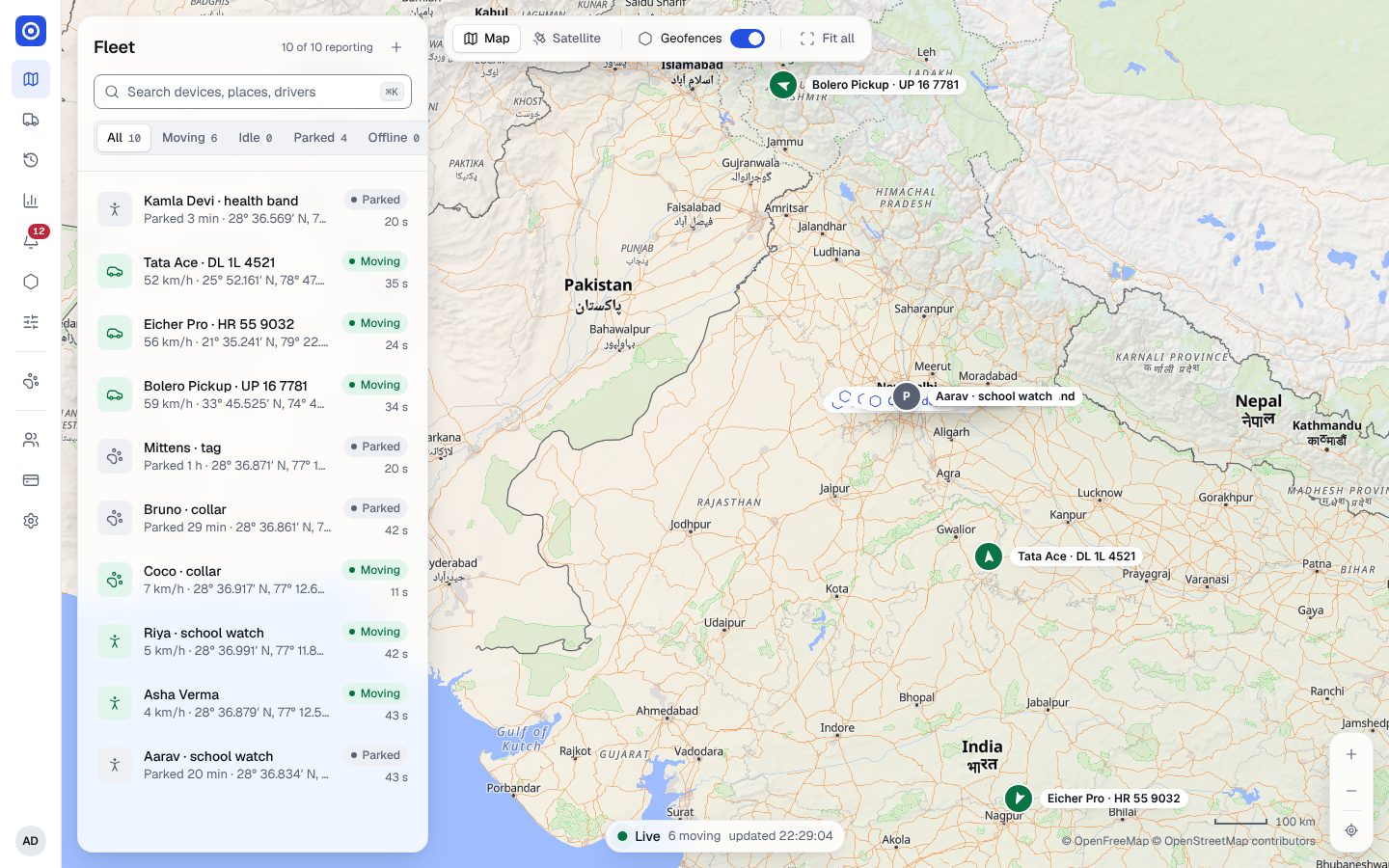
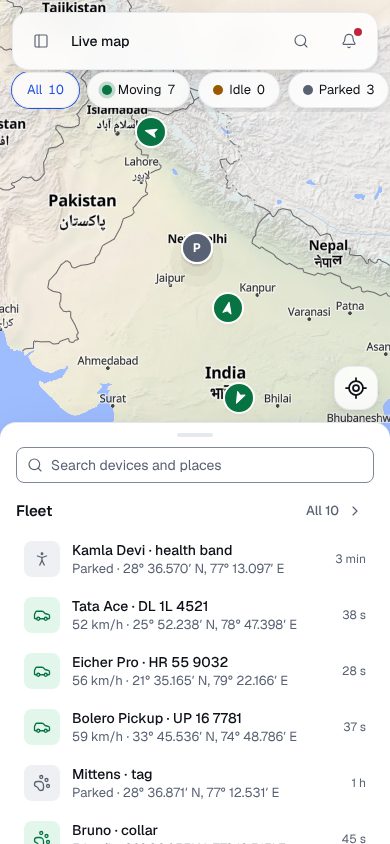
The whole fleet on the left, the map on the right
Search the list, pick a device and see its speed, address and state next to the map.
On the map
Built for a map with many devices on it
Focus the devices you care about
Pick one device and the map zooms to it. Add more from the list and the map zooms out to keep all of them in view, and fits again when one is about to leave the edge.
A movement line that starts with the last hour
Switch on the movement line of a device to see the route it has just taken. It starts with the last hour and grows as the device moves.
Nearby devices become one bubble
Devices that would overlap are drawn as one bubble with a count until you zoom in. The devices you selected or focused always stay their own markers.
One group at a time
Group vehicles by depot or team and see one group at a time. Each person sees only the devices their role covers.
Who uses it
The same map, three different mornings
- DispatchStop calling drivers to ask where they are: every van and truck is on the map with its state.Fleet and logistics
- Field serviceSee who is closest to the next job and when they arrive at the customer site.Field service and deliveries
- FamilySee that a parent is at home, or where they are when an alert arrives.Elder care and safety
FAQ
Questions about the live map
Do I have to refresh the page to see new positions?
How often does a position update?
Can someone outside my account watch a device?
Does it work on a phone?
Put your first device on the map today
Create an account, or let us show you the live map with your own devices. Choose a package in the portal; you see the first invoice before you confirm.