Elder care and safety

Know your parent is safe, without calling every hour.

A GPS watch or personal alarm sends SOS, fall and leaving-home alerts to you and the other carers you choose. A care profile keeps contacts, medication and appointments in one place.

The person you care for decides what is shared. Location-only sharing is available.

Home zoneAsha · at homeAt home since 09:10Watch 82% · reported 2 min agoSOS from Asha's watch11:24 · at homeLMS3 carers notifiedLena acknowledged 11:25

When something happens

From the alert to the carer who answers it

Four steps, and you can see each of them afterwards.

  1. Step 1

    The watch reports

    An SOS press, a fall, leaving the home zone, a low battery, or no movement for too long.

  2. Step 2

    The platform raises an alert

    With the last position, in the care profile of the person it is about.

  3. Step 3

    The carers you chose are told

    The owner, shared family members and the contacts you marked to receive alerts: in the app, by email or by text message.

  4. Step 4

    Someone acknowledges it

    An alert stays open until someone acknowledges it. You see who was notified and whether it arrived.

Safety alerts

SOS, fall and leaving-home alerts that reach the carers you choose

When the watch reports an SOS or a fall, or leaves the home zone, or runs low on battery, the platform raises an alert and sends it to the owner, shared family members and the contacts you marked to receive alerts. Alerts stay open until someone acknowledges them.

  • SOS, fall, leaving home, low battery and no movement for too long
  • Choose the channels per profile: in the app, email, text message
  • Acknowledge an alert and see who was notified and whether it arrived

Emails and text messages say only 'New alert for <name>. Open the app to see it.' by default. They carry no alert type, position or map link. The server can be set to send full details. Text messages need the SMS channel to be switched on for your account.
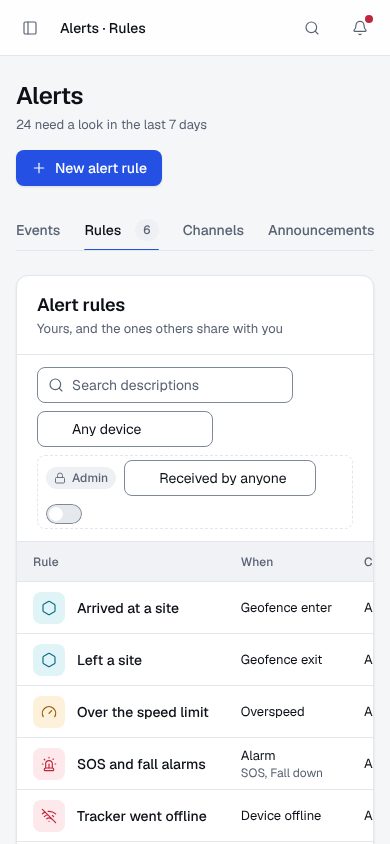
Care alerts on a phone: a fall alert, who was notified and the acknowledge button

What keeps you up

What families worry about, and what you can do about it

Three common situations, and the tool that covers each.

  • "If she falls, who will know?"

    Watches and alarms that detect falls and have an SOS button send an alert to every carer you listed, with the last position.

  • "If he leaves the house at night?"

    Draw a home zone. You get a message when the tracker leaves it.

  • "Is she still moving about?"

    Set a number of minutes without movement and the hours to watch. You get one alert per still stretch.

Fall and SOS alerts need a device that reports them. See the devices below. Alerts depend on the device being switched on, charged and in network coverage.

The care profile

Alerts, wellness, the profile and who may see it

Five parts of one care profile.

Wellness

See each day at a glance: steps, time at home, rest

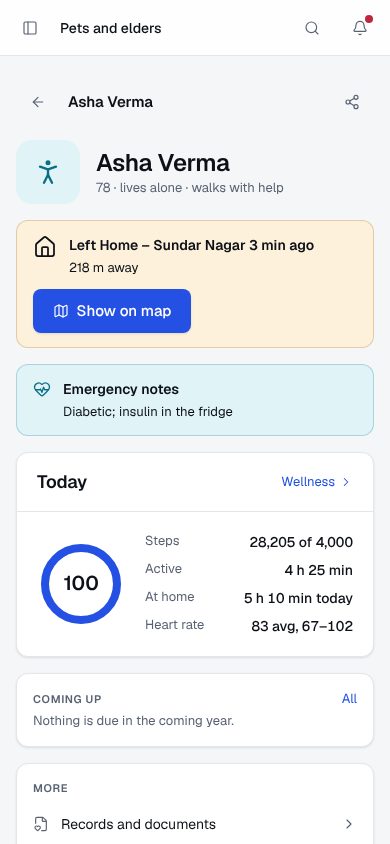
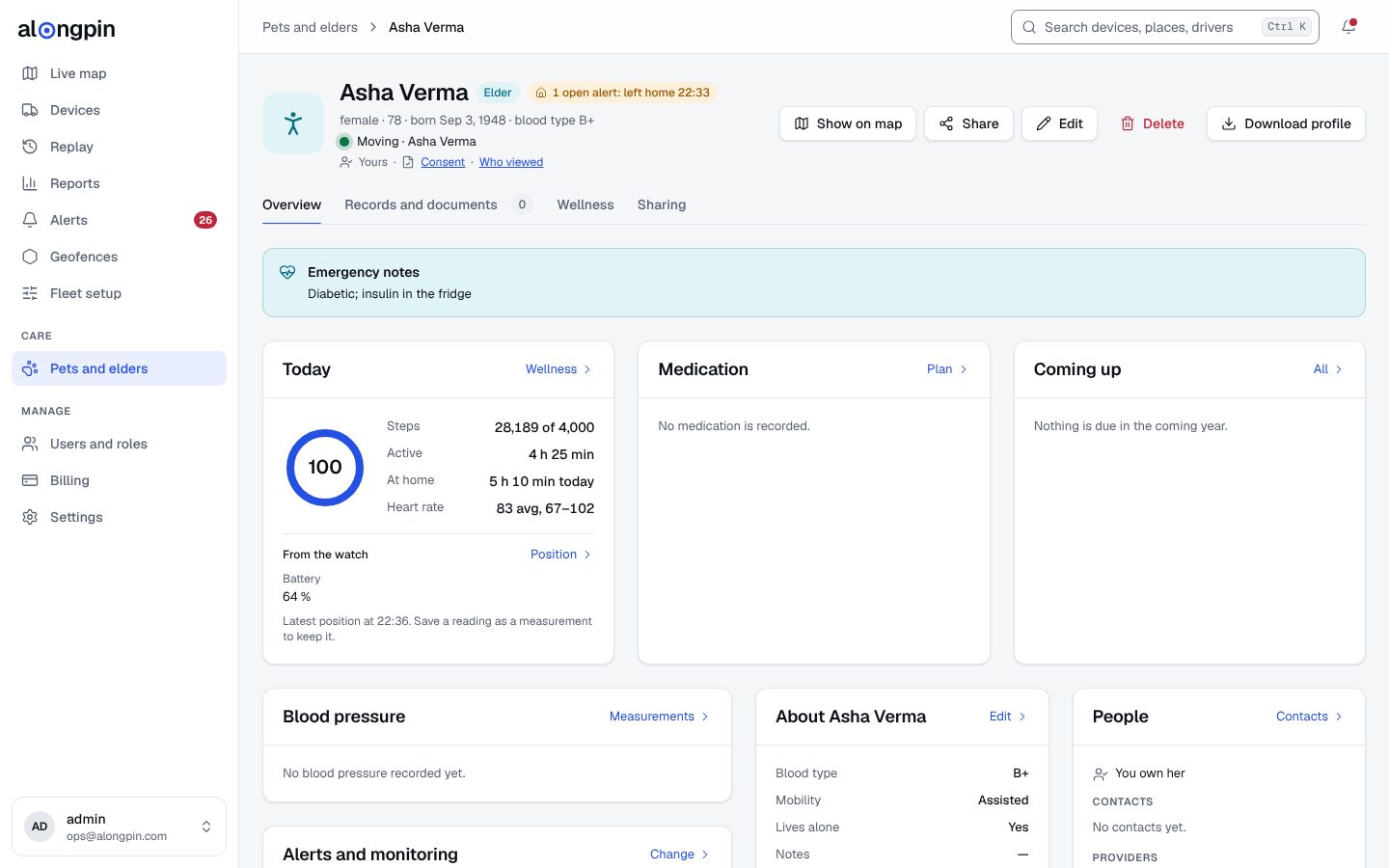
Set goals for steps, active minutes and distance. The page shows each day against them with a daily score, so a quiet day stands out. Heart rate appears where the watch reports it.

  • Steps, active time, distance, time at home and away, rest
  • Daily score against the goals you set
  • Heart rate shown only for watches that report it
A care profile in the portal: the day's steps, active time and time at home against the goals

Care profile

Contacts, providers and appointments next to the tracker

Keep the person's details, emergency notes and mobility, the people involved (family, caregiver, neighbour, emergency contact) and the doctors, nurses and pharmacies. Contacts need no account and can receive alerts or reminders.

  • Contacts with phone numbers and emails; choose who gets alerts and who gets reminders
  • Doctors, nurses, pharmacies and hospitals in a directory
  • Documents such as a care plan or power of attorney, with scans
A care profile on a phone: the contacts and who receives alerts

Health

Medication, appointments and readings, with reminders ahead of the date

Record medication, conditions, allergies, check-ups and measurements such as blood pressure, weight or glucose. Reminders go out 15 and 7 days ahead by default, or the days you choose per item, to the people you pick.

  • Medication, vaccinations, conditions, allergies and check-ups with due dates
  • Measurement history: blood pressure, weight, glucose, temperature, heart rate, oxygen
  • Reminders by app, email or text message, per item

Readings you enter are saved as you type them. Heart rate, blood pressure or oxygen from the watch appear only on devices that report them. This is a record, not medical advice.

Health records in a care profile: medication with refill dates, appointments and the reminders set for them

Sharing and consent

Share only what each person needs, and record that she agreed

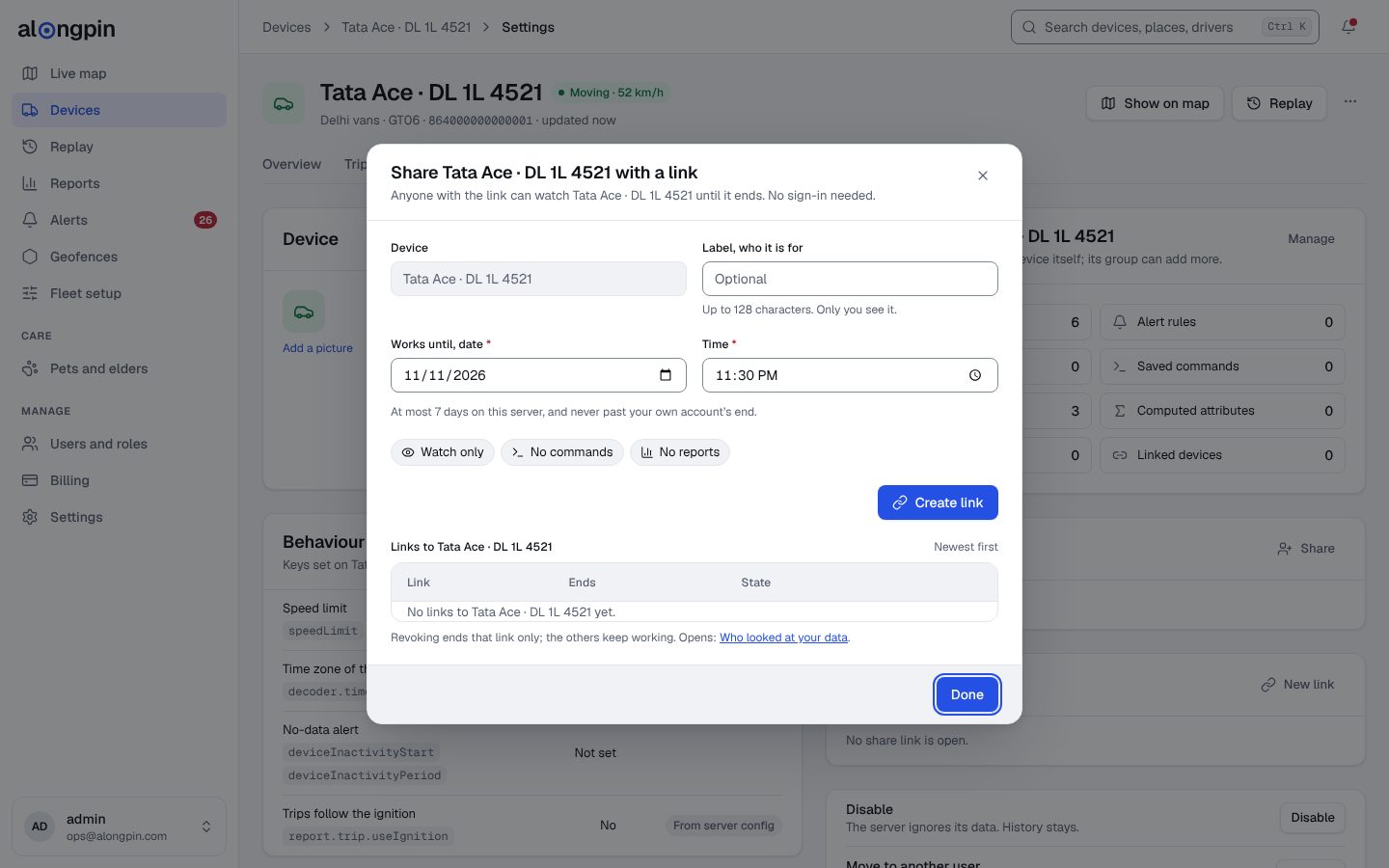
Share a profile with a family member for everything, for location only, or for health data only. End a share on a date you set. Record the consent of the person or their legal representative, and see who read the health data and when.

  • Three scopes: everything, location only, health only
  • Shares that end by themselves on a date
  • Consent records and an access log of reads of health data

By default the platform needs a recorded consent from her or her legal representative before it stores her location or shows her health data, and before you can share her profile. You record it in her care profile. The platform does not check legal capacity for you.

Sharing a care profile in the portal: each person with their scope and the date the share ends

Privacy and consent

Health information gets stricter treatment

Health data is kept apart from positions: consents decide whether it is stored and shown at all, every read of it is logged, and shares can leave it out or give only it.

Run it on your own servers, or let us host it for you. A data processing agreement is available.

  • Encrypted at rest

    Emergency notes and profile notes are encrypted with your data key.

  • Access log

    An access log shows who read a profile's health data.

  • Consent and shares

    Consent records for the person or their representative, and shares you can end.

How families use it

Stories from customers, in their words, published by our team.

No stories published yet

Customer stories appear here once our team publishes them. In the meantime, book a demo and we will walk you through a setup like yours.

All customer stories

Pay per tracker

Packages set the price, the features and the number of devices. Start with a free trial where the package has one, no card needed.

No packages are offered yet

The platform's administrators have not published any package.

FAQ

Questions people ask first

Does it work if she does not have a smartphone?

Yes. The watch or alarm reports by itself over a mobile network. You and the other carers see it in a browser or on a phone. She does not need an account.

Will I get a fall alert from any watch?

Only from a device that reports falls. Some watches and personal alarms do; many do not. The platform shows the alert when the device sends it. It does not detect falls from movement itself.

Check if your device works

Who sees her health information?

The owner, plus people you share with. A share can be location only, health only or everything, and can end on a date. Every read of health data goes into an access log.

Does she have to agree?

Yes. By default the platform needs a recorded consent from her or her legal representative before it stores her location or shows her health data, and before you can share her profile. You record it in her care profile. Until then the map stays empty and health data stays locked. The platform does not check legal capacity for you.

What happens if the battery is low or the watch is switched off?

A low-battery alert is sent if the device reports one. A watch that stops reporting raises no inactivity alert, so add an offline alert to your account to hear about it.

Alongpin sends alerts from the tracker's own reports. It is not an emergency service and does not replace one.

Put the first watch on the map today

Create an account, or let us walk through your situation. Choose a package in the portal; you see the first invoice before you confirm.

Chat with us