Management
Track the vehicle, not the person off duty.
Set working hours as a calendar. Outside them, positions are blurred, reduced to distance only or not stored, and drivers can switch a private trip on themselves when you allow it.
You still need a legal basis and a notice to drivers, and in some countries the works council's agreement.
Private mode
Three things a private trip can mean
You choose what private mode does. If you track employees, you need one: it is built in.
- About 1 km
Blur
Positions are stored blurred to about 1 km, with no address and no speed.
- No location
Distance only
No location is kept. Distance and odometer are, so a tax logbook still adds up.
- Not stored
Pause
Positions are not stored at all. Alarms such as SOS are still raised.
Working hours
Who switches a trip to private, and when
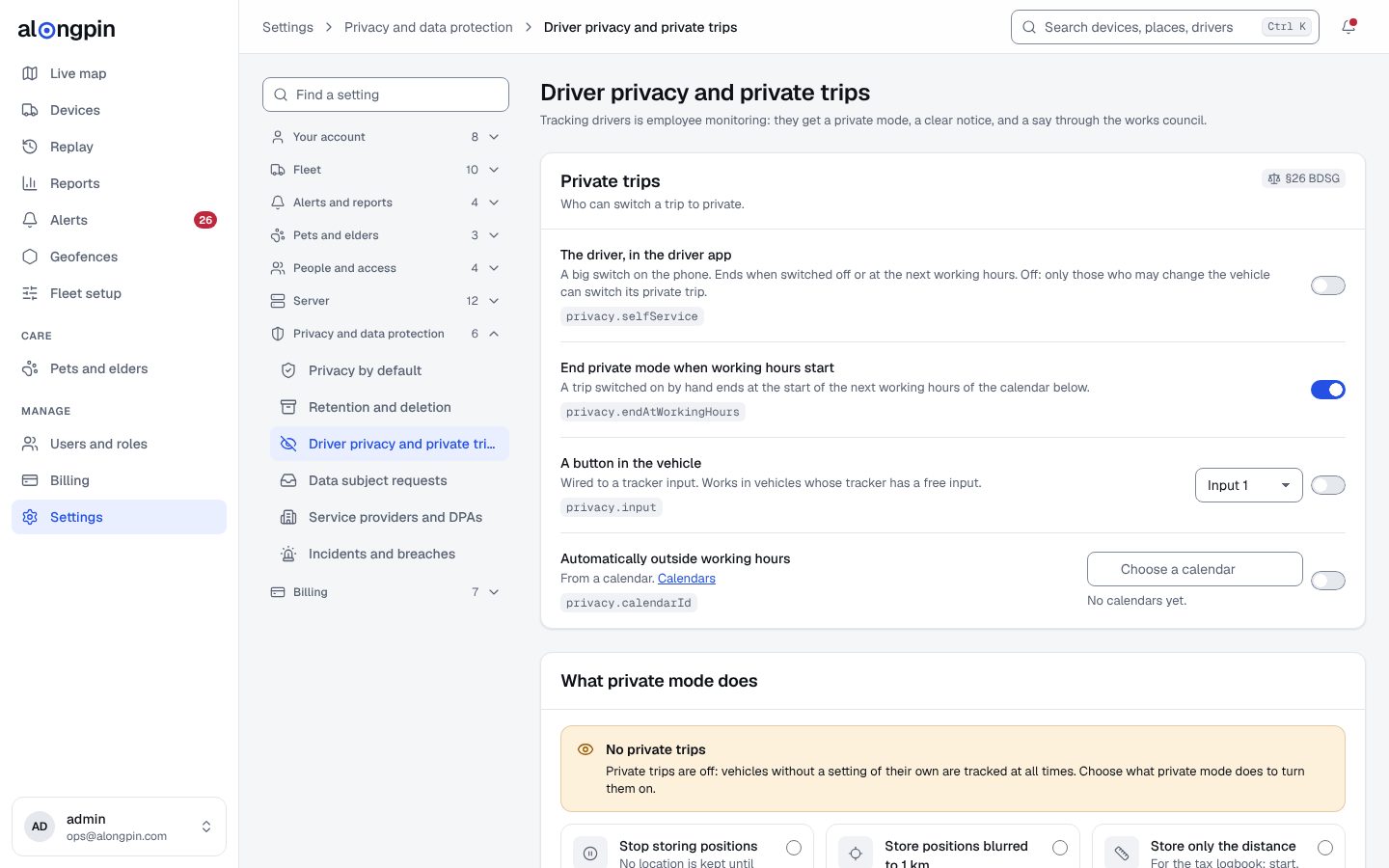
Automatically, outside working hours
Set working hours as a calendar. Everything outside it is private without anyone doing anything.
The driver, in the driver app
A big switch on the phone, when you allow it. It ends when switched off or at the next working hours.
A button in the vehicle
Wired to a tracker input. Works in vehicles whose tracker has a free input.
Ends when work starts
A private trip switched on by hand can end at the start of the next working hours of the calendar.
What it guarantees
Private means private in every part of the platform
- Address lookup
- Private positions never go to an address lookup.
- Geofence and speed events
- Private positions raise no geofence or speed events.
- Dashcam
- Media taken during a private trip is deleted, and live video is refused.
- Audit log
- Every switch into and out of private mode is in the audit log.
- Scoring
- The platform scores no driver automatically.
The one exception
An SOS ends a private trip, so help can find the driver
By default an SOS ends the private trip and sends the real position. This is on purpose. You can change which alarms do this.
Be open with drivers
Tell drivers this in your notice, together with the working hours and what private mode does outside them.
Honest limits
What stays with you
Tracking drivers is employee monitoring. Software gives you the controls; the decisions are yours.
- The legal basis for tracking
- The notice to drivers, and in Germany the works council's agreement
- An impact assessment for fleet tracking with video
- The record of processing
The platform does not replace your legal basis, notices or processes, and it carries no certificate. We can tell you exactly which settings do what.
Trust and privacyBook a demo and bring your data protection officerFAQ
Questions about driver privacy
Can we use it to track employees?
Can I track my drivers and stay compliant?
Does a private trip break the logbook?
What happens when a driver presses SOS during a private trip?
Can a driver switch private mode on by themselves?
What about the dashcam?
Check the privacy settings yourself
Open the privacy center in an account of your own, or book a demo and bring your data protection officer. Choose a package in the portal; you see the first invoice before you confirm.