Care
Readings, records and reminders, next to the tracker.
Heart rate and other readings where the device reports them, each day against its goals, and vaccinations, medication and appointments with reminders ahead of the date.
Health readings show only for devices that report them.
Wellness
See each day at a glance: steps, time at home, rest
Set goals for steps, active minutes and distance. The page shows each day against them with a daily score, so a quiet day stands out.
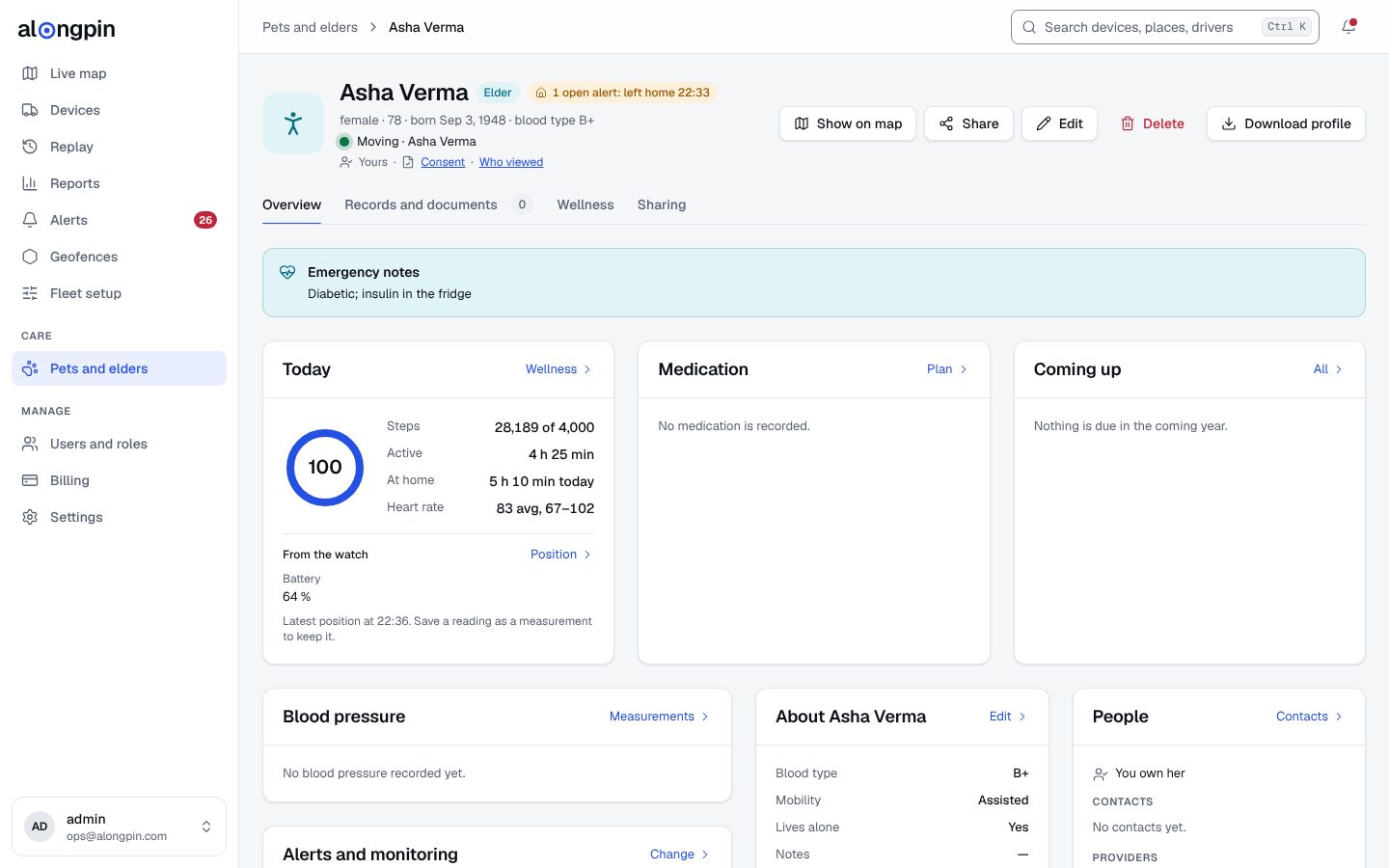
Steps
Against the goal you set per day.
Active time
Active minutes, against a goal.
Distance
Covered during the day, against a goal.
At home and away
Time inside the home zone.
Rest
Next to the active time of the same day.
Heart rate is shown only for watches that report it.
Readings
From the watch, or typed in by you
Reported by the device
Heart rate, blood pressure or oxygen from the watch appear on the profile, on devices that report them. Daily steps come from the watch too, and from a pet's collar if it counts them.
A reading from the watch is the latest one it sent. Save it as a measurement to keep it in the history.
Entered by you
Record a measurement after a visit or at home and follow it over time. A pet's weight history is drawn as a chart.
- Blood pressure
- Weight
- Glucose
- Temperature
- Heart rate
- Oxygen
Readings you enter are saved as you type them. This is a record, not medical advice.
Records
Vaccinations, medication and appointments in one place
Ready when the doctor or the vet asks.
Medication
What is taken, with refill dates.
Vaccinations
With the date the next one is due. For pets, deworming too.
Conditions and allergies
Next to the emergency notes of the profile.
Check-ups and appointments
A vet visit, grooming, a doctor or home visit. Mark each completed, cancelled or missed.
Surgeries and therapies
With their dates, for the next person who asks.
Documents that expire
A vaccination certificate, passport or insurance, with a scan and a reminder before it runs out.
Reminders
Reminders before the date, not after it
- 1
Give the item a date
Each vaccination, medication, appointment or expiring document can carry a due date.
- 2
Choose the days ahead
Reminders go out 15 and 7 days ahead by default, or on the days you choose: up to five reminder days per item.
- 3
Choose who is told, and how
By app, email or text message, to you and to the contacts you marked to receive reminders.
- 4
See what is due
One list of what is due, overdue or coming up, with which reminders went out. Switch reminders on or off per item.
Rabies vaccination, Bruno
- 15 days aheadFirst reminder
- 7 days aheadSecond reminder
- The dateDue
Sent in the app, by email or by text message, to you and to the contacts you marked. Reminders by text message need the SMS channel to be switched on for the account.
Who may see it
Health data stays hidden unless someone is allowed to see it
For elder and pet care profiles the platform separates location from health.
- Share a profile for location only: family sees the tracker and contacts but not blood type, mobility, notes or heart rate.
- Heart rate, blood pressure, blood oxygen, blood sugar and body temperature are left out of positions, reports, exports and live updates for anyone who may not see the profile's health fields.
- A doctor can be given access to the profile and health data only, until a date you set.
- Each read of health data is written to the access log.
- Alerts by email or text say only which profile has a new alert, never where or what was measured.
Where your installation requires it, a profile without a health consent is locked, including for its owner, until the consent of the person or their legal representative is recorded.
Sharing and consent in care profilesPrivacy and GDPRFAQ
Questions about health readings and reminders
Which devices send health readings?
Can I enter readings by hand?
Is this a medical record?
Who gets the reminders?
Do reminders by text message work out of the box?
Who can see the health data?
Keep the readings and the reminders in one place
Create an account, or let us walk through your situation. Choose a package in the portal; you see the first invoice before you confirm.