Fleet and logistics

Know where every vehicle is, and how it was used.

Live map, trips, stops, idle time, maintenance reminders and scheduled reports for vans and trucks. Give each person in your team only what they need to see.

Choose a package in the portal; you see the first invoice before you confirm.

NorthgateHarbourWestfieldDepot NorthPTruck 3Truck 7Van 12Depot North · 4 vehiclesTruck 782 km/hVan 1264 km/hTruck 3idleVan 4parked

Dispatch

The questions you ask every day

Each one has an answer on screen, not in a phone call.

  • Calling drivers to ask where they are.

    One map for every vehicle.

    Moving, idle, parked and offline are shown by colour, shape and word. Positions arrive live, with no refresh.

  • Engines running while the van stands.

    Idle time with the engine on.

    Per trip and as a list of idle spans with the place. Short stops such as traffic lights are left out of the idle list.

  • Services missed because nobody counted the kilometres.

    Maintenance plans.

    By distance, engine hours or time, with an advance warning before the mark.

  • Month-end means piecing together a spreadsheet.

    Trips, stops and summary reports.

    For any period, as CSV or Excel, or sent to you on a schedule.

In the product

What you use every day.

Six things fleets use from the first week.

Tracking

Every vehicle on one map, and the route it took

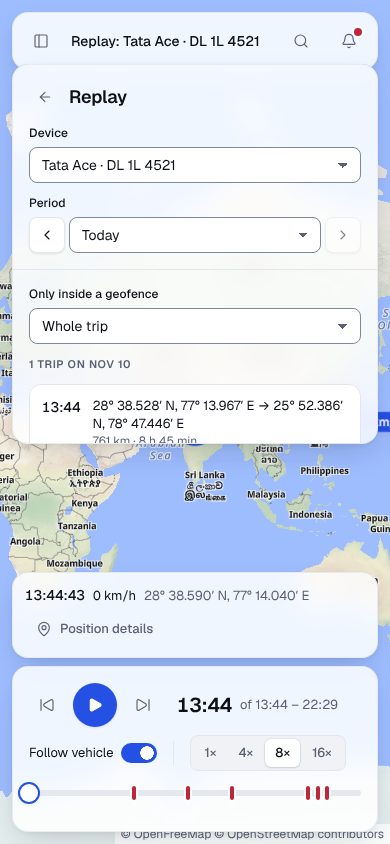
See each vehicle's position, speed and status as it changes. Open a past day and replay the route with the events that happened along it.

  • Live positions pushed to the page, no refresh
  • Replay a trip with speed and events along the route
  • Group vehicles by depot or team and see one group at a time
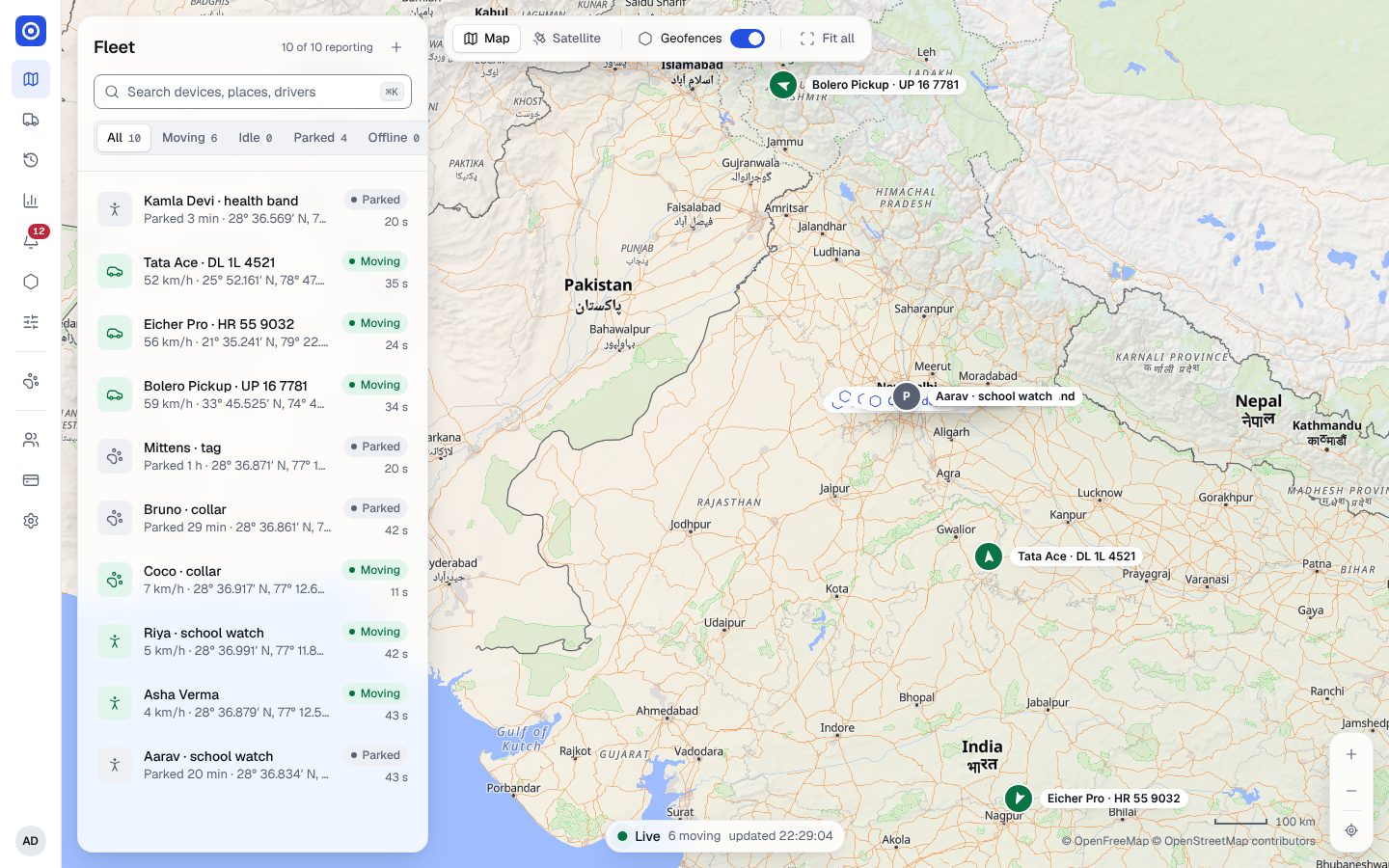
The live map of the portal: vehicles with their state, grouped by depot

Insights

Trips and stops, with the time spent standing

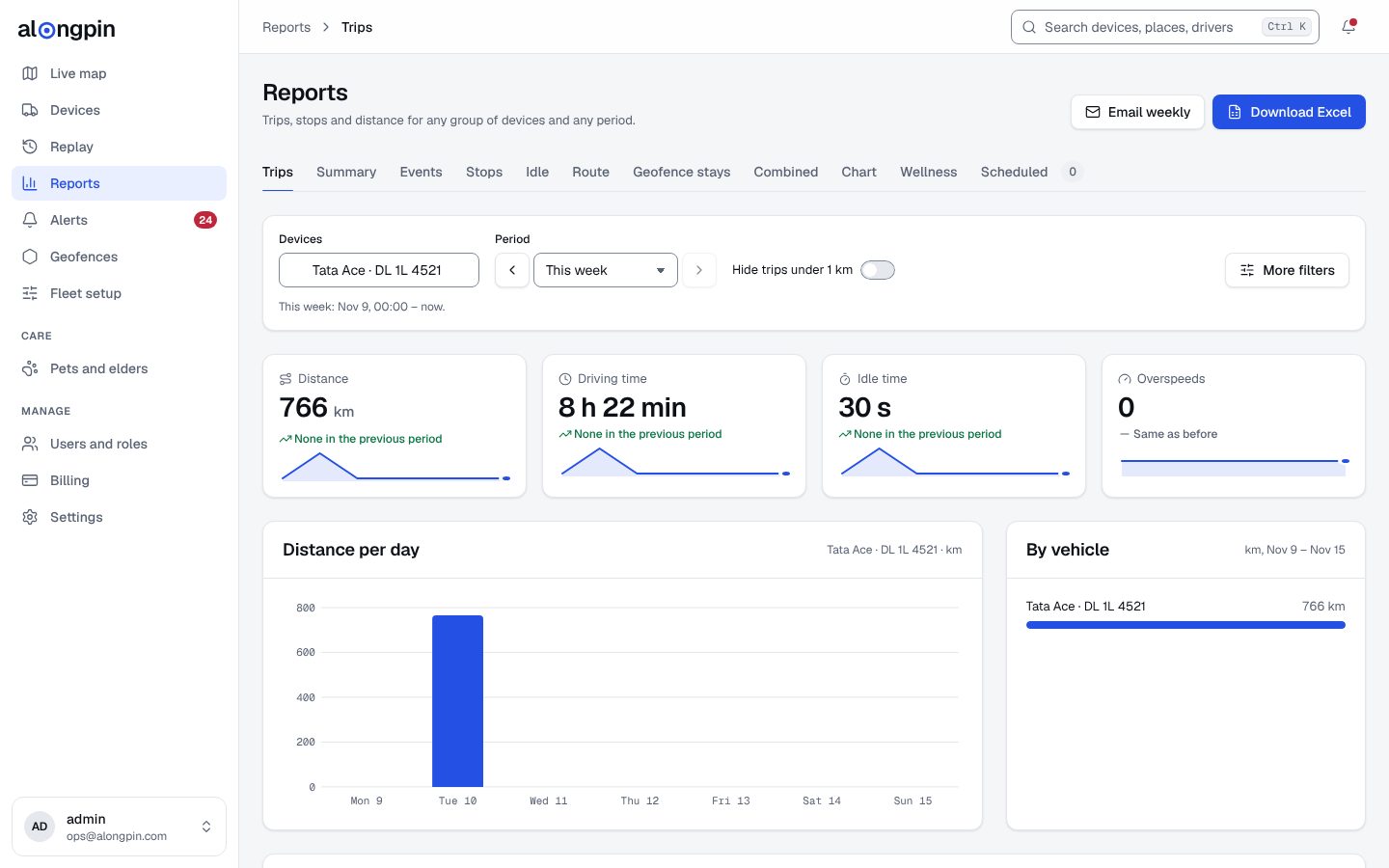
Each trip shows start and end, distance, top and average speed, driving time, idle time and the driver. Stops show where and how long, with engine hours where the device reports them.

  • Trip list per vehicle or for the whole fleet
  • Idle time with the engine on, per trip and as separate spans
  • Top speed and average speed per trip

Idle time needs a device that reports ignition or engine hours. Vehicles that report neither show no idle time.

A trips report in the portal: distance, speeds, driving and idle time per trip

Insights

Fuel use and refuel or drop events, where the device reports them

When a tracker sends a fuel counter, a fuel level in litres or a tank percentage, trip and stop reports show the fuel spent. The platform can raise an event when the level drops or rises by more than a limit you set.

  • Spent fuel (litres) per trip, stop and summary row
  • Fuel drop and refuel events with before and after levels
  • A tank percentage becomes litres when you enter the tank size

This works only with trackers wired to a fuel sensor or reading it over the vehicle bus. A tracker without fuel data shows no fuel figure. Check your model first.

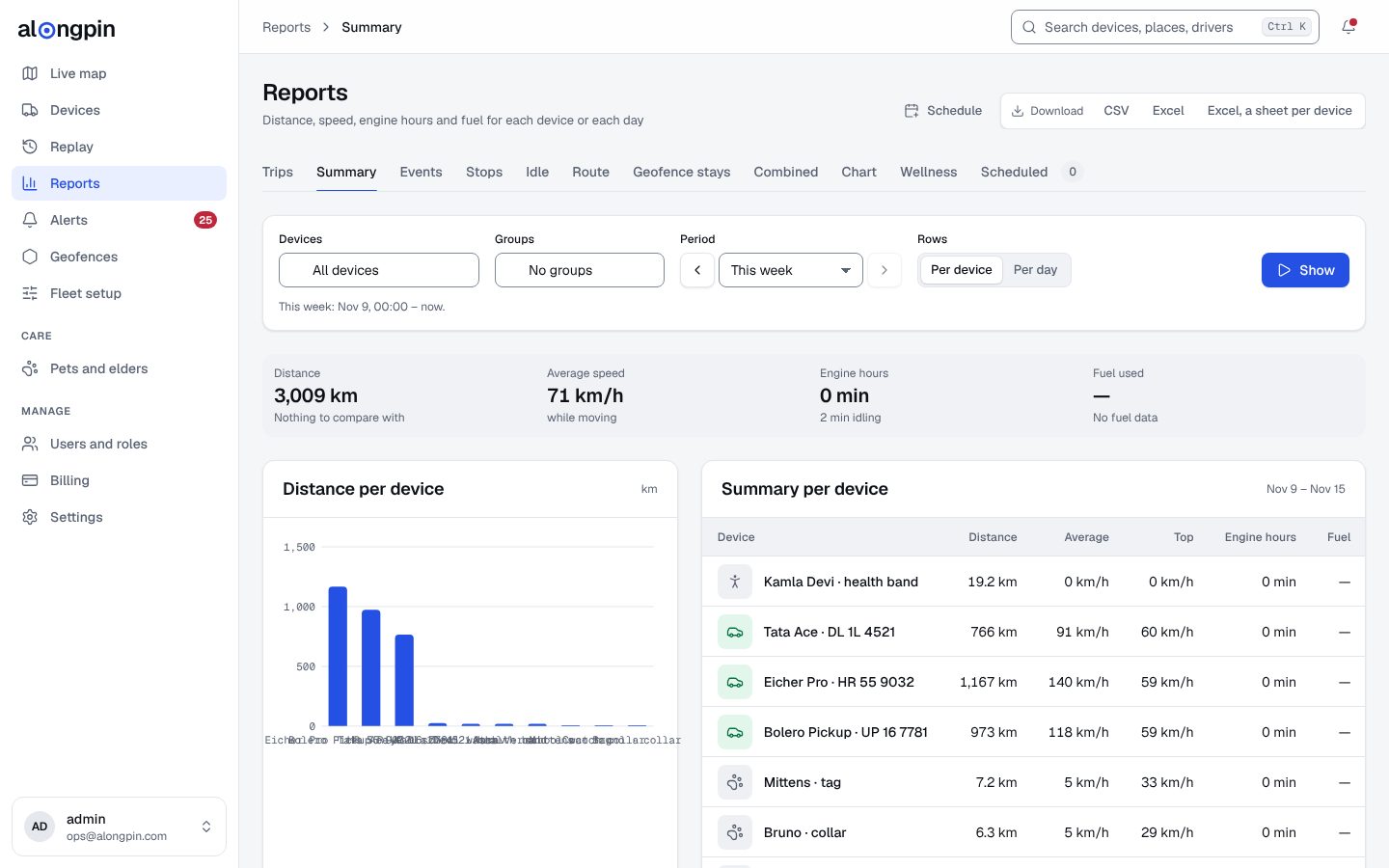
A summary report in the portal with distance, engine hours and spent fuel per vehicle

Safety and alerts

Hear about it when it happens

Choose the event, the channel and a schedule. Link two devices, such as a tractor and its trailer, to get an event when they separate.

Events a rule can react to

  • Leaves the depot
  • Speeding
  • Ignition on out of hours
  • Low battery
  • Offline
  • Maintenance due
  • Push, email, SMS, Telegram and webhook channels
  • Rules that only run outside working hours
  • Overspeed by device limit or by a limit set on a zone

SMS and Telegram work when they are switched on for your account.

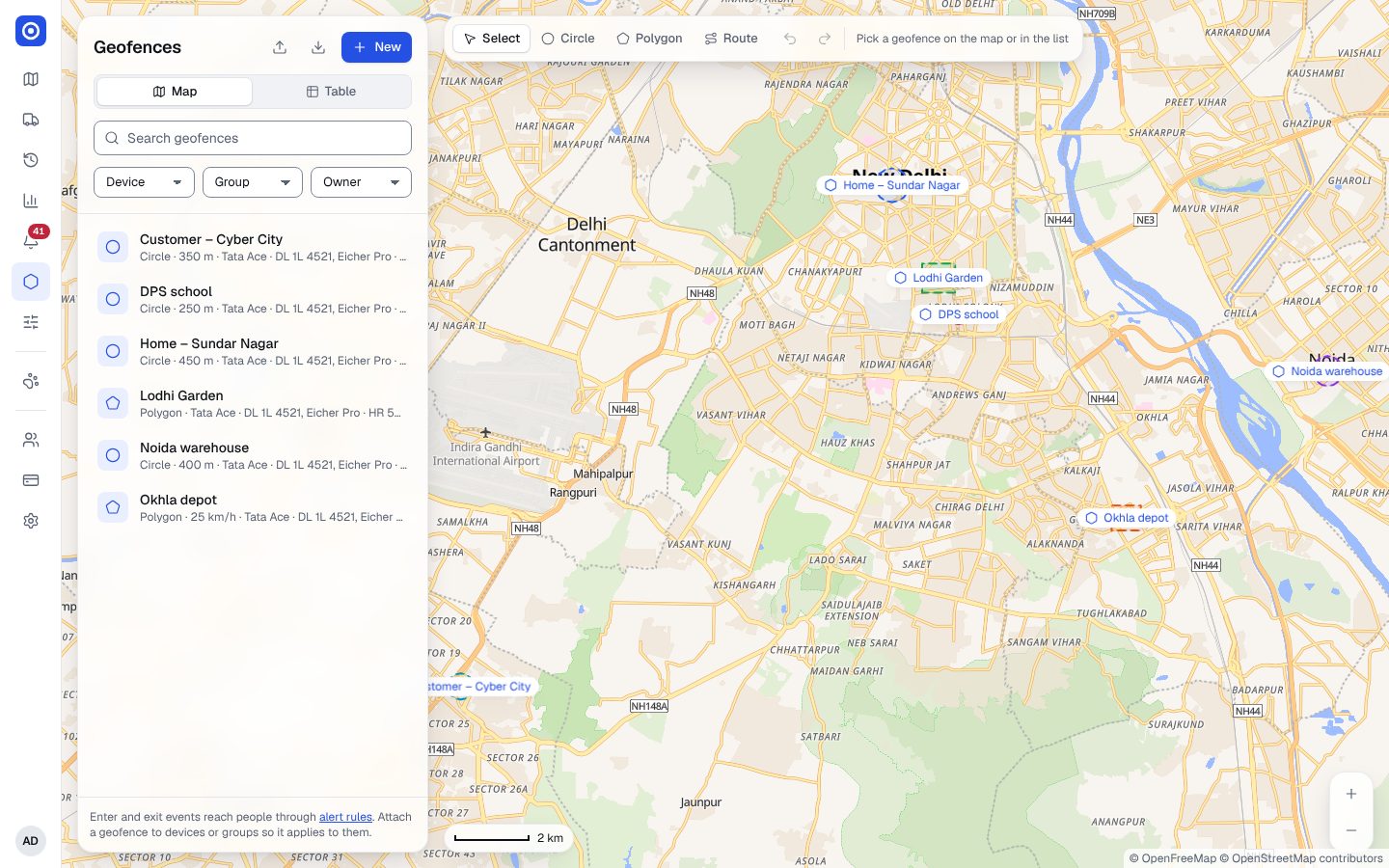
Geofences in the portal: a depot zone drawn on the map with the rules that use it

Management

What runs by itself

Service plans count the kilometres, and reports arrive without anyone running them.

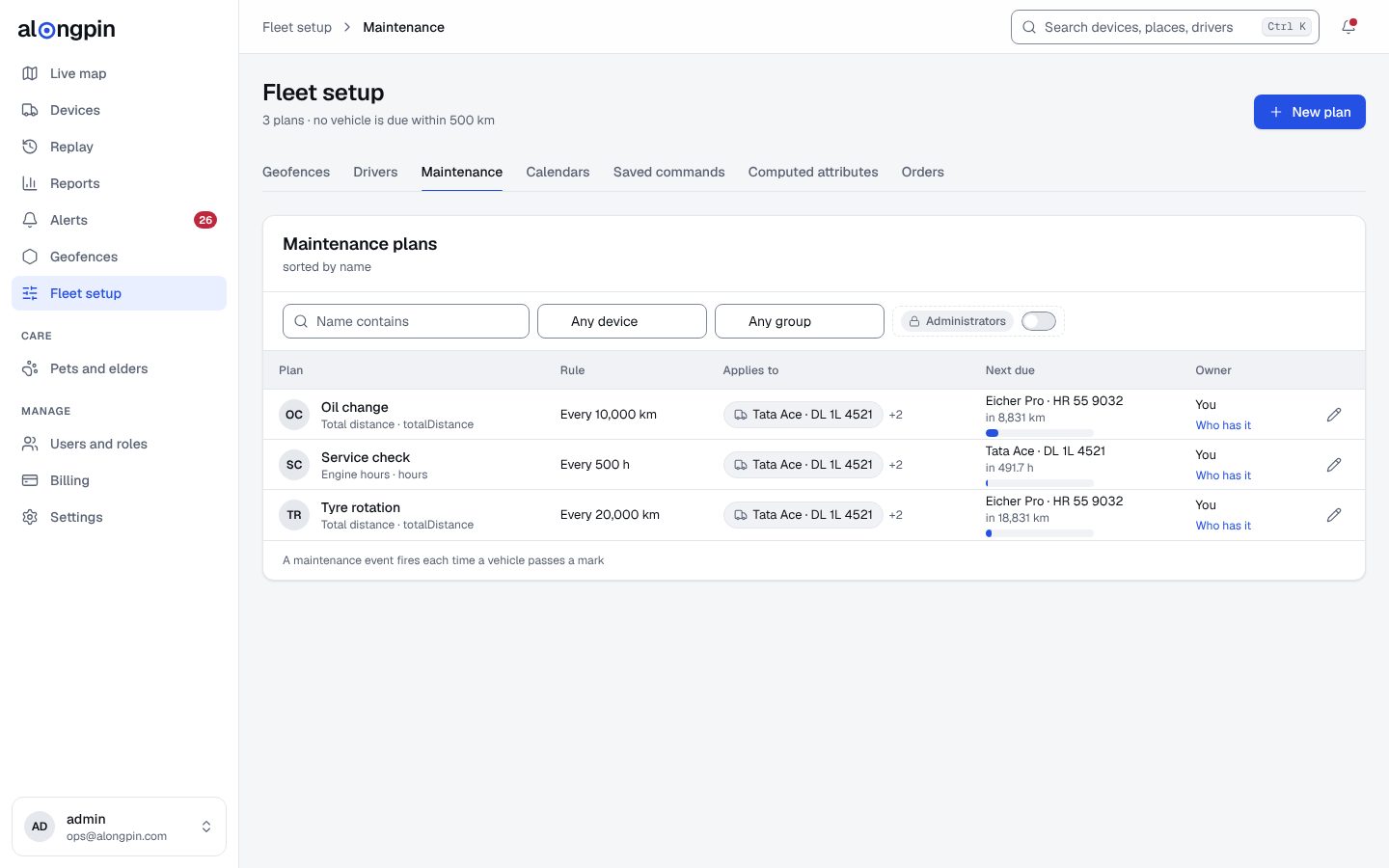
Maintenance plans in the portal: interval, next due mark and advance warning per vehicle

Management

Service on time, and who was driving

Plan "oil change every 10,000 km" or "service every 500 engine hours" once and get a notice when the mark is near and when it is reached. Register drivers by the card or key their tracker reads, so trips show a name.

  • Plans by distance, engine hours or calendar time
  • Advance warning, for example 1,000 km before the due mark
  • Driver identified by the card number or key the tracker reports, where it reports one
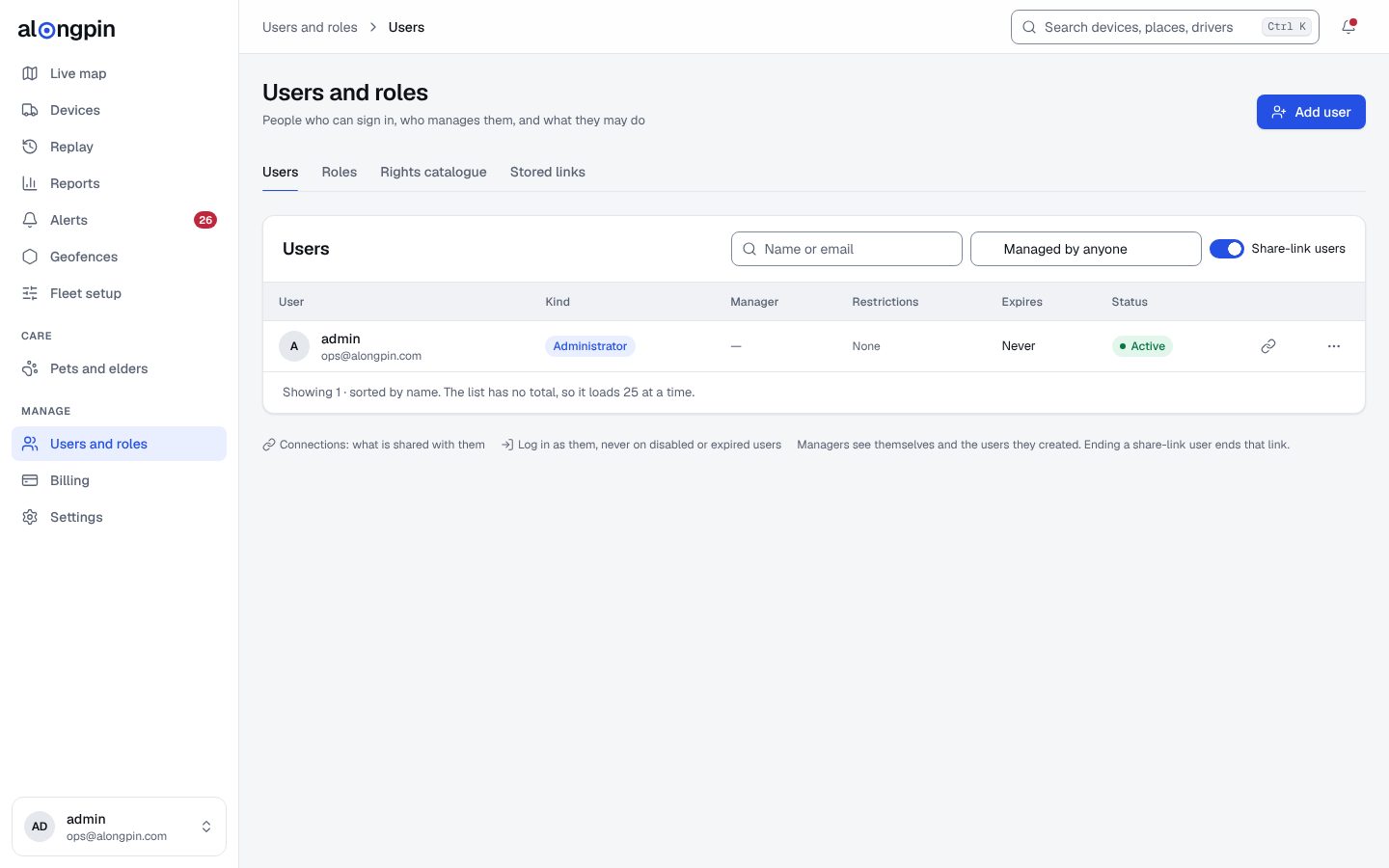
Users and roles in the portal: each person with the vehicles their role covers

Management

Reports that arrive by themselves, and access for each person

Schedule a trips, stops or summary report to go out each night, week or month. Create users for dispatch, the workshop and the owner, and give each a role. A manager can create their own users and share vehicles with them, never more than the manager holds.

  • Schedule by calendar; each recipient gets an e-mailed link
  • Roles scoped to all vehicles, your own, one group or chosen vehicles
  • Shared access is read-only, and changes to access apply at once

Scheduled reports cover route, events, summary, trips, stops and geofence reports. Idle reports are run on demand.

All features

Devices

Works with the trackers fleets already use

GT06-type vehicle trackers and many other protocols. Add a dashcam to the same account.

Vendor names are examples of device families the platform decodes. We do not sell hardware.

Driver privacy

Track the van, respect the driver

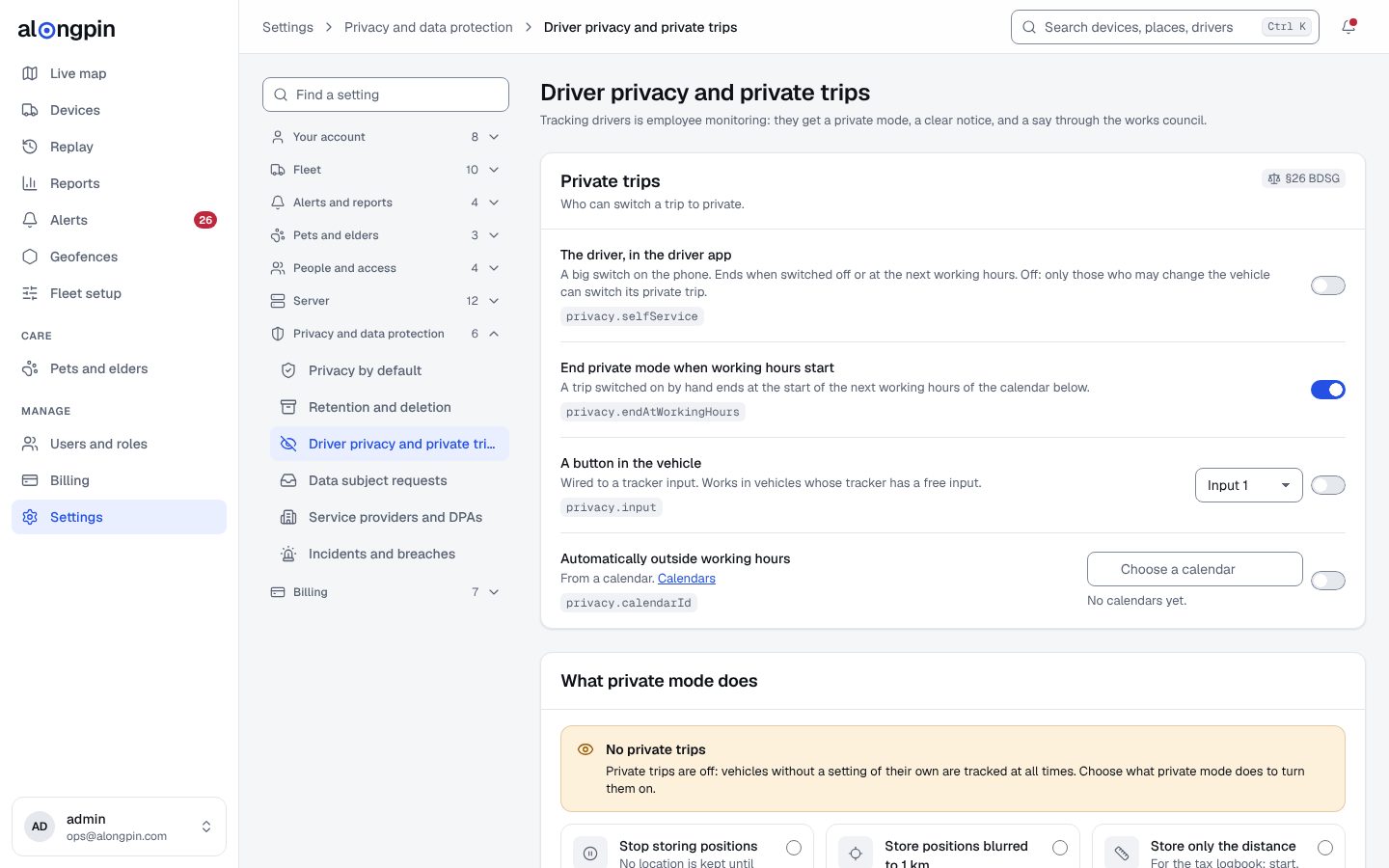
Set working hours so positions outside them are blurred, reduced to distance only or not stored. Where you allow it, drivers switch a private trip on themselves. By default an SOS ends a private trip and sends the real position. The platform does not score drivers automatically.

You still need a legal basis and a notice to drivers, and in some countries the works council's agreement.

Run it on your own servers, or let us host it for you. A data processing agreement is available.

Driver privacy settings in the portal: working hours and what happens to positions outside them

How teams use it

Stories from customers, in their words, published by our team.

No stories published yet

Customer stories appear here once our team publishes them. In the meantime, book a demo and we will walk you through a setup like yours.

All customer stories

Pay per device

Packages set the price, the features and the number of devices. Start with a free trial where the package has one, and change plan any time.

No packages are offered yet

The platform's administrators have not published any package.

FAQ

Questions people ask first

How many vehicles can I track?

There is no fixed fleet size in the product. The number of devices comes from your package and your account's device limit. See Pricing for current packages.

See pricing

Which trackers work, and do I need to buy from you?

The platform decodes more than 260 device protocols, including GT06-type vehicle trackers. Use the compatibility check for your model. We do not sell hardware.

Check if your device works

Can I see fuel use?

Only when the tracker reports fuel (a counter, a litre level or a tank percentage). Then trip, stop and summary reports show spent fuel, and fuel drop and refuel events are available. Without fuel data there is no figure.

See reports

Can my dispatcher see vehicles but not change them?

Yes. Create a user with a role that can read vehicles and positions, scoped to all vehicles, one group or chosen vehicles. Read-only users cannot edit.

Users, roles and sub-accounts

Can I track my drivers and stay compliant?

The platform gives you tools: working hours with private trips, roles, an access log and retention settings. You still need a legal basis, a notice to drivers and, in some countries, the works council's agreement. We do not score drivers automatically.

Privacy and GDPR

Can it follow a bus line or a delivery round with fixed stops?

Yes, with the Routes add-on. Draw the route with its stops in order, and the platform tells the people at each stop when the vehicle is approaching, late or does not come, and shows every run of the day on one board.

See routes and stops

Where is my data hosted?

Run it on your own servers, or let us host it for you. A data processing agreement is available.

Data processing agreement

Put your first vehicle on the map today

Create an account, or let us show you the platform with your own fleet. Choose a package in the portal; you see the first invoice before you confirm.

Chat with us