Security
Everyone sees only what they need.
Access follows ownership, sharing and roles. The platform checks the live account on every request, so a change applies at once.
Choose a package in the portal; you see the first invoice before you confirm.
Access
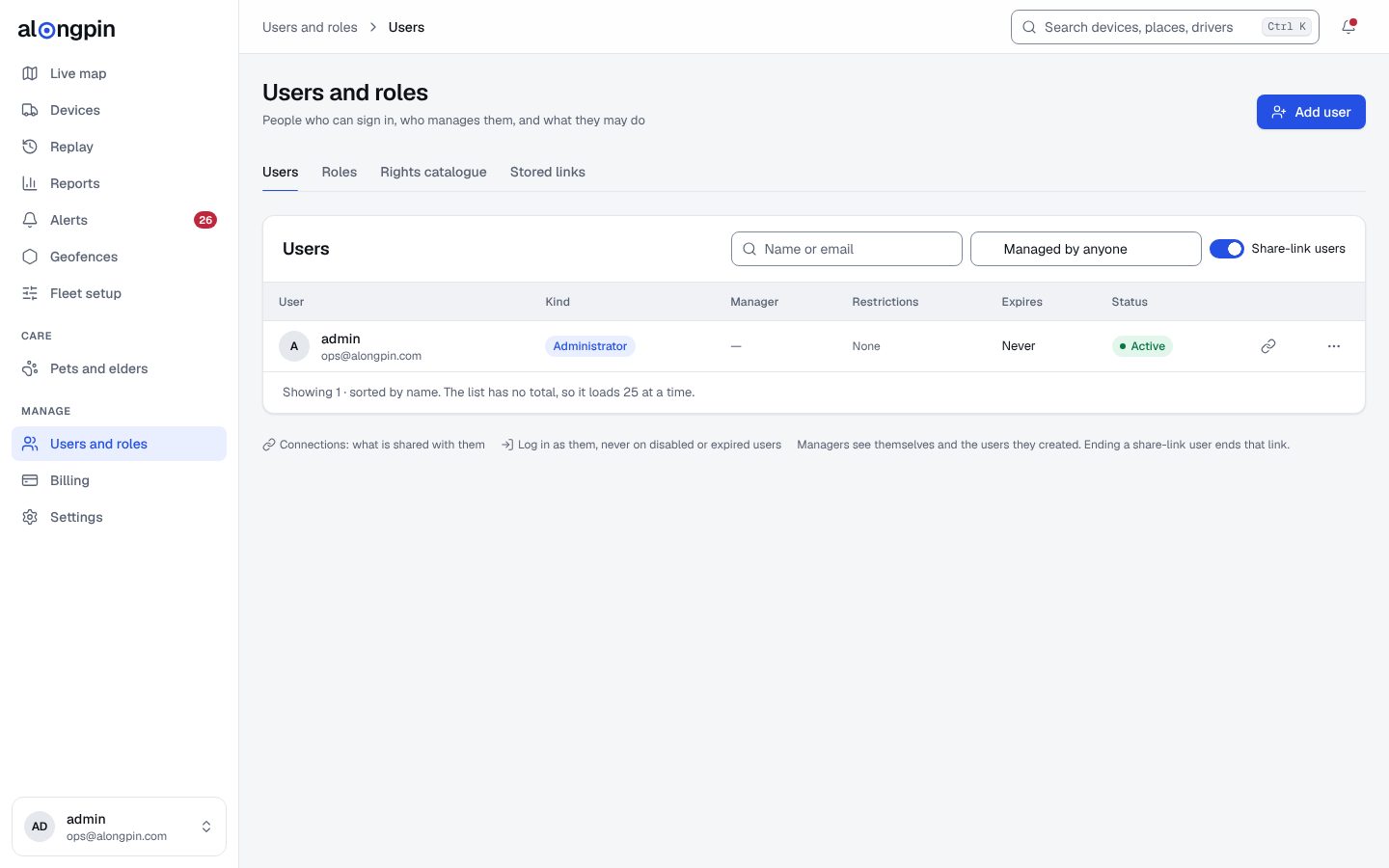
Roles, ownership and sharing
Create roles from a catalogue of fine-grained rights, such as reading positions of one vehicle or editing geofences, and assign them to a user for a group, a device or everything. A manager can pass on only the rights they hold themselves. Disable a user, or demote them, and their open sessions and live map connections follow within seconds.
- Scoped roles for single devices, groups or the whole account
- Managers who delegate only what they hold
- Read-only users and read-only share links
- Share links that expire (7 days at most by default), can have a PIN, and are listed and revoked one by one
Sign-in
Two-factor sign-in, and sessions you can end
Use an authenticator app for a one-time code, or sign in with your company's OpenID provider, which the operator sets up for the whole server.
- Two-factor sign-in
- A 6-digit code from an authenticator app (RFC 6238). The operator can require it for every new account.
- Company sign-in (OpenID Connect)
- One OpenID Connect provider for the whole server, set up by the operator. It is not set per customer.
- Revoke any token
- Revoking a token ends the sessions and live connections opened with it. Sessions last up to 30 days at most; the default for "Keep me signed in" is 14 days.
- Fresh confirmation for risky actions
- Exporting someone's data or asking for an erasure asks for your password again (or a code by email if your account has no password). The confirmation lasts five minutes and works only in the session that made it.
- Wrong passwords lock the account
- After 10 wrong passwords in a row an account is locked for 30 minutes, or until it is unlocked. Both numbers are defaults the operator can change.
- Passwords
- Passwords are stored as bcrypt hashes. A new password needs at least 8 characters by default; there are no other strength rules.
Accountability
A record of who did what
The audit log is written by every service and read by your administrators. Entries are kept 365 days by default, and the client address is dropped after 180 days.
What is recorded
- Changes, with the old and the new value
- Sign-ins and failed sign-ins
- Tokens and share links created or opened
- Commands sent and reports run
- Changes to privacy and retention settings
- Every view of a dashcam recording or live stream
Secrets are never written to it.
Find the entry
Filter by user, action, object and period.
"Log in as" leaves a trace
"Log in as" sessions need a reason, are written to the log and notify the user.
People see who looked
The access history lists "log in as" sessions and opens of their share links.
Health data has its own log
Reads of health data are written to an access log per care profile.
Encryption
What is encrypted, and who sets it up
Stated as it is: some of it the platform does, some of it is the work of whoever hosts it.
| What | How it is protected | Who sets it up |
|---|---|---|
| In transit | How it is protectedThe gateway sends HSTS and secure cookies when run behind HTTPS, which is the documented setup. | Who sets it upHTTPS is set up by whoever hosts the platform. |
| Sensitive fields at rest | How it is protectedHealth notes, photos, scans, two-factor keys and share tokens are encrypted with the data key your operator sets. | Who sets it upThe operator sets and keeps the data key. |
| Positions at rest | How it is protectedPositions are not encrypted field by field. They rely on disk and backup encryption. | Who sets it upDisk and backup encryption are provided by whoever hosts the platform. |
| Secrets in the audit log | How it is protectedSecrets are never written to the audit log. | Who sets it upNothing to set up. |
No certificate, no audit by a third party
Alongpin is not certified or audited by a third party, and this page does not claim it is. We can tell you exactly which settings do what.
FAQ
Questions from IT
Are positions encrypted at rest?
Do you have ISO 27001 or SOC 2?
Can we sign in with our company accounts?
How fast does a change of rights apply?
Where is my data hosted?
Try roles in an account of your own
Create a role, share one device read-only and read the audit log, or book a demo and bring your IT. Choose a package in the portal; you see the first invoice before you confirm.