Kids and personal safety

See where they are, and hear when they are not where you expect.

Connect a children's GPS watch or a personal tracker. See it on a map, get an SOS alert, and set a safe zone such as home or school that tells you when they arrive or leave.

You decide who sees location, and you can stop sharing at any time.

Safe zoneHomeSchoolMia · 86%Left home · 07:52Arrived at school · 08:14

For parents

Four things most parents ask for

Each one is a feature you can set up in a few minutes.

  • Where are they now?

    A live map with the last position, speed and battery. Open it in a browser or on your phone.

  • Did they arrive?

    Draw a safe zone around home or school. Get a message when the watch enters or leaves it.

  • Can they ask for help?

    Watches with an SOS button send an alert with the position. You choose who gets the message.

  • Where were they today?

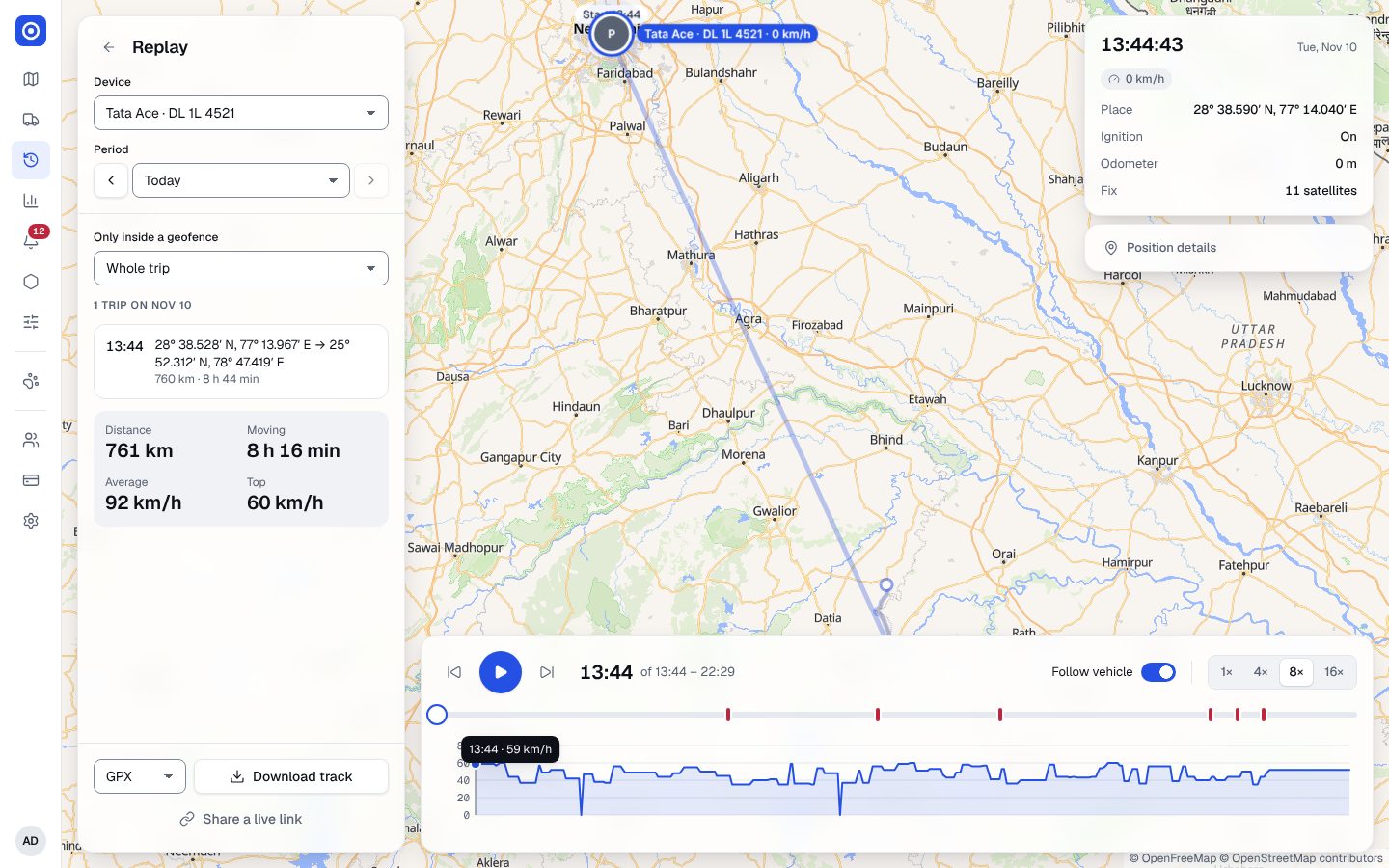
    Replay a day on the map. History is kept for a set period, 365 days by default.

Every day

The map, the zones, the SOS and who may watch

Five things families set up in the first evening.

Tracking

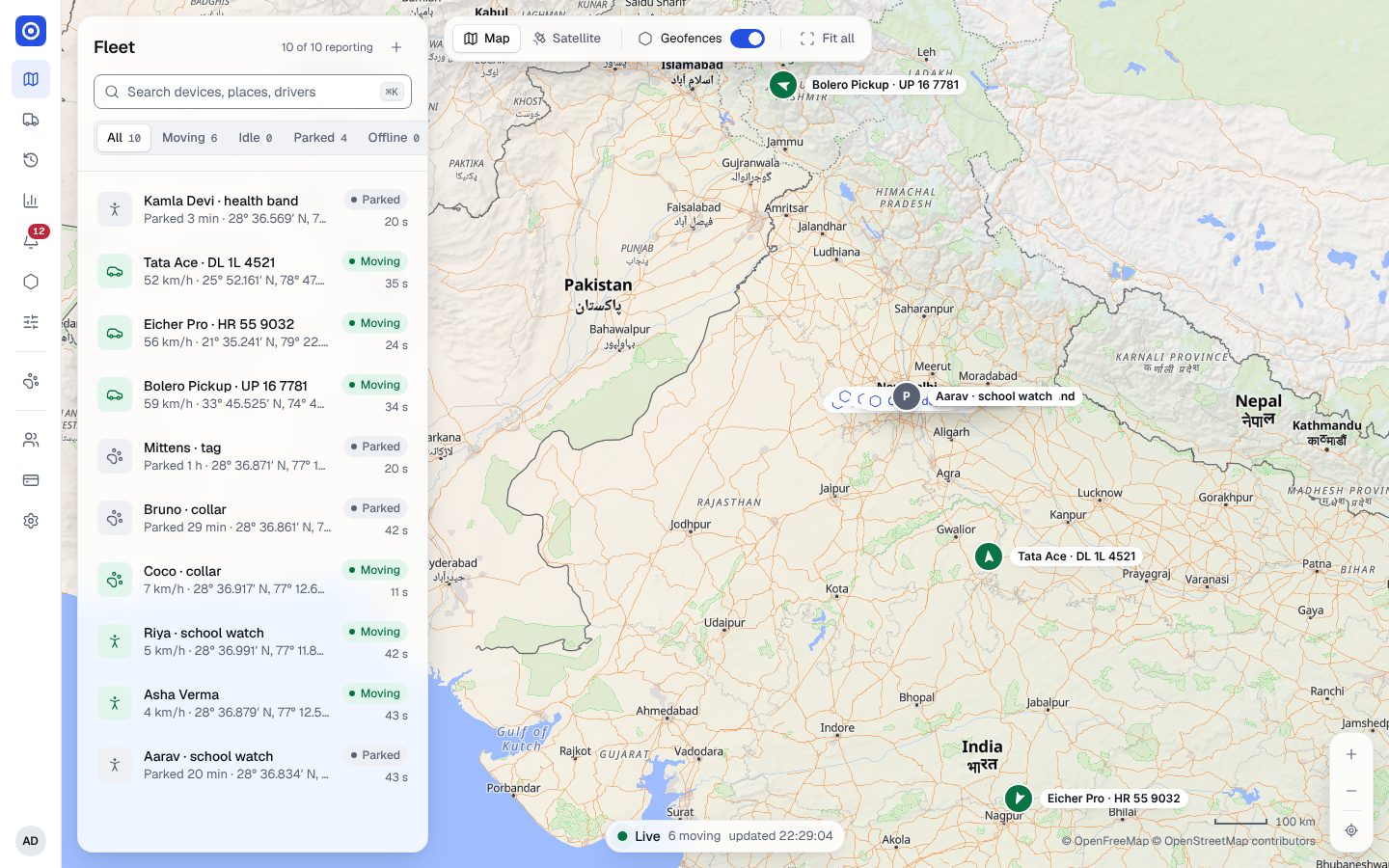
One map for the family

See each watch or tracker with its battery and when it last reported. Indoors, many watches cannot get a GPS fix and report the last known position or a cell or Wi-Fi estimate, so the position can be less exact inside buildings.

  • Live positions without refreshing the page
  • Battery and last update time on every device
  • Names and icons you choose
The live map of the portal: the family's watches with battery and last update, one at school

Safe zones

A message when they arrive or leave

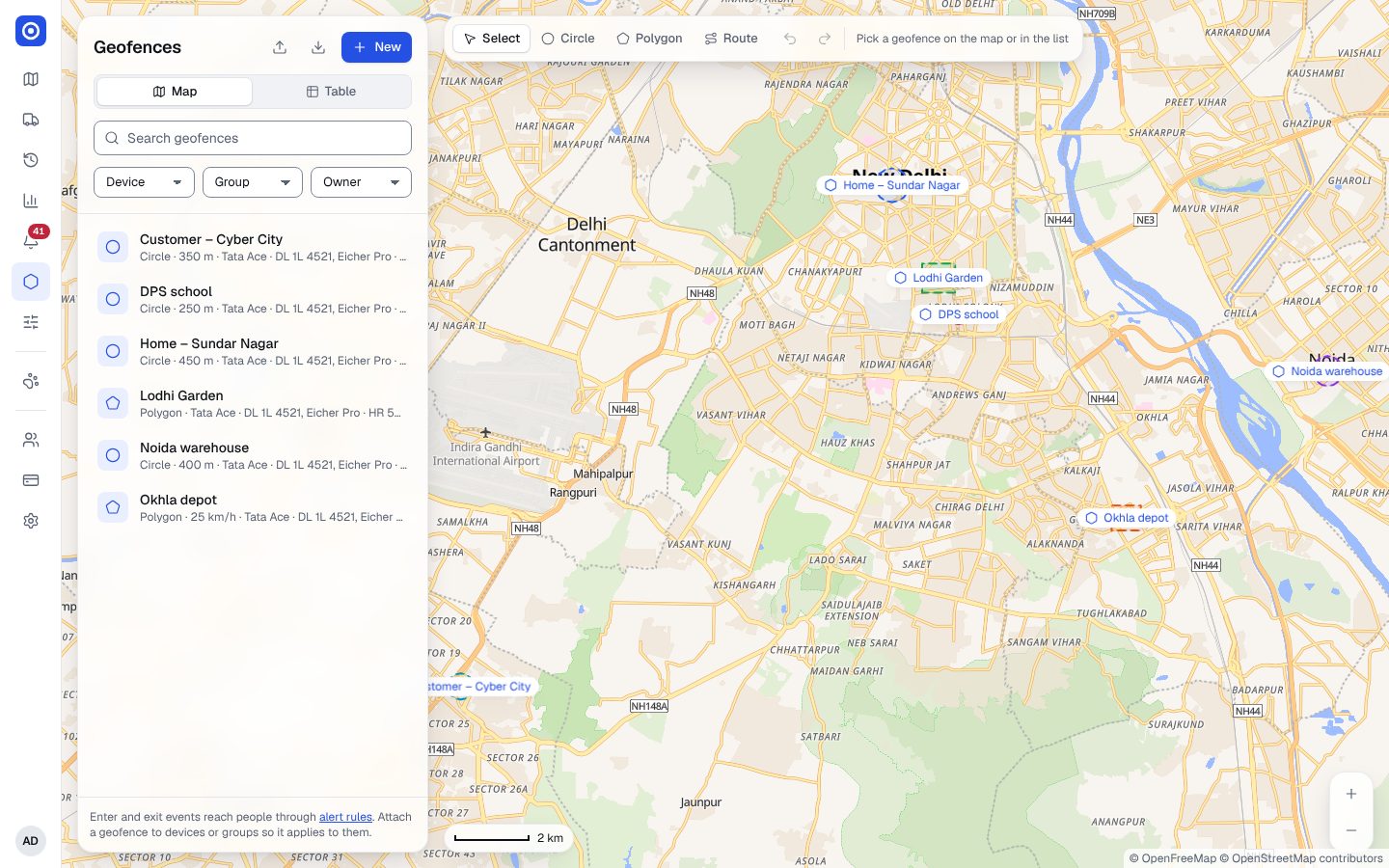
Draw a zone on the map for home, school or a grandparent's house. Create a rule that sends a message when a watch enters or leaves it. Add a schedule so a rule only runs on school days.

  • Circles and polygons drawn on the map
  • Arrive and leave alerts per zone
  • A calendar so the rule runs only on the days you choose
Safe zones in the portal: circles around home and school, each with its schedule
A school day, as the app tells itExample
  1. Mia left Home07:52
  2. Mia arrived at School08:14
  3. Mia left School15:31
  4. Mia arrived at Home15:54

Email and text messages say only which watch and what happened unless the server is set to send full details. The app shows the full text.

When it matters

An SOS that reaches people, a day you can replay, a share you can end

Safety

An SOS button that tells people

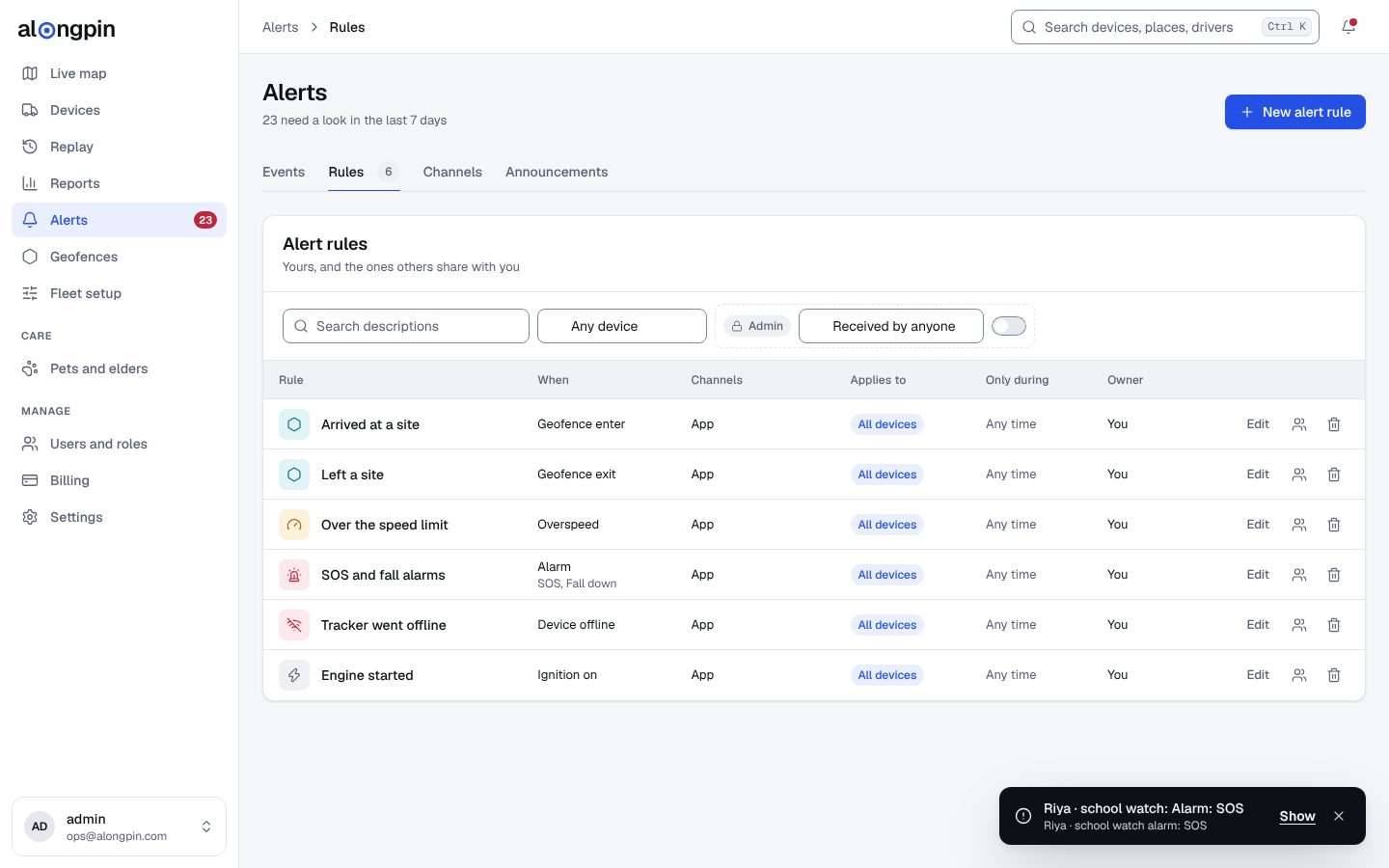
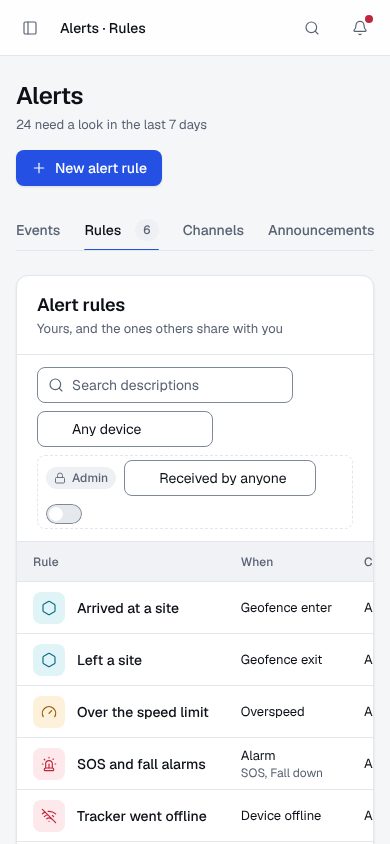
When the watch's SOS button is pressed, the platform raises an alarm. A rule sends it by app, email, text message, Telegram or webhook to the people you choose. Narrow the rule to SOS only, so no other alarm sends a message. Acknowledge it and see who was notified.

  • Rules that react to SOS only
  • Several people notified at once
  • An alarm list with who acknowledged it

SMS and Telegram work when they are switched on for your account.

Alerts in the portal: an SOS rule narrowed to SOS only, who is told and who acknowledged
An SOS alert on a phone
A day replayed in the portal: home to school, the time at school, and back

History

See where the day went, then let it expire

Replay a day with the stops on the way. History is kept for a set period (365 days by default), so it does not pile up. Your account administrator sets how long each kind of data is kept. You can ask for one person's data to be exported or erased.

  • Replay with speed and stops
  • Kept for a set period, 365 days by default
  • Export and erasure on request
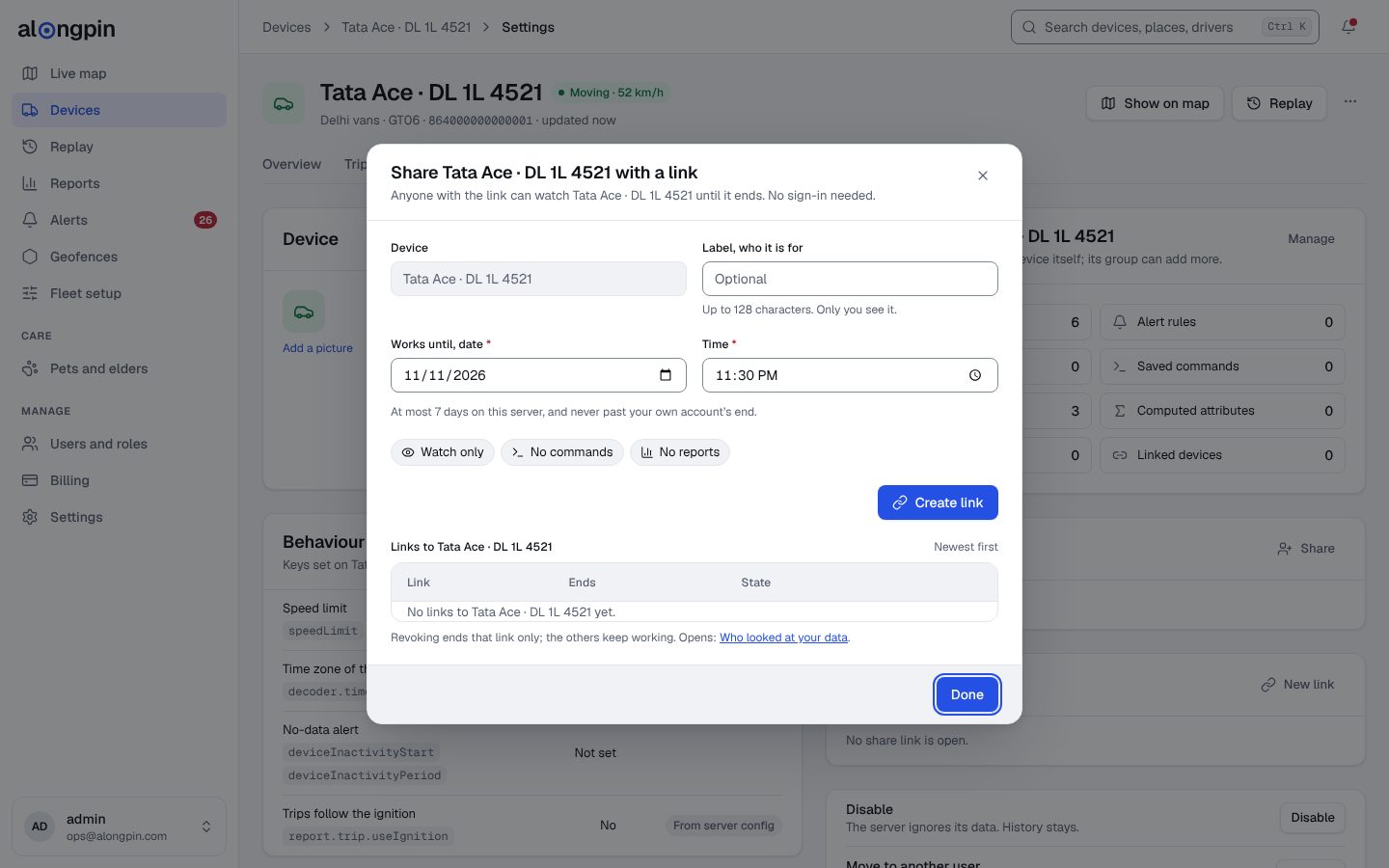
Sharing a watch in the portal: the owner, a read-only share and a share link that ends in 7 days

Sharing

Let the other parent, or a grandparent, watch too

Share one device with another user so they can watch it read-only. Or create a share link for one device. A link can have a PIN when your server allows it, is listed under your account and can be revoked at any time.

  • Read-only shares
  • Share links, with a PIN when your server allows it, each revocable
  • Link opens are recorded in the audit log

Privacy and responsibility

You decide what is collected and who sees it

Privacy settings start strict and you loosen them on purpose: short-lived share links, minimal messages outside the app, and retention your administrator sets per data type.

If you track a child, you are responsible for the consent a parent or guardian must give under the law that applies to you. The platform does not collect or check that consent for you. Explain the tracker to the child. It works best when they know about it.

Run it on your own servers, or let us host it for you. A data processing agreement is available.

  • Strict by default

    Share links last at most 7 days, and email and text messages say only which device and what happened, not where.

  • Set retention

    History is kept for a set period, 365 days by default. Your administrator sets it per data type.

  • Read-only shares

    Read-only shares and revocable links.

Devices

Children's watches and personal trackers

Check the model before you buy; features such as SOS depend on the device.

Device names describe families the platform decodes. We do not sell or endorse hardware.

Calls, messages and a camera in a watch are a feature of the watch, not of Alongpin.

Browse all devices

How families use it

Stories from customers, in their words, published by our team.

No stories published yet

Customer stories appear here once our team publishes them. In the meantime, book a demo and we will walk you through a setup like yours.

All customer stories

Pay per tracker

Packages set the price, the features and the number of devices. Start with a free trial where the package has one, no card needed.

No packages are offered yet

The platform's administrators have not published any package.

FAQ

Questions people ask first

Which watches work with Alongpin?

Many GPS watches for children that use common watch protocols. Check the model on the compatibility page.

Check if your device works

How exact is the position?

Outdoors with a GPS fix, the position is usually close. Indoors many watches use mobile-network or Wi-Fi data instead, which is less exact. Accuracy depends on the device.

How soon do I get an alert?

As soon as the device reports it and the platform receives it. A watch with no signal, a flat battery or no coverage cannot report. Some devices store positions and send them when they reconnect.

Who can see my child's location?

You, and the people you share with. Shares are read-only. Share links can have a PIN when your server allows it, and can be revoked.

Do I need my child's consent, or mine?

Laws differ. For children, parents or guardians usually decide, and some countries set an age at which a child must agree for themselves. The platform does not check this. Ask a lawyer if unsure.

Alongpin sends alerts from the tracker's own reports. It is not an emergency service and does not replace one.

Connect a watch and see it on the map today.

Create an account, or book a demo with your own setup. Choose a package in the portal; you see the first invoice before you confirm.

Chat with us