Privacy and GDPR
Export, correct, pause and erase, with a record of each request.
The tools for the rights people have over their data, and the registers a data protection officer keeps.
Choose a package in the portal; you see the first invoice before you confirm.
Data subject rights
Four tools, and the registers that record their use
Data export
Download everything stored about a person as one ZIP: account, devices, positions as CSV, events, care data, billing and a README that says what each file holds. Narrow positions and events by date. Health items go only to the person themselves; an export a manager makes leaves them out and says so.
Erasure
Ask for an account to be erased. It is carried out after a 14-day waiting period unless cancelled, by a link in an email or in the app. During the wait the account is locked. Administrators can erase at once.
Restriction and objection
Keep a person's data but stop using it. While a restriction is on, their positions are not stored, nobody but the person reads what exists, and nothing is sent about it. Lifting it notifies the person first.
Request and breach registers
Log requests with a due date one month after receipt, the identity check and the answer. Log every personal data breach with a reference, the 72-hour deadline for the authority, and a likelihood and severity matrix.
Request types in the register
- Access
- Rectification
- Erasure
- Restriction
- Objection
Each request gets a due date one month after receipt, and a status you can follow.
The breach matrix is a legal judgement
Your data protection officer must sign it off before you use the register. People file their own requests in the app. Checking who is asking, answering in time and telling the authority are still your processes; the registers record them and show the deadlines.
Retention
Keep data for as long as you need it, and no longer
Administrators set how long each kind of data is kept, and a nightly job deletes what is older.
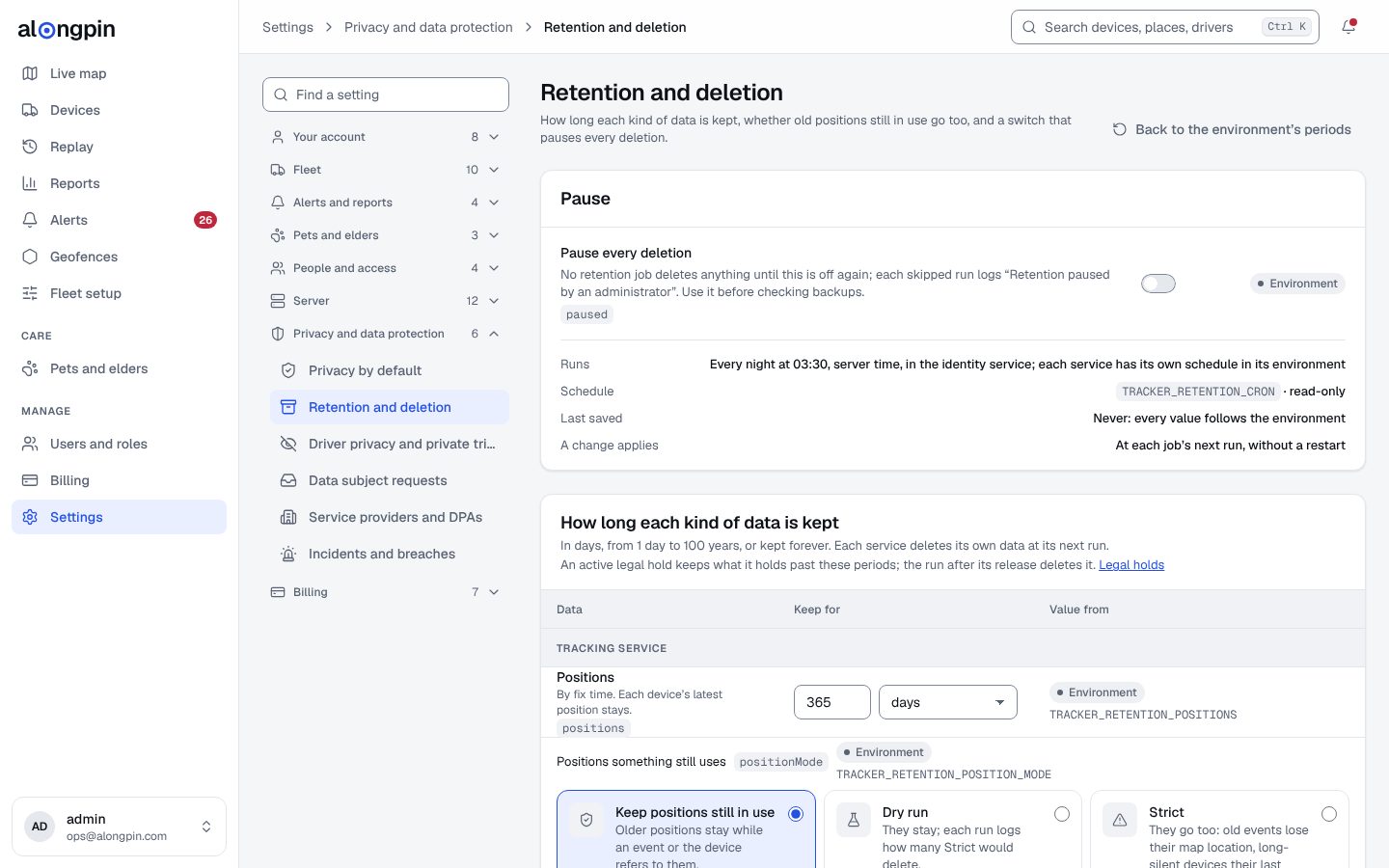
| Data | Default period |
|---|---|
| Positions | Default period365 days. A device's latest position, and positions that events refer to, stay unless strict mode is on |
| Events | Default period365 days |
| Audit log | Default period365 days (client addresses 180 days) |
| Dashcam photos and clips | Default period30 days |
| Command history | Default period90 days |
| Notification delivery log | Default period90 days |
| Invoices and payments | Default period10 years after the year of issue (tax law) |
| Care records and measurements | Default periodAs agreed with the person; kept until you set a period |
Defaults are for a fresh installation. Your operator can change them.
Strict mode, with a dry run
Position retention has a strict mode that also deletes positions that events refer to. Run it as a dry run first to see how many positions it would delete.
Legal hold
A legal hold keeps evidence (one media file, one event, or a device's positions for a period) through deletion for an insurance claim.
Changes are logged
Every change to a period is in the audit log with the old and new value.
Data minimisation
Drop the extra values trackers send (signal strength, raw messages) before they are stored.
Drivers
Track the vehicle, not the person off duty
If you track employees, you need a private mode. It is built in. Set working hours as a calendar. Outside them, positions are blurred to about 1 km, reduced to distance only (so a tax logbook still adds up), or not stored. Drivers can switch a private trip on themselves when you allow it. Private positions never go to an address lookup and raise no geofence or speed events.
- Every switch is in the audit log
- Dashcam media taken during a private trip is deleted and live video is refused
- The platform scores no driver automatically
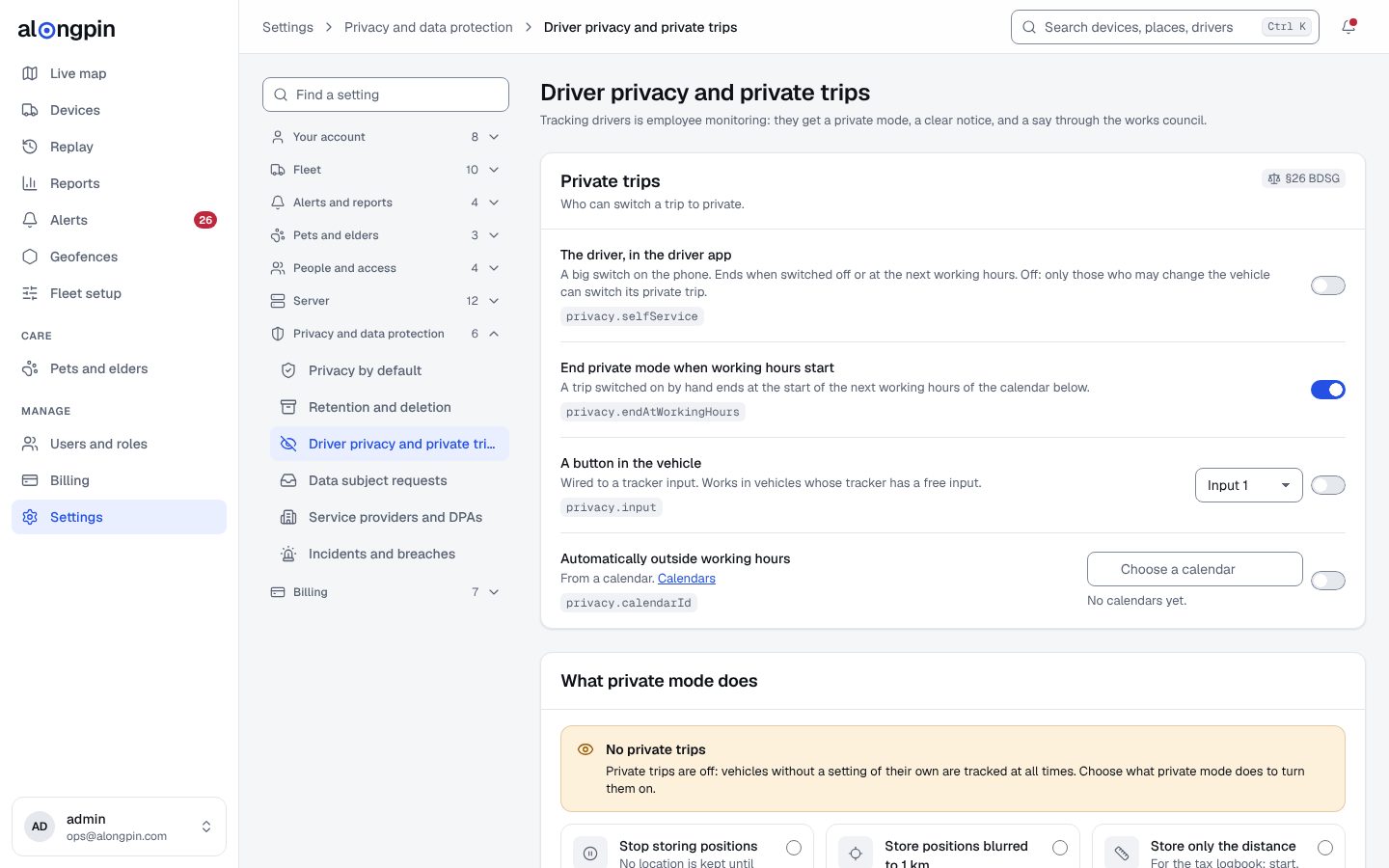
- Blur
- About 1 km, no address or speed.
- Distance only
- No location. Distance and odometer are kept.
- Pause
- Not stored, but alarms such as SOS are still raised.
Be open with drivers
An SOS ends the private trip on purpose, so help can find the driver. Tell drivers this in your notice.
Care
Health data stays hidden unless someone is allowed to see it
For elder and pet care profiles the platform separates location from health.
- Share a profile for location only: family sees the tracker and contacts but not blood type, mobility, notes or heart rate.
- Heart rate, blood pressure, blood oxygen, blood sugar and body temperature are left out of positions, reports, exports and live updates for anyone who may not see the profile's health fields.
- Consent per person (location, health, sharing, doctor access) with the version of the consent text. Where your installation requires it, a profile without a health consent is locked, including for its owner.
- A doctor can be given access to the profile and health data only, until a date you set.
- Shares can end on a date. Each read of health data is written to the access log.
- Alerts by email or text say only which profile has a new alert, never where or what was measured.
Parental consent for a child's tracker is the account holder's responsibility.
See care profiles and carers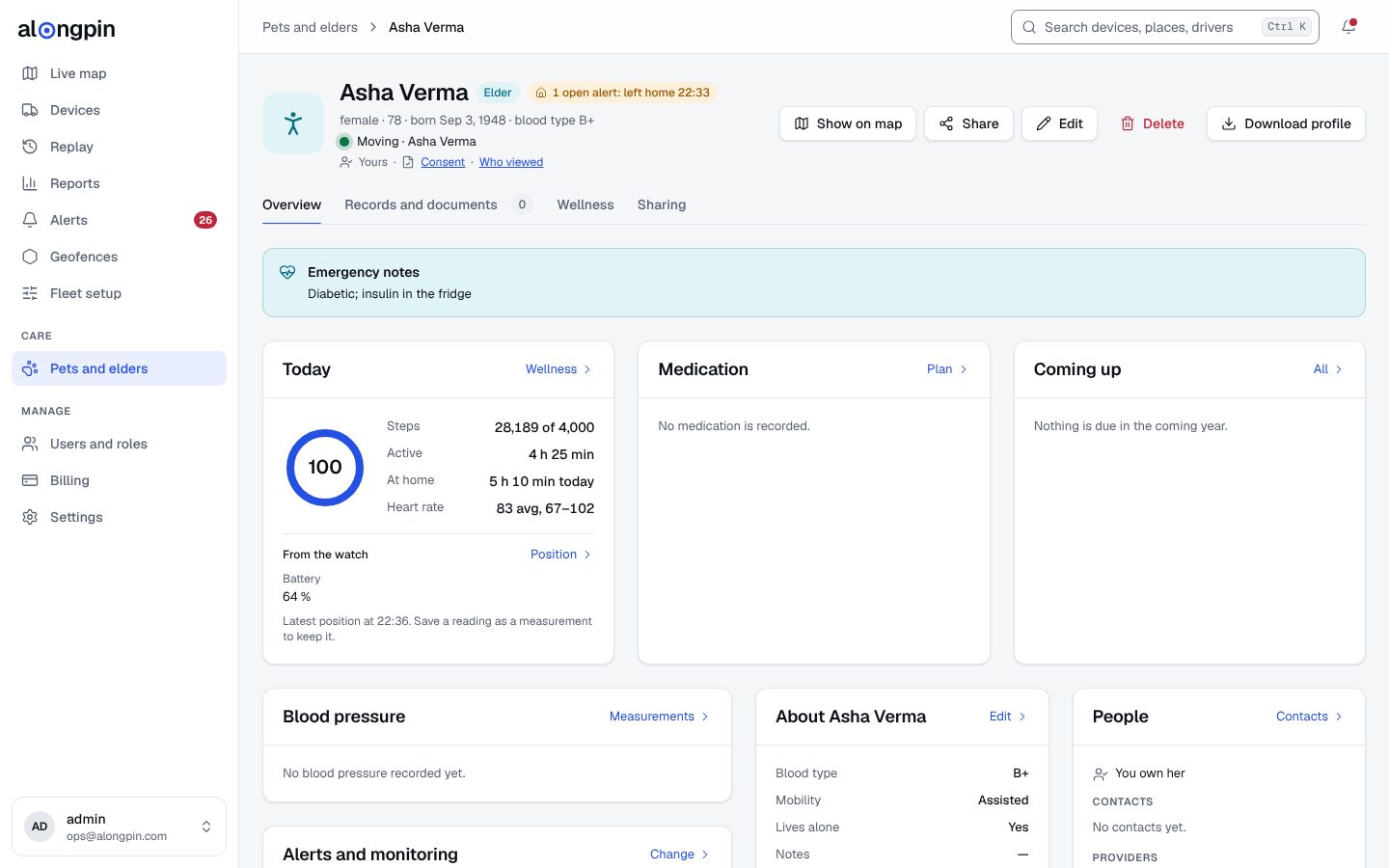
FAQ
Questions about privacy and GDPR
Is Alongpin GDPR compliant?
How do we answer a request to delete someone's data?
Can we use it to track employees?
What do you do about health data?
Who is the controller?
Check the privacy settings yourself
Open the privacy center in an account of your own, or book a demo and bring your data protection officer. Choose a package in the portal; you see the first invoice before you confirm.