Insights
How each trip was driven, as facts and not as a score.
See where a vehicle went over the limit, where the tracker reported harsh braking or cornering, and how long it stood with the engine on.
Choose a package in the portal; you see the first invoice before you confirm.
What is recorded
Three signals, each with what it needs
Overspeed
Set a speed limit on a vehicle, or a limit that applies inside a zone. An overspeed event records the speed and the limit, and a rule can send it as an alert.
Works by device limit or by a limit set on a zone.
Harsh braking and cornering
Harsh events appear in the events of a trip and on its replay, at the place where they happened.
Only where the device reports them. Check your model first.
Idle time
Engine-on standing time per trip, and as a list of idle spans with the place. Short stops such as traffic lights are left out of the idle list.
Needs a device that reports ignition or engine hours.
Idle time
Engines running while the van stands
Each trip shows its driving time and its idle time next to distance, top speed and average speed. The idle report lists every span of standing with the engine on, with the place, so you can see where the minutes go: the depot gate, a customer yard, a lay-by.
- Idle time with the engine on, per trip and as separate spans
- Top speed and average speed per trip
- Totals per vehicle in the summary report, for a day or a month
Idle time needs a device that reports ignition or engine hours. Vehicles that report neither show no idle time.
See reports and exports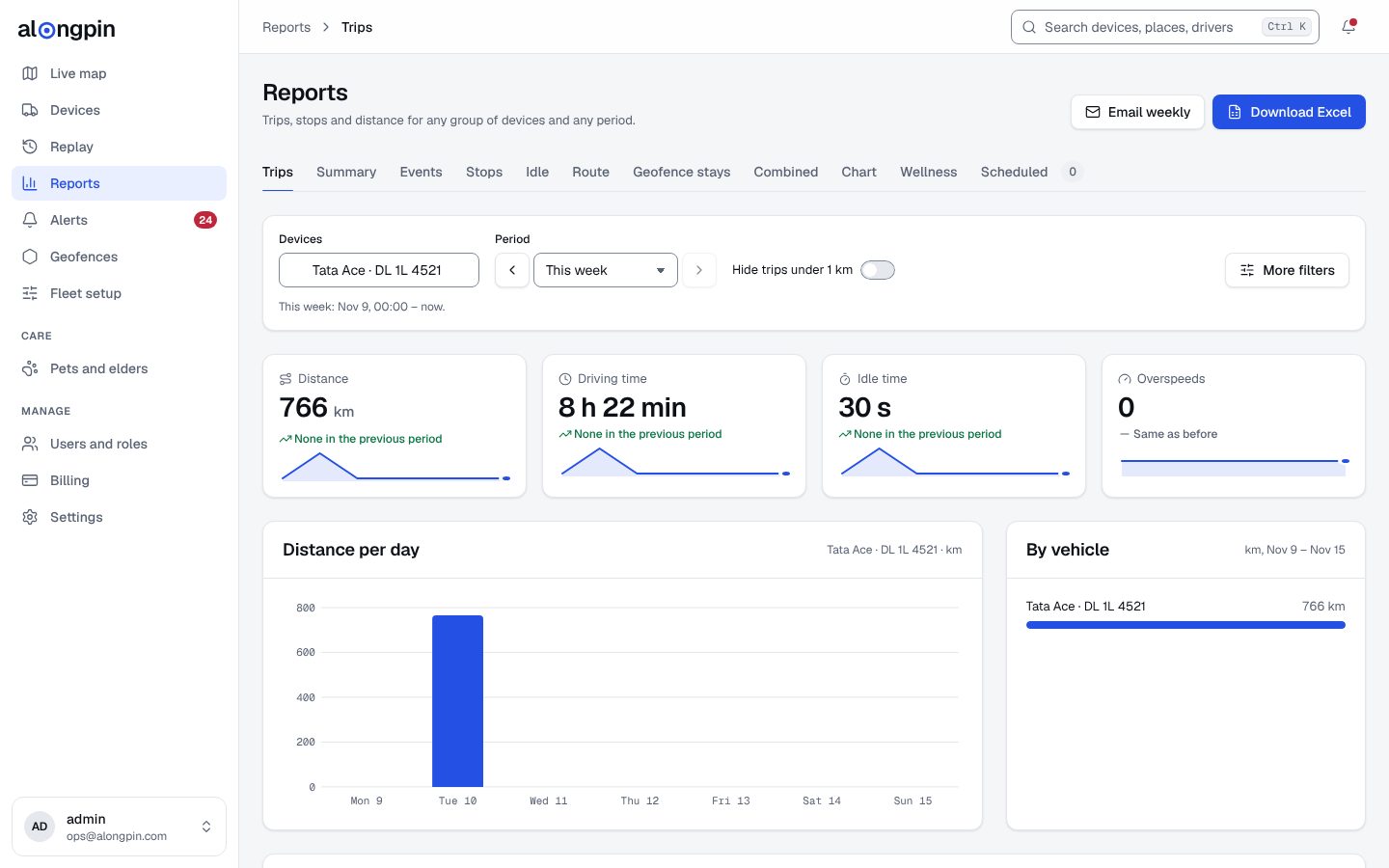
A specimen
One trip, four entries
What the events and the idle report hold for the trip in the picture above.
- 07:58
Harsh cornering
Reported by the tracker
Events
- 08:12
Overspeed
96 km/h where the zone limit is 80 km/h
Events
- 08:21
Harsh braking
Reported by the tracker
Events
- 08:34
Idle span
5 minutes at Depot North with the engine on
Idle report
Drivers and service
Who was driving, and when the service is due
A name on each trip
Register drivers by the card or key their tracker reads, so trips show a name.
The driver is identified by the card number or key the tracker reports, where it reports one.
Service on time
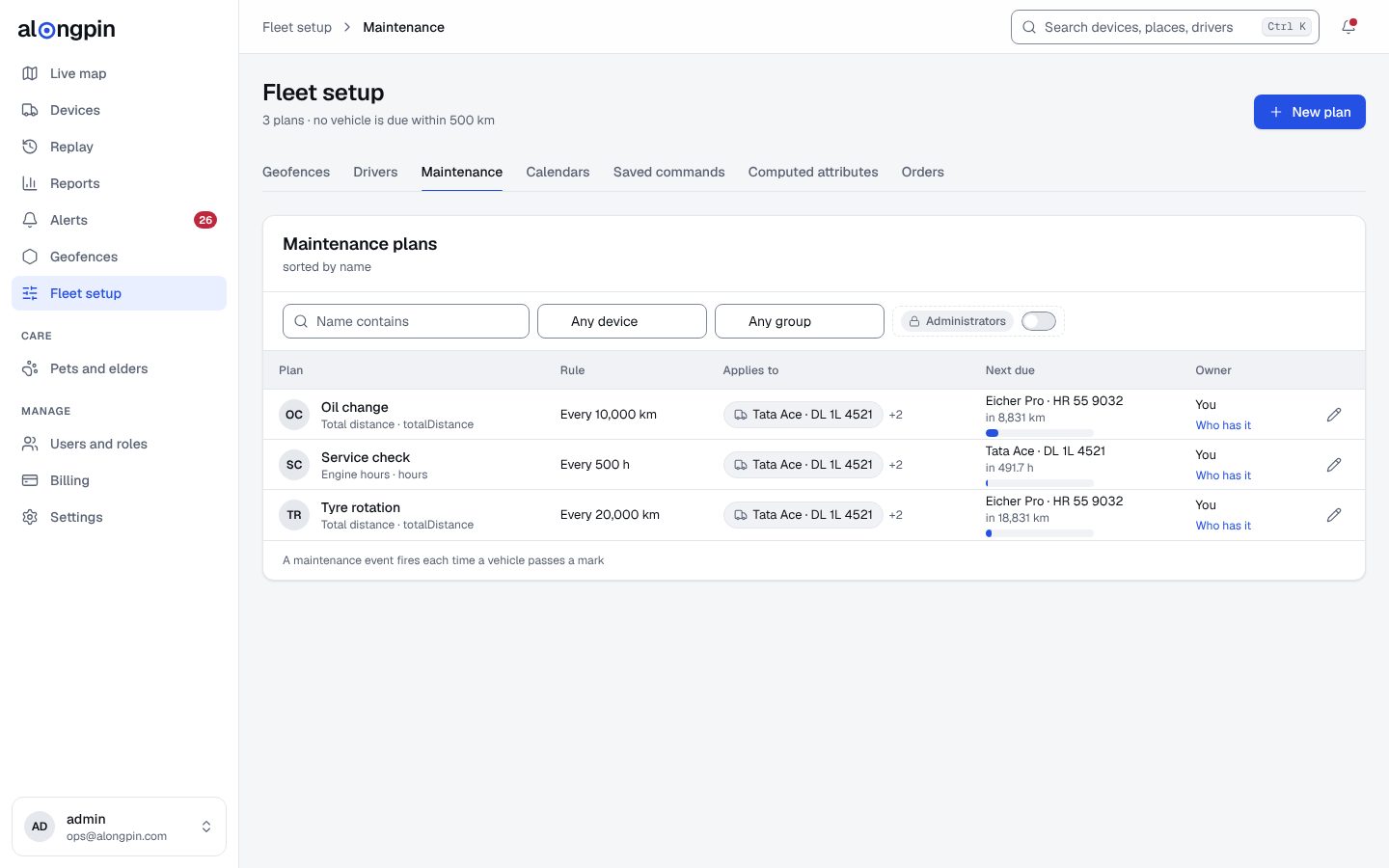
Plan "oil change every 10,000 km" or "service every 500 engine hours" once and get a notice when the mark is near and when it is reached.
Plans run by distance, engine hours or calendar time, with an advance warning, for example 1,000 km before the due mark.
Fair to drivers
Track the van, respect the driver
What happened on the road is recorded as it happened. What it means for a person is a conversation, not a number.
No automatic driver score
The platform lists events and times. It does not rank drivers or turn them into a number.
Private trips stay private
Positions of a private trip raise no geofence or speed events.
The rules are yours to set
You still need a legal basis and a notice to drivers, and in some countries the works council's agreement.
FAQ
Questions about driver behaviour and idle time
Does the platform score or rank drivers?
Does my tracker report harsh braking and cornering?
How is the speed limit set?
Why does a vehicle show no idle time?
How do trips get a driver name?
Can the idle report be sent on a schedule?
See how your vehicles are used
Create an account, or let us show you the reports with your own fleet. Choose a package in the portal; you see the first invoice before you confirm.