Care
How to share a care profile with family, a sitter or a doctor
Three kinds of share decide what each helper sees: everything for family, location only for a neighbour or sitter, health data only for a doctor. With end dates, and a log of who read the health data.
Ashish Srivastava4 min read
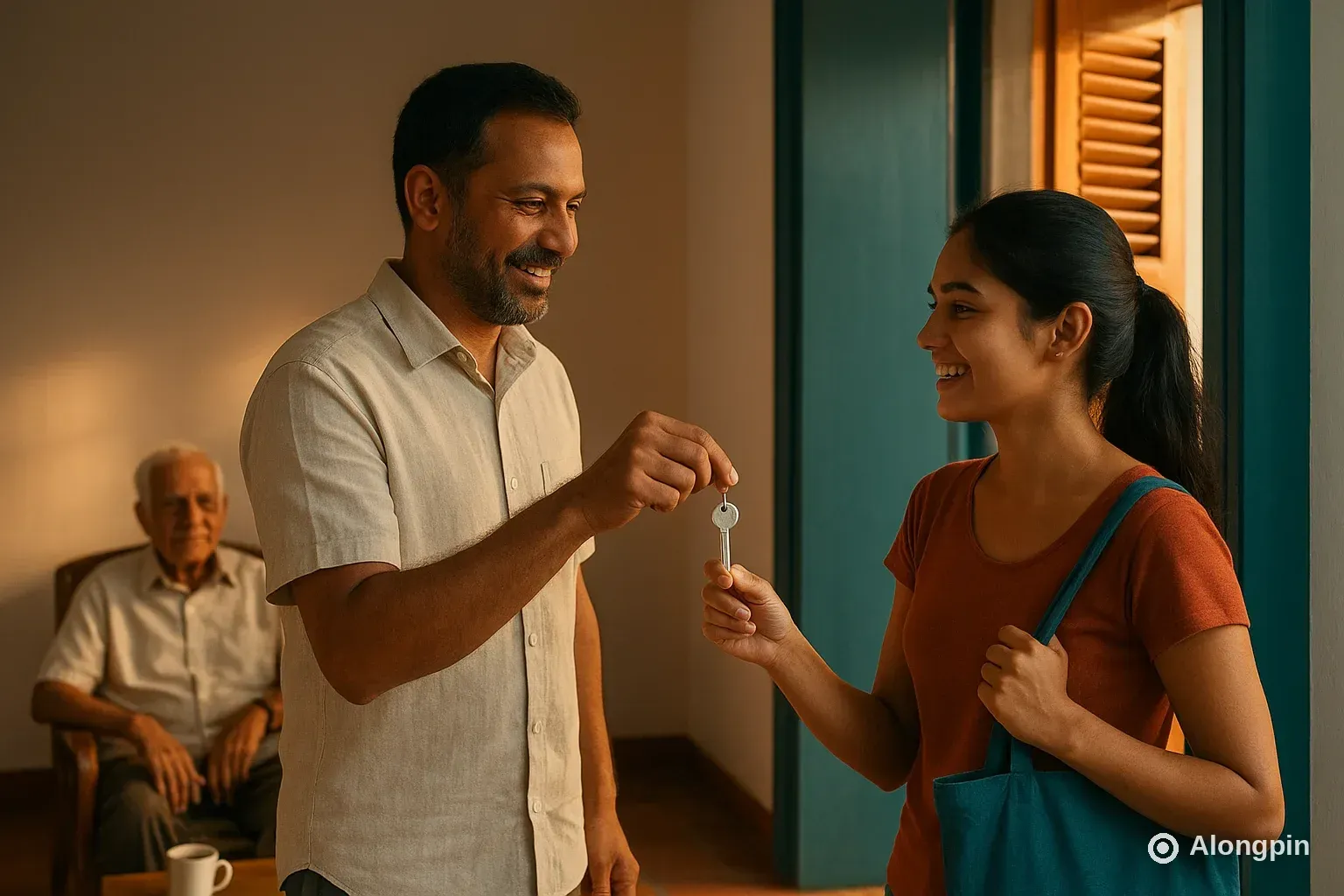
To share the location of an elderly parent with family, you open their care profile, choose Share, add each person by their account, and pick what they see: Everything, Location only or Health data only, each with an end date if you want one. A brother sees it all, a neighbour or sitter sees where your parent is and their alerts, a doctor sees the health records and nothing else. This guide is for the owner of a care profile who wants help without oversharing.
Before you start
- A care profile you own. See creating a care profile for an older relative.
- An account for each person you share with. People who only need alerts can be contacts instead, without an account.
- On a server that requires consents, the person's sharing consent, which names who the profile may be shared with.
1. List who needs what
Before you share, write down each helper and what they need to do. A short list usually looks like this:
| Who | What they do | Share |
|---|---|---|
| A brother or sister | Shares the care, reads the records, gets reminders | Everything |
| A neighbour or sitter | Checks in, answers an alert | Location only |
| The family doctor | Reads medication and measurements | Health data only |
| A cousin abroad who wants to know | Gets alerts by email or text | A contact, no share |
Share as little as each person needs. You can widen a share later.
2. Share everything with a partner, brother or sister
Open the profile and choose Share. If you manage other users, pick one under Share with a user you manage; otherwise type Their email, the address of their account. Then:
- Under What they see, choose Everything: health data, contacts, alerts and wellness, with reminders and alerts.
- Set Relationship to Family.
- Tick Also share the watch. Without it they get the profile but not the map or wellness.
- Choose Share.
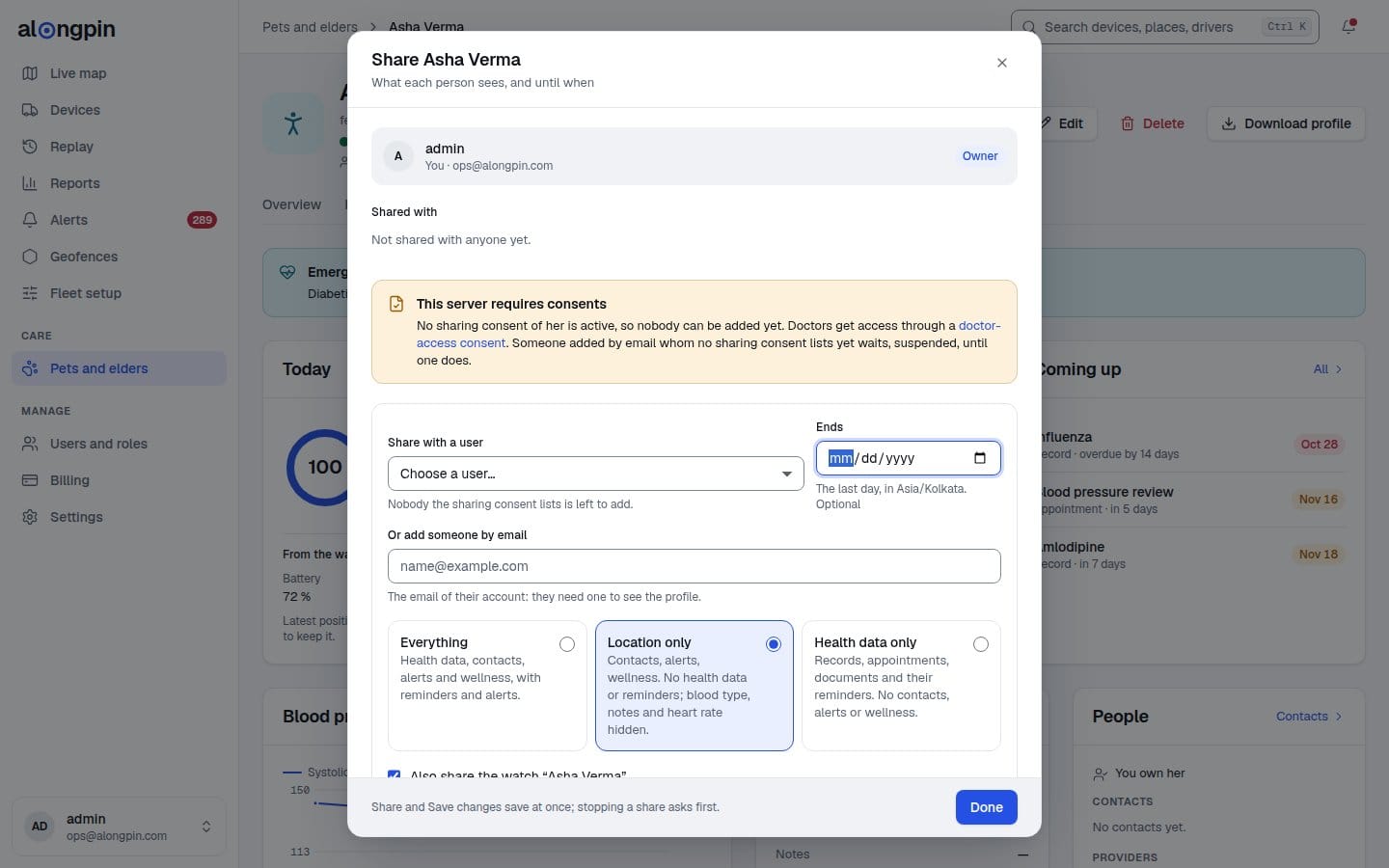
A person you share with can read everything you chose and acknowledge alerts, but cannot change, share or delete anything.
3. Share location only with a neighbour or sitter
Add the neighbour the same way and choose Location only. They see where your parent is, the alerts, the contacts and the daily activity. Blood type, mobility, notes and the heart rate stay hidden, and the health records and reminders do not reach them. Tick Also share the watch so the map works for them.
4. Share health data only with a doctor, until a date
A doctor who should read the medication plan and measurements gets Health data only: the profile with its records, appointments and documents and their reminders. No map, no contacts, no alerts, no wellness. Set Ends to the last day they need it.
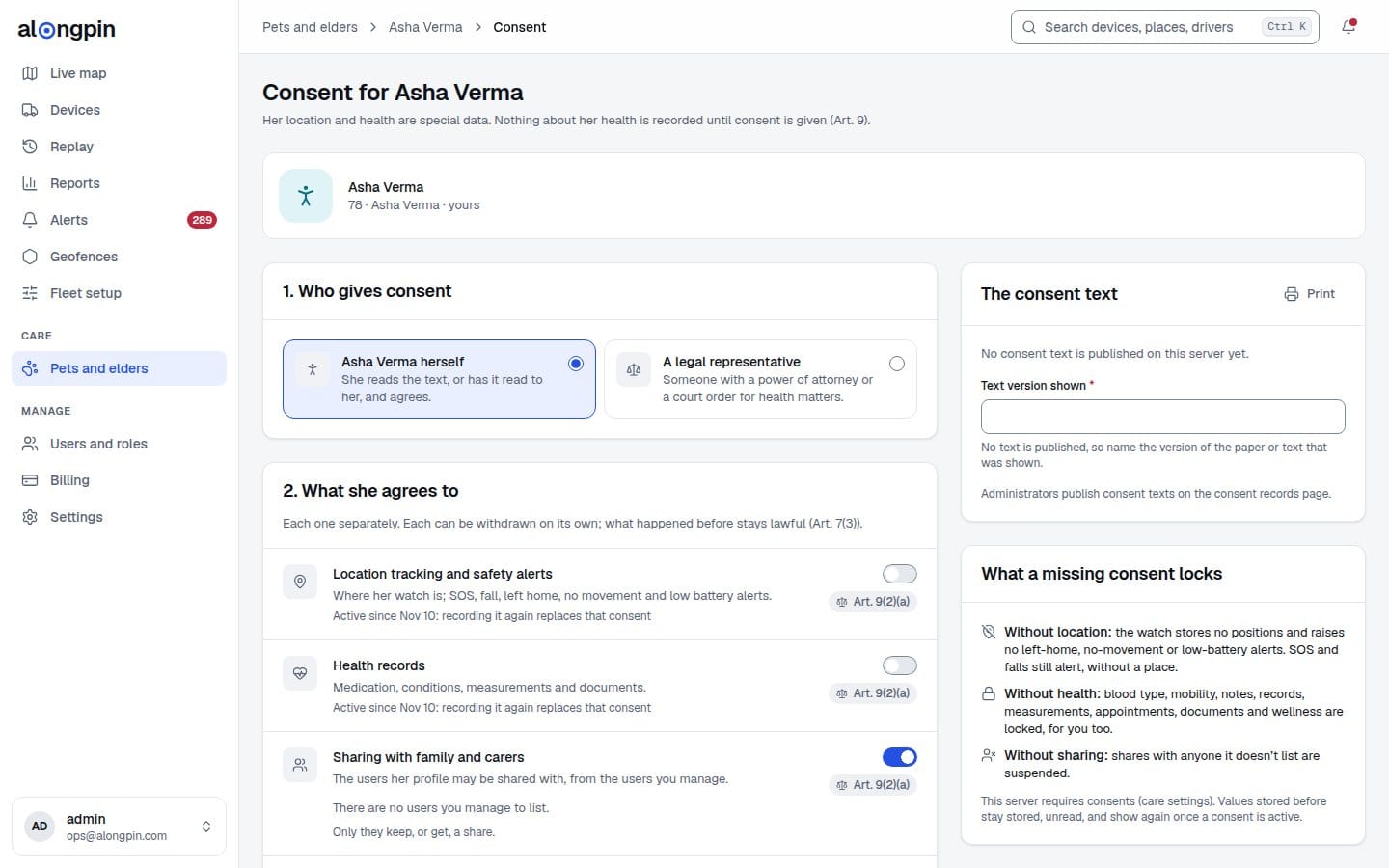
For an elder on a server that requires consents, a doctor's access is recorded as a consent instead: choose Record consent, tick Doctor access, pick the Doctor and the Practice, and set Until. The doctor then gets a health-data-only share that ends with the consent. Withdrawing the consent ends it at once.
5. Set end dates
Every share can end by itself. Under Ends, pick the last day: a sitter for the two weeks you are away, a doctor for the course of a treatment. After that day they see nothing and the share leaves the list. No end means until you stop sharing. To end a share now, choose Stop sharing next to the person; nothing is deleted, and their past views stay in the log.
6. Read the access log now and then
Every read of your parent's health data is logged: who, when, what, and how they reached it. Open Who viewed on the profile. Only you, as the owner, and administrators see this log.
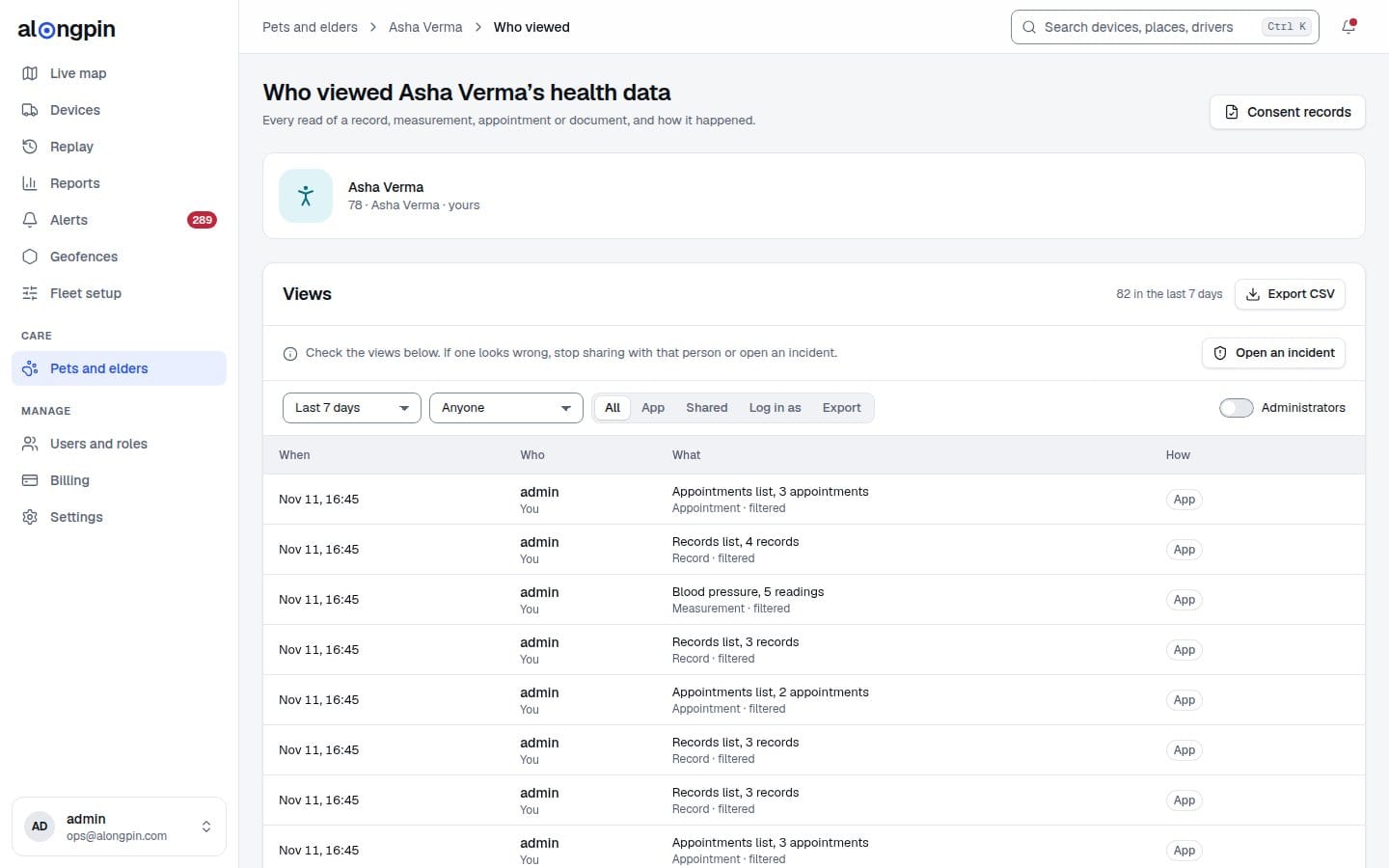
If a view looks wrong, stop sharing with that person from the same page. Views are kept for two years unless an administrator set another period. The help article on consent for an elder's data and who has read it explains each column.
Watch out for
- A location-only share hides blood type, notes and readings. That is the point of it. If the sitter must know about an allergy, put it in the emergency notes and share Everything, or tell them yourself.
- Sharing needs the recorded consent of the person, on servers that require consents. Someone added by email whom the sharing consent does not list waits, suspended, and sees nothing until a sharing consent lists them.
- Sharing the profile does not share the watch. Tick Also share the watch, or the map and wellness stay hidden from them.
- Contacts who only receive alerts need no account. Add them under Contacts with Receives alerts; they get emails and texts, never the portal.
How the profile's data is protected is on the privacy page. The care profiles page shows what a profile holds, and the health readings page what a health share includes. For the family side, see sharing a care profile with family or a carer.