Care profiles and health
Consent for an elder’s data and who has read it
How the consent of an elder or their legal representative is recorded and withdrawn, what happens to health data after a withdrawal, and where the access log shows who read it. Not legal advice.
Ashish Srivastava4 min read
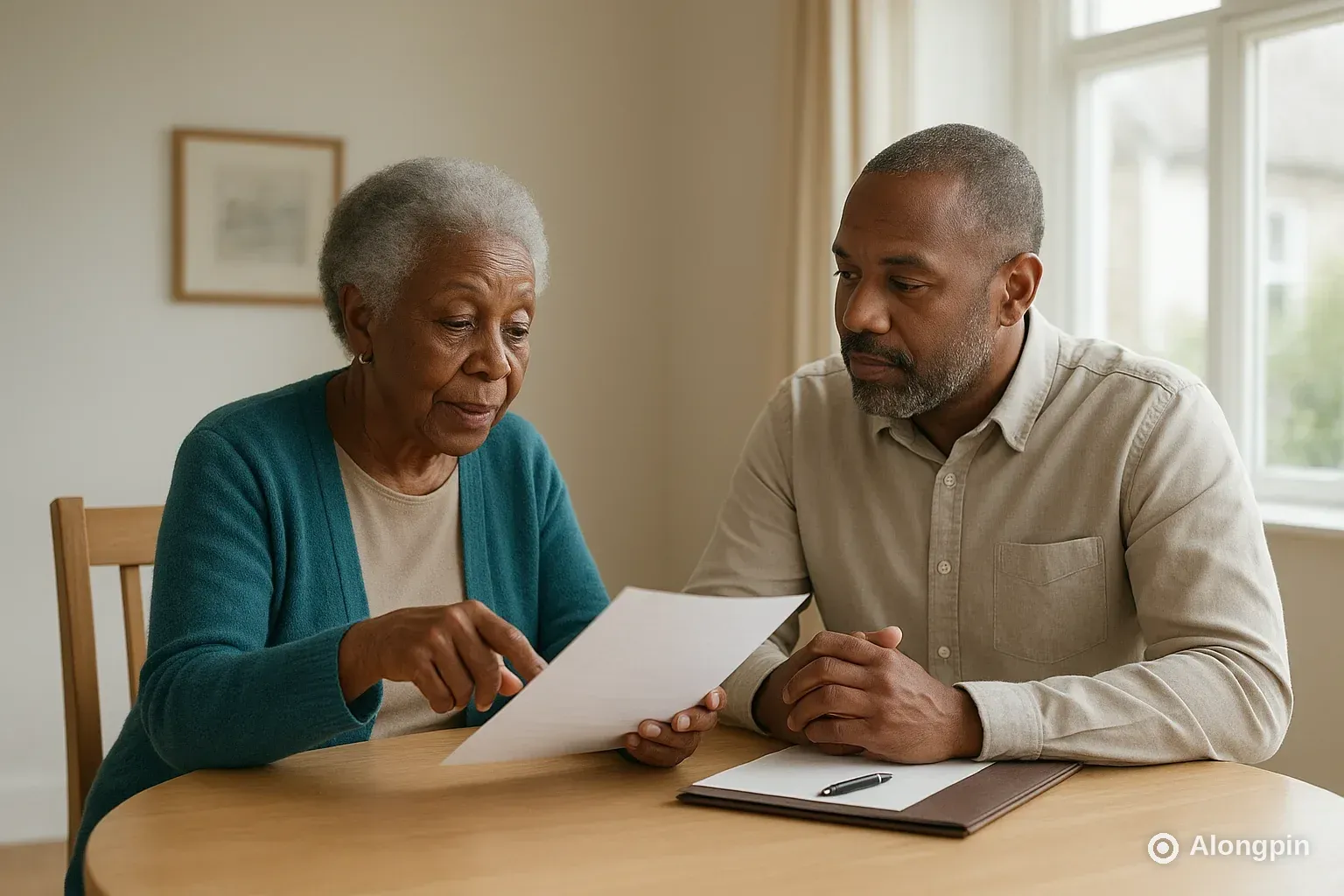
Consent for tracking an elderly parent is recorded in their care profile: the owner of the profile, or an administrator, opens Consents, chooses who gives consent (the person, or a legal representative), ticks what is agreed to and records it with the consent text that was shown. Each scope can be withdrawn on its own later. Separately, Who viewed lists every read of the person's health data, so you can see who looked and when. The platform keeps the evidence; it does not decide whether you have a legal basis, and this article is not legal advice.
Key takeaways
- Consents are recorded for elders, per scope: location, health data, sharing, and doctor access.
- By default the server requires them: without a health consent, health data is locked for everyone; without a location consent, the watch stores no positions.
- Withdrawing stops the processing and keeps the data, locked. You can choose to delete it in the same step.
- The access log lists each read of health data: who, when, what and how. Only the owner and administrators see it.
Recording a consent
- Open Pets and elders, select the elder and open the Consents tab.
- Under Who gives consent, choose the person themselves or A legal representative. For a representative, enter their name and relationship, and optionally their account, so that they can see and confirm the consent when they sign in.
- Attach the Power of attorney or court order if there is one. It is kept as a document of kind Power of attorney, as proof of the consent.
- Tick each thing agreed to. Location: where the watch is, and the SOS, fall, left home, no movement and low battery alerts. Health: medication, conditions, measurements and documents. Sharing: the users the profile may be shared with. Doctor access: covered below.
- Choose the version and language of the consent text that was shown (an easy-read version where one is published), confirm that you are allowed to give the consent, and choose Give consent.
The platform does not check legal capacity, and the text you show the person is your organisation's or family's text, published by an administrator. Privacy at Alongpin explains how the platform handles personal data.
Consents waiting for an answer
When an administrator publishes a new consent text and asks for older consents to be confirmed on it, the owner and any representative with an account are asked after sign-in, with what changed and the deadline. Consent records shows a "Needs confirming" badge and a Confirm action. A consent that is not confirmed by the deadline ends ("Ended: not confirmed by the deadline") and can still be confirmed later to restore it.
Withdrawing a consent
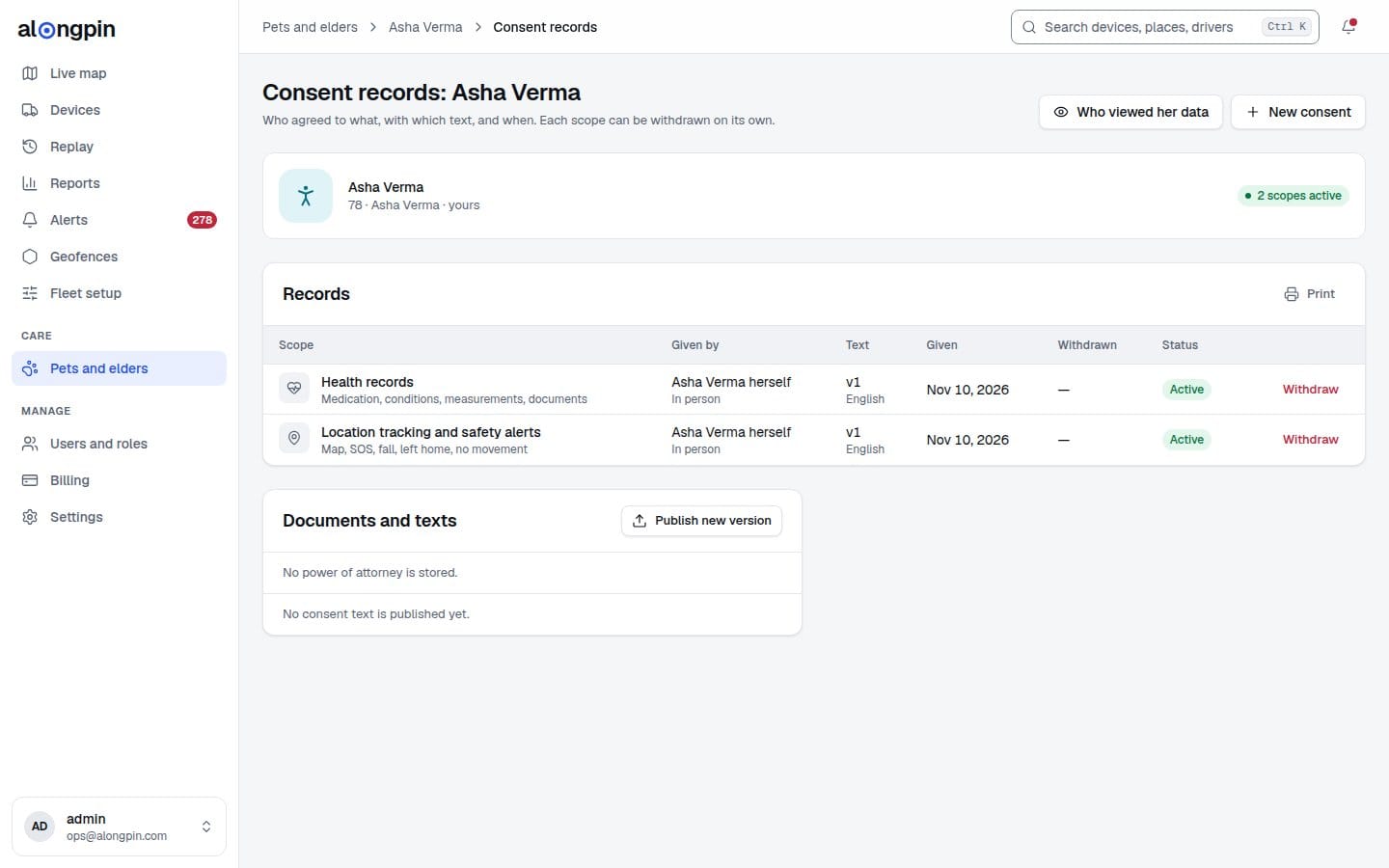
Open Consent records, choose Withdraw next to the scope, and say who withdrew it: the person or their representative. What happens next depends on the scope:
- Health: the processing stops and the health data is kept, but locked. Nobody reads it, you and the administrators included, until a new health consent is recorded. If the data should go, choose Withdraw and delete to delete it in the same step; powers of attorney stay as proof. Deleting can't be undone.
- Location: the watch stops storing positions and the map keeps the last one from before. SOS and falls still raise an alert, without a place.
- Sharing: the people it covered keep a suspended share and see nothing until a new sharing consent lists them.
The withdrawn record stays in the history: who agreed, with which text, when, and who withdrew it.
Doctor access
A doctor gets access through a consent of its own. Choose Doctor access, the doctor (one of the users you manage), their practice from the profile's providers, and optionally Until. The doctor gets a health-data-only share: records, appointments and documents with their reminders, read only, without the map, contacts, alerts or wellness. Several doctors can hold access at once, each with their own consent. Withdrawing it, reaching its end date, or End access on the share ends it.
Who has read the health data
Who viewed on the profile (also linked from Consent records) lists every read of a record, measurement, appointment, document or scan, newest first. Each entry shows when, who (with their relationship, such as family, carer or doctor), what was read, and how: through the app, a share, a data export, or Log in as by an administrator, with the reason given. Reads refused while someone was logged in as the user are listed as refused.
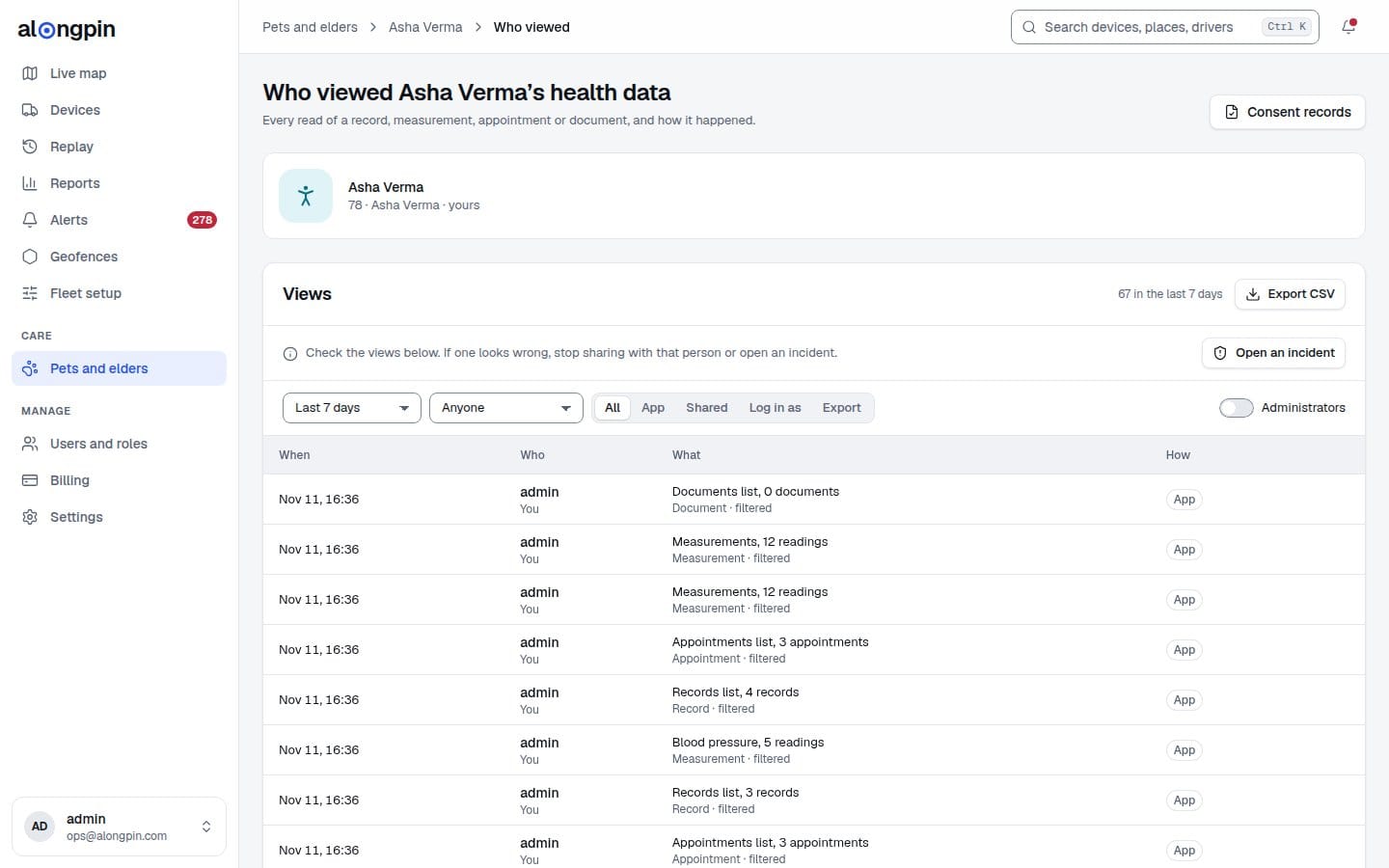
Filter by period, person and how, and download the entries with Export CSV. If a read looks wrong, stop sharing with that person from the entry, or tell an administrator. Views are kept for two years unless an administrator set another period. Only the profile's owner and administrators see this log.
The care profiles page and elder care describe sharing and consent from the family's side.
Frequently asked questions
Do pets need consents?
No. Consents are recorded for elders only.
Can consents be switched off?
An administrator can stop requiring them on the server's privacy settings. They can then still be recorded as proof, but nothing is locked without them.