Reports
Scheduled report at the wrong time: calendars and time zones
A scheduled report that arrives earlier or later than expected usually follows its calendar or a time zone. What decides the send time, which zone the times inside the report use, and what to check when no e-mail comes.
Ashish Srivastava4 min read
When a scheduled report comes at the wrong time, the cause is almost always its calendar or a time zone. The report is sent when a period of its calendar ends, read in the calendar's own time zone, and the times inside the report follow the time zone of whoever opens it. A calendar set to midnight UTC, for example, sends a reader in India the report at 05:30 their time, covering 05:30 to 05:30.
Key takeaways
- The send time is the end of each calendar period, plus up to 15 minutes.
- The calendar's Time zone decides what "00:00" means for it.
- Times and days inside the report follow the reader's own time zone.
- Next: on the Scheduled list shows when the report goes out next.
What decides when it is sent
A scheduled report goes out when a period of its calendar ends. The server checks every 15 minutes, so the e-mail follows within about a quarter of an hour. The period that just ended is also the period the report covers.
So a report comes "early" or "late" when the calendar's period is not what you think:
- A period of 08:00 to 18:00 sends at about 18:00 and covers the working day, not the whole day.
- A period from 00:00 to 00:00 the next day sends shortly after midnight and covers the day before.
- A calendar with exceptions, such as public holidays, sends nothing on those days.
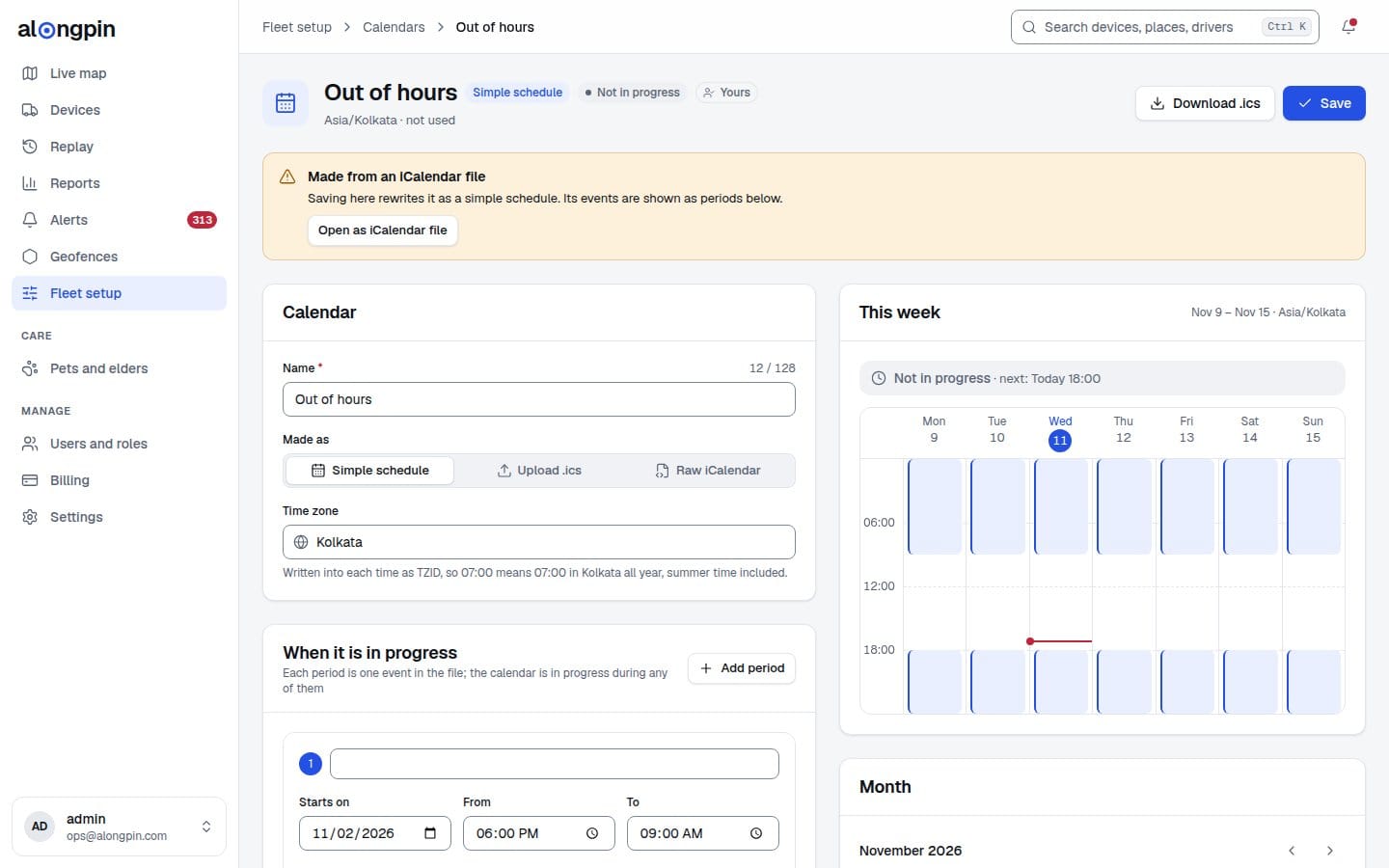
Open Fleet setup → Calendars, choose the calendar and check its periods; the editor previews the next occurrences.
The time zone the calendar is read in
Every calendar has a Time zone. In the simple editor, times are saved in that zone, summer time included, so 00:00 means midnight there all year. A calendar uploaded as an iCalendar file uses the times written in the file; times without a zone are read in the calendar's time zone, and when that is empty, the server's.
If your fleet is in Mumbai but the calendar says UTC, midnight UTC is 05:30 in Mumbai. Change the calendar's Time zone to the zone of your fleet and save. Every report, alert rule and geofence that uses the calendar follows the change.
Times inside the report follow the reader
The e-mail's link fixes the period as two moments in time. When a recipient opens it, the report shows every time in their own time zone, set under Settings → Your account → Map and display, else the server's. A daily summary splits its days at the reader's midnight. Two readers in different zones see the same period, labelled with their own clock.
If the times inside look shifted by a few hours, check the reader's time zone first; see setting your time zone.
Check the next send time
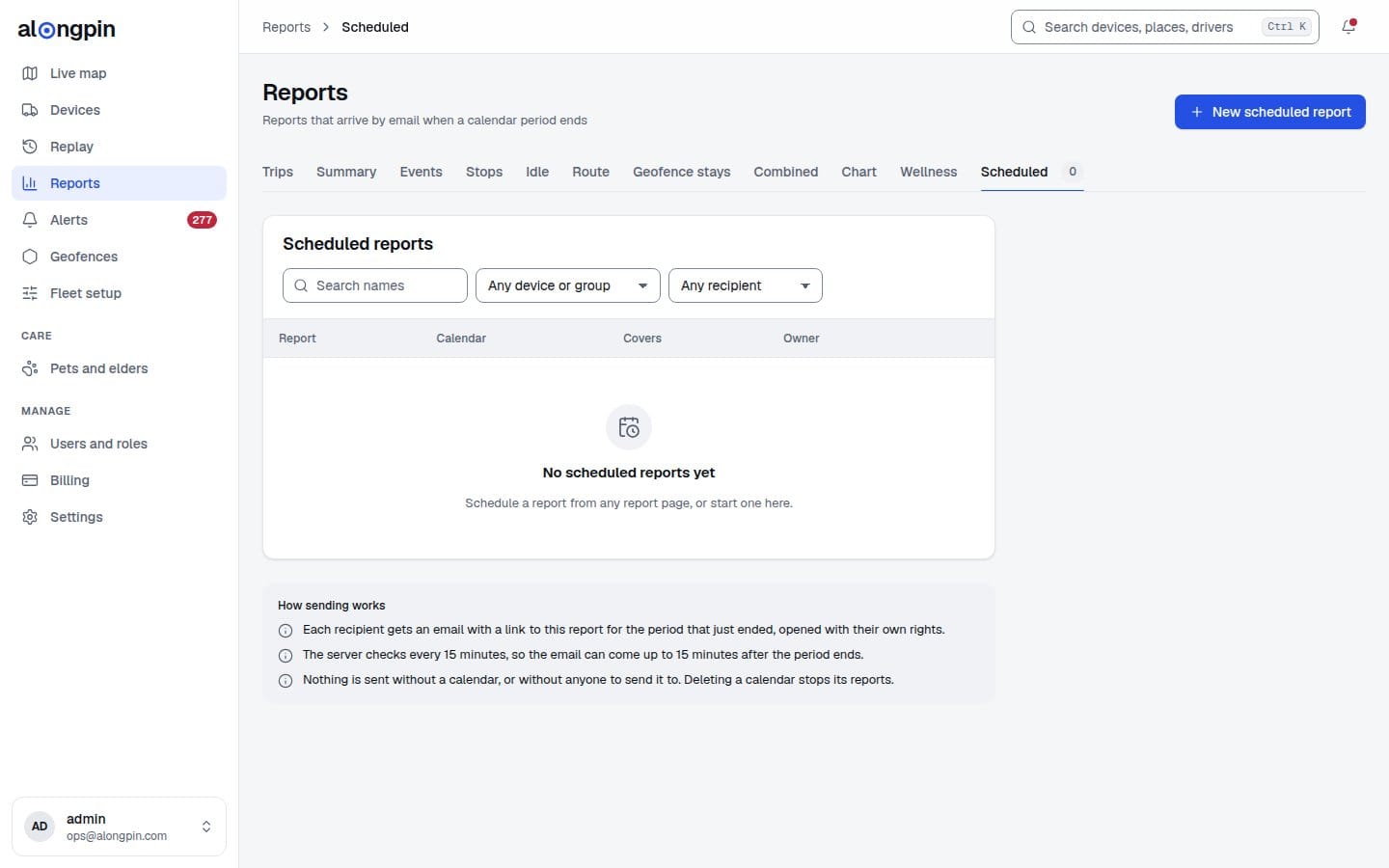
Open Reports → Scheduled. Each report shows Next: with the moment it goes out next, and Last sent with the last time an e-mail went out. Compare Next: with what you expect:
- Next is right, but the e-mail comes later: allow up to 15 minutes, then look at your e-mail.
- Next is off by whole hours: the calendar's time zone is not the one you meant.
- Next is on the wrong day: check the days and exceptions of the calendar's period.
No e-mail at all
- No calendar: never sent or Nothing to send next: choose a calendar with periods ahead, and make sure the report has at least one recipient.
- to nobody in the list: add a recipient; see scheduled report recipients.
- Last sent moves on but the mail is missing: check the recipient's e-mail address on their user, the spam or junk folder, and any filter on "Scheduled report" in the subject.
- The recipient has the No reports restriction, or their account is disabled or expired: they get no e-mail, and the missed periods are not sent later.
- Nobody gets anything: ask your administrator whether the server sends e-mail.
To set a report up again from scratch, see scheduling a report. More on scheduled reports, reports and the rest of the help center.
Frequently asked questions
Does summer time move my report?
Not when the calendar has a time zone with summer time: midnight stays midnight there. A calendar in UTC moves by an hour against your local clock when summer time starts or ends.
Can I make the report arrive at 07:00 for the day before?
The report is sent when the period ends. A period from 07:00 to 07:00 the next day arrives at 07:00 and covers the 24 hours before it.