Fleet management
Remote engine stop: how it works and where its limits are
Engine stop is a command that makes the tracker switch a relay in the vehicle. It needs a tracker and wiring that support it, it can wait in a queue while the tracker is offline, and it raises safety and legal questions you must settle yourself.
Ashish Srivastava6 min read
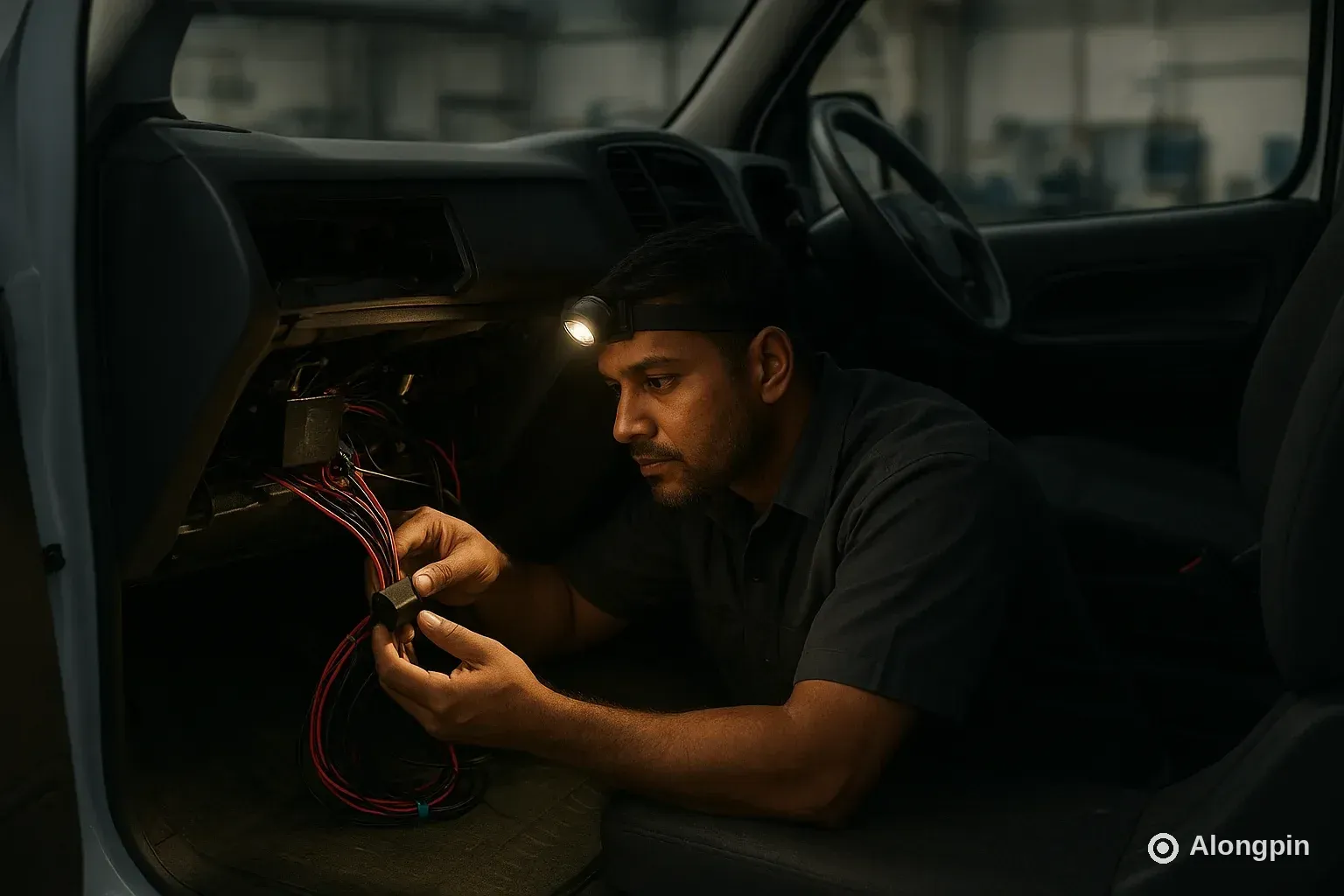
A remote engine immobiliser GPS tracker stops a vehicle's engine from running by switching a relay when it receives a command from the tracking platform. It works only where two things are true: the tracker supports the engine stop command, and a relay has been wired into the vehicle so the tracker can interrupt the starter or fuel circuit. With both in place, the platform sends Cut the engine to the tracker, at once if it is connected or from a queue when it reconnects, and Allow the engine again undoes it. Everything else about it (who may send it, when, and whether it is safe) is a decision you make before you ever need it.
Key takeaways
- Engine stop is a command to the tracker, which switches a relay output. No relay, no engine stop.
- It depends on the tracker model and its wiring; the portal offers only the commands the tracker's protocol takes.
- A command to an offline tracker waits in a queue for up to 7 days and runs when it reconnects, possibly much later.
- Sending commands is a right of its own: limit it with roles, and keep read-only users and share links away from it.
- Cutting the engine of a moving vehicle can cause an accident. Settle the safety and legal questions first, and consider alerts, zones and live following as the everyday tools.
What the command does at the tracker
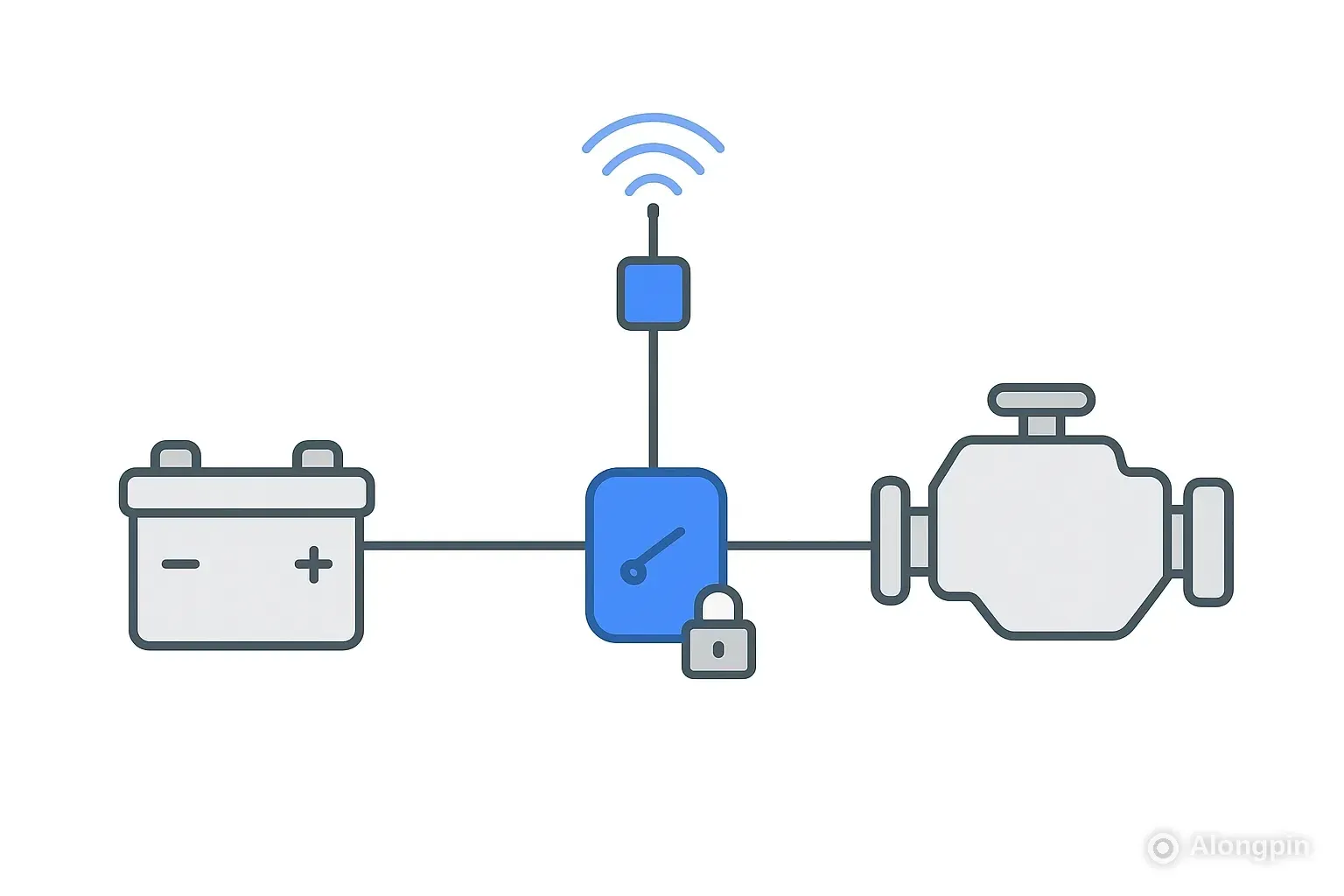
Many wired trackers have an output: a small switch the tracker can open or close. An installer connects that output to a relay in one of the vehicle's circuits, usually the starter or the fuel pump. When the tracker receives the engine stop command, it switches the output, the relay opens the circuit, and the engine stops or will not start again. Engine resume switches it back.
What happens next depends on the tracker and how it was wired:
- Some trackers switch the output at once.
- Some wait until the vehicle is slow or stopped, as a safety feature of the tracker itself.
- Some installations interrupt only the starter, so a running engine keeps running until it is switched off, then cannot be restarted.
Read the tracker's manual and ask the installer which of these your vehicles have. The platform sends the command; the tracker and the wiring decide what it does.
The requirement: a tracker and wiring that support it
On the vehicle trackers page, engine stop and resume are listed "where the tracker and its wiring support it". In practice:
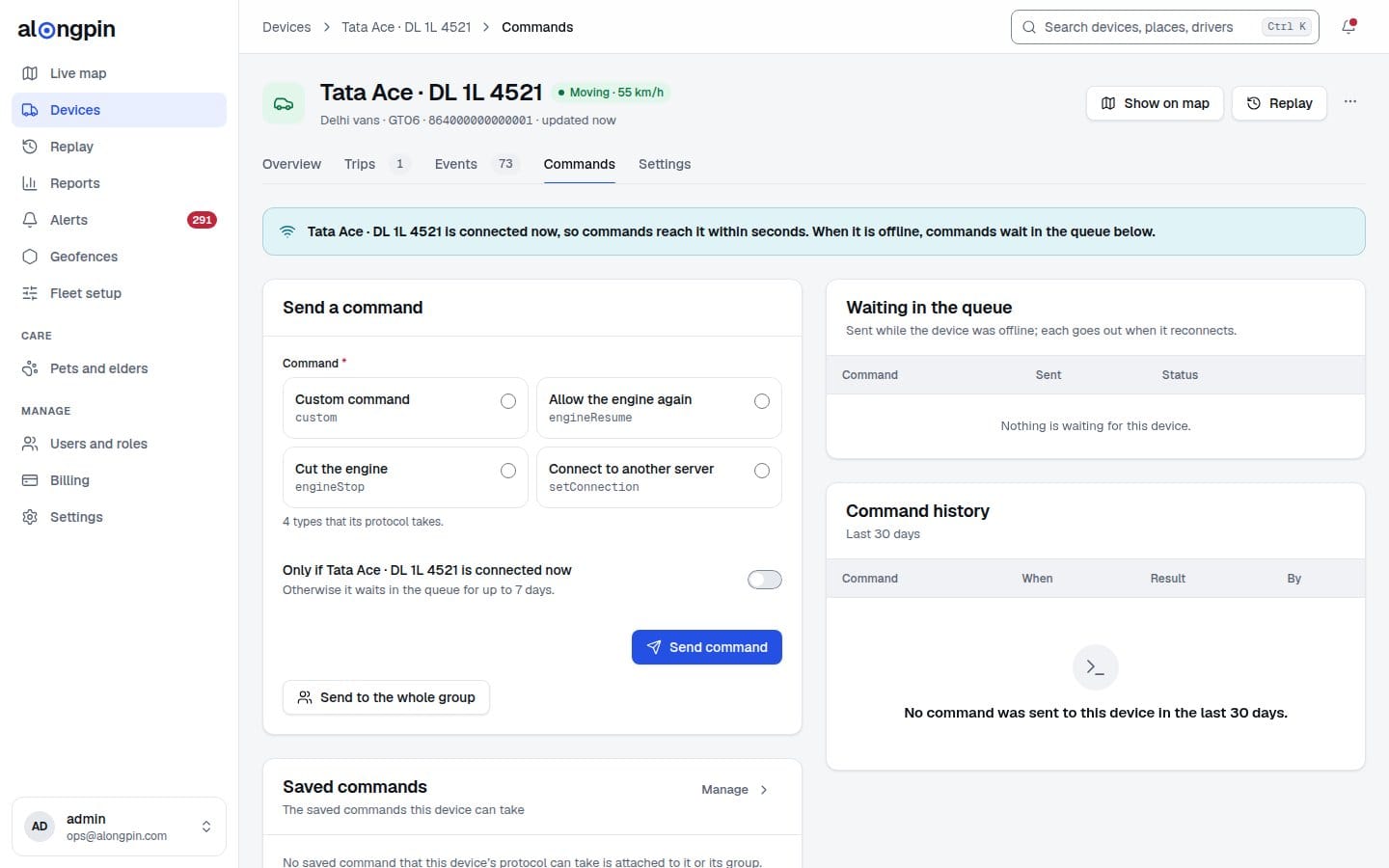
- The protocol must have the command. When you open Send command for a device, the portal lists the command types its protocol takes. Engine stop appears as Cut the engine under Engine, outputs and power, with Allow the engine again beside it. If they are missing, the tracker's protocol does not have them, and a command it cannot take is refused at once.
- The relay must be fitted. A tracker with the command but no relay wired to it will accept the command and change nothing.
- Test it on a parked vehicle. With the engine off and the vehicle safe, send Cut the engine, try to start, then send Allow the engine again. Do this once for each model you run.
GT06-type trackers, widely used wired trackers in many markets, usually take engine stop and resume; whether yours is wired for it is a question for whoever fitted it.
Commands that wait in a queue while the tracker is offline
A remote command goes out at once when the tracker is connected; the portal shows Delivered when the tracker took it. Delivered means the tracker received it, not that the engine has stopped; a tracker that answers sends its reply back as a command result.
When the tracker is offline, the command waits. The device's Commands tab shows it under Waiting in the queue, and it is sent when the tracker reconnects. Queued commands are dropped after 7 days by default.
For engine stop, the queue needs thought. A command queued for a tracker in a car park without signal will run when the vehicle next reaches coverage, which could be on a motorway, or after the vehicle has been recovered and is being driven by your own staff. Two habits avoid surprises:
- Use "Only if connected now" under How to send it when you want the command to fail rather than wait.
- Check the queue on the Commands tab, and Cancel a waiting engine stop you no longer want.
A rule can tell you when a queued command reaches the device (Queued command sent) or fails there. The help article on what happens to a command sent to an offline device explains each status.
Some installations can also send commands by text message, through an SMS gateway, to the tracker's phone number. Those are sent at once and never queued, at most 10 per tracker per hour, and each one costs money.
Who should be allowed to send it: roles
Sending a command is a right of its own, given per device or per group with users and roles. For engine stop, keep that right with as few people as possible:
- Read-only accounts cannot send commands at all.
- The Saved commands only restriction lets a person send only prepared commands, so you can give a dispatcher "Report every minute" without giving them engine stop.
- Share links cannot send commands unless your administrator has switched that on for share links. Leave it off if you share vehicles with customers or the police.
- Every command sent is recorded in the device's command history (kept for 90 days) and in the audit log, with the name of who sent it.
The portal asks for confirmation before sending engine stop: "This acts on the vehicle or the tracker itself." Treat that moment seriously.
Automatic engine stop from an alert rule
An alert rule can send a saved command when it fires, for example on leaving a zone. It is possible, and for engine stop it is rarely wise: the rule cannot see whether the vehicle is on a busy road, whether a driver is in danger, or whether the event was a GPS jump. If you use it at all, limit it to stationary situations you understand completely.
Safety and legal questions you must settle yourself
The platform can send the command. Whether you should is not a software question. Before enabling engine stop, decide:
- When it may be used: only when the vehicle is stationary? Only on police advice after a theft? Never on a vehicle with a driver in it?
- Who decides, and who sends it: a named person, with a second person confirming?
- What the law allows where your vehicles drive. Rules on immobilising a vehicle remotely, on employees' vehicles and on financed or leased vehicles vary by country.
- What your insurer says about remote immobilisation and about who is liable if something goes wrong.
- What drivers are told: that the vehicle can be immobilised, and when you would do it.
Write the answers down and give them to everyone with the right to send it.
Alternatives: alerts, zones and live following
For most fleets, engine stop is a last resort. The tools used every day are less dramatic and carry no risk:
- Alerts for ignition on or movement out of hours, and for a vehicle leaving the yard at night.
- Geofences around depots and customer sites, with exit alerts limited to a calendar.
- Live following on the map, and a share link with an end date for whoever recovers a vehicle.
The article on vehicle theft and what a tracker can do shows how these fit together. For your first command of any kind, the setup guide on sending your first remote command walks through the dialog with a harmless example.
How Alongpin helps
Alongpin (alongpin.com) is a GPS tracking platform you open in a browser or on your phone. Your trackers, in the vans, trucks and cars you already run, show on one live map with trips, stops, idle time and alerts; reports and scheduled reports answer the questions this article raises, and users and roles let each depot see its own vehicles. Check your trackers in the device check, read how it works for fleets, and start on the pricing page.
Frequently asked questions
Can any GPS tracker stop the engine?
No. The tracker must support the command and have an output wired to a relay in the vehicle. Plug-in OBD trackers and battery trackers usually cannot.
Does an engine cut off GPS tracker stop a moving vehicle?
It depends on the tracker and the wiring. Some wait until the vehicle is slow or stopped; some installations block only restarting. Check before you rely on it.
Can I stop the engine remotely from my phone?
Anyone with the right to command that vehicle can send it, from the portal or the mobile app. That is exactly why the right should stay with as few people as possible.