Fleet management
Vehicle theft: what a tracker and platform can do to help
A GPS tracker will not stop a thief, but it can warn you within minutes, show where the vehicle went and give the police a read-only view. What helps after a theft, what engine stop really does, and the limits to plan for.
Ashish Srivastava7 min read

A GPS tracker will not stop a thief, but it changes what happens next. When a fleet vehicle is stolen, the tracker and its platform tell you early that something is wrong, show where the vehicle is or was last seen, and let you hand that view to the police or a recovery company. That is the realistic case for GPS tracker stolen vehicle recovery: faster warning and a trail to follow, not a guarantee of getting the van back.
Key takeaways
- The biggest gain is time: alert rules for ignition, movement or leaving the yard out of hours tell you within minutes instead of the next morning.
- The live map and the replay show the current or last known position and the route taken.
- Engine stop works only where the tracker and its wiring support it, and stopping a moving vehicle can be dangerous.
- A share link with an end date gives the police or a recovery company a read-only view without an account.
- Jammers, a removed tracker and gaps in coverage are real limits; preparation before a theft matters more than anything you do after.
What a tracker contributes when a vehicle is stolen
A tracker reports its position, speed and time over mobile data, and most wired trackers also report the ignition and raise alarms such as a power cut. The platform turns those reports into three things that matter after a theft:
- A warning: an alert when the vehicle does something it should not, at a time it should not.
- A position: where the vehicle is now, or where it last reported, with the route that led there.
- Something to share: a view you can give to the people who will actually recover the vehicle.
Vehicle theft tracking does not replace locks, immobilisers fitted by the manufacturer, insurance or the police. It gives all of them better information, sooner.
Early warning: hear about it in minutes
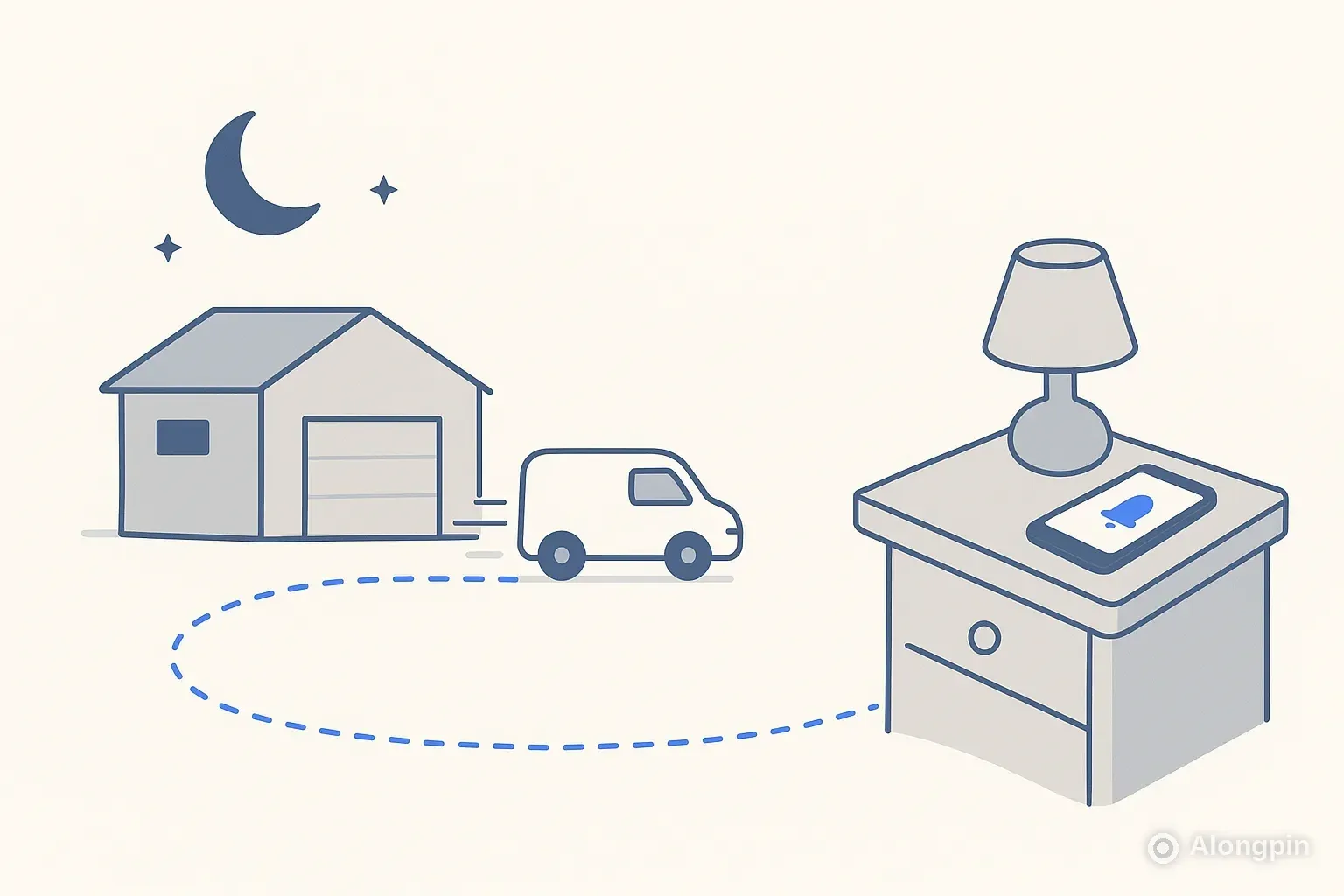
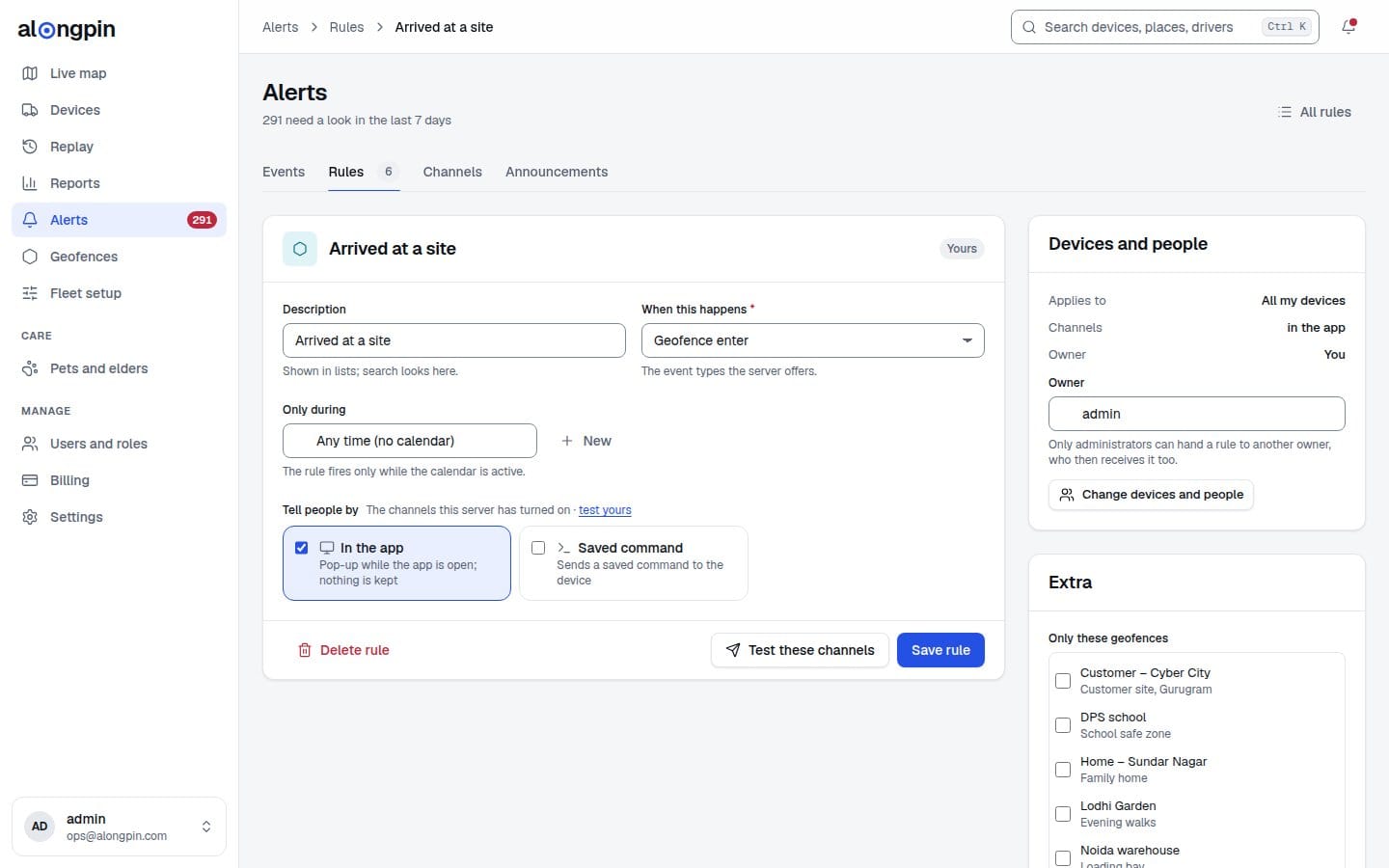
Most of the value comes before you even look at the map. A vehicle taken at 2 a.m. and noticed at 7 a.m. has a five-hour head start. A rule that fires at 2:03 a.m. does not. On alerts, you choose the event, the channel and the schedule. The rules that matter for theft:
Ignition or movement out of hours
Create a rule for Ignition on or Started moving, and under Only during pick a calendar that covers the hours when nobody should drive: nights, weekends, holidays. A rule fires only while its calendar is active, so for "outside working hours" you make a second calendar for exactly those hours (for example "Out of hours"), rather than looking for an "outside" switch.
Leaving the yard
Draw a geofence around the depot or the place where vehicles stand overnight, and add a Geofence exit rule limited to that zone and to the out-of-hours calendar. During the day it stays quiet; at night it tells you when a vehicle leaves.
The tracker's own alarms
Many wired trackers raise alarms when their power is cut, when the vehicle is towed or tilted, or when they detect tampering or jamming. Which of these your tracker sends depends on the model. An Alarm rule can be narrowed to the alarm kinds you care about, for example power cut and tow, so other alarms do not drown them out.
The tracker going silent
A thief who finds the tracker will often disconnect it. A Device offline or Status unknown rule tells you the tracker stopped reporting. On the live map a vehicle that has not reported for a while shows as Unknown (after 10 minutes in a standard setup). The help article on getting an alert when a device stops reporting walks through the settings.
Who gets told, and how
Send theft rules to the person who can act at night, through a channel they will notice: push, SMS or Telegram where your installation has switched them on, email as a backup. If you use quiet hours for your own alerts, check what still gets through: by default SOS and power cut alarms do, and everything else is held back until the window ends, without being sent later. Use Test these channels in the rule to check the messages arrive; it sends test notifications only, it does not raise an alarm.
Following the vehicle live and from its last known position
When the alert arrives, open the live map and find the vehicle by typing its name in the fleet search. If it is still reporting, you see it move, with its state (Moving, Idle, Parked, Offline or Unknown). If it has gone quiet, the last position stays on the map with the time it was received.
Replay fills in the gaps. It shows the route from the depot to the last report, with stops along the way. A long stop at an unfamiliar address can be where the vehicle was swapped onto a trailer or where the tracker was removed, which is useful to the police even if the vehicle has moved on. Trackers that lose coverage usually store their positions and send them when coverage returns, so the history may fill in later.
Engine stop, only where the tracker and wiring support it
Some trackers can switch a relay that stops the engine from starting again. It is a remote command like any other: it goes out at once when the tracker is connected, or waits in the queue until it reconnects. It needs a tracker that supports the command and a relay wired into the vehicle; without both, there is nothing to send.
Even where it works, cutting the engine of a moving vehicle can cause an accident, and the rules on doing so vary by country. Most owners who use it send it only when the vehicle is stationary, often on the advice of the police. The article on remote engine stop and its limits covers the details.
Giving read-only access to whoever recovers it
The police or a recovery company do not need an account on your platform. From the vehicle's page, Share creates a share link: a link that shows that one vehicle on a map, read-only, until the end time you set. Where your server allows it, you can protect the link with a PIN that you give over the phone. When the vehicle is back, revoke the link and it stops working at once.
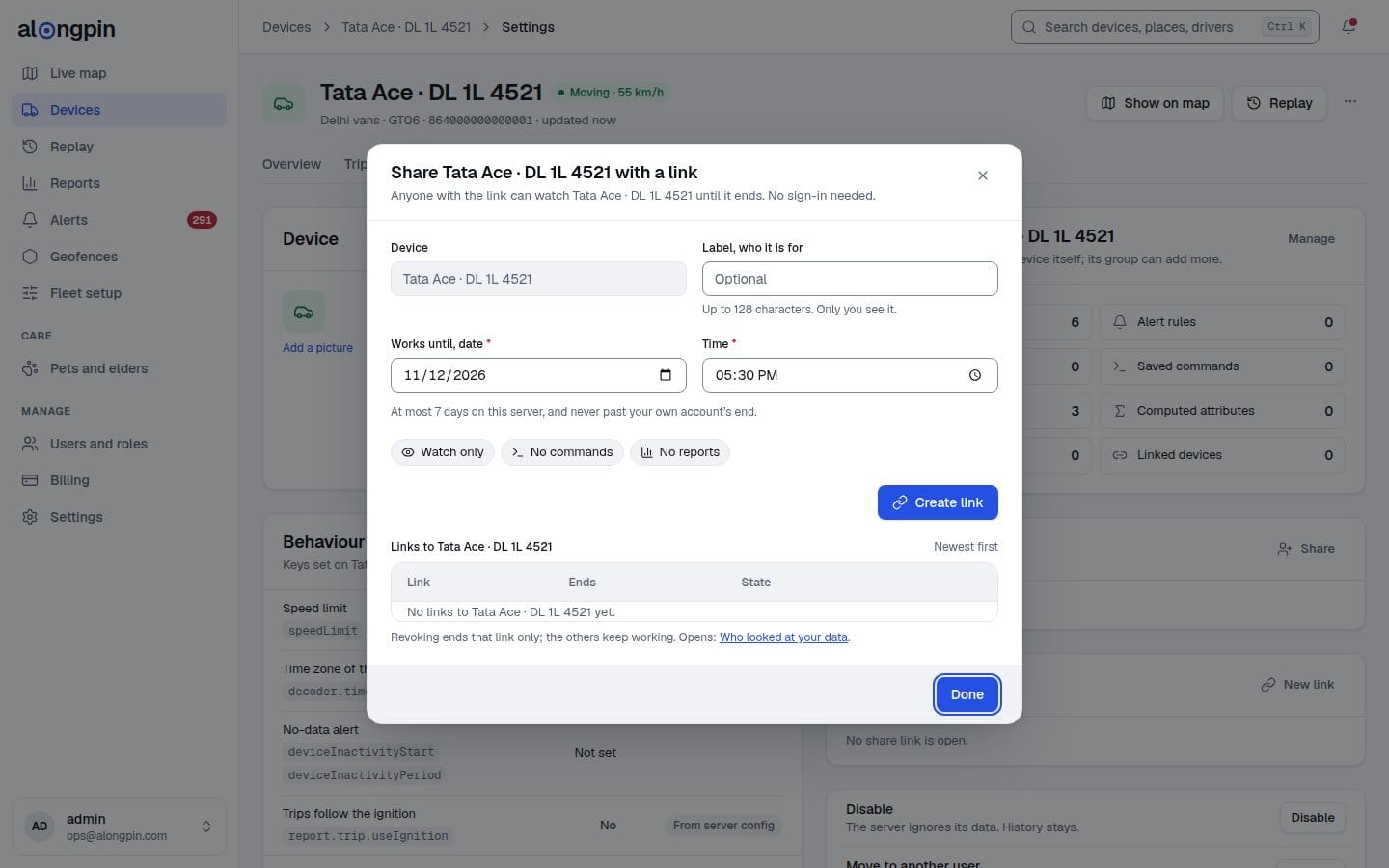
A share link cannot send commands unless your administrator has switched that on for share links, so you can share the position without handing over the engine stop.
The limits you should plan for
A tracker is a radio device in someone else's hands once the vehicle is gone. Be clear about what can defeat it:
- Jammers. A cheap jammer can block GPS or mobile signals. Some trackers report jamming as an alarm; many simply go quiet. The last position before the silence is often the most useful one.
- A removed or disconnected tracker. A tracker behind the dashboard can be found. A power-cut alarm and an offline alert at least tell you when it happened and where.
- No coverage. In a basement car park, a container or a remote area, the tracker cannot send. Positions it stores arrive only when it reconnects, if it ever does.
- A flat backup battery. Many wired trackers carry a small battery that keeps them reporting for a while after the power is cut, not for days.
Some owners fit a second, battery-powered tracker hidden elsewhere in the vehicle, set to report rarely so that the battery lasts. It is not visible on the wiring and keeps working when the main tracker is removed.
Preparing before anything happens
Recovery depends on work done on an ordinary Tuesday:
- Check what your tracker reports. Power cut, tow and tamper alarms vary by model. Read the manual or ask the supplier.
- Make an out-of-hours calendar and use it for ignition, movement and yard-exit rules.
- Draw the yard as a geofence, with a margin for the gate.
- Send the alerts to someone awake, or to a rota, through a channel they hear at night.
- Write down the details the police will ask for: registration, colour, distinguishing marks, the tracker's IMEI, and who in your company can create a share link.
- Decide in advance whether you would ever use engine stop, who may send it (a role), and under what conditions.
- Test once: move a vehicle out of hours on a quiet night and check that the alert arrives where you expect.
How Alongpin helps
Alongpin (alongpin.com) is a GPS tracking platform you open in a browser or on your phone. Your trackers, in the vans, trucks and cars you already run, show on one live map with trips, stops, idle time and alerts; reports and scheduled reports answer the questions this article raises, and users and roles let each depot see its own vehicles. Check your trackers in the device check, read how it works for fleets, and start on the pricing page.
Frequently asked questions
Does a GPS tracker help recover a stolen van?
It helps by telling you early and showing where the van went. Recovery is still the work of the police or a recovery company, and a tracker that is jammed or removed stops reporting.
Should I go after the vehicle myself?
No. Give the position and the share link to the police. Confronting thieves puts you and your staff at risk.
What is an anti-theft GPS tracker for a fleet?
Any fleet tracker becomes an anti-theft tool with the right rules: out-of-hours ignition and movement alerts, a yard geofence and alarms for power cut or tow. Models with a relay output can also stop the engine where they are wired for it.
Will the tracker still work if the thief cuts the power?
For a while, if it has a backup battery, and it may send a power-cut alarm first. How long depends on the model and its battery.