Pets
Licence, insurance, microchip: your pet's papers in one place
Keep your pet's licence, insurance, passport and vaccination certificate on its profile with a scan, be reminded before each expires, and have the microchip number at hand when your pet is lost. How it works, and who in the family sees what.
Ashish Srivastava6 min read
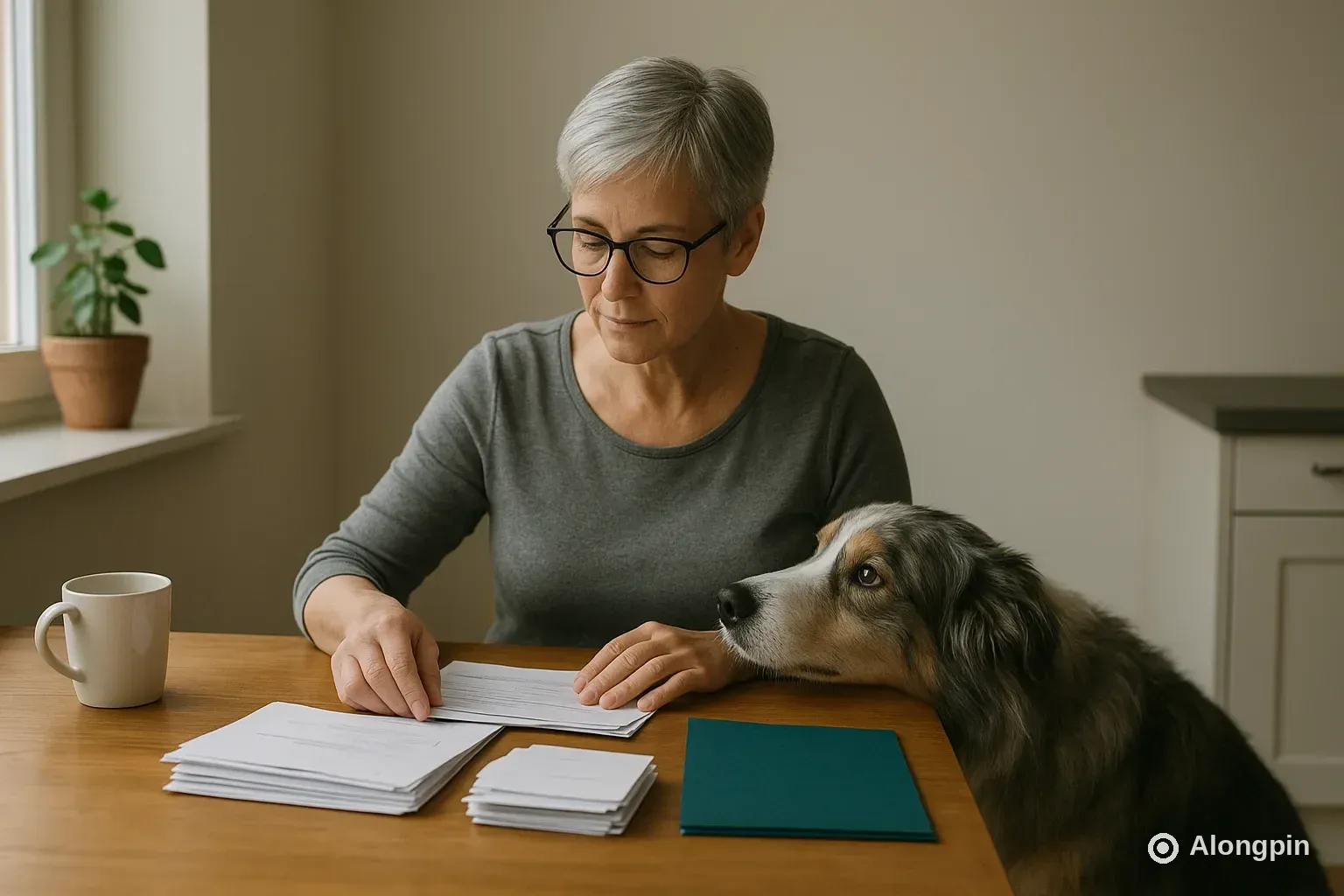
A pet documents organiser keeps your pet's papers where you can find them in a hurry: the ownership licence, the insurance policy, the pet passport and the vaccination certificate, each with a scan, and the microchip number on the profile itself. In Alongpin's care profiles, each document has a kind, a number, an issuer and an expiry date, and the platform reminds you before it expires, 15 and 7 days before unless you choose other days. Because the papers sit with the same profile as the collar, the microchip number and the vet are a tap away on the night your pet goes missing.
Key takeaways
- Store the licence, insurance, passport and certificates as documents on the pet's profile, each with a scan.
- The expiry date drives the reminders; set the days before and the channels per document.
- The microchip and licence numbers belong on the profile itself, where they are searchable.
- A family member with an Everything share sees the documents and gets their reminders; Location only does not.
- When a document is renewed, enter the new expiry date and the new scan; the reminders start again for the new date.
What to store
Most pet owners have more paperwork than they think, spread across a drawer, an email inbox and a phone's photo roll. Gather it once:
| Paper | Document kind | The fields it uses |
|---|---|---|
| Dog licence or registration with the town | Ownership licence or Registration | Licence or registration number, issued by, the day it runs out or must be renewed |
| Pet insurance | Insurance | Policy number, insurer, start date, Renews on |
| Pet passport for travel | Passport | Passport number, the office or vet that issued it, expiry |
| Vaccination certificate, such as rabies | Vaccination certificate | Certificate number, the vet, Valid until |
| Anything else: breeder's papers, adoption contract, a kennel club certificate | Other | Number, issuer, expiry if it has one |
What applies depends on where you live: some towns license dogs, some countries require a passport or a certificate for travel, and insurance is your choice. Store what you have.
Adding a document with its scan
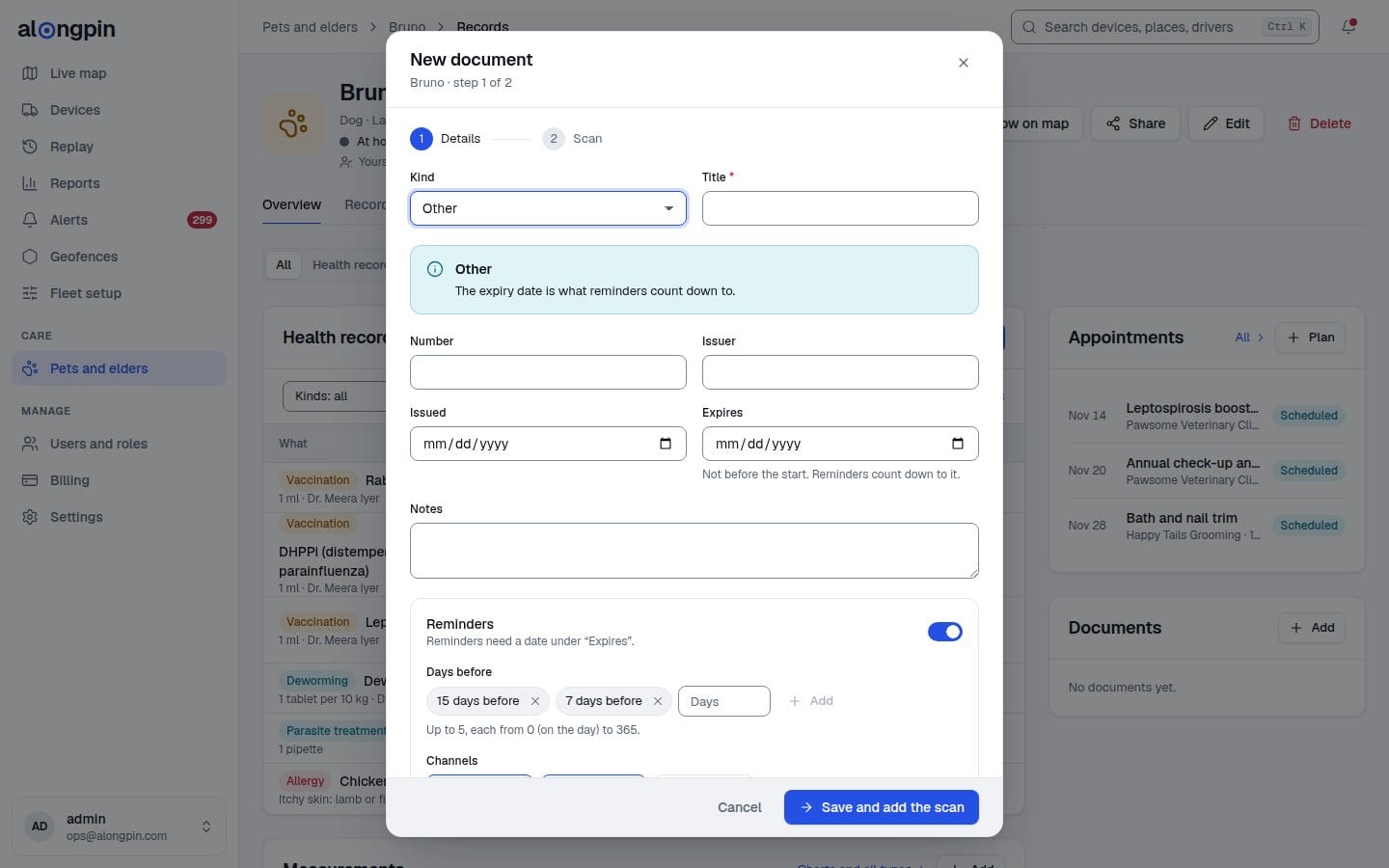
- Open Pets and elders and your pet's profile, then Records and documents.
- Add a new document. Choose the Kind; the form then names the fields to match it, such as Policy number, Insurer and Renews on for insurance.
- Give it a Title that will read well in a reminder, such as "Pet insurance" or "Dog licence 2026".
- Enter the number, the issuer and the dates. The expiry date is what reminders count down to; a document without one sends none.
- Under Reminders, keep the default days before, or choose up to five, from 0 (on the day) to 365, and the Channels: in the portal, by email or by text message, as your server offers them.
- Choose Save and add the scan, then upload the scan: a PDF, a photo or a plain text file, up to the size your server allows (10 MB in a standard setup). Drop the file in, or choose it.
A photo of a paper certificate taken flat, in good light, is fine. Every document has one scan; uploading again replaces it.
Expiry reminders
Each document with an expiry date sends reminders on the days you chose, at 9:00 in the profile's time zone in a standard setup. A reminder reads like "Bruno: Dog ownership licence expires on 2026-10-10 (in 13 days)".
- Choose days that fit the paper. A licence renewal that needs a form and a payment wants 30 days' notice; an insurance renewal that renews itself may need only 7, to check the new price.
- See everything due in one place. The notification center lists what is overdue, due soon and upcoming across all your pets, with which reminders went out and through which channels.
- When you have renewed it, open the document and enter the new expiry date, then add the new scan. The reminders start again for the new date.
- To stop the reminders without changing the document, switch them off on the item in the notification center.
The care profiles page explains reminders across records, appointments and documents.
The microchip number, when a pet is lost
The microchip number is not a document; it sits on the profile itself, next to the species, breed, colour and the Licence number. Two reasons to put it there now:
- When your pet is lost, the people who can help, a vet, a shelter, the microchip registry, ask for the number first. With it on the profile, you read it out from your phone in seconds.
- It is searchable. In your list of pets, the search looks at name, species, breed, microchip and licence. A family with several pets, or a sitter with several clients, finds the right profile from a number on a form.
Check, while you are at it, that the microchip registry has your current address and phone number. That is done with the registry, not on the platform.
Put the vet on the profile too, as a provider with the practice and phone number. A provider is a directory entry; it never receives messages, but you will want the number at hand.
Health records and documents together
Documents sit next to the pet's health records in the same tab: vaccinations with their due dates, deworming, medication, and measurements such as weight over time. A vaccination certificate is a paper; the vaccination itself, with the date the next one is due, is a record with its own reminders. Keep both: the record for the reminders, the certificate for the border or the kennel. The health readings page shows measurements, including weight, over time.
Sharing the profile with the family
A profile can be shared with family members who have an account of their own. What they see depends on the share:
| Share | Documents and records | Reminders |
|---|---|---|
| Everything | Yes | Yes, through the item's channels |
| Location only | No | No |
So a partner who handles the insurance gets an Everything share and receives the reminders too; a dog walker who only needs to know where the dog is gets Location only. To share, open the profile and choose Share, then enter the email of their account and choose What they see. Sharing a care profile with family or a carer explains the choices.
Contacts without an account, such as a neighbour, can receive reminders by email or text message if you tick Receives reminders on the contact; they do not see the scans.
A copy of everything
The profile's owner can download everything held about the pet, documents and scans included, as one ZIP file, with Download profile. It is a convenient copy to keep before a move, or to pass on with the paperwork if the pet goes to a new home.
The pets solution shows how documents fit with the collar, the home zone and the reminders. To set up the profile and the vaccination records in the first place, see setting up a pet profile with vaccination and vet reminders.
How Alongpin helps
Alongpin (alongpin.com) is a GPS tracking platform you open in a browser or on your phone. A GPS collar becomes your pet's profile: its position on the live map, a home zone that tells you when it leaves, its walks in trip history, and vaccinations and vet visits with reminders. See how it works for pets, the pet collars it works with, and check yours in the device check.
Frequently asked questions
Can I store the documents of a pet without a tracker?
Yes. A profile does not need a tracker; the map, wellness and alerts do, but documents, records and reminders work without one.
What file types can a scan be?
PDF, JPEG, PNG, GIF, WebP, HEIC or plain text, one file per document.
Who can open the scans?
You, administrators of your service, and the people the profile is shared with for Everything. Opening them is recorded as a read of the pet's health data, which the owner can check.