Elder care
A parent's important documents in one place
How to organise an elderly parent's documents: which papers to keep to hand, scans in the care profile and who may open them, reminders before insurance or a passport expires, and why you ask her before storing anything.
Ashish Srivastava6 min read
To organise an elderly parent's documents, keep the few papers that matter in an emergency or at an appointment in one place, scanned, with their numbers and expiry dates, and let the platform remind you before they run out. In an Alongpin care profile, each document (an insurance policy, a prescription, a power of attorney, an identity card) is kept with its scan, its number, who issued it and when it expires, and reminders go to the right people ahead of that date. The scans follow the same rules as her health data: only the people you choose can open them, and every opening is logged. And because they are her papers, you ask her before you store anything.
Key takeaways
- Keep to hand what you would need at a hospital desk or a doctor's appointment, not every paper in the drawer.
- Each document has a kind, a number, an issuer, dates and one scan (PDF, image or text).
- Reminders before a document expires go out by portal, email or text message, up to five times.
- Documents count as health data: location-only shares do not see them, and every read is logged.
- Ask your parent first, and store only what she agrees to.
Before you start
You need your parent's care profile, her agreement to keeping copies of her papers, and a way to scan them: a scanner, or a phone camera that saves a PDF or an image. Where your installation requires consents, documents are kept only under a health consent, recorded on the profile's Consents tab; a power of attorney is the exception and can be stored first, because the consent may refer to it. See consent for an elder's data and who has read it.
Step 1: Choose the documents worth keeping to hand
The goal is not a digital archive of everything, but the papers someone needs quickly and usually cannot find. A good first list:
| Document | When you need it |
|---|---|
| Health insurance card or policy | At the hospital, the pharmacy, a new doctor |
| Identity card or passport | Admission, a bank, a form that asks for a number |
| Prescriptions | A refill, a stay away from home, a new doctor |
| Medical reports and the latest discharge letter | The next appointment, an emergency |
| Care plan | When a new carer starts |
| Power of attorney | When someone must decide or sign for her |
The document kinds in a profile follow this list: Insurance, Identity, Passport, Prescription, Medical report, Care plan, Power of attorney, Registration and Other.
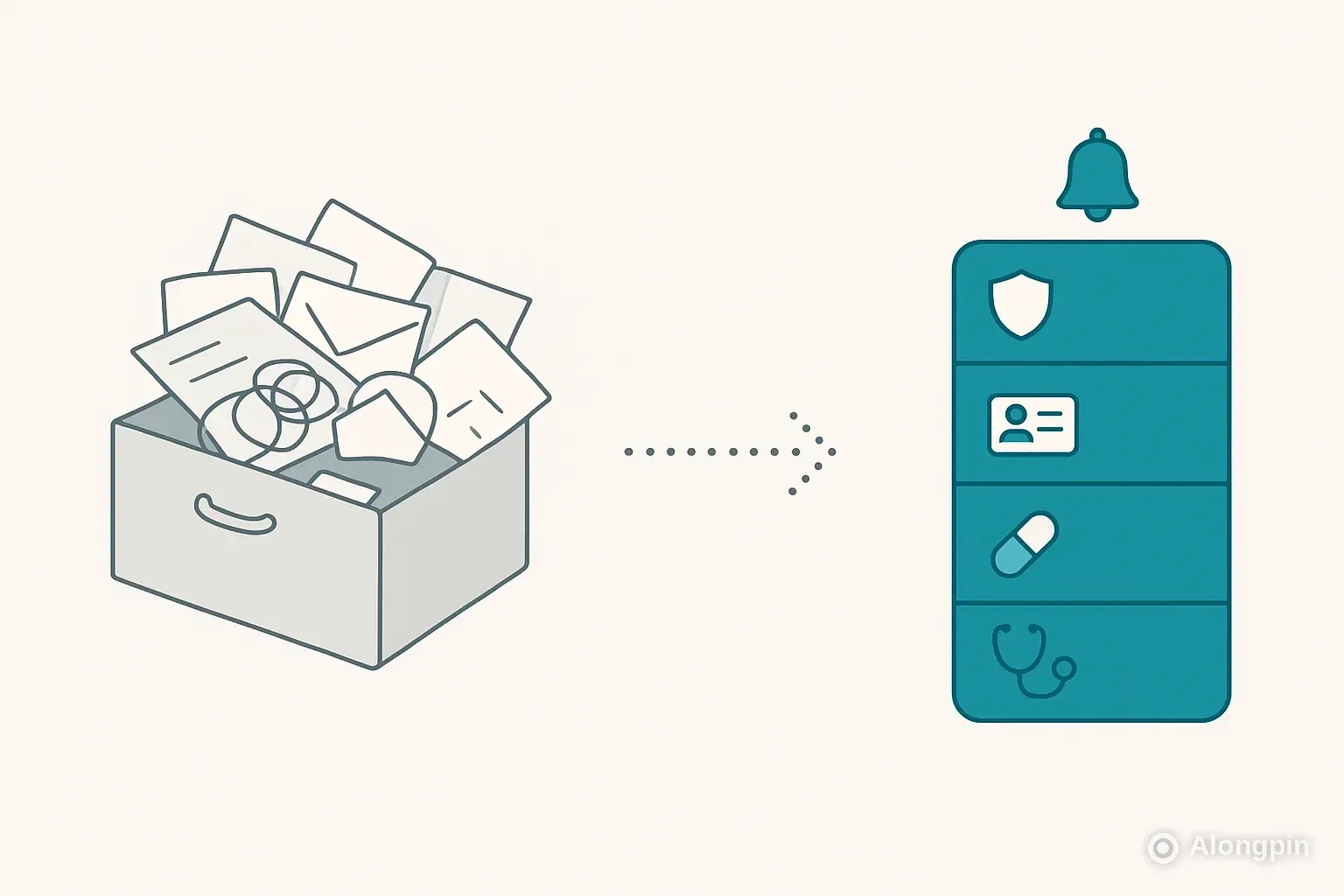
Step 2: Add each document with its scan
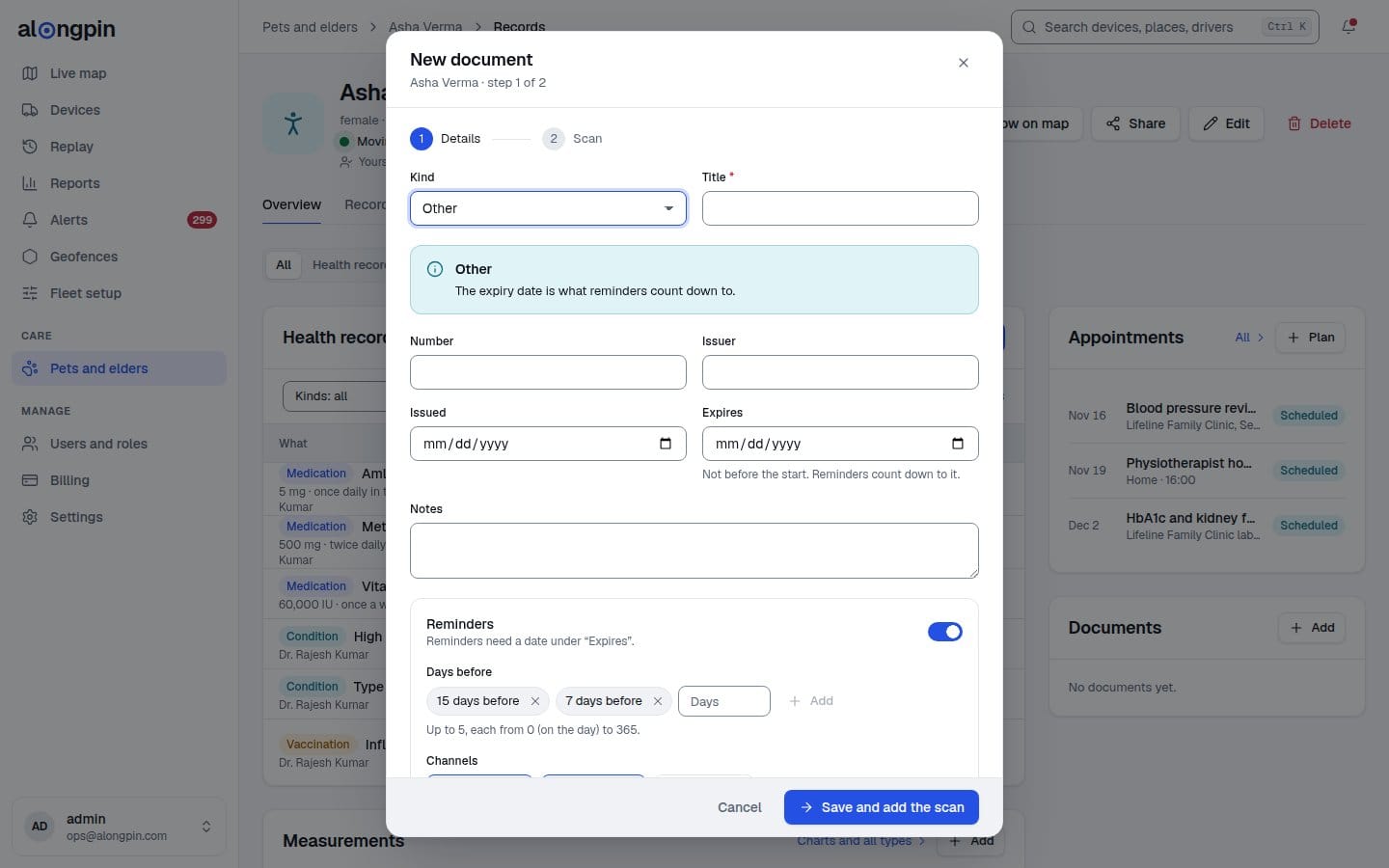
Open Pets and elders, the profile, then Records and documents, and add a document. Choose the kind first: the form names the fields after it. For Insurance, for example, it asks for the Policy number, the Insurer, when it Starts and when it Renews on; for a Prescription, the prescription number, who prescribed it and until when it is valid. Give it a title you will recognise, such as "Health insurance 2027".
Then add the scan with Save and add the scan. Each document holds one scan, a PDF, an image or a plain text file, up to the size the form shows; uploading again replaces it. A document can also be kept without a scan, just with its number and dates.
Scan both sides of cards. Name the file plainly. Check that the number on the scan matches the number you typed.
Step 3: Set reminders before a document expires
The expiry date (named Expires, Renews on, Valid until or Review by, depending on the kind) is what reminders count down to. Each document has its own reminder settings:
- on or off;
- days before: up to five, from 0 (on the day) to 365. The default is 15 and 7 days; for a passport or an insurance renewal, 60 and 30 days give more time to act;
- channels: portal, email and text message.
The form shows "You will be reminded on" with the dates. Reminders go to the profile's owner, to people the profile is shared with for Everything or Health data only, and to contacts marked Receives reminders. The notification center lists every document that is due, overdue or coming up, and whether each reminder went out.
When a document is renewed, enter the new expiry date and upload the new scan: the reminders start again for the new date. Read more about reminders for medication, vaccinations and appointments, which work the same way.
Step 4: Decide who may open the scans
A care profile treats documents as health data, because a prescription or a medical report says a lot about a person. That has practical consequences:
- The owner and people with an Everything share open them.
- Health data only shares, meant for a doctor, open them too.
- Location only shares do not see documents at all.
- Every read is logged. Opening a document or downloading its scan appears on the profile's Who viewed page, with who, when and how. The owner and administrators see that log.
- Locked without consent. Where consents are required, documents other than a power of attorney stay locked until a health consent is recorded, for the owner too.
Before you share the profile with a cousin "for the map", choose Location only, and her papers stay private. The care profiles page explains each share, and the privacy page how the platform handles personal data.
Step 5: Keep a power of attorney where it is needed
A power of attorney deserves its own mention. It is what allows a representative to give consent for your parent, and in the consent flow it can be attached directly; it is then stored as a document of kind Power of attorney and kept as proof of the consent. The profile's owner or an administrator can mark its scan as verified once they have checked it, and the consent records show who did and when.
A power of attorney that a consent refers to stays as long as that consent is active. Your installation's administrator may set retention periods, after which expired documents and the powers of attorney of ended consents are deleted; the profile says so where a period is set.
Step 6: Ask the person before you store anything
These are her papers. Before you scan her insurance card or her medical report, tell her what you want to keep, where it is kept, and who can see it. Most parents agree readily when they understand that the point is to find the right paper quickly in an emergency. Some will want certain papers left out, and that is their choice.
If she cannot decide for herself, the person entitled to decide for her (a representative with a power of attorney or a court order for health matters) makes that choice, and the consent records say who.
Common mistakes
- Scanning everything. Old bank statements and letters make the important papers harder to find.
- No expiry dates. Without one, there is nothing to remind you of.
- A wide share for a narrow need. Location only for those who just need the map.
- Forgetting the new scan. A renewed card with the old scan attached is a trap at the hospital desk.
How Alongpin helps
Alongpin (alongpin.com) is a GPS tracking platform you open in a browser or on your phone. A parent's GPS watch or alarm becomes a care profile: SOS, fall, leaving-home and inactivity alerts reach the family and emergency contacts, and health readings, medication refills and appointments sit in one place you can share. See how it works for elder care, and check a watch in the device check.
Frequently asked questions
Which file types can I upload?
PDF, common image formats and plain text, one file per document, up to the size the form shows.
Can the doctor see the documents?
Only if you share the profile with them, for example with Health data only and an end date. Their reads appear in Who viewed.
What happens to documents when a profile is deleted?
They are deleted with it, with their scans. The health readings page shows the other records a profile keeps alongside documents.