Driver privacy and compliance
GPS tracking and the works council: preparing the conversation
The questions a works council usually raises about vehicle tracking, and the platform facts that answer them: purpose and scope, no driver scoring, private use, access, retention and the audit log. No legal advice.
Ashish Srivastava6 min read

GPS tracking and the works council meet before the first tracker reports: in Germany, where a business has a works council, it must agree before vehicle tracking starts, and similar consultation duties exist in other countries with staff representation. The conversation goes better when you arrive with facts: what the platform records, what it never does, who can see what, and how long it is kept. This post lists the questions a works council usually raises and the platform facts that help answer them. It gives no legal advice, and what goes into the agreement is yours and the council's to negotiate.
Key takeaways
- Involve the works council before tracking starts; in Germany its agreement is required.
- Bring a written purpose and scope: which vehicles, which data, for what.
- The platform does not score or rank drivers, and makes no decision about a driver on its own.
- Working hours, private modes and the drivers' own switch keep private use private.
- Roles, the audit log and retention settings answer "who sees it, and for how long".
Why the works council is involved before tracking starts
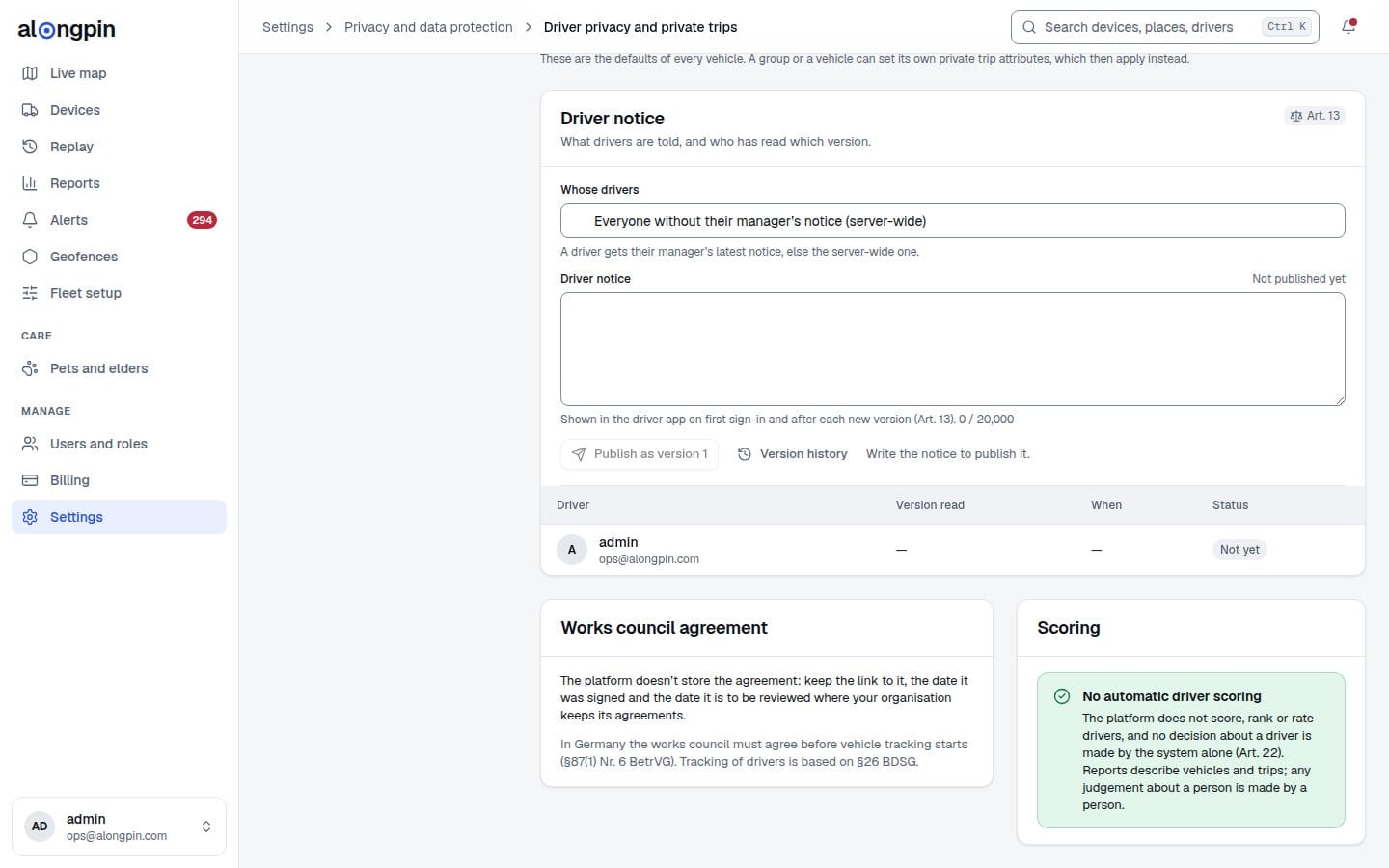
Vehicle tracking can show where an employee is, when they stop and how they drive. Because it can be used to monitor behaviour and performance, German law gives the works council a right of co-determination over it: tracking may only start once the council has agreed, usually in a works agreement. The platform says so itself on the driver privacy settings page.
Other countries with staff representation have their own rules on information and consultation. Whatever applies to you, starting the conversation early has a practical benefit: drivers hear about tracking from their representatives with the safeguards already agreed, rather than from a sticker on the dashboard.
Bring your data protection officer or adviser, and someone who knows the platform's settings. The questions below are the ones that come up; the answers are what Alongpin does, so you can discuss the choices rather than guess at them.
Purpose and scope: which vehicles, which data
What is tracking for?
Write the purposes down before the meeting: dispatch, theft recovery, billing customers by distance, a tax logbook, lone-worker safety. The council will ask, and every later answer depends on it. Expect to agree the uses that are ruled out as well.
Which vehicles are tracked?
Only those with a tracker added to the account. Vehicles can be organised in groups, and each group, or a single vehicle, can have its own private-trip settings, so pool cars and assigned vans can be treated differently.
Which data is recorded?
For every tracker: position, time, speed and heading. Depending on the device and how it is fitted: ignition, inputs, fuel, a driver ID reader, and alarms such as a power cut or an SOS button. From these the platform works out trips, stops, zone entries and exits, and alerts you set up. Dashcams, where fitted, add photos and video and need their own discussion.
Performance monitoring
Does the system score or rank drivers?
No. The platform does not score, rank or rate drivers, and no decision about a driver is made by the system alone. Reports describe vehicles and trips; any judgement about a person is made by a person. This is stated on the settings page under Scoring.
But can managers see speeding?
Yes, where you set it up: overspeed events against limits you choose, and harsh braking or acceleration where the tracker or the server settings provide them. These are facts about trips. Whether and how they may be used about individuals, for example only for safety coaching and never for discipline without a conversation, is exactly the kind of rule a works agreement sets.
Can a manager watch a driver live all day?
During working hours, a manager whose role covers the vehicle sees it on the live map. You can narrow that: roles scoped to one depot, and a No reports restriction for dispatchers who need live positions but no history.
Private use and working hours
What happens after work?
A working-hours calendar makes every position outside the hours private by itself. Private positions are stored blurred to about a kilometre, as distance only, or not at all, depending on the mode you agree. They never trigger an address lookup, a zone event or a speed event. The modes are compared in private trips explained.
Can drivers switch to private themselves?
If you allow it: with a switch on their phone, or a button wired to the tracker where it has a free input. A trip switched on by hand can end at the start of the next working hours.
Are there exceptions?
By default an SOS ends a private trip and sends the real location, so help can find the driver. Theft alarms still alert in the strictest mode. Agree the list of exceptions and put it in the driver notice.
Access, retention and the audit log
Who can see the data?
Only users the account gives access to. Roles combine rights (live positions, history, reports, commands) with a scope (all vehicles, one group, chosen vehicles). Managers can only pass on rights they hold themselves. See the users and roles page for the details. Signing in as another user to support them needs a reason where the server asks for one, is recorded, and the user may be told.
Can we prove who looked?
The audit log records sign-ins, changes, report runs, commands, data exports and, where the privacy setting is on, views of dashcam photos and video. Administrators read it under Settings → Server → Audit log; see reading the audit log. A works agreement often names who may read the log and when.
How long is the data kept?
Each kind of data has its own period: positions, events, media files and the audit log itself. Old data is deleted automatically when its period passes. A legal hold can keep specific evidence past the period, for a claim, until it is released.
What do drivers get told, and can they ask for their data?
You publish a driver notice in the platform; drivers are asked to read each new version, and you see who has read which. Drivers can file requests about their data from their own account, and the privacy register tracks each one with its due date. The help article on the driver privacy notice shows what drivers see.
A fact sheet for the first meeting
Councils read faster from one page than from a demo. Before the first meeting, prepare:
- The purposes, in plain sentences, and the uses you propose to exclude.
- A list of the vehicles and tracker models, with the extras each one reports.
- The working-hours calendar you propose, the private mode and who may switch it.
- The roles you plan: who sees live positions, who sees history, who runs reports.
- The retention period you propose for positions, events, media and the audit log.
- The draft driver notice.
Offer a session where a council member sits next to an administrator and looks at the settings and an example trips report, including a private trip. Seeing "Private trip, 34 km" with no places answers more questions than a slide.
What goes into the agreement is yours to negotiate
The platform gives you settings; the works agreement turns them into commitments. Typical chapters, which you and the council fill in:
- Purposes, and uses that are excluded
- Vehicles and data in scope, including dashcams if any
- Working hours, private mode, who may switch, and exceptions such as SOS
- Who has which access, and how support sessions are handled
- How speeding and driving events may and may not be used
- Retention periods per kind of data, and legal holds
- How drivers are informed and how they exercise their rights
- When the agreement is reviewed, for example after a year or when the platform changes
The platform doesn't store the agreement itself. Keep it, the date it was signed and its review date with your other agreements, and update the settings page when the agreement changes. The driver privacy page and the privacy and GDPR page are useful handouts for the council's first meeting.
How Alongpin helps
Alongpin (alongpin.com) is a GPS tracking platform you open in a browser or on your phone. It is built for tracking that drivers can live with: private trips and working hours, a published driver notice, roles that limit who sees what, an audit log, and retention periods you set. Read how it handles privacy and data protection and security, then see the fleet solution.