Driver privacy and compliance
Impact assessments for fleet tracking: what the platform supplies
For data protection officers preparing an impact assessment for vehicle tracking, with or without dashcams: the facts and controls the platform can supply for each part, and the judgements on necessity, risk and sign-off that remain yours.
Ashish Srivastava6 min read

A DPIA for vehicle tracking (a data protection impact assessment) describes what the tracking collects, why, how the data flows and who sees it, weighs the risks to drivers, and records the measures that reduce them. The platform can supply most of the factual parts: the data each device sends, where it goes, and the controls you can cite, from private modes and roles to retention, logs and, for video, the capture policy and the view log. The risk judgement and the sign-off stay with you as controller. This article lists what to take from the platform for each part of the assessment.
Key takeaways
- An impact assessment is likely to be expected when you systematically monitor employees' locations, and even more so with in-cab video. Check your supervisory authority's list.
- Describe the processing from the devices you actually fitted: a GPS tracker, a driver ID reader and a dashcam collect different data.
- Cite concrete controls: private modes outside working hours, scoped roles, retention periods, the audit log, the request and breach registers.
- For video, cite the capture policy, the access log of views, cabin audio off by default and the deletion of media from private trips.
- You are the controller; the hosted service acts as your processor under a data processing agreement. The assessment of necessity and risk is yours.
When an impact assessment is likely to be expected
Under Art. 35 GDPR, an assessment is required where processing is likely to result in a high risk to people's rights and freedoms, in particular systematic monitoring. Supervisory authorities publish lists of processing that needs one, and monitoring of employees, location data and video surveillance appear on many of them. Fleet tracking of employees' vehicles often meets several criteria at once: it concerns employees, who are in a dependent position; it is systematic; and it involves location data. Adding dashcams that can film the cab raises the stakes further.
Whether your case needs a formal assessment is a judgement for you and your adviser. Many data protection officers write one for fleet tracking anyway, because it is the clearest way to show the choices were thought through.
Describing the processing: data, devices, flows
The data
List the categories per device type you fitted:
| Source | Data |
|---|---|
| GPS tracker | Position, speed, heading, time, ignition on most wired trackers, alarms such as power cut or SOS |
| Tracker features, where the model has them | Driver identifier from a card or key fob, harsh braking and cornering, fuel, engine hours |
| Dashcam | Photos and clips for events, a schedule or a request, each with reason, place and time; live video on demand; audio only if switched on |
| The platform itself | Trips, stops, events, alerts and reports derived from the above; user accounts, roles and the audit log |
The data subjects
Drivers and other employees using the vehicles; for dashcams, possibly passengers and people outside the vehicle; the users who sign in.
The flows
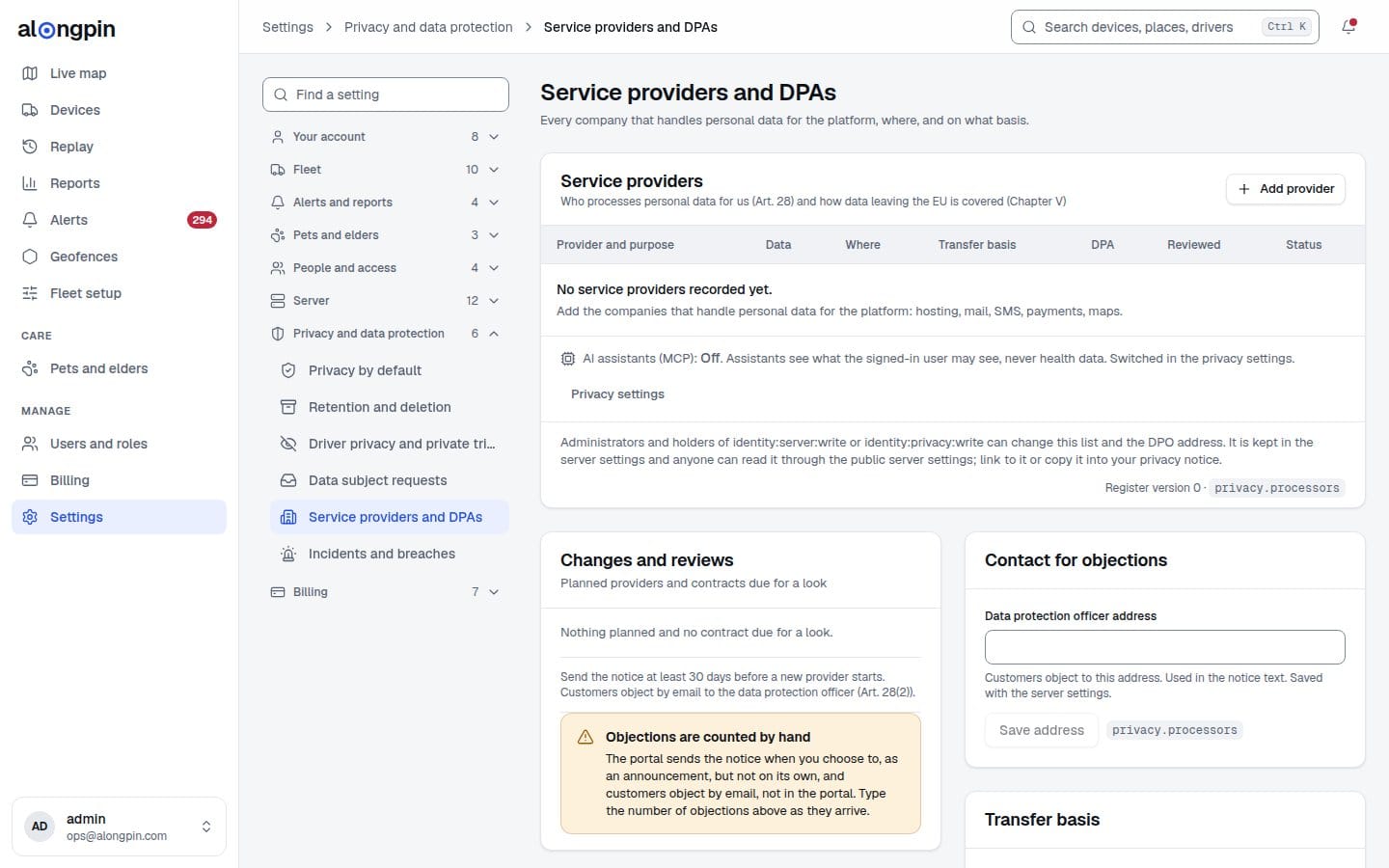
The tracker sends its messages over the mobile network to the platform, which decodes and stores them and shows them to signed-in users. Name what leaves the platform in your setup: alert emails and text messages, push messages, Telegram or webhooks where your administrator switched them on, an address lookup service if the geocoder is enabled, and the map provider. The portal keeps a register of these companies under Settings → Privacy → Service providers and DPAs, with where they process data and on what transfer basis; the sub-processors list shows the companies behind the hosted service.
Controls to cite
These are measures the platform provides that you can name in the assessment, with the setting that shows each one.
Private modes outside working hours. Working hours set as a calendar; outside them positions are blurred to about 1 km, kept as distance only, or not stored. Private positions are never sent to an address lookup and raise no geofence or speed events. An SOS ends privacy by design, so cite the alarms you chose for that. See driver privacy.
Roles and scopes. Each user sees only the vehicles their role covers (everything, chosen groups or chosen devices); read-only users; share links that expire; two-factor sign-in; company sign-in where the operator set it up.
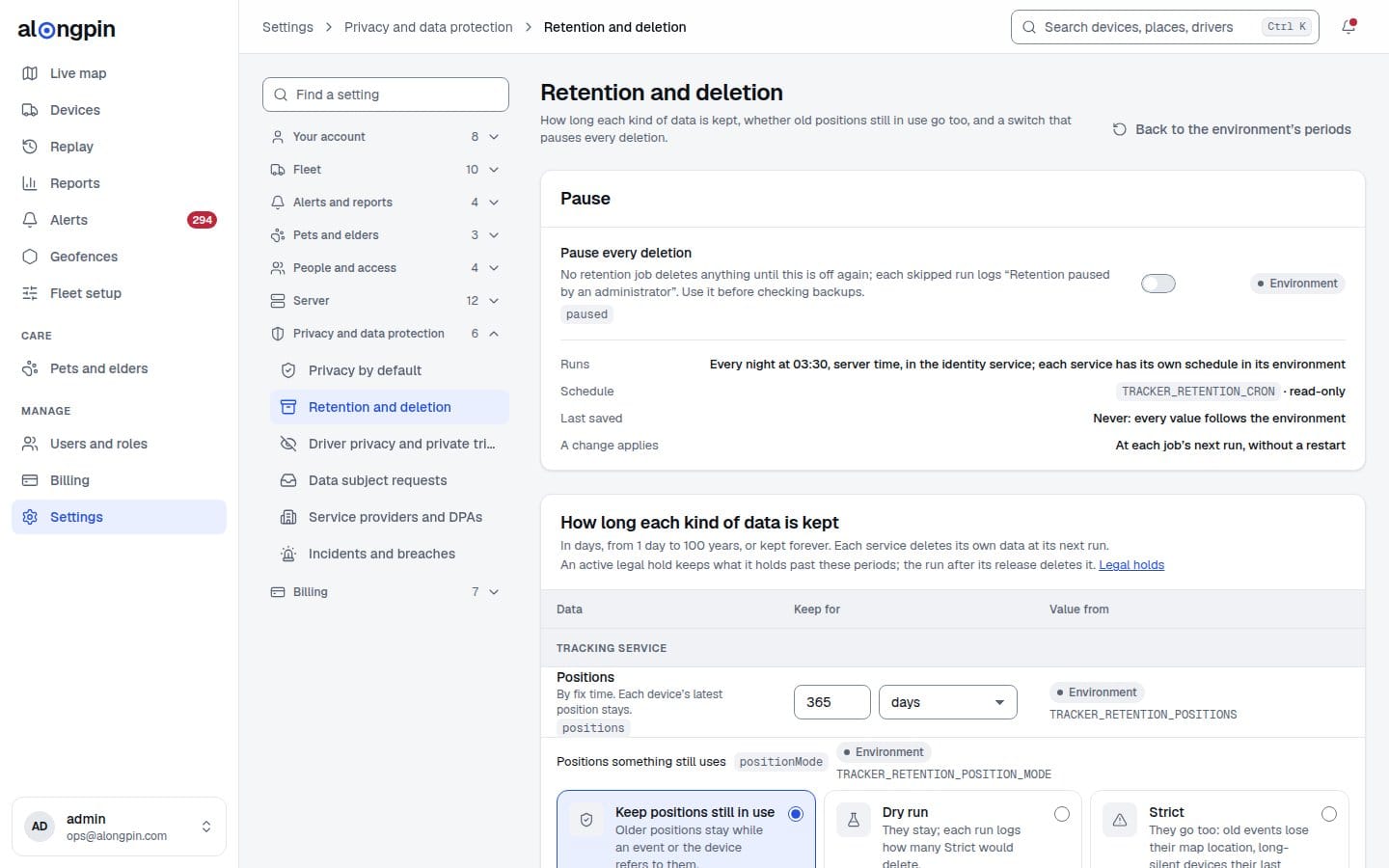
Retention. Periods per kind of data under Settings → Privacy → Retention and deletion. In a standard setup positions and events are kept for 365 days, the audit log for 365 days (client addresses 180), dashcam media for 30 days; copy the values your server shows. Strict mode with a dry run, and legal holds that keep evidence for a claim until released.
Logs. The audit log records changes with old and new values, sign-ins, reports run, share links opened, switches into and out of private trips, and changes to privacy and retention settings.
Transparency and rights. A driver notice published in versions with acknowledgements per driver; a register of data subject requests with the one-month deadline; data export as a ZIP; erasure with a 14-day waiting period; restriction of processing.
Breaches. An incident register with the 72-hour deadline for the authority and a likelihood and severity assessment.
No automated decisions. The platform does not score, rank or rate drivers; reports describe vehicles and trips.
Video-specific points
Dashcams deserve their own section in the assessment. The controls to cite:
- Capture policy. You set which reasons count as wanted (SOS, collision, harsh braking, a scheduled photo and so on). Depending on how your server is set up, everything else is deleted on arrival or only logged.
- No continuous cloud recording. The camera uploads photos and clips for events, on a schedule or on request; live video is on demand and stops by itself when nobody watches.
- Access log of views. Views of recordings and live streams are written to the audit log, one entry per person and file in any 5-minute window (on by default).
- Audio off. Cabin audio stays off until an administrator switches it on; listening in by call-back is refused while it is off, and live video has no sound.
- Private trips. Media taken during a private trip is deleted, and live video can be refused while a private trip is on.
- Retention and holds. Media is kept for 30 days by default; a hold keeps one recording, event or period for a claim, with a reason and a case reference.
The dashcam feature page explains each one. Note in the assessment which cameras face the cab and why.
Controller and processor
If you are a business, you are the controller: you decide why and how drivers are tracked. When the platform is hosted for you, the provider acts as your processor under a data processing agreement, and its sub-processors are listed. If you run the platform on your own servers, the hosting measures (disk and backup encryption, HTTPS) are yours to describe. The privacy and GDPR overview sets out the split.
The risk judgement and sign-off are yours
The platform supplies facts and controls. It cannot decide for you:
- whether tracking is necessary for your purposes, and whether a less intrusive way would do;
- whether working hours, the private mode and the retention periods you chose are proportionate;
- how likely and how severe the remaining risks are for your drivers;
- whether staff representatives were consulted (in Germany, a works council must agree before tracking starts);
- who signs off, and when the assessment is reviewed.
Record those judgements in your own words. Useful companions are writing the driver notice and who can see driver locations.

How Alongpin helps
Alongpin (alongpin.com) is a GPS tracking platform you open in a browser or on your phone. It is built for tracking that drivers can live with: private trips and working hours, a published driver notice, roles that limit who sees what, an audit log, and retention periods you set. Read how it handles privacy and data protection and security, then see the fleet solution.