Fleet management
Fuel monitoring with GPS trackers: what you can and cannot see
Fuel figures exist only when the tracker reports fuel. Where fuel data comes from, what you see with it, why a basic tracker shows none, and what a fleet can do without it.
Ashish Srivastava6 min read
Fuel monitoring with a GPS tracker is only possible when the tracker reports fuel. A tracker that knows nothing but position, speed and ignition cannot tell you how much fuel was used or whether a tank was drained, however good the platform is. When the tracker does report fuel, from the vehicle's data bus or a sensor in the tank, Alongpin shows the fuel used per trip, day and vehicle, and can raise an event when the level drops or rises by more than a threshold. This guide explains where fuel data comes from, what you see with it, and what a fleet can still do without it.
Key takeaways
- Fuel figures come from one of three sources: a used-fuel counter, the litres in the tank, or a level in per cent with the tank capacity you enter.
- With fuel data, reports show Fuel used per vehicle and per 100 km, and thresholds raise Fuel drop and Fuel increase events.
- A basic tracker without a fuel connection shows no fuel at all; the platform does not estimate it from distance.
- Without fuel data, idle time, speed and distance are the levers you still have.
- Ask a tracker supplier which fuel value the model reports and from where before you buy.
- Check that the platform reads the model in the device check.
Where fuel data comes from
Fuel reaches a tracking platform in one of three forms. The platform uses the first one the vehicle's data has:
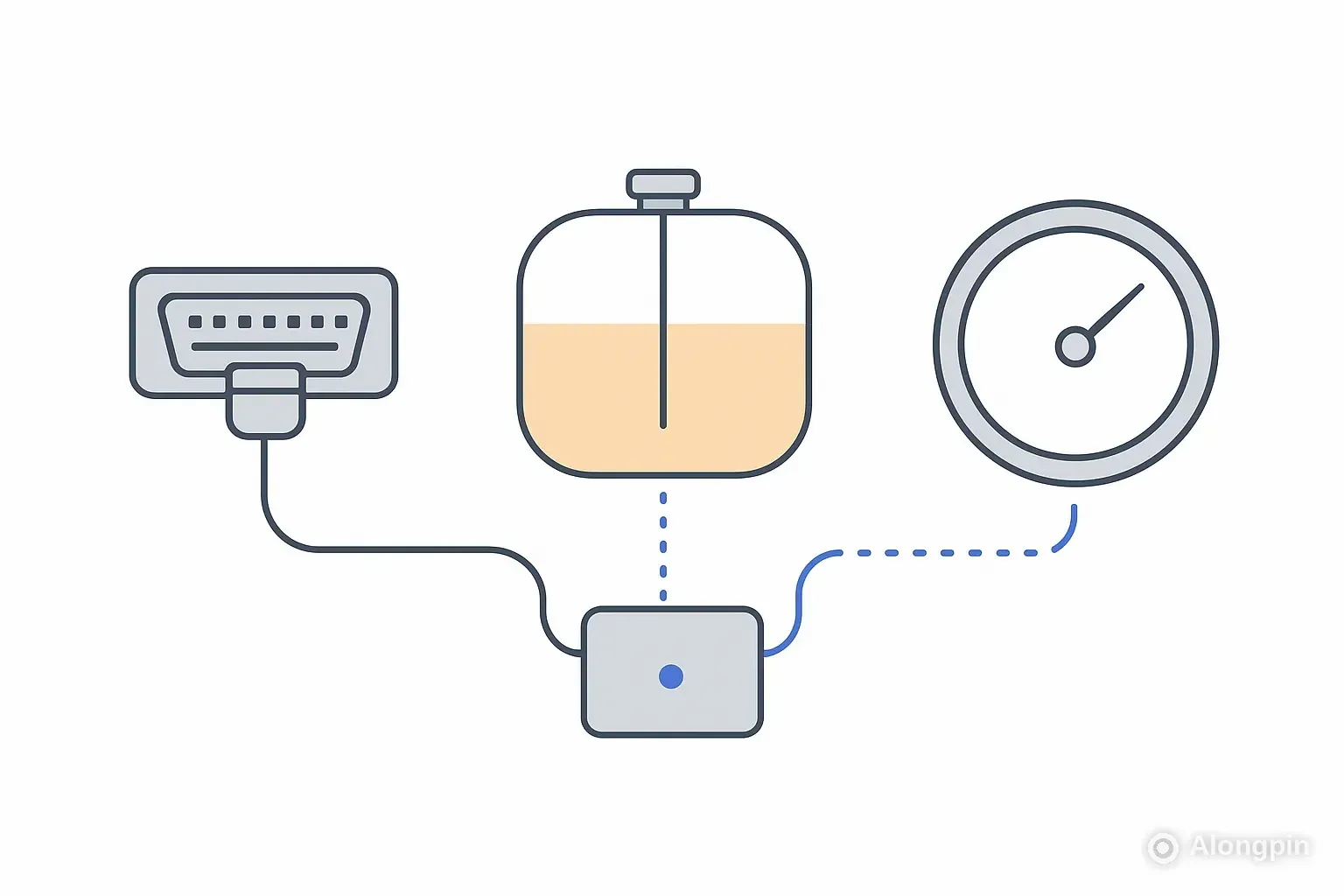
- A used-fuel counter. Trackers that read the vehicle's data bus (CAN or OBD) can often send the total fuel the engine has used. The fuel used on a trip is the difference between start and end. This is the most exact source, but whether a vehicle exposes it depends on the make and model.
- The fuel in the tank, in litres. A fuel level sensor, typically a probe fitted in the tank and wired to the tracker, reports the litres in the tank. The fuel used is worked out from how much the level dropped.
- The level in per cent. Some trackers report only a percentage, from the vehicle's gauge or a sensor. The platform turns it into litres with the Fuel capacity you set on the vehicle, its group or the server. Without a capacity, a percentage gives no figure.
A level from a sensor moves with the fuel: on a slope, under braking, on a rough road. Figures from a level are therefore approximate for a single short trip and even out over a week or a month. A counter does not have that problem. Fuel figures in reports: where they come from explains the order and the tank capacity setting in detail.
What appears when the device reports fuel
With fuel data arriving, fuel shows up in several places:
- The summary report shows Fuel used for the period next to distance and engine hours, with a figure per 100 km where distance was driven, and a Fuel column per vehicle or per day. Without fuel data the total reads No fuel data.
- Trips and stops carry the fuel spent on each, which makes a long idling stop visible as fuel, not just time.
- The chart under Reports → Chart plots the values a vehicle sends over a period, so a fuel level curve shows each refuel as a step up and the consumption as a slope down.
- Fuel drop and Fuel increase events, raised when the fuel in the tank falls or rises by at least a threshold between two positions.
Drops and refuels need thresholds. Set them on a group under Fuel drop and refuel alerts (Fuel drop threshold and Refuel threshold, in the tracker's fuel units), or on a single vehicle; empty means no event. An alert rule for Fuel drop then tells someone, and the events report lists every drop and refuel of a period with the amount before and after. A drop while the vehicle stands with the engine off, at night, outside a fuel station, is the pattern to look at for fuel theft. A drop during a fast corner is sensor slosh, which is why the threshold should be well above the level's normal swing.
Some trackers also raise a Fuel leak alarm of their own; which alarms a tracker sends depends on the model.
Why a basic tracker shows no fuel figure
A typical plug-in or hard-wired tracker has a GPS receiver, a modem and a few inputs: power, ignition, perhaps a panic button. It has no connection to the fuel system and no access to the engine's data, so it has nothing to report about fuel. The platform shows what the tracker reports and does not estimate fuel from distance or speed, because an estimate from a generic consumption figure would look precise without being right.
To check what a vehicle sends, open Reports → Chart, choose the vehicle and a recent period: the values you can plot are the ones it reports. If nothing called fuel is among them, the tracker sends none. Vehicle trackers describes the kinds of tracker and what each usually reports.
Indirect levers without fuel data
Most fuel is spent by driving, and the ways it is wasted show up in data every tracker sends:
- Idle time. Standing with the engine on burns fuel for nothing. The Idle report lists every span a vehicle stood with the engine running, with where and how long; it needs a tracker that reports the ignition. Reading the idle report explains it.
- Speed. Fuel use rises with speed, so overspeed events on the open road are a fuel issue as well as a safety one. Reports → Events with Overspeed lists them.
- Distance and routes. The summary report gives distance per vehicle and day; replaying a long day shows detours and unplanned trips.
- Out-of-hours use. Trips at night or at weekends that nobody planned spend fuel too; an alert rule on an out-of-hours calendar finds them.
Combine these with your fuel card statements in a spreadsheet: distance from the summary report next to litres bought gives a consumption per vehicle you can compare month by month, without any fuel sensor. A vehicle whose litres per 100 km jump while its distance and idle time do not is worth a closer look. The reports page lists every report and download format.
Questions to ask before buying a fuel-capable tracker
Fuel monitoring costs more than a basic tracker, in hardware and in fitting. Before you buy, get answers to these:
- Which fuel value does it report? A used-fuel counter, litres in the tank, or a percentage? A percentage needs the tank capacity, and gives approximate figures.
- Where does it read it from? The vehicle's data bus (CAN or OBD), or a probe or sensor fitted in the tank? Data-bus fuel depends on your vehicle make and model; ask for confirmation for each model in your fleet.
- Who fits and calibrates it? A tank probe is cut to the tank's depth and calibrated against known volumes. A badly calibrated probe gives figures that look exact and are not.
- Does it report often enough? Drops and refuels are detected between two positions; a tracker that reports rarely while parked may miss a drain or show it late.
- Which protocol does it speak? The platform must decode the tracker's protocol and the fuel value in it.
Checking a model before you commit
Type the tracker model into the device check: it searches the protocols the platform decodes. Then ask the supplier for a sample message or a test unit and fit it to one vehicle. Within a day, Reports → Chart shows whether a fuel value arrives and how steady it is. Set the tank capacity if it reports a percentage, run a summary over a week with a known refuel in it, and compare the litres with the fuel card. If they agree, fit the rest.
How Alongpin helps
Alongpin (alongpin.com) is a GPS tracking platform you open in a browser or on your phone. Your trackers, in the vans, trucks and cars you already run, show on one live map with trips, stops, idle time and alerts; reports and scheduled reports answer the questions this article raises, and users and roles let each depot see its own vehicles. Check your trackers in the device check, read how it works for fleets, and start on the pricing page.
Frequently asked questions
Can I detect fuel theft with a GPS tracker?
Only with a tracker that reports the fuel in the tank. With a fuel drop threshold set, a sudden drop raises a Fuel drop event with the amount before and after, and an alert rule can tell you at once.
Does setting the tank capacity change old reports?
Reports are worked out when you run them, so a report run after you set the capacity uses it for earlier periods as well.
Is OBD fuel data reliable?
When the vehicle exposes a used-fuel value over its diagnostic port, it is usually the most consistent source. Not every vehicle does; check your models with the supplier.