Elder care
What to expect from an elder care app for families
An elderly care app for a family should offer more than a dot on a map: alerts, a profile with contacts and doctors, reminders, sharing with scopes and end dates, consent records and an access log, and a free choice of device. A checklist.
Ashish Srivastava6 min read
An elderly care app for a family should do more than put a dot on a map. Expect six things: location and alerts as the base, a profile with the people and facts that matter in an emergency, reminders for medication, appointments and documents, sharing with each relative on its own terms, privacy tools such as consent records and an access log, and freedom to choose the device. This checklist explains what each means in practice, what to ask before you sign up, and how Alongpin handles it, including what depends on the watch you choose.
Key takeaways
- Location, SOS and leaving-home alerts are the base; check which alerts depend on the device.
- A care profile should hold contacts, doctors and emergency notes, shown next to every alert.
- Reminders should cover refills, appointments and expiring documents, by email, text message and in the app.
- Each relative should see only what they need, with an end date where help is temporary.
- Consent records and a log of who read health data are signs that a platform takes the person seriously.
- A platform that works with many devices lets you pick the watch that suits your parent.
1. Location and alerts as the base
The base of any elder care app is knowing where the watch is and being told when something happens. In Alongpin, a watch linked to your parent's care profile shows on the live map with its state, and raises care alerts:
- SOS when she presses the button, always on;
- Fall when the watch reports a fall;
- Left home when the watch leaves her home zone;
- Low battery, before the watch goes flat;
- No movement when the watch reports none for longer than you set, within the hours you choose.
Each alert shows who was told and whether anyone acknowledged it.
What to ask: which of these alerts does the watch I am buying support? Fall detection, in particular, exists only on some watches and personal alarms, and many do not report it. The platform cannot detect what the device does not send.
2. A profile with contacts, doctors and emergency notes
In an emergency, the person handling the alert needs more than a position. A care profile in Alongpin holds:
- the person: name, photo, birthday and, as health details, blood type, mobility, whether she lives alone, and Emergency notes (the key with the neighbour, the insulin in the fridge);
- contacts: family, neighbours, carers and emergency contacts, who need no account and can receive alerts and reminders by email and text message;
- providers: her doctor, pharmacy, clinic or therapist, as a directory with phone numbers. Providers never receive messages.
Next to an open alert, the emergency notes, allergies and emergency contacts with a call button are shown together.
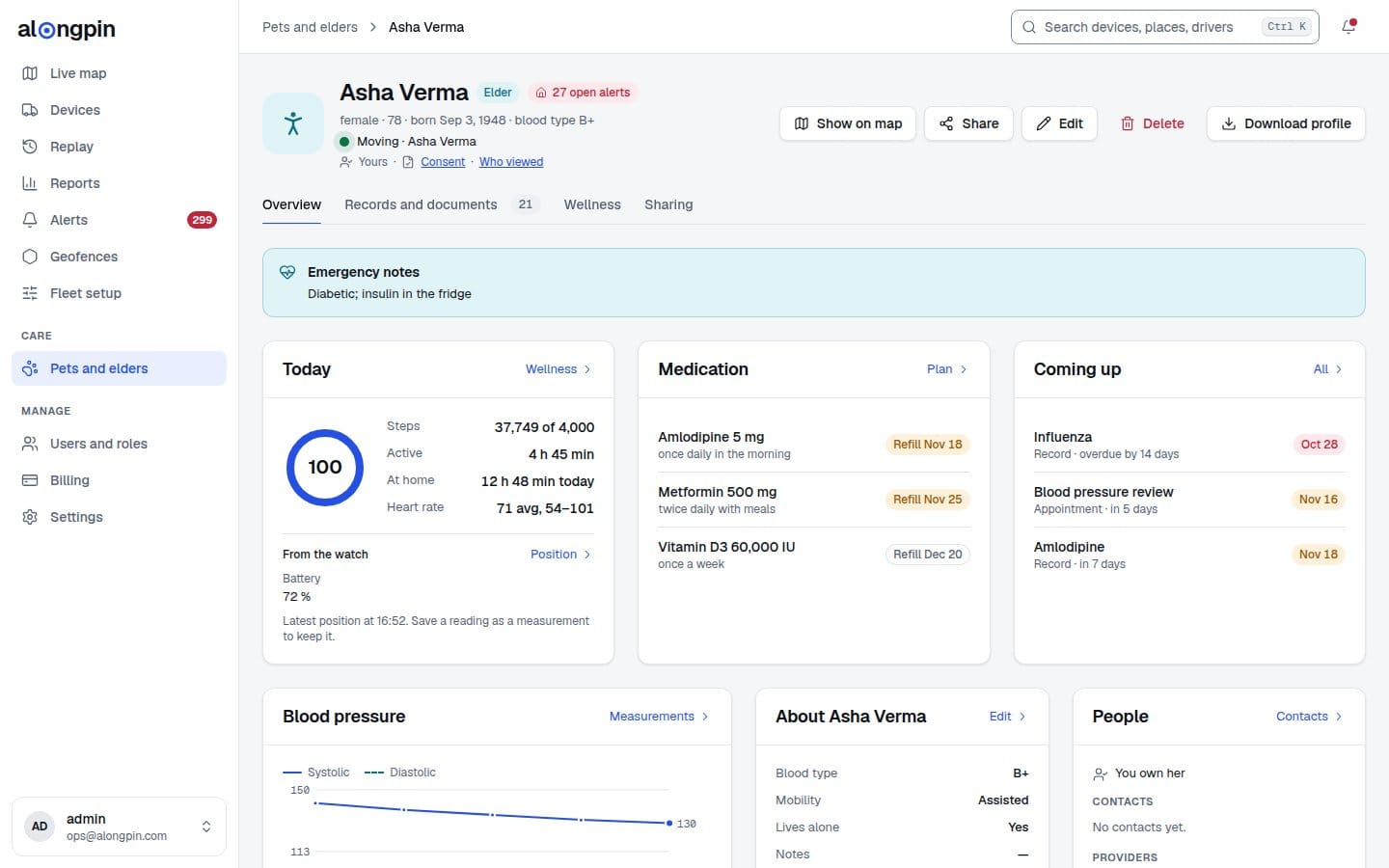
What to ask: can people without an account be told? Neighbours rarely want to install anything.
3. Reminders for medication, appointments and documents
Families forget refills and appointments because nobody owns the calendar. A care platform should remind the right people ahead of the date. In Alongpin you can record:
- medication as a health record with dosage, frequency and a Next refill date;
- appointments such as a doctor visit, a home visit or therapy, with a time and place;
- documents such as insurance, a prescription or a power of attorney, with an expiry date and a scan.
Each item has its own reminders: up to five, a set number of days before (15 and 7 days by default), by portal, email or text message. A notification center lists what is due, overdue and coming up, and which reminders went out.
Reminders count down to a date. They are not daily pill alarms: the platform reminds you that a refill or an appointment is coming, not that it is time for the morning dose. Read more about reminders for medication, vaccinations and appointments.
4. Sharing with scopes and end dates
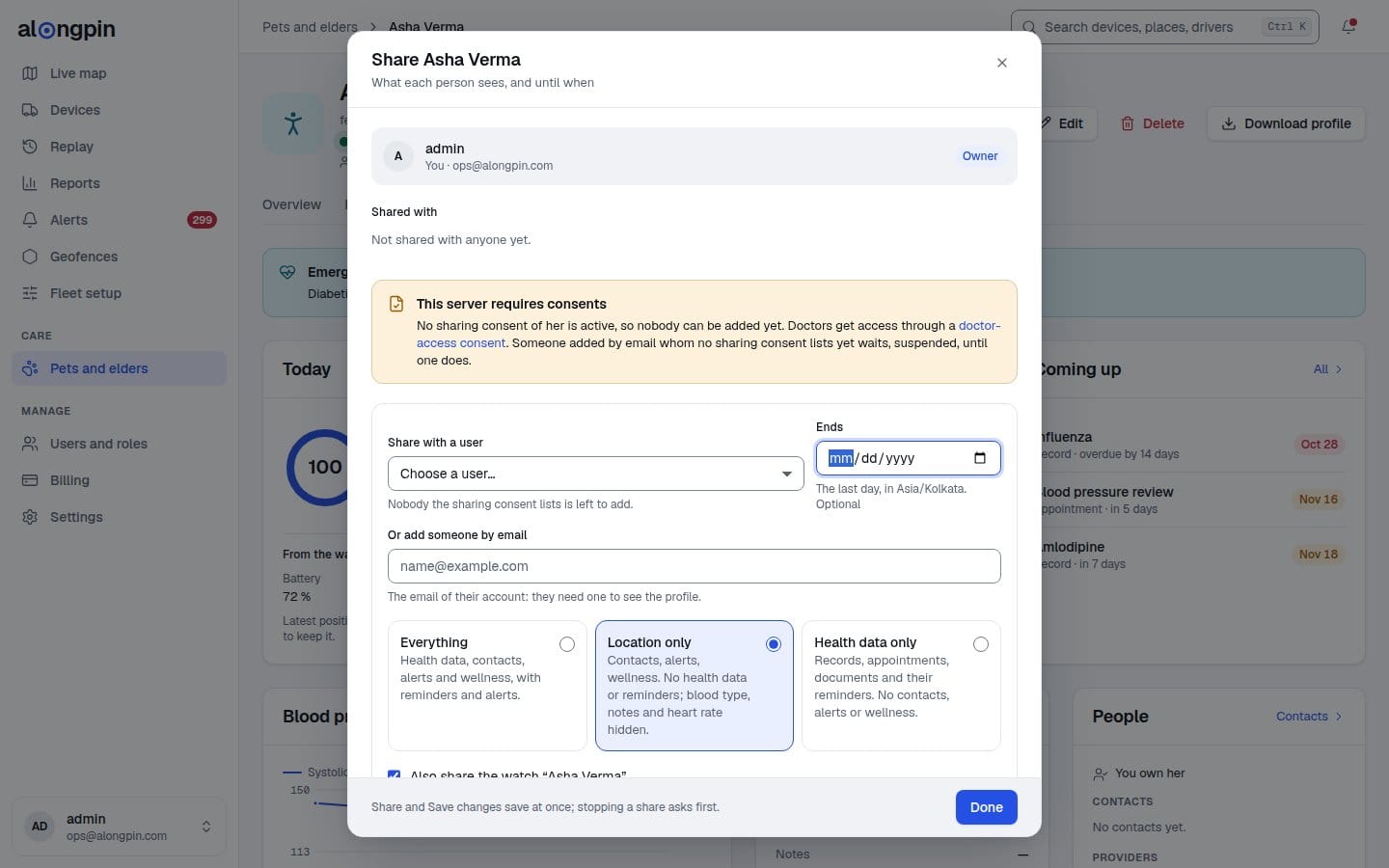
A good family platform lets each person see what they need and no more. In Alongpin the profile's owner shares it with other users and chooses for each one What they see:
| Share | What they get |
|---|---|
| Everything | Health data, contacts, alerts and wellness, with reminders and alerts |
| Location only | Contacts, alerts and wellness; no health data or reminders; blood type, notes and heart rate hidden |
| Health data only | Records, appointments, documents and their reminders; no map, contacts, alerts or wellness. Meant for a doctor |
Each share can end on a date you set (Ends), which suits a relative helping for a few weeks or a doctor during a treatment. The map and wellness also need the watch to be shared; the share dialog offers that with one tick. More in sharing a care profile with family or a carer.
5. Privacy tools: consent records and an access log
Location and health data about an older person deserve care. Two tools show whether a platform treats them that way.
- Consent records. In an elder's profile, consents are recorded per purpose (location and safety alerts, health records, sharing, doctor access), given by the person or a legal representative, and each can be withdrawn on its own. Where the installation requires consents, health data stays locked until a health consent is recorded.
- An access log. Every read of an elder's health data is logged, and the owner sees it as Who viewed: who read what, when and how.
Add to that short alert messages by default (emails and texts say there is an alert, not where or what), and health data hidden while an administrator is logged in as a user. The care profiles page covers each of these.
6. Works with the device you choose
Some elder care apps work only with their own watch. A platform that speaks many device protocols lets you choose a watch for your parent: a simple SOS pendant, a watch with a large screen, or a health watch that reports heart rate. Alongpin is such a platform; check a model in the device check before you buy.
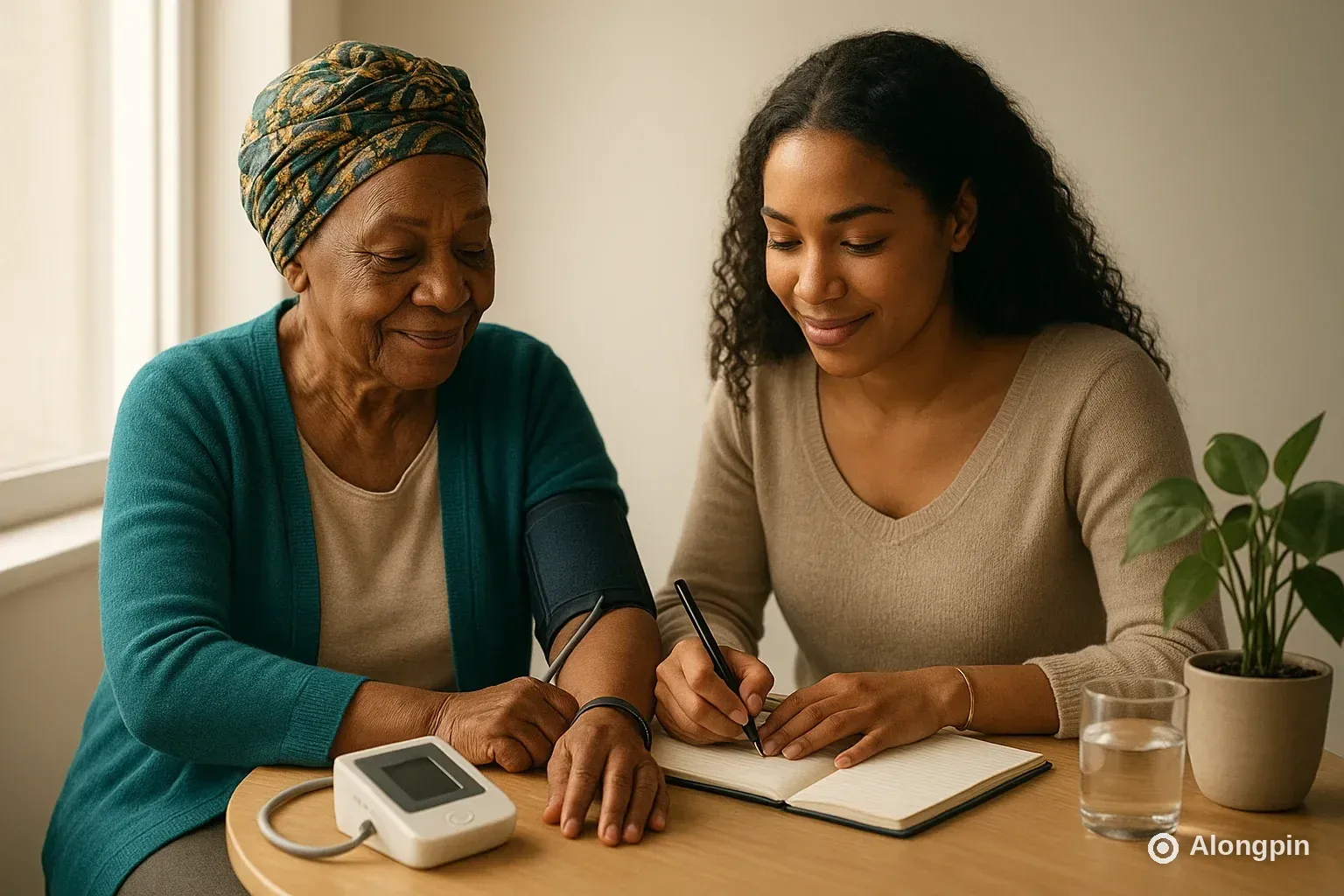
Health readings depend on the device too. Some watches report heart rate, blood pressure or oxygen; many report steps only. The platform shows a reading only when the watch sends it, and readings you take with a home monitor can be added by hand. The health readings page shows how this fits together.
A checklist to take to any provider
| Question | Why it matters |
|---|---|
| Which alerts does my device support, and which come from the platform? | Fall and heart rate depend on the device |
| Can contacts without an account receive alerts? | Neighbours and friends |
| Are reminders date-based, and through which channels? | Refills, appointments, documents |
| Can I share location only, or health only, with an end date? | Each relative sees what they need |
| Are consents recorded and is health data access logged? | Respect and accountability |
| Can I use a watch from another brand? | Freedom to choose the right device |
| Does it work in a browser and on a phone? | The whole family, whatever they use |
How we chose these points
These six areas come from what families do in the first weeks with a watch: set it up, decide who is told, add the doctor and the pills, share with siblings, and wonder who can see what. Each point above is something the Alongpin portal does today; where a feature depends on the device or on what your installation's administrator switched on (text messages, for instance, need a gateway), we say so.
Getting started
The elder care solution describes the whole set-up. When you are ready, sign up, add the watch by its IMEI, and create your parent's profile with the set-up guide.
How Alongpin helps
Alongpin (alongpin.com) is a GPS tracking platform you open in a browser or on your phone. A parent's GPS watch or alarm becomes a care profile: SOS, fall, leaving-home and inactivity alerts reach the family and emergency contacts, and health readings, medication refills and appointments sit in one place you can share. See how it works for elder care, and check a watch in the device check.
Frequently asked questions
Does my parent need a smartphone?
No. The watch reports by itself over its own SIM. The family uses the portal in a browser or on a phone.
Can several siblings use the same profile?
Yes. The owner shares the profile with each sibling, choosing what each one sees.
Is there a monitoring centre?
No. Alerts go to the family, carers and contacts you choose; there is no call centre behind them.