Privacy and trust
Health data kept apart from location
A care profile can be shared for everything, location only or health data only, so the neighbour gets the map and the doctor the readings. How the three scopes work, what consent changes for elders, the log of who read health data, and the lighter rules for pets.
Ashish Srivastava6 min read
Health data privacy in a family care app comes down to one design choice: where a person's location ends and their health begins. In Alongpin's care profiles they are kept apart. A profile can be shared for Everything, for Location only or for Health data only, so the neighbour who keeps an eye out sees the map and the alerts but not the medication list, and the doctor reads the records but never sees where the person is. For an elder, the platform can also require a recorded consent before any health data is shown, and it logs every read of that data, so the owner can see who looked and when.
Key takeaways
- Location and health are different kinds of information, with different people who need them.
- Everything suits the main carer; Location only a neighbour or sibling who responds to alerts; Health data only a doctor or nurse.
- For an elder, a server that requires consents shows and shares health data only under a recorded consent of the person or their legal representative.
- Every read of an elder's health data goes to Who viewed, which the owner can filter and export.
- Pets need no consents; the scopes and the access log work the same way.
Why location and health are different kinds of information
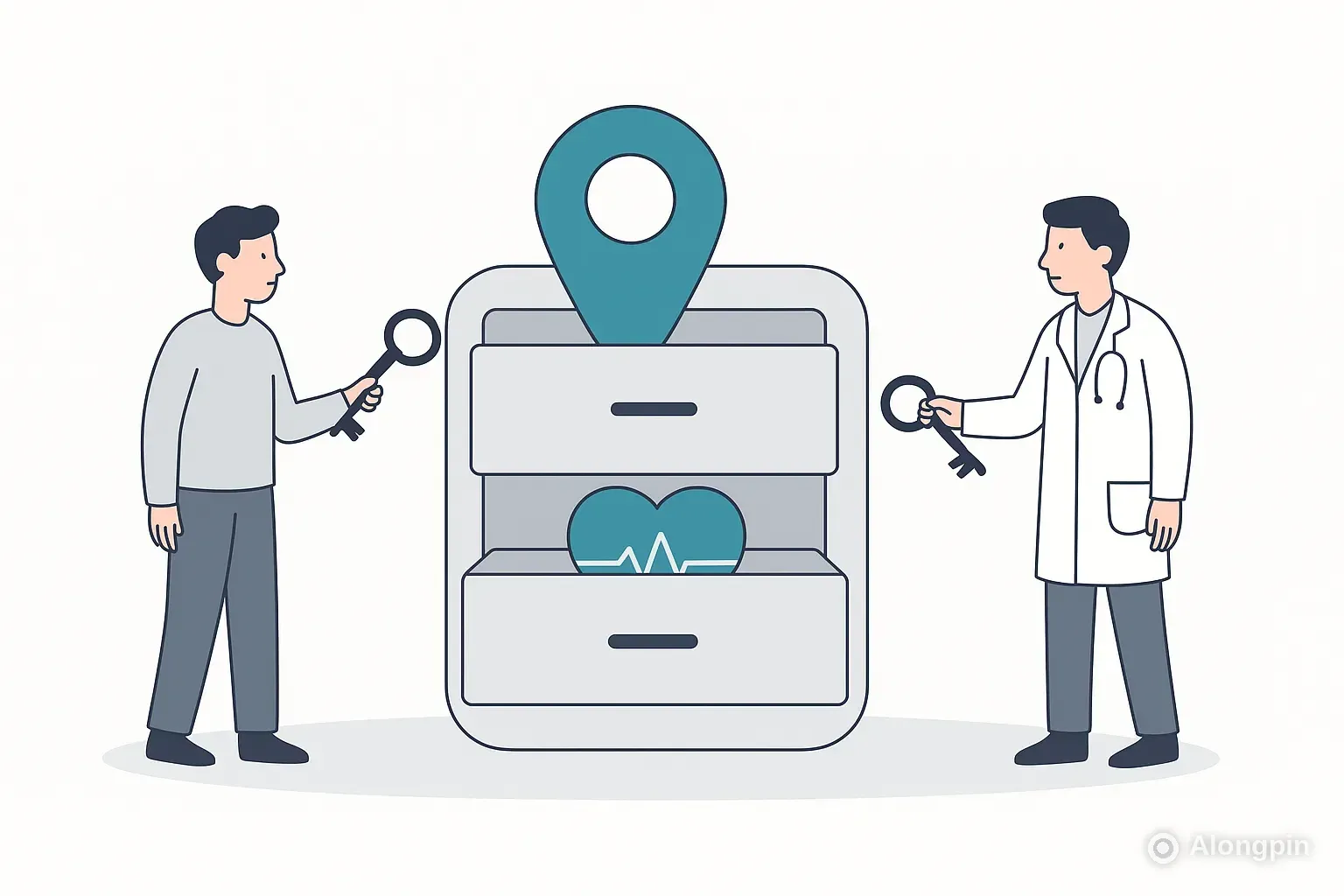
Where someone is and how someone is are both personal, but they are needed by different people for different reasons.
- Location answers "is she all right right now?": has she left home at an odd hour, did the SOS come from the kitchen or the park. The people who need it are those who might go round: a neighbour, a nearby sibling, a carer on shift.
- Health answers "what does she need?": her medication and when the next refill is due, her blood pressure over the last month, the date of the next check-up, the power of attorney. The people who need it are those who manage her care, and her doctors.
Few people need both. Giving everyone everything is simple, and it is also how a neighbour ends up knowing about a diagnosis the person told no one. Data protection law in many countries treats health data as a special category for this reason.
Three scopes and who suits each
When you share a care profile, you choose What they see:
| Scope | What they see | What they get | Suits |
|---|---|---|---|
| Everything | The profile with its health details, records, appointments, documents, contacts, alerts and wellness | Alerts and reminders | The main carer, a partner, a sibling who shares the care |
| Location only | The profile, contacts, alerts and wellness; for an elder, blood type, mobility, emergency notes, notes and heart rate are hidden | Alerts | A neighbour, a sibling who lives nearby, a dog walker |
| Health data only | The profile and its health data: records, measurements, appointments, documents | Reminders | A doctor, a nurse, a carer who manages medication |
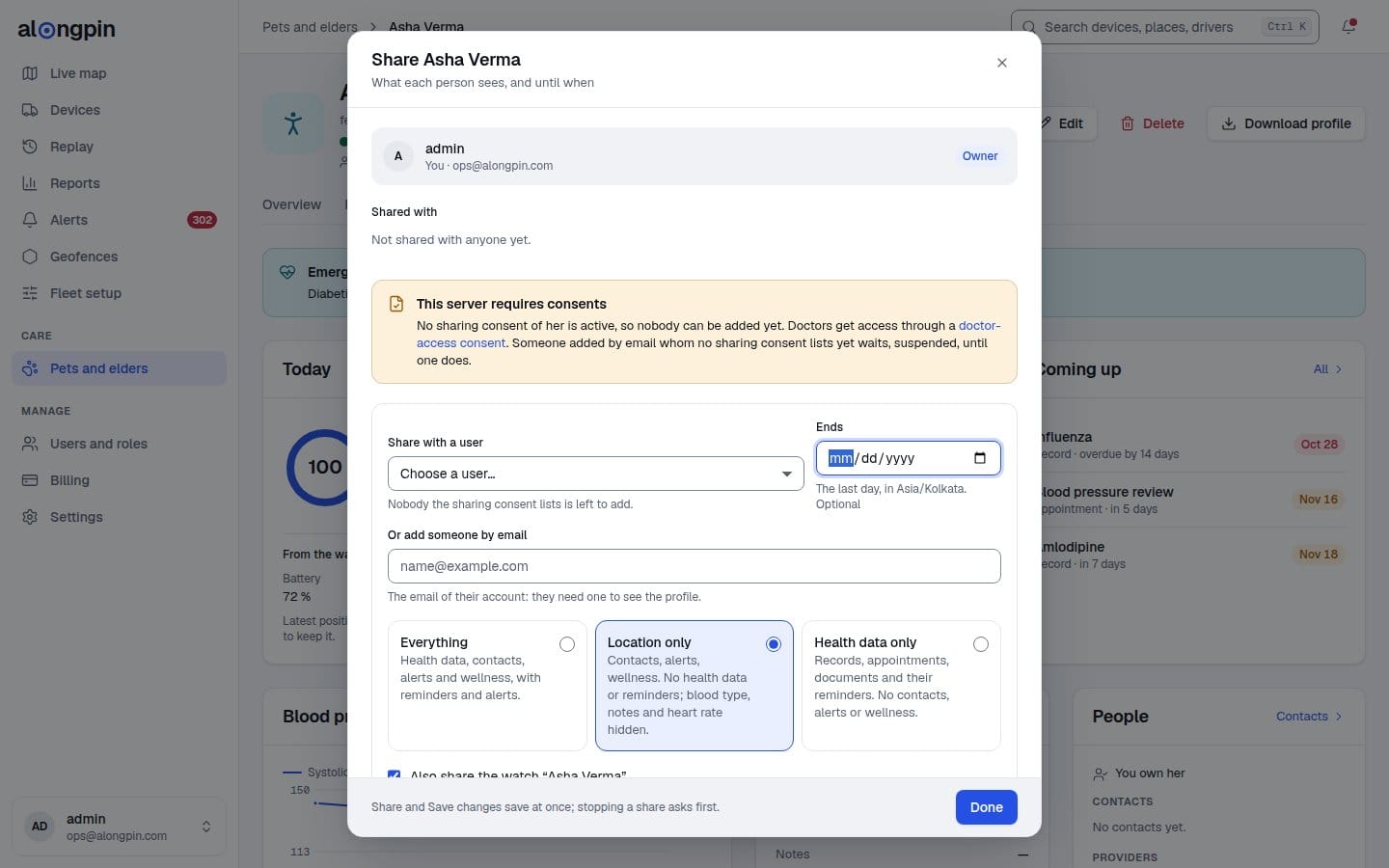
Two details make the separation real rather than cosmetic:
- A location share hides the health fields, it does not empty them. The profile shows them as hidden, so the person knows something is there that is not theirs to read.
- A health-only share has no map. The profile says "No map: health data only" instead of showing the watch's state or position. Wellness, which is worked out from where the watch went, is left out too.
Sharing the profile does not by itself put the watch on someone's map; ticking Also share the watch does, for Everything and Location only shares. A share can end by itself on a date under Ends. Sharing a care profile with family, a sitter or a doctor goes through the dialog.
Recorded consent before health data is shown
For elders, the platform can require consent before it processes health data at all. Servers come with consents required; an administrator can turn the requirement off. When it is on:
- Health data is locked until a health consent of the person, or of their legal representative, is recorded. Until then, nobody sees the health details, records, measurements, appointments, documents or wellness, not even the owner or an administrator.
- The watch stores no positions without a location consent. SOS and fall alerts still come, without a place.
- The profile can be shared only with the people a sharing consent lists. Someone added who is not on it waits, suspended, until a consent lists them.
- A doctor gets access through a doctor-access consent, which can end on a date, and ends the doctor's access with it.
A representative's consent can name the power of attorney behind it, kept as a document on the profile. Withdrawing a consent stops that processing at once; the data stays unless you choose to delete it. Consent for an elder's data and who has read it explains the consent screens, and consent and dignity when you locate an older adult the conversation that should come first.
The access log: who read health data
Every read of a profile's health data is recorded: a record opened, a list of measurements shown, a document's scan downloaded. The profile's owner and administrators see it as Who viewed.
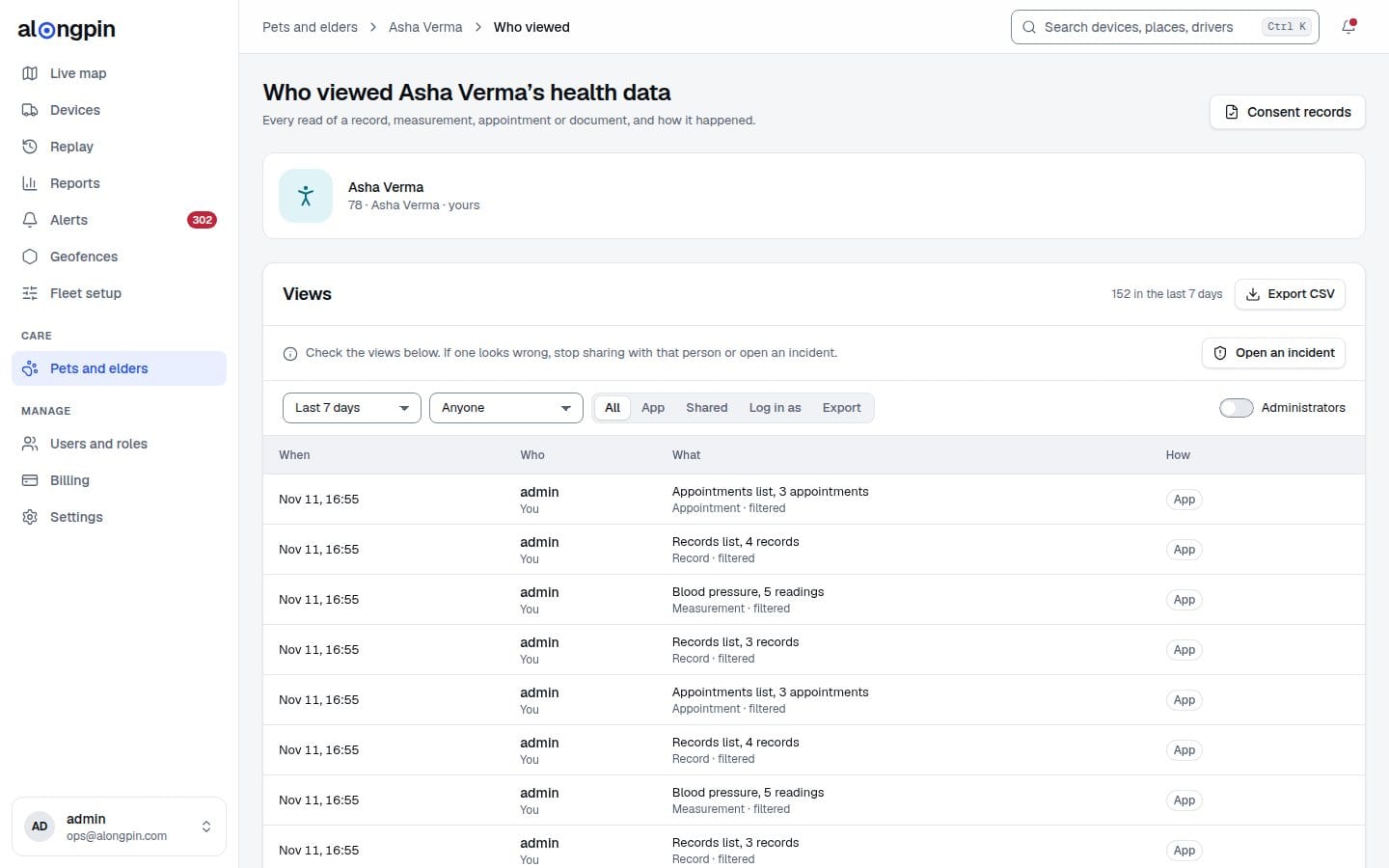
For each read it shows when, who, what was read and how: through the app, through a share, through "log in as", or in an export. You can filter by period (the last 7 days, 30 days or 12 months), by person and by how, and Export CSV downloads the views shown. If a read looks wrong, stop sharing with that person, or tell an administrator.
The log also covers the case families worry about most: someone who manages the account signing in as the user to help. While logged in as someone, health data stays hidden unless that person could read it in their own right, and the operator can hide it in every such session. Refused reads appear in the log too.
What leaves the platform in messages
Alerts and reminders go out by email and text message as well as in the portal. Care alert emails and text messages say by default only that there is a new alert and ask the reader to open the app: no kind of alert, no time, no position. A neighbour with Receives alerts knows to call; the details stay behind a sign-in. The operator of your service can choose to send full texts instead.
Reminders of health items, such as a refill or a check-up, go only to the owner and to people with Everything or Health data only shares, and to contacts you chose to receive them. Location only shares get no reminders.
Pets: lighter rules
Pets get the same three scopes and the same access log. What they do not need is consent: a dog cannot give it, and its vaccinations are not a person's medical history. So for a pet, health data is never locked, the collar reports without a consent, and the profile can be shared with whomever you choose. The elder-only fields, such as blood type, mobility and emergency notes, do not exist on a pet's profile.
The scopes are still worth using: a dog walker needs Location only, not the insurance policy.
Where to read more
The care profiles page explains what a profile holds, the health readings page how measurements and readings from a watch are kept, and the privacy page what the service keeps, for how long and who processes it.
How Alongpin helps
Alongpin (alongpin.com) is a GPS tracking platform you open in a browser or on your phone. Location is personal data, so the platform is built around it: you decide who sees what with users and roles, every view of sensitive data is logged, retention periods are yours to set, and you can export or erase your data. Read about privacy and security, and see the privacy policy.
Frequently asked questions
Can I give a neighbour the alerts without the map?
Yes. Add them as a contact on the profile and tick Receives alerts. They need no account, get the alerts by email or text message, and see neither the map nor the health data.
Does a doctor see where my mother is?
Not with a Health data only share or doctor access. Their view of the profile says there is no map.
Who can see the access log?
The profile's owner and administrators. People the profile is shared with cannot.