Watches and trackers
How often should a tracker report: update interval and battery
The update interval decides how smooth the route is and how long the battery lasts. What the reporting interval is, starting points for a child, an older adult, a pet and a car, moving versus standing still, and changing it with a remote command.
Ashish Srivastava5 min read
A GPS tracker's update interval is how often it sends its position, and it is the biggest single setting behind both the smoothness of the route on the map and how long the battery lasts. A watch that reports every few seconds draws a detailed line and runs flat quickly; one that reports every ten minutes lasts much longer but shows where the wearer was a while ago. There is no single right number. Choose by who or what you are following and what you need to know, start from a sensible middle, and change it with a remote command where the device supports it.
Key takeaways
- The reporting interval is the time between two positions the tracker sends.
- Shorter intervals give a smoother route and fresher positions, and use more battery and data.
- Starting points differ for a child, an older adult, a pet and a car; adjust after a week.
- Many trackers report differently while moving and while standing still, depending on the model.
- On devices whose protocol takes the command, Report periodically changes the interval from the platform.
What the reporting interval is
A tracker does not stream its position continuously. At set intervals it wakes the GPS, works out where it is, and sends one short message: here I am, at this time, with this battery. The platform puts those points on the map and joins them into a route.
The interval is the time between two such messages. Some devices report by time only, some also by distance or by a change of direction, and many switch to a longer interval when they are standing still. The exact options depend on the model; the manual lists them.
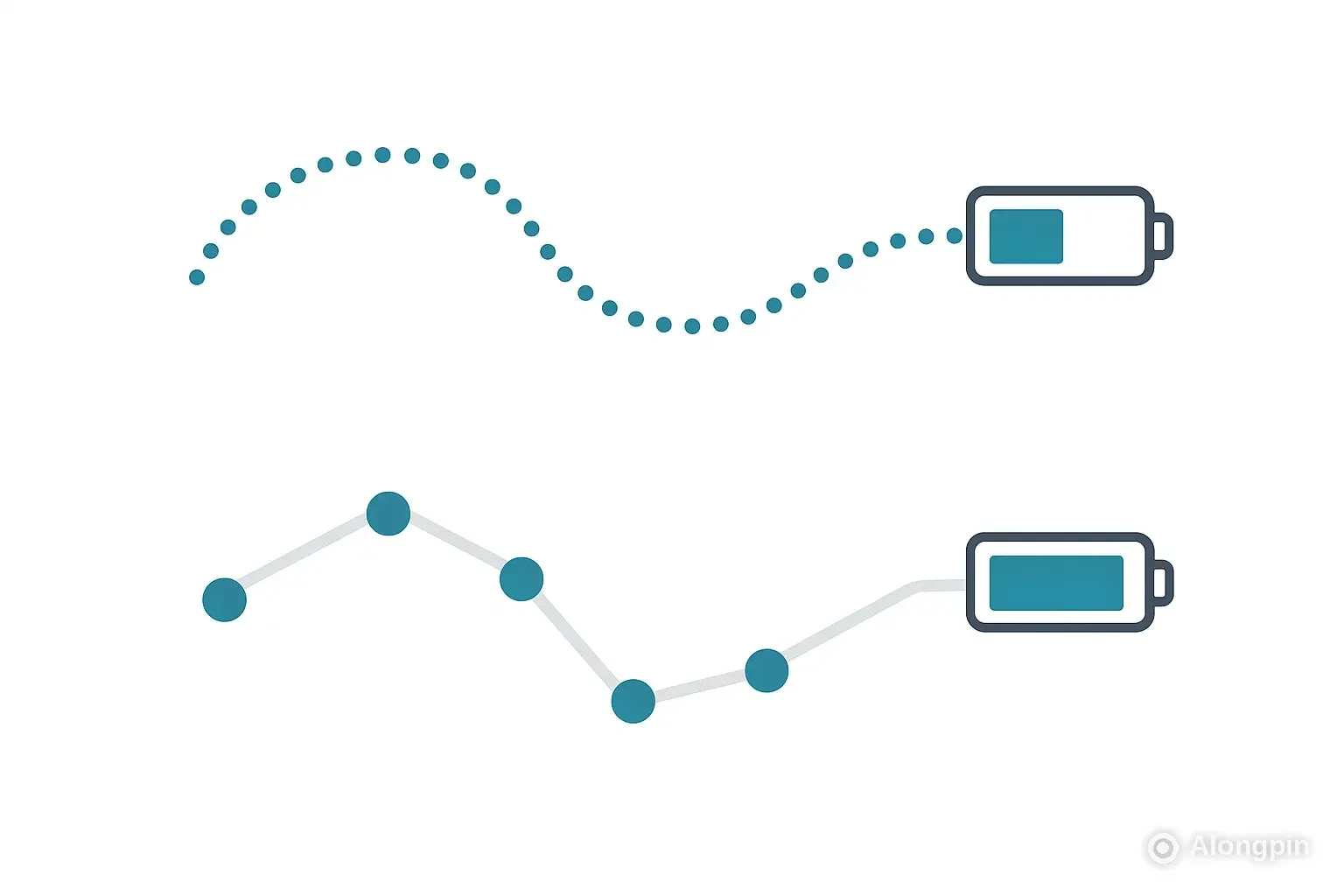
More often: smoother route, shorter battery
A short interval gives you:
- a smoother route, with corners and side streets where they really were;
- a fresher dot, so the live map shows where the wearer is now, not ten minutes ago;
- faster safe-zone alerts, because the position that crosses the zone arrives sooner.
It costs:
- battery, because the GPS and the modem wake up more often. On a watch, this is usually the difference between a day and several days on one charge;
- data, though tracker messages are small;
- on some devices, more indoor estimates, because the GPS has less time for a good fix at each wake-up.
A battery that runs flat is the worst outcome: a tracker with no power sends nothing, SOS included. A slightly longer interval that lasts the whole day is often safer than a short one that dies at teatime. Keeping a parent's GPS watch charged has routines that help.
Starting points by use
These are starting points to adjust, not rules. Check the range your device accepts in its manual.
| Following | A sensible start | Why |
|---|---|---|
| A child on school days | Every few minutes | Enough for arrival and leaving alerts; the battery lasts the school day |
| A child on an outing, or a first walk alone | Every minute or so, for that day | A smoother route while it matters; switch back afterwards |
| An older adult at home | Every 5 to 10 minutes | Long battery life; SOS and fall alarms are sent at once whatever the interval |
| An older adult who may wander | Every minute or two | Fresher positions if they leave home; plan daily charging |
| A dog or cat | Every few minutes, shorter on walks | Home-zone alerts in reasonable time; collars have small batteries |
| A car or motorbike | Every 30 to 60 seconds while moving | Wired trackers use the vehicle's power, so battery is rarely the limit |
Alarms are usually sent when they happen, not at the next interval: an SOS press or a fall alarm goes out at once on most devices. The interval mainly decides how fresh the position is between alarms.
Moving and standing still
Many trackers report less often, or stop, while they are not moving, and pick up again when they move. That saves a lot of battery: a watch on a bedside table at night has nothing new to say. Some vehicle trackers keep one interval with the ignition on and a longer one with it off.
On the live map, a device that has not reported for a while (10 minutes in a standard setup) can show as Unknown if it does not keep a connection open. With a long interval or a sleeping device, that can be normal. Check the time of the last report before you worry, and if a device should be reporting often and is not, look at the battery and the SIM first.
Changing it with a remote command
Where the device's protocol takes the command, you can change the interval from the platform instead of texting codes to the device:
- Select the device on the map or under Devices and choose Send command.
- Under What to send, choose New command, then Report periodically.
- Enter Report every, in seconds. The field starts at 60.
- Send. Delivered means the device received it; a device without signal gets it when it reconnects.
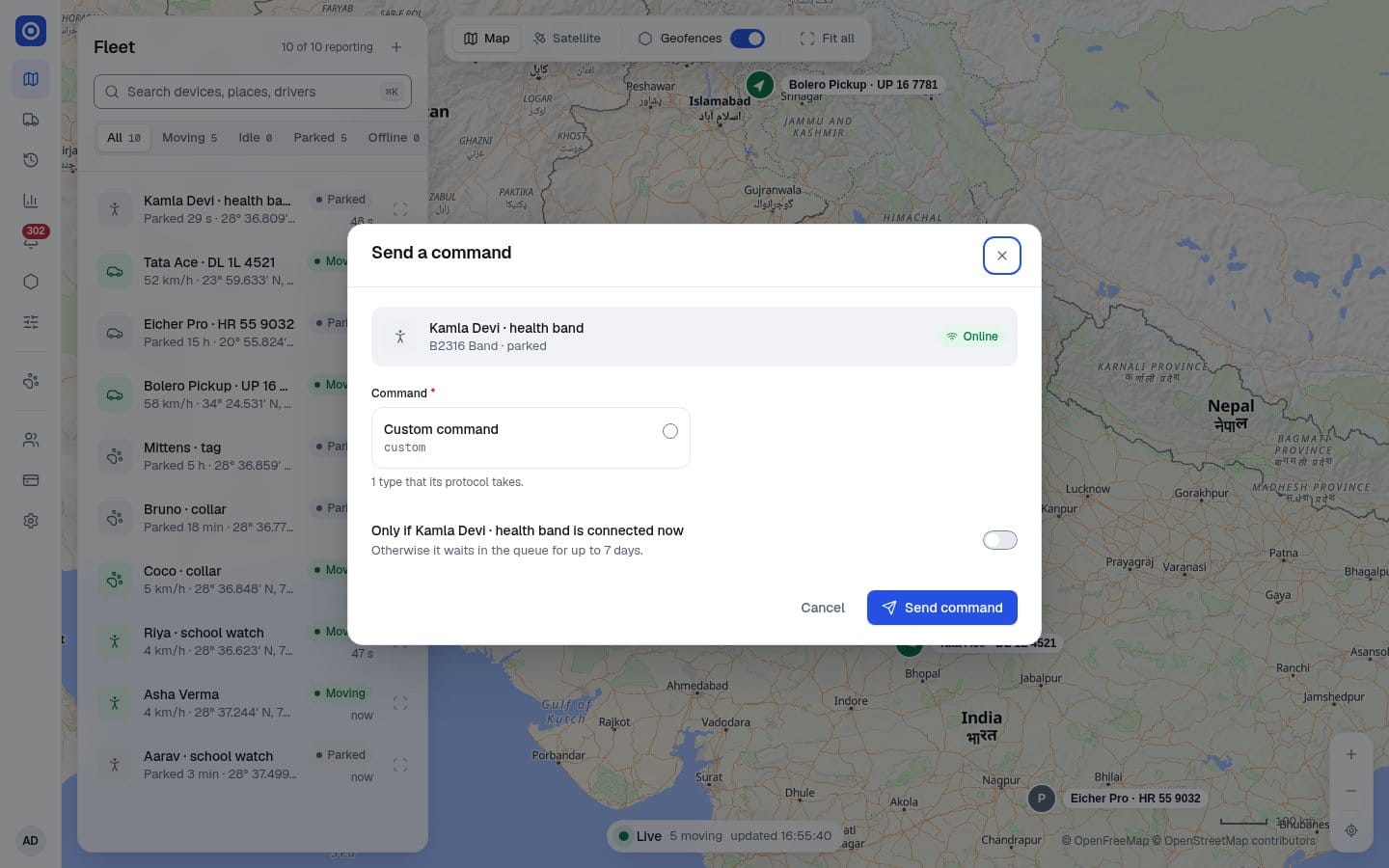
The list of commands holds only those the device's protocol takes. Watches on the watch protocol accept Report periodically; some children's watches and bands take fewer commands or none, and then the interval is set in the device's own app or by text message. How to change a watch's settings with remote commands covers the watch case step by step, and the remote commands page gives the overview.
Try a new interval for a few days. Look at the route in the history and at the battery level each evening, then adjust.
Getting the balance right
A few habits make the setting work for you rather than against you:
- Change it for the occasion. A shorter interval for a school trip or a long walk, the usual one the rest of the time.
- Tell the wearer. A child or parent who knows the watch needs charging each night is your best battery management.
- Use alerts, not watching. Safe-zone and low-battery alerts tell you what matters without anyone staring at the map.
- Match the device to the job. If you need positions every few seconds all day, a watch is the wrong tool; a vehicle tracker on vehicle power is the right one.
The devices overview shows which kinds of device suit which jobs.
How Alongpin helps
Alongpin (alongpin.com) is a GPS tracking platform you open in a browser or on your phone. It works with many GPS watches and personal trackers: position, SOS, battery and, where the watch measures them, health readings, all in one app for the family. See the watches it works with, check a model in the device check, and sign up.
Frequently asked questions
Does a shorter interval make the position more accurate?
It makes it fresher, not more exact. Accuracy depends on GPS reception; indoors, a short interval may even produce more estimates.
Will the SOS wait for the next interval?
On most devices, no: an SOS press is sent at once. Check your model's manual to be sure.
Does a short interval make the SIM plan expensive?
Rarely. Each report is a small message, so even a short interval uses little data compared with a phone. Battery runs out long before data usually does.
Can I set a different interval for nights?
Many devices report less often while standing still, which covers most nights by itself. Otherwise, send a new interval in the evening and the usual one in the morning, or use a saved command to make it quick.
Why does my tracker ignore the new interval?
The device may not accept that value, may round it, or may keep a separate interval while standing still. The manual lists the range it takes.