Cars and bikes
A new driver in the family: agreeing on tracking with a teenager
A GPS tracker for a teenage driver works as an open agreement: overspeed and arrival alerts, harsh events where the tracker reports them, trips read together, no driver score, and a date when it stops.
Ashish Srivastava5 min read
A GPS tracker for a teenage driver works best as an agreement, not a secret: you decide together, before the first solo drive, what you will both be able to see, which alerts you will get, and the date the tracking stops. The tracker can tell you when the car goes over a speed you agreed, when it arrives where it was going, and, where the tracker reports them, when it brakes or accelerates hard. It does not turn your child into a score. You read the trips together and talk about them.
Key takeaways
- Agree the tracking openly before the first solo drive, and write down what is visible.
- Overspeed alerts and arrival messages are the two alerts most families need.
- Harsh braking and acceleration show only where the tracker reports them.
- There is no automatic driver score: you look at the events and trips together.
- Set a date when the tracking ends, and keep to it.
Why secret tracking backfires
Many parents start with the idea of a tracker the new driver does not know about. It rarely lasts. Teenagers find the box, notice a parent knows things they should not, or simply ask. Once that happens, the tracker has cost more trust than it was worth, and a young driver who feels watched in secret is less likely to call you when something goes wrong.
Tracking a young adult's movements without their knowledge can also cross a legal line in some countries, especially once they turn 18. If the car is theirs, or they are adults, their agreement matters.
A better approach: tracking as part of handing over the keys
Treat the tracker like the other conditions of borrowing the family car: who pays for fuel, no passengers in the first months, home by a set time. Talk about it before the first solo drive, and agree three things:
- What is visible. The car's position, its trips, its speed, and the alerts you will both get.
- What the alerts are for. A message when the car goes over an agreed speed, and one when it arrives at college, work or a friend's house.
- When it ends. A date, or a milestone such as six months without a speeding alert.
Writing it down on a page you both keep makes it an agreement rather than a rule handed down. The post on teenagers and location sharing goes through the same conversation for phones and watches.
The alerts that make sense
Overspeed
An overspeed event comes when the car goes faster than a limit. You set the limit as the Speed limit in the car's settings, or as a Speed limit inside on a zone, such as the roads around a school, where a lower limit then applies. A rule on Overspeed in Alerts sends it to you by the channels your server offers. Agree the number together: a limit just above the motorway limit catches real speeding without firing every time they overtake.
Arrival messages
A rule on Geofence enter with a zone around college, the workplace or home sends "arrived" without anyone having to text. Many teenagers prefer this to being asked to call, and you can make it go to both of you. The alerts page shows the channels and the schedules a rule can use.
Harsh braking and acceleration, where the tracker reports them
Some trackers have a sensor that reports harsh braking, harsh acceleration and harsh cornering. Where yours does, they appear as alarms in the trip's events and on its replay, and an Alarm rule can send them. Where it does not, they do not appear at all. Check your model on the vehicle trackers page and in the device check before you promise this to anyone.
No score: you read the events yourselves
Some apps turn driving into a number out of 100. Alongpin does not. The driver behaviour features record overspeed, harsh events where the tracker reports them, and idle time, as they happened, with the time and the place. A number can feel unfair to a new driver, because it cannot tell an emergency stop from a careless one. A list of events, looked at together, can.
Look at trips together, not in secret
Once a week, sit down with the car's Trips and the Replay of a journey or two:
- Start with what went well. A long drive with no overspeed is worth saying out loud.
- Ask about the events. A harsh brake on a roundabout may have been someone else's mistake; let them tell you.
- Look at the route, not the minutes. The point is safe driving, not where they stopped for a coffee.
- Change the agreement if it is not working. Raise a limit that fires too often, or drop an alert nobody reads.
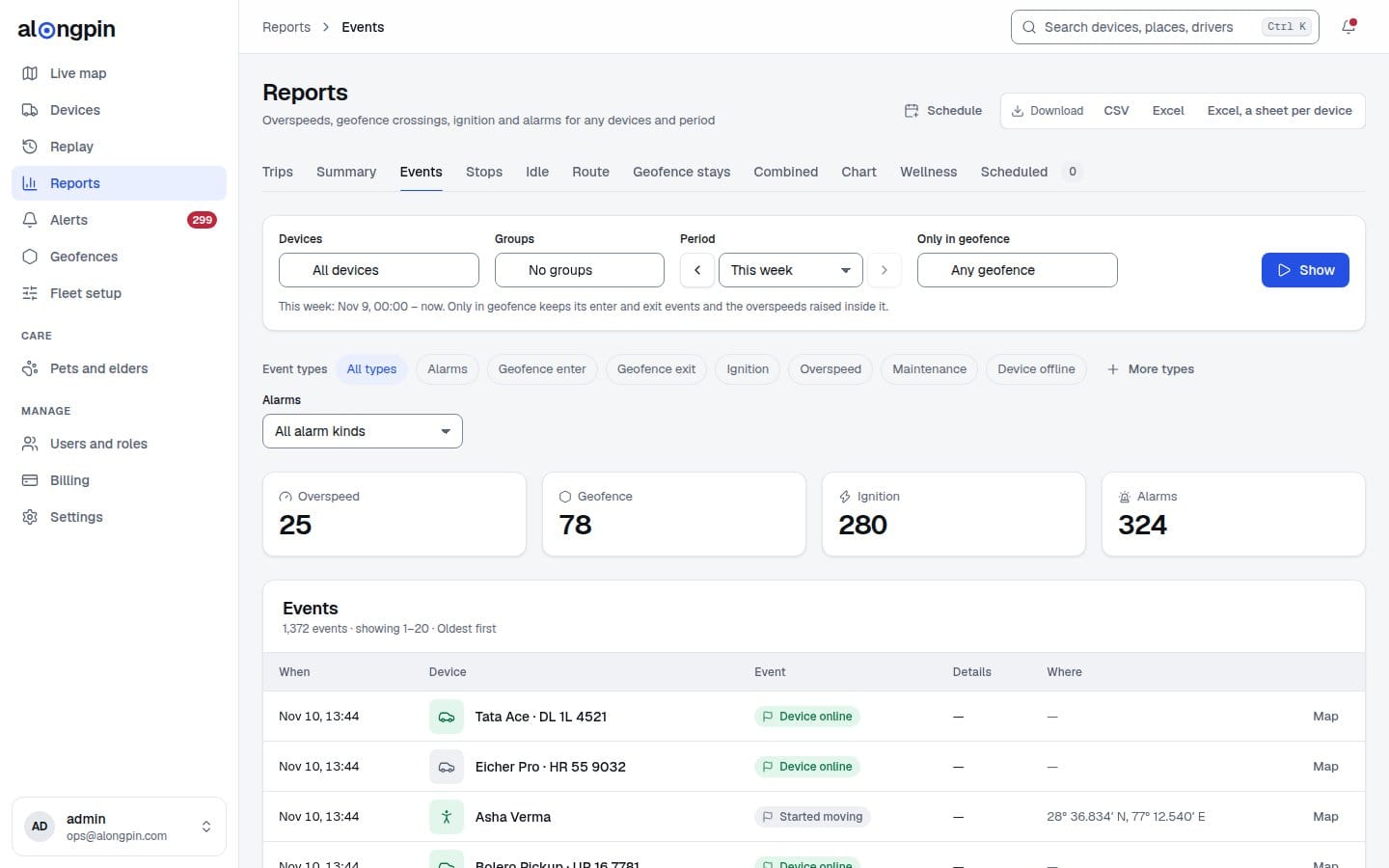
The reports in Reports, such as the events report, list every overspeed and alarm for a period if you prefer a list to the map.
Keep the review short. Ten minutes with the replay of one longer drive teaches more than an hour going through every trip of the week, and it keeps the conversation about driving rather than about being checked.
How to apply this in an evening
- Fit the tracker, or check that the one in the car is supported.
- Set the car's Speed limit, and draw zones for home and the places they drive to most.
- Create two alert rules: Overspeed, and Geofence enter for the zones. Add an Alarm rule for harsh events if the tracker reports them.
- Decide who receives each rule. Your teenager can have their own sign-in, where your account can add users, and get the same alerts.
- Use Test these channels in each rule so you both know the messages arrive.
- Agree the end date and put it in your calendar.
When does it stop?
An agreement with no end becomes surveillance. On the agreed date, do what you said you would: pause or delete the rules, remove the young driver's sign-in from the alerts, or take the tracker out of the car if it was only there for them. If you keep the tracker for theft protection, say so, and keep only the alerts that are about the car, not the driver.
Caveats
A tracker does not make anyone a safer driver on its own. Lessons, driving together, and a parent who drives well do more. The tracker is a way to talk about real journeys with real facts, for a few months while the habits form.
How Alongpin helps
Alongpin (alongpin.com) is a GPS tracking platform you open in a browser or on your phone. A tracker in your car, motorbike, scooter or bicycle shows on the live map, with trip history, geofences around home and work, and alerts when it moves or leaves. Check your tracker in the device check, see the vehicle trackers it works with, and start on the pricing page.
Frequently asked questions
Can I get an alert if my teenager drives at night?
Yes, with a calendar: a rule on Started moving or Ignition on with Only during set to night hours tells you when the car moves then. Agree it together like the other alerts.
What if an event was not their fault?
Then it was not. A harsh brake can be the right reaction to someone else pulling out, and an overspeed for a few seconds can come from an overtake on a fast road. The replay shows where and when it happened; let your teenager explain it before you draw a conclusion.
Can my teenager turn the tracker off?
A plug-in tracker can be unplugged; a wired one is harder. A Device offline or Status unknown alert tells you if it stops reporting, but an agreement works better than a hidden box.