Field service
How to verify time on site for service visits
Time on site tracking compares what job sheets say with when a van actually entered and left a customer zone. How stays are measured, how to match them to job sheets, the edge cases, and how to correct invoices fairly.
Ashish Srivastava7 min read
Time on site tracking checks how long a technician actually spent at a customer's address against what the job sheet and the invoice say. Draw a zone (a geofence) around each customer site, attach it to the service vans, and the platform records every stay: when the van entered, when it left and the time inside. The Geofence stays report then lists those stays per site and per day, so a service manager can verify a service visit in minutes instead of arguing from memory. This article explains what a stay measures, how to match stays to job sheets, the edge cases that trip people up, and how to tell technicians what is checked.
Key takeaways
- A stay is the time a tracked vehicle (or phone) spent inside a zone: entered, left and time inside.
- Stays measure the vehicle's presence, not the work done. Use them to check job sheets, not to replace them.
- Zones must be attached to the vans or their group, and only count positions from the moment they exist.
- Parking down the street and several visits a day are the usual reasons figures disagree. Size the zone and read the day before you judge.
- Correct invoices in both directions, and tell technicians what is checked before you start.
Why job sheets and reality drift apart
Job sheets are filled in after the fact. A technician who did four calls before lunch writes "09:00 to 10:30" for the first one because that is roughly right, and nobody remembers whether it was 09:12. Travel time creeps into time on site, a long call gets rounded down to fit the day, and a quick check that turned into a repair is written up as the quick check. None of this is dishonest. It is what happens when people record time by hand at the end of a busy day.
The trouble starts when the numbers matter: a customer disputes an invoice, a fixed-price contract keeps running over, or a site complains that nobody came at all. Then the office needs a record that was not written by the person being asked. A vehicle tracker provides one, because it reports position and time on its own, every few seconds to every minute while the van moves.

What a zone stay measures
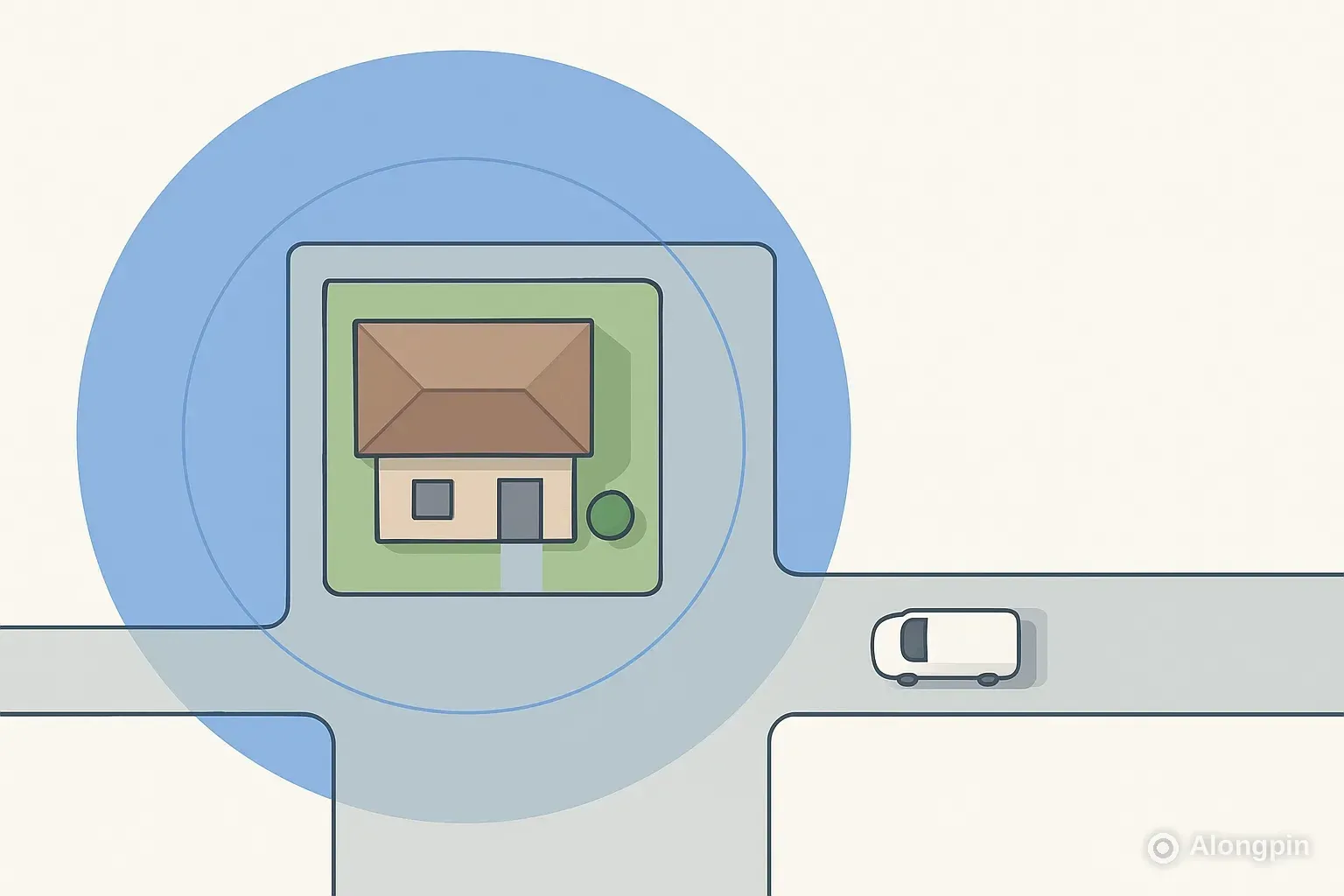
A geofence is an area you draw on the map: a circle around a house, a polygon around a factory yard, a corridor along a road. Under Geofences, draw the area, give it the customer's name and attach it to the vehicles or the group that visit it. The geofences page shows the shapes and how they are attached.
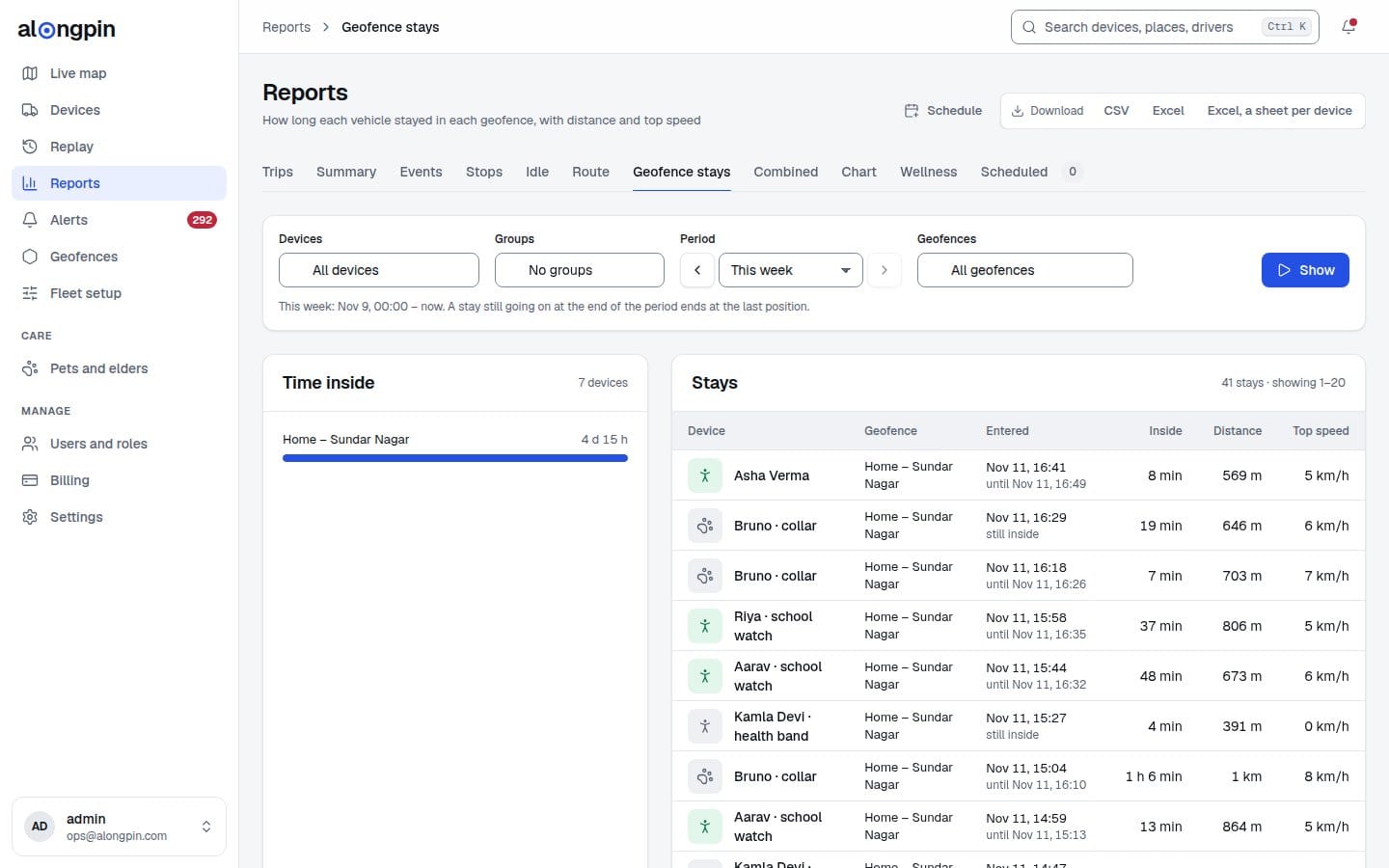
Each position the tracker sends is checked against the zones attached to that van. When a position falls inside a zone and the one before did not, the platform records an entry; when the van leaves, an exit. A pair of entry and exit is a stay, and the Geofence stays report under Reports lists each one with:
- the zone and the vehicle;
- when it entered and when it left;
- the time inside;
- the distance driven and top speed inside the zone, which is near zero for a van that parked.
A stay still going on at the end of the chosen period ends at the van's last position, and a stay that started before the period is marked as inside before the period. Download the report as CSV or Excel, or schedule it to arrive as an e-mailed link. The reports and exports page lists the formats.
Two rules are worth knowing before you rely on the figures:
- A zone only counts from the moment it exists and is attached. Positions are checked against the zones that applied when they arrived. A zone drawn today finds nothing for last week's visits; draw the customer sites before the period you want to check.
- The precision follows the reporting interval. A tracker that reports every 30 seconds while moving places the entry within that half minute. When the van is parked, many trackers report less often, which matters for the exit time only by the length of that interval.
Matching stays to job sheets
Pick a week and a technician, and lay the two lists side by side: the job sheets on one side, the stays of that van on the other. Run the Geofence stays report for the van and the week, choose the customer zones (or all of them), and download it to Excel so you can put the job references next to each row.
For each job, ask three questions:
- Is there a stay at that customer on that day? If not, look at the day's trips before you conclude anything (see the edge cases below).
- Do the start and end match roughly? Differences of a few minutes are noise: the technician walks from the van, signs in at reception, writes the sheet in the cab. Differences of half an hour or more are worth a look.
- Does the time inside match the time billed? This is the figure that matters for invoices.
Most rows will match. The value is in the handful that do not, and in the pattern they show: one site where every visit runs long, or one type of job that is always under-estimated.
Edge cases that make the figures disagree
Parking down the street
A technician who cannot park at the door leaves the van round the corner, and the zone around the building never sees it. Either the zone is too small, or the van was outside it for the whole visit. Draw zones a little larger than the building: GPS positions between tall buildings wander by tens of metres, and a car park entrance is often on another street. For a site where parking is always awkward, draw the zone around the usual parking spot as well, or use a polygon that covers both.
Several visits a day
A van that goes back to the same site after lunch produces two stays, each with its own times. Add them up before you compare with a job sheet that shows one block. The report lists stays by start time, so two rows at the same zone on one day are easy to spot.
A stay that is too short to be real
A van that drives through a zone on its way somewhere else, or turns in the customer's car park, records a stay of a minute or two. Ignore stays shorter than any real visit. For a road that runs past a customer site, a calendar on the zone does not help (the van passes in working hours too); a smaller zone does.
Visits outside working hours
A zone can have a calendar: enter and exit events then happen only while the calendar is in progress, for example weekdays 07:00 to 18:00. That keeps a technician's evening drive past a customer out of the report. It also means an emergency call-out at night records no stay, so check those by trip history instead. Trip history and replay shows the route and the stops of any day.
A phone instead of a van tracker
When technicians carry a phone running a tracking app instead of a tracker in the van, stays measure where the phone was. That can be more precise for a large site, and it records nothing when the phone's app was stopped. Phones report position only.
Using the data to correct invoices both ways
Time on site data is only fair if it works in both directions. When the stays show a technician spent ninety minutes on a job billed at forty-five, the invoice was too low, and the customer should be told what the extra time was for. When a sheet claims two hours and the van was inside the zone for fifty minutes, ask before you change anything: the technician may have gone back to the depot for a part, or carried on the work by phone.
Some practical rules keep it fair:
- Agree a tolerance. A difference under fifteen minutes is not worth a conversation.
- Look at the whole day first. A missing stay is usually a parking or zone problem, not a missing visit.
- Write down the outcome. If an invoice changes, record why, so the same question is not asked twice.
- Share the report with the customer when a dispute is about attendance. A list of stays with entered and left times answers "did anyone come?" more convincingly than a job sheet.
The field service page shows how zones, arrival alerts and reports fit together for a service team.
Telling technicians what is checked and why
Technicians should hear about time on site checks from you, before the first report is run, not from a customer complaint. Tell them:
- What is recorded: the van's position and time, and the stays at customer zones.
- What it is used for: checking job sheets and correcting invoices, both ways.
- What it is not used for: ranking technicians. The platform does not score or rank drivers, and the reports describe vehicles and trips, not people.
- Who sees it: the service manager and the office, and a customer only when a dispute is about their own site.
Where vans go home at night, set up private trips outside working hours so evenings stay private; tracking only during working hours explains how. Rules about monitoring employees differ by country, and in some a works council must agree first, so check yours before you start.
How Alongpin helps
Alongpin (alongpin.com) is a GPS tracking platform you open in a browser or on your phone. Your technicians' vans or phones appear on the live map; geofences at customer sites record arrivals and time on site, and driver privacy keeps time off private. See how it works for field service, check your trackers in the device check, or sign up.
Frequently asked questions
Does a stay prove the work was done?
No. It proves the vehicle or phone was inside the zone at that time, and for how long. Whether the boiler was fixed is still on the job sheet.
Can I check last month's visits if I draw the zones today?
No. Positions are checked against the zones that existed when they arrived. Draw the customer sites now and check from today on; for earlier visits, replay the day on the map.
How large should a customer zone be?
Large enough to include where the van actually parks, usually a circle of 100 to 200 metres around a house in town. Time on site with the Geofence stays report walks through the report step by step.