Cars and bikes
Leaving a car at the airport or a second home
Track a parked car while you are away: a zone where it stands, a leaving alert while you travel, how to read parked, offline and last reported, what to plan for the tracker battery, and what to switch off when you return.
Ashish Srivastava5 min read

To track a parked car while you are away, put a zone around where it stands, add a leaving alert for the weeks you are gone, and glance now and then at its state and the time it last reported. That is enough for a car left at an airport car park, at a second home or at a relative's house: you hear at once if it moves, and in between you can see that it is still there and still reporting. The one thing to plan for is the tracker's power, because a car that is not driven does not recharge its battery.
Key takeaways
- Draw a zone around where the car is parked and attach it to the car.
- A Geofence exit rule tells you if it moves while you are away.
- Parked, Offline, Unknown and the last update each mean something different; read them together.
- A wired tracker draws on the car battery; for long stays, ask about its sleep mode and standby current.
- Pause the rule or remove the zone when you are back.
Before you leave: a zone where the car is parked
When you park, note where the car stands. Then, in the portal:
- Open Geofences, choose New, pick Circle and draw it around the car's bay or the part of the car park where it stands. Make it generous: in a large car park, a car's position can drift by tens of metres, and a multi-storey or covered car park makes it worse.
- Name it, for example "Airport long stay", and save it.
- Under Attached to, choose Change and tick the car.
You can draw the zone before you leave home if you know the car park, and adjust it once the car has reported from its bay. The geofences page explains shapes and attachments.
A leaving alert while you are away
In Alerts, choose New alert rule:
- Under When this happens, pick Geofence exit.
- Under Only these geofences, choose the zone you just drew.
- Under Tell people by, pick a channel that reaches you abroad. Email and push usually work wherever your phone has data; a text message depends on your roaming. Which channels exist depends on your server.
- Create the rule, keep the car as its device, and add a relative or neighbour who can act locally, where your account lets you add people.
- Use Test these channels before you leave.
If you have Quiet hours set under Settings, Your account, Alerts and channels, remember that they follow your account's time zone, not the one you are travelling in. Let Geofence exit through under Still goes out, or switch quiet hours off while you are away.
Reading parked, offline and last reported
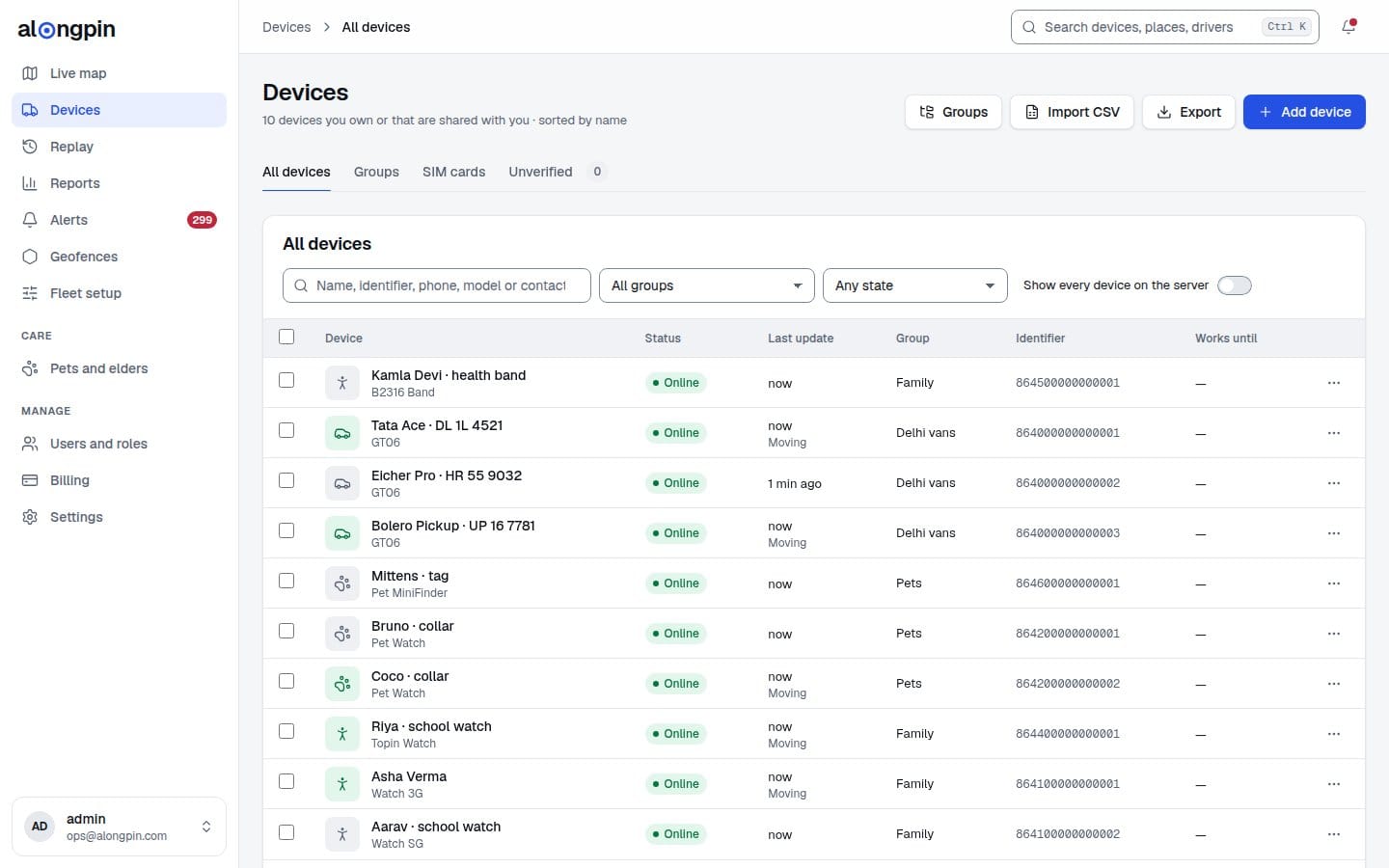
While you are away, a glance at the car tells you more than you might think. The live map shows its state, and the car's page in Devices shows when it was last updated.
| What you see | What it means | Should you worry? |
|---|---|---|
| Parked, updated a few minutes ago | The tracker is reporting and the car is standing still | No |
| Parked for days, last update recent | The car has not moved; the tracker is checking in | No |
| Unknown | No report for a while (10 minutes in a standard setup) | Not yet: a sleeping tracker reports less often |
| Offline, last update hours ago | The tracker lost its connection | Look again later; a covered car park can block the signal |
| Offline for days after the car was parked | The tracker has stopped: no power or no coverage | Check the battery question below |
| Moving | The car is being driven | Yes, if nobody should be driving it |
A tracker going Offline inside a multi-storey car park is common and usually harmless: the concrete blocks the signal. What matters is the change. A car that reported every day and then goes quiet, or one that suddenly shows Moving, is worth a call to whoever can check on it.
If you want to be told rather than look, the car's Settings can have a No-data alert: you set Silent for, for example a day, and a rule on Device inactive tells you when the tracker has been silent that long.
Tracker battery when the car is not driven
A car that stands for weeks has two battery questions: the tracker's, and the car's.
- A wired or plug-in tracker runs on the car battery. It draws a small current, less in sleep mode. Over a weekend that does not matter; over a month, together with the car's own standby drain, it can leave a weak battery that will not start the car. Ask the seller about the tracker's standby current and sleep mode, and whether it reports less often while parked. Some owners use a battery maintainer at a second home where there is power.
- A battery tracker has its own battery and does not touch the car's, but reports rarely. Charge it fully before you go.
- A power cut alarm, where the tracker reports it, tells you if the car battery is disconnected or the tracker removed. A low battery or low power alarm, where reported, warns you before the tracker goes quiet.
The vehicle trackers page shows which reports the platform displays, including battery and power where the tracker sends them.
Someone local who can check
An alert is only useful if someone can act on it. Before a long trip, agree with one person near the car, a neighbour at the second home or a friend near the airport, what they will do if you call. Give them the car's registration and, if you like, a share link from the car's Settings under Share links, ending the day you return, so they can see the car's position without your password. The link shows only the car, and you can end it at any time.
When you return: remove the zone or pause the rule
Once you have the car back, the leaving alert has done its job. If you leave it on, the first time you drive out of the car park you get an alert about yourself. Either:
- Pause the rule in Alerts, and turn it on again before your next trip, if you use the same car park often; or
- Delete the geofence and the rule if it was a one-off stay.
Keep the zone if it is a place you return to, such as a second home: the same rule, resumed for each stay, does the job again.
How Alongpin helps
Alongpin (alongpin.com) is a GPS tracking platform you open in a browser or on your phone. A tracker in your car, motorbike, scooter or bicycle shows on the live map, with trip history, geofences around home and work, and alerts when it moves or leaves. Check your tracker in the device check, see the vehicle trackers it works with, and start on the pricing page.
Frequently asked questions
Can I tell if the car was moved within the car park?
Small moves may not leave the zone, by design. The car's trips and Replay show any movement the tracker reported, even inside the zone.
What if the alert arrives and I am abroad?
Look at the map, then call someone local you trust, the car park operator or the local police, and give them the position. Do not ask anyone to confront whoever is in the car. The post on car theft and GPS trackers covers what to tell the police.
Will a tracker work in an underground car park?
Often not while the car is inside: the tracker may lose both GPS and mobile signal. It reports again once the car is outside, and its stored positions usually fill in the route.