Personal safety
Working alone at home: a simple safety routine
Working alone at home is safe most days; the risk is that nobody notices when something goes wrong. A daily check-in and a wearable alarm with an SOS button that reaches the people you chose close that gap.
Ashish Srivastava7 min read
Lone working from home is safe for most people most days; the risk is that if something does go wrong, a fall on the stairs, a sudden illness, a burn in the kitchen, nobody notices until the evening. A simple safety routine closes that gap with two habits: a daily check-in with one person who knows to act if you miss it, and a wearable alarm with an SOS button that tells the people you chose where you are, without you having to reach a phone. This guide sets out both, for self-employed people, remote employees and anyone who spends the working day alone at home, including people with a health condition that makes a bad moment more likely.
Key takeaways
- The risk of working alone at home is not that something happens, but that nobody notices for hours.
- A daily check-in at a fixed time, with one person who knows what to do if you miss it, costs nothing and covers most situations.
- A watch or personal alarm with an SOS button reports the alarm with your position over its own SIM; an alert rule tells the people you chose.
- Choose people who are near, awake during your working hours and who will answer. Agree what each one does.
- The platform tells your contacts. It does not call an ambulance: if you can phone the emergency number, do that first.
Alone all day: the unnoticed risk
An office has people who notice when you do not come back from the kitchen. A home office has none. If you live alone, or the rest of the household is out from morning to evening, a fall or a faint at eleven in the morning may go unnoticed until someone rings at seven. For most people that never happens. For someone with epilepsy, diabetes, a heart condition or a recent operation, the chance is higher, and the hours matter more.
None of this needs a monitoring service or an expensive system. It needs someone who expects to hear from you, and a way to ask for help when you cannot reach your phone.
A daily check-in with one person
The check-in is the backbone of the routine. Agree with one person, a partner at work, a friend who also works from home, a neighbour, a relative in the same town:
- A fixed time. Late morning works for many people: early enough that a problem at breakfast is noticed, late enough that you are at your desk. Some add a second one mid-afternoon.
- A fixed form. One message, always the same, such as "All good". It should take five seconds, or it will be dropped within a month.
- What happens if it does not come. For example: after fifteen minutes your contact phones you; if you do not answer, they phone the neighbour who has a key, or go round themselves; if nobody can reach you, they call the emergency number.
- A swap. If your contact also works alone, check in on each other. It turns a favour into an arrangement.
Write the plan down, with the neighbour's number and where the key is kept, and give it to your contact. Tell them about any condition they should mention if they ever have to call for help.
A wearable alarm with an SOS button
The check-in finds a problem within hours. An SOS button finds it within minutes, as long as you can press it. Two kinds of device suit a home worker:
- A GPS watch with an SOS button, worn all day like any watch.
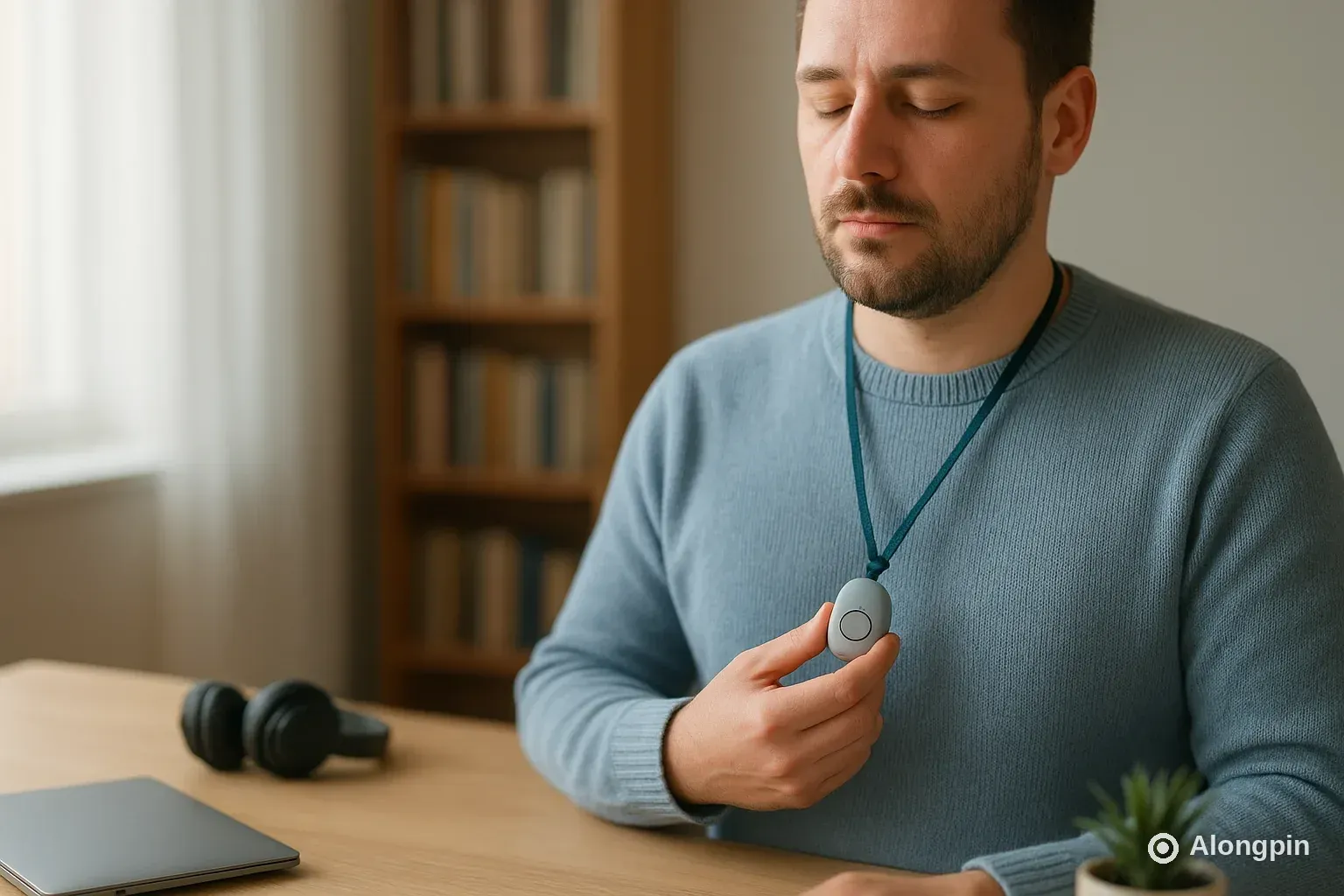
- A personal alarm, a small pendant or keyring with one button, for people who will not wear a watch.
Both carry their own SIM. When you hold the button, the device sends an alarm with its position over the mobile network. The platform raises an SOS alarm and an alert rule passes it to the people you chose. You do not need your phone, a working Wi-Fi connection or a free hand to unlock anything. Some models also report a fall by themselves; many do not, and a fall alert adds to the button rather than replacing it. The watches and personal alarms page lists what each family of devices reports, and setting up a personal alarm with an SOS button goes through the setup step by step.
Indoors, many devices cannot get a GPS fix and report a rougher position from mobile cells or Wi-Fi. At home that matters little: your contact knows where you live. What matters is that the alarm arrives.
Choosing who is alerted and how
The SOS alarm reaches people through an alert rule: under Alerts, a rule with Alarm under When this happens and only SOS ticked under Alarm kinds, so no other alarm sends a message. Under Tell people by, choose channels that reach people when the portal is closed: Email, Text message, Push notification or Telegram, among those your server has switched on. Text messages and Telegram need the administrator to have set them up.
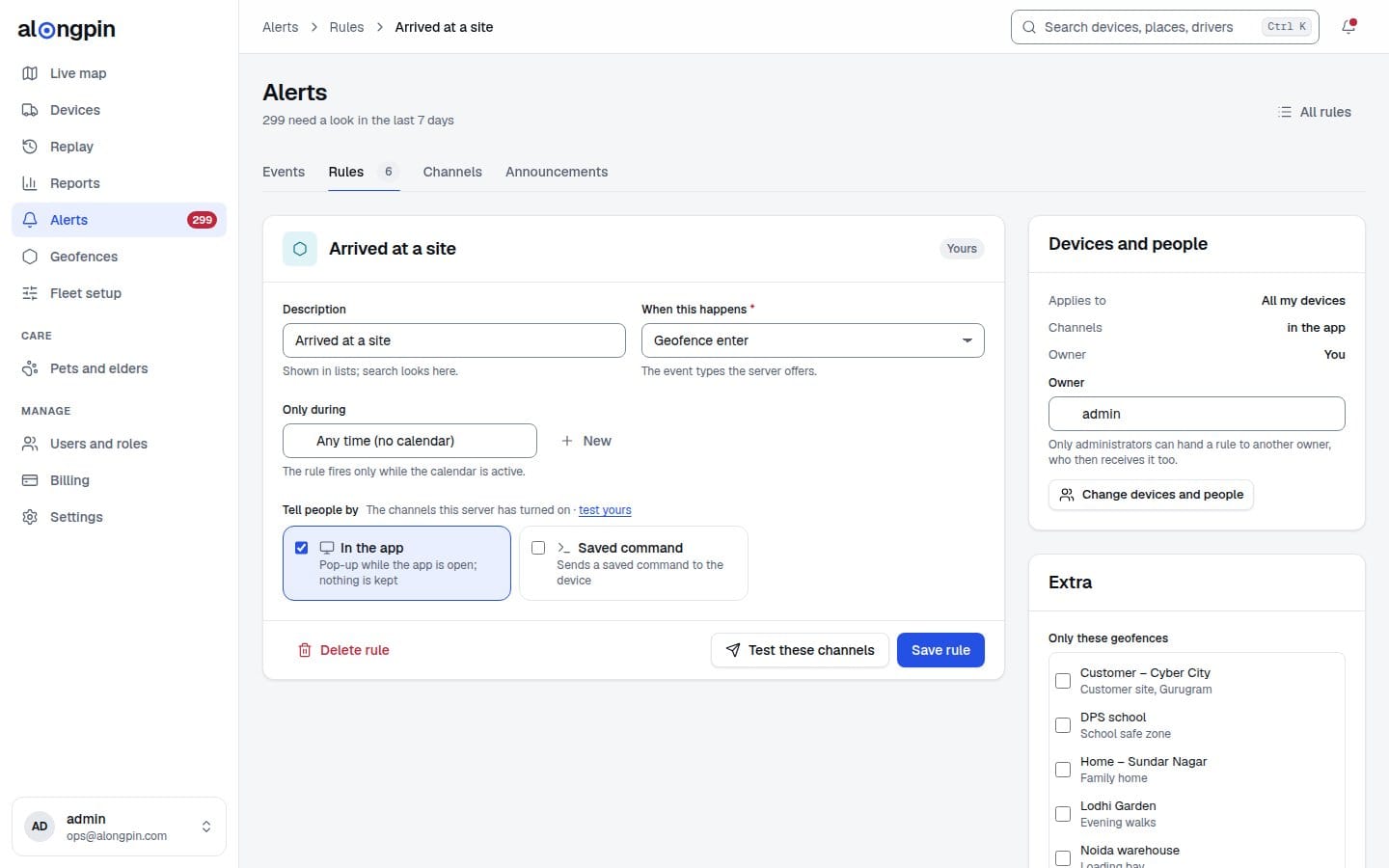
The people who receive it need their own account, with your watch or alarm shared with them, and the rule must reach them. An account that manages other users can add them to the rule under Devices and people; otherwise each person creates the same rule in their own account. If a relative looks after you and you have a health condition, they may prefer a care profile under Pets and elders: its contacts receive SOS alerts by email and text message without an account. Who should receive your SOS alert helps you choose the people, and the SOS page shows the sequence from the button to the person who acknowledges it.
When an SOS arrives, it stands at the top of Alerts for everyone on the rule. The first person who chooses Acknowledge takes it, and the others see who did and when. The event also shows who was notified, on which channel, and whether each message went out. The alerts page covers the rules and channels in more detail.
Ask each person to check their quiet hours under Settings → Your account → Alerts and channels. SOS is let through quiet hours by default; make sure nobody has removed it.
Keeping it charged and worn
An alarm in a drawer or with a flat battery is no alarm. Three habits keep it working:
- Charge it at the same time every day, tied to something you already do: overnight on the bedside table, or while you have lunch if you wear it at night too. Most watches need daily charging; small personal alarms often last longer. Check your model.
- Put it on with your work clothes. If the alarm is part of getting ready for the working day, it is on your wrist or around your neck when you need it.
- Let the platform remind you. A second rule for Low battery under Alarm kinds, where the model reports one, tells you and your contact before it goes flat. An alert for the device going offline tells your contact that silence from the watch means a flat battery or a watch left in a bag, not that all is well.
Test it once a month: press SOS at an announced time and check that each person got the message on the channel you expected. A test press is the only way to know the SIM, the channels and everyone's details still work. With your contact's agreement, use the same press to rehearse the plan: they phone you, you answer, they acknowledge.
Not a substitute for calling emergency services
The platform alerts the people you chose, from the device's own reports. It does not call an ambulance, the police or a monitoring centre, and nobody at Alongpin watches the alerts. If you are able to phone the emergency number, do that first. The SOS button is for the moments when you cannot reach the phone, or need someone to come and help.
A device can only send an alarm when it has charge and a mobile signal. A thick-walled basement or a house at the edge of coverage may delay it. Press SOS once in each room where you spend time, during your test, to see whether it gets through.
The routine on one page
- One person, one fixed check-in time, one message, and a written plan for a missed check-in.
- A watch or personal alarm with an SOS button, worn during working hours.
- An SOS rule that reaches two or three people who are near and will answer.
- A charging habit and a low battery alert.
- A test press once a month.
The personal safety page shows how SOS alerts, safe zones and sharing work for adults and families.
How Alongpin helps
Alongpin (alongpin.com) is a GPS tracking platform you open in a browser or on your phone. A personal tracker, GPS watch or phone shares your position with the people you choose, the SOS button alerts your contacts with where you are, and a share link lets someone follow one journey and then expires. See how it works for personal safety, and check your device in the device check.
Frequently asked questions
Is a phone enough instead of an alarm?
For the check-in, yes. For the SOS, a phone with a tracking app reports only its position; it raises no SOS alarm on the platform, and in a bad moment it may be out of reach. A device with a button is the safer choice for people with a health condition.
Will the alarm work if my Wi-Fi is down?
Yes. The watch or alarm sends over its own SIM and mobile network, not over your home internet.
Can my employer receive the alert?
If your employer runs the account, or your device is shared with someone there who sets up a rule, yes. Agree first who is told, and who acts during working hours.