Kids and family safety
Kids' GPS watch battery: making it last the school day
Why children's GPS watches go flat before home time, and how to fix it: an overnight charging routine, a reporting interval that fits the day, low battery alerts to a parent, and reading 'updated' on the map.
Ashish Srivastava6 min read

Kids GPS watch battery life depends mostly on three things: how often the watch reports its position, how hard it has to search for signal, and how much the child uses it for calls, messages and games. To make a watch last the school day, charge it overnight as part of the bedtime routine, set a reporting interval that fits the day rather than the shortest one possible, and turn on a low battery alert so you hear about it before home time. Then learn to read "updated" on the map, so a grey dot at four o'clock tells you what happened instead of worrying you.
Key takeaways
- Reporting often, weak signal, calls and a bright screen are what drain a watch fastest.
- Charge overnight, every night, with the charger in one fixed place.
- A shorter reporting interval gives a fresher map and a shorter battery life. Pick the interval for the day.
- Add an Alarm rule for Low battery and a rule for a watch that stops reporting.
- The live map shows when the watch last reported. An old time usually means a flat battery or no signal, not a missing child.
What drains a watch fastest
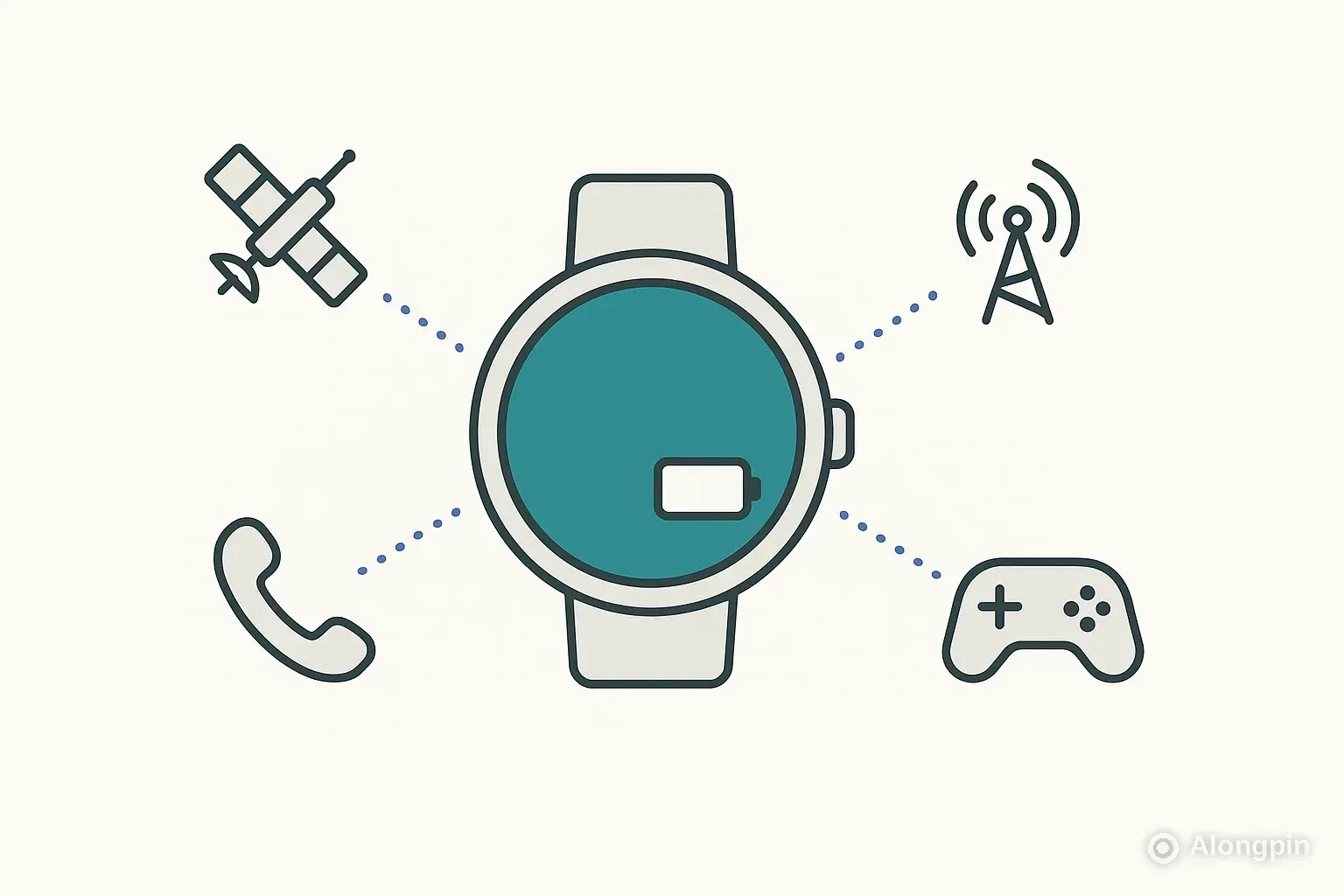
A children's GPS watch is a small phone with a small battery. Several things compete for it:
- Reporting interval. Each report wakes the GPS receiver and the modem. A watch that reports every 30 seconds spends much more than one that reports every 10 minutes.
- Weak signal. Inside a large school building, a basement classroom or a rural area with thin coverage, the modem works harder to stay connected. Watches often drain faster at school than at home for this reason.
- Calls and voice messages. Calls go over the watch's own SIM. A child who rings friends after lunch can empty a battery by mid-afternoon.
- The screen and games. A screen that lights up often, a bright setting or built-in games all cost power.
- Extra sensors. Step counting is usually cheap. Heart rate and other readings, where a watch has them, cost more.
- Age. Batteries lose capacity over a year or two of daily charging. A watch that lasted all day when new may not any more.
The maker's battery figure is a best case with long intervals and good signal. Watch the real battery level for a week to learn what your child's watch does on a school day.
Charging overnight as part of the routine
The simplest fix is a habit. Tie charging to something that already happens every evening:
- Pick one place. A shelf by the toothbrushes or the kitchen counter, with the charger plugged in permanently.
- Make it part of bedtime. Watch comes off, goes on the charger, then teeth and story. Put it on the routine chart if your child uses one.
- Put it back on at breakfast. The watch goes on with the shoes, not when someone remembers.
- Keep a spare charger in a school bag only if the school allows a top-up during the day.
Children who are old enough can own the routine themselves. A watch they charge is a watch they feel responsible for.
Reporting interval: more often costs battery
The reporting interval is how many seconds pass between positions while the watch is awake. Short intervals give a smooth route and a fresh dot on the map. Long intervals let the battery last.
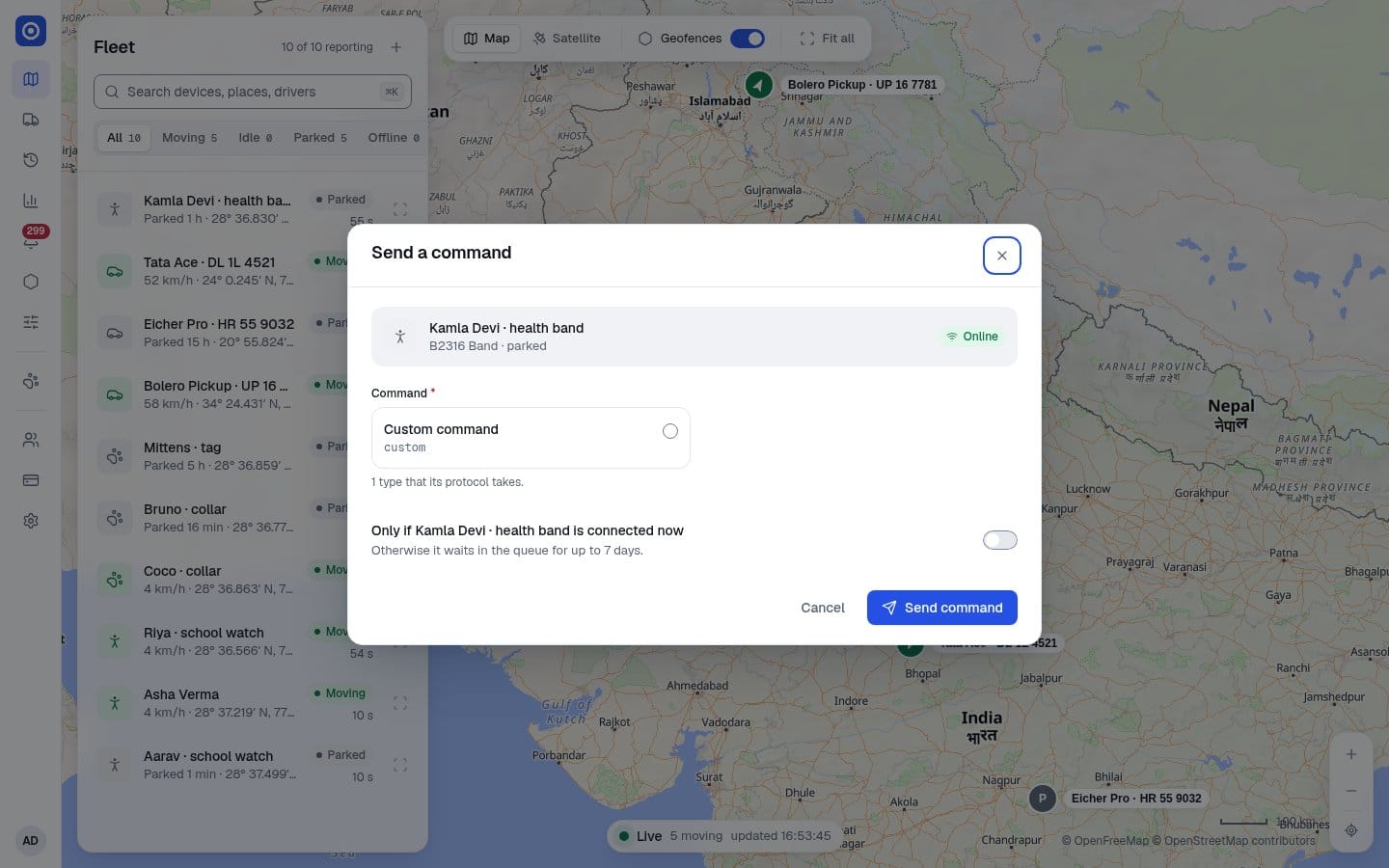
On watches whose protocol takes it, you can change the interval from the portal. Select the watch, choose Send command, then New command and Report periodically, and enter Report every in seconds. If the watch is out of signal, the command waits in the queue and goes out when it reconnects. On other watches, set the interval in the watch's own app or by the text message its manual gives. Changing a watch's settings with remote commands shows the whole dialog.
A sensible approach:
- A normal school day: a moderate interval, such as a few minutes. You still see the way to school and back, and the battery lasts.
- A trip or a walk you want to follow: a shorter interval for those hours, then back to normal.
- A day at home: a longer interval.
Change one thing at a time and watch the battery level for a few days before you change it again. Check the manual for the range the watch accepts. If you need a position right now without changing the interval, Send one position now asks the watch to report at once, on models that support it.
Low battery alerts to a parent
A low battery alert gives you time to act: ring your child, remind them to switch off a game, or plan to collect them from the gate instead of meeting them halfway.
In Alerts, choose New alert rule. Under When this happens choose Alarm, and tick Low battery under Alarm kinds. Pick how you want to hear about it under Tell people by (push to your phone, email, a text message or Telegram, as the service has switched them on), choose Create rule, then pick the watch and the people who should receive it. Both parents, or a grandparent who does the school run, can get the same alert.
The watch decides when its battery counts as low, and not every model reports it. On watches on the watch protocol, the Low-battery alarm on or off command switches the watch's own alarm, so check that it is on.
Add a second rule for a watch that stops reporting: Status unknown or Device offline under When this happens. It catches the watch that went flat anyway, or the one left in a locker without signal. Getting an alert when a device stops reporting explains the difference between the two. The alerts page covers rules and channels in general.
Reading "updated" on the map
On the live map, select the watch. Its details show its battery, where the watch reports it, and updated with how long ago the last report came, for example "updated 3 min ago". The list on the map also sorts devices into Moving, Idle, Parked, Offline and Unknown.
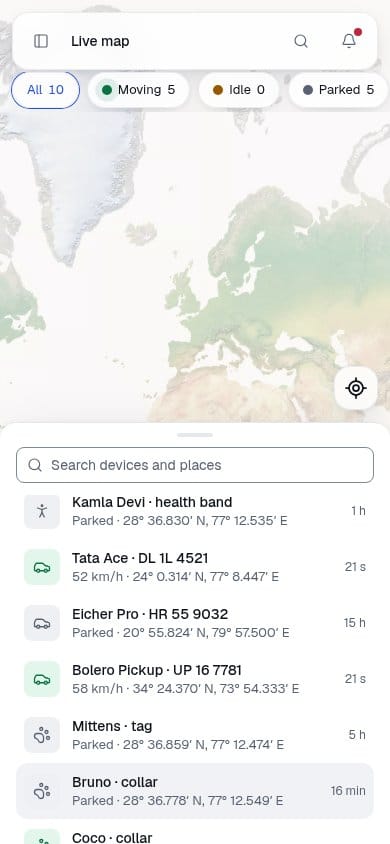
What the time tells you:
- A few minutes ago is normal. The watch reports at its interval, and a still child at a desk produces few changes.
- Unknown means the watch has not reported for a while, ten minutes in a standard setup. It may be in a building with poor signal, or switched off.
- Offline means the watch's connection has dropped. Combined with a low battery a little earlier, it almost always means a flat battery.
The dot stays where the last position was. So a grey dot at the school at four o'clock means "the watch last reported from school", not "the child is still at school". Look at the battery level and the time before you worry, then ring the school or your child's friend's parent as you would without a watch.
Common mistakes
- Setting the shortest interval "to be safe". It often makes the watch go flat before home time, which is less safe.
- Charging only when the battery icon is red. A routine beats a reminder.
- Leaving low battery alerts off. They are only sent when you create the rule.
- Ignoring signal at school. If the watch drains fast only on school days, the building may be the cause. A longer interval during lessons helps.
- Keeping an old watch going. If a full charge no longer lasts a school day with sensible settings, the battery is tired.
What a good week looks like
The watch goes on the charger at bedtime every night, the low battery alert is rare, and the map shows a recent "updated" time at home time. When the alert does come, it leads to a short phone call rather than a panic. The watches page shows what different watches report, and the personal safety page how families combine watches, zones and alerts.
How Alongpin helps
Alongpin (alongpin.com) is a GPS tracking platform you open in a browser or on your phone. A child's GPS watch or a teenager's phone shows on your family's map, geofences around home and school tell you about arrivals, and the SOS button reaches the people you choose. See how it works for family safety, check a watch in the device check, and read how Alongpin treats privacy.
Frequently asked questions
How long should a kids GPS watch battery last?
It depends on the model, the reporting interval, the signal and how much the child calls and plays. Measure it for a week on normal school days and plan charging around what you see.
Does quiet mode during school hours save battery?
Quiet hours stop the watch ringing and buzzing in class. Whether it saves much power depends on the model; the reporting interval usually matters more.
Why does the watch show a position that is hours old?
Because it has not reported since. The usual reasons are a flat battery, the watch switched off, or no signal. Check the battery level in its details and when it was updated.