Fleet management
Fleet tracking in India: devices, SIMs and payment options
GT06-type trackers, data SIMs with the right APN, Razorpay and GST on the invoice: a practical guide for Indian transporters choosing a fleet tracking platform, and how to try one on a single vehicle.
Ashish Srivastava6 min read

Fleet tracking in India usually comes down to three practical choices: which tracker goes in the truck, which SIM carries its data, and how you pay for the platform. Most transporters fit GT06-type wired trackers, put a data SIM in each one, and want live position, trips and zones before anything else. Alongpin decodes the GT06 protocol and many others, takes payment through Razorpay where the operator has switched it on, and shows GST on the invoice. This guide walks through each choice and ends with how to try it on one vehicle.
Key takeaways
- GT06-type trackers (Concox and the many look-alikes) are widely fitted on Indian trucks and vans; check your model in the device check before buying more.
- Each tracker needs a SIM with a data plan and the right APN, and the network the tracker uses must still be served where your vehicles run.
- Start with live position, trips and zones at depots and customers; add alerts and reports once the data looks right.
- Pay by Razorpay, card, PayPal or bank transfer, depending on what your installation has switched on; GST is worked out from your billing details.
- Regulatory requirements for your vehicle category are a separate question. Check them yourself.
The trackers commonly fitted, and the protocols they speak
A vehicle tracker sends its position in its own language, called a protocol. A platform can show a tracker only if it decodes that protocol. On Indian commercial vehicles a widely used family is the GT06 protocol: small wired trackers from Concox and from many other makers who use the same format under their own model names. They report position, speed, ignition and alarms such as a power cut, and many of them have a relay output that can be wired to stop the engine.
GT06 is not the only option. Dashcams often speak JT808, some importers sell Teltonika units, and older fleets may have trackers from a local supplier whose manual names a protocol you have never heard of. Alongpin decodes more than 200 device protocols, so trackers you already own may well work. The device check matches a model, maker or protocol name against that list. A match means the protocol is decoded; it does not confirm every model in the family, so test one unit before you order fifty.
The vehicle trackers page lists what such a tracker reports and what depends on the model: fuel, harsh braking and driver identification all need hardware that measures them.
SIM and APN basics for a tracker
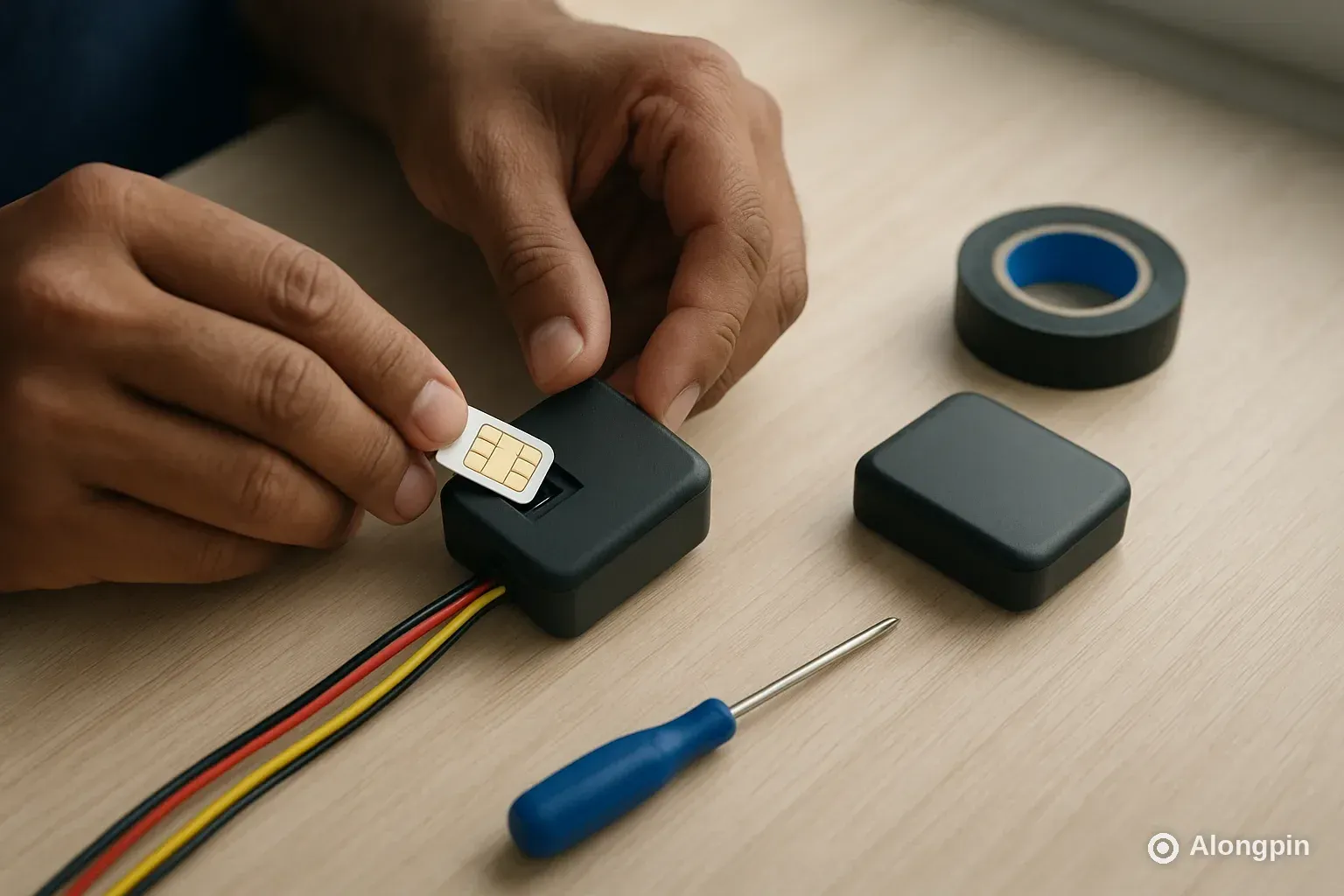
Every tracker carries its own SIM. It needs very little data, but it needs the right settings:
- A data plan. Messages are small, but a truck that reports every 30 seconds all day sends a lot of them. Pick a plan sized for a month of reports, and watch the first bill.
- The APN. The access point name tells the tracker how to reach the internet through that operator. The operator publishes it; M2M SIMs often have their own.
- Coverage on your routes. A tracker on a highway through a hilly district reports only where its network does. Without coverage most trackers store positions and send them later.
- The network generation. Many low-cost trackers use only 2G. Check that the operator of your SIM still serves the network your tracker uses on your routes, or choose a 4G model.
- SMS for setup. GT06-type trackers are usually set up by text message, so the SIM should accept SMS even if you never use it afterwards.
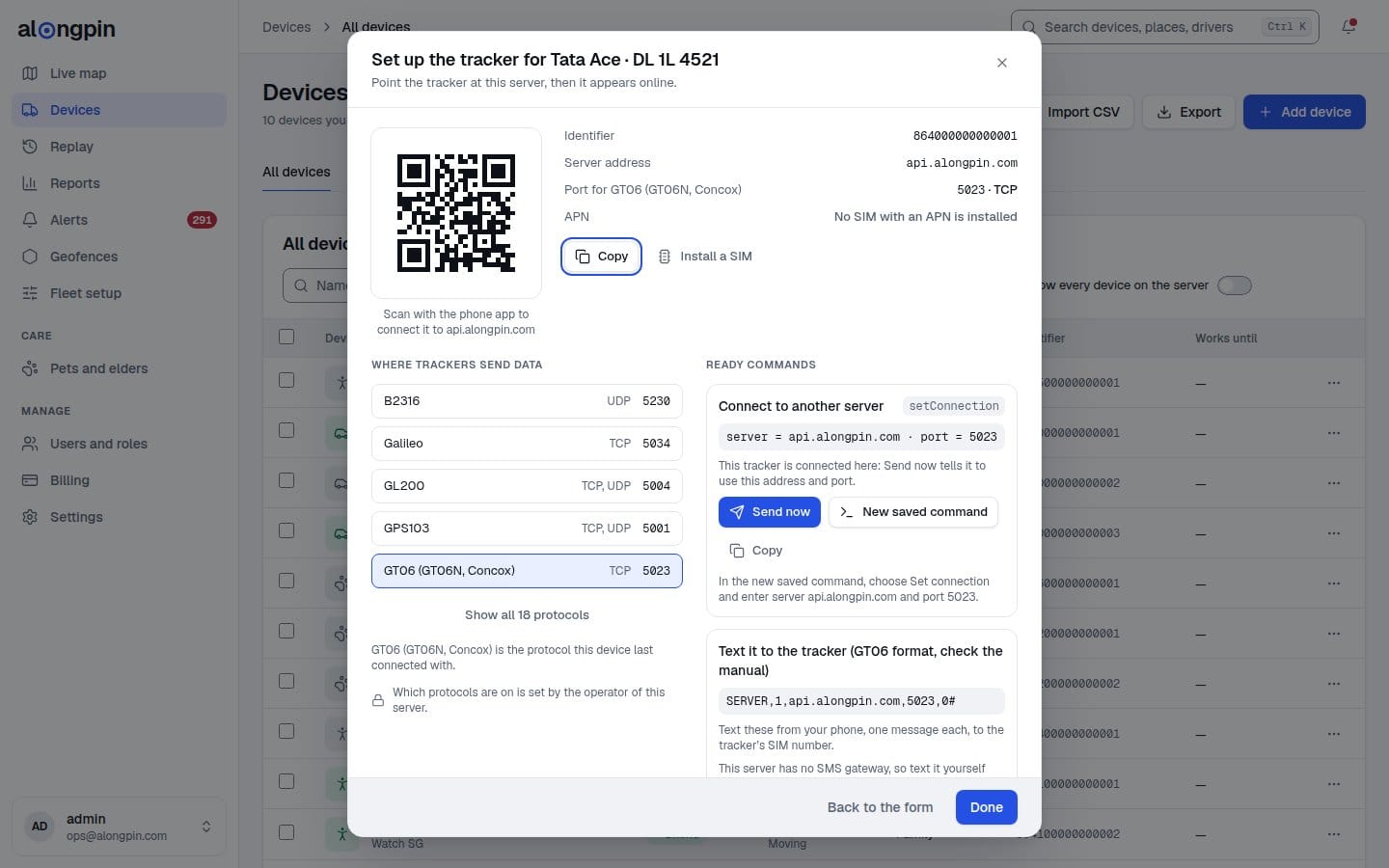
In the portal, SIM cards keeps a list of your SIMs and their providers, with the APN of each provider. When you open Set up the tracker for a device, it shows the server address and port to use, and for GT06-type trackers the text messages to send in that format, with the APN first when the SIM's provider names one. In a standard setup the GT06 port is 5023; use the one Set up the tracker shows, because your installation may differ. The setup guide on connecting a GT06-type wired tracker goes through it step by step.
What transporters usually want first
Ask a transporter what tracking should do and the answers are short: where is the truck now, did it reach the customer, and how long did it stand there. Those three map directly to three parts of the platform.
Live position
The live map shows every vehicle with its state: Moving, Idle (engine on, standing), Parked, Offline, or Unknown when it has not reported for a while. Dispatchers stop phoning drivers to ask where they are.
Trips and stops
Each day is split into trips and stops, with start and end times, distance, driving time and idle time. The replay shows the route with the events along it, which settles most "the truck never came" arguments.
Zones at depots and customers
Draw a geofence around a depot, a loading yard or a customer's gate, and the platform records when each vehicle enters and leaves. The Stays report adds up time inside each zone, which is how waiting time at loading bays becomes visible.
The fleet solution page shows how these fit together, with alerts and scheduled reports on top.
Paying by Razorpay, and GST on the invoice
Billing in Alongpin is per package: a price per device or one price for the whole account, as the pricing page shows. Which payment methods you can use depends on what the operator of your installation has switched on: Razorpay, card through Stripe, PayPal, or invoice and bank transfer. Razorpay is the one built for customers in India; you pay on Razorpay's own checkout page.
When you subscribe, the checkout asks for your Billing details: name, company, address, country and GST number. Every invoice from then on is made out to those details. Tax is applied by the country in your billing details and shown before you confirm, and invoices download as PDF for your accounts. The help article on payment methods covers what each method does at renewal.
Check your own regulatory requirements separately
Some vehicle categories in India have their own rules about tracking devices, for example rules such as AIS-140 for certain public service and commercial vehicles, which can require a type-approved device and a connection to a government system. That is a separate requirement from running your own fleet tracking. Alongpin makes no claim to meet it. Ask your transport authority, your RTO or your device supplier what applies to your vehicles, and keep any device the rules require.
The same applies to tracking your drivers: tell them what is recorded and why, and decide who may see it.
Trying the platform with one vehicle
The cheapest way to find out whether fleet tracking works for you is one vehicle and one week:
- Check the tracker in the device check, or buy one GT06-type unit from a supplier you trust.
- Fit it with a data SIM, wired to permanent power and ignition.
- Sign up, add the device by its IMEI and follow Set up the tracker.
- Watch it come online, then draw two zones: your depot and one regular customer.
- After a week, look at the trips and the Stays report and ask whether they answer your questions.
Where a package has a free trial, the pricing page shows it and no card is needed to start.
How Alongpin helps
Alongpin (alongpin.com) is a GPS tracking platform you open in a browser or on your phone. Your trackers, in the vans, trucks and cars you already run, show on one live map with trips, stops, idle time and alerts; reports and scheduled reports answer the questions this article raises, and users and roles let each depot see its own vehicles. Check your trackers in the device check, read how it works for fleets, and start on the pricing page.
Frequently asked questions
Which GPS tracking software works with GT06 trackers in India?
Any platform that decodes the GT06 protocol. Alongpin does; enter your model in the device check to confirm, then test one unit.
Do I need a special SIM for a vehicle tracker?
No special SIM, but a data plan, the operator's APN, SMS for setup, and coverage for the network type your tracker uses.
Can I pay in rupees with GST on the invoice?
The currency is set per package by the operator. GST is applied from the country in your billing details and shown on the invoice before you confirm.