Billing and account
Staying signed in, signing out and ending sessions
How long a portal session lasts, what Keep me signed in does, what Sign out ends and what it leaves, how to sign a phone out of your account, and why you were sent back to the sign-in page.
Ashish Srivastava3 min read
To stay signed in to the tracking portal, tick Keep me signed in on this device on the sign-in page: your session then lasts 14 days without use and renews itself while you use the portal. Leave it unticked on a shared computer, and you are signed out when the browser closes. Whichever you choose, a session ends 30 days after you signed in, and Sign out in the account menu ends it at once. These are the standard lifetimes; the operator of your server can set others.
Key takeaways
- Keep me signed in: on for your own computer, off for a shared one.
- Sessions renew while you use them and end 30 days after signing in.
- Sign out ends the session in this browser everywhere in the service; your other browsers and phones keep theirs.
- Phones signed in to your account are listed in the mobile app, where you can sign one out.
How long a session lasts
| On the sign-in page | Without use | While you use it | At the latest |
|---|---|---|---|
| Keep me signed in unticked | Ends when the browser closes, or after a day | Renews itself | 30 days after you signed in |
| Keep me signed in ticked | Ends after 14 days | Renews itself | 30 days after you signed in |
A session is the sign-in of one browser or one app. Each computer and phone you use has its own, so signing in on a new phone does not end the session on your laptop.
When to leave Keep me signed in off
The box reads "Stays signed in while you use it. Unticked, you're signed out when the browser closes: best on a shared computer." Leave it off on a depot computer, a family laptop or any machine someone else uses after you, and sign out when you finish. On your own computer, ticking it saves you signing in every morning.
What Sign out does
Open the account menu (your name, at the bottom of the menu on a computer) and choose Sign out. It ends this browser's session at once, in every part of the service: the map, live updates, reports and alerts all stop for it within moments.
It does not sign you out of your other browsers or of the mobile app; each of those ends on its own, or by signing it out as below. Changing your password does not end other sessions either. If you think someone else is using your account, change your password, sign out the phones you do not recognise, and tell your administrator at once. The security overview explains how sessions and sign-ins are protected.
Signing one phone out
The mobile app lists the phones signed in to your account under More → Account → Signed-in phones, with when each was signed in and last used. Tap another phone to sign it out, or use Sign out all other phones; that phone has to sign in again. Browsers signed in to the web portal are not on that list; they sign out on the web.
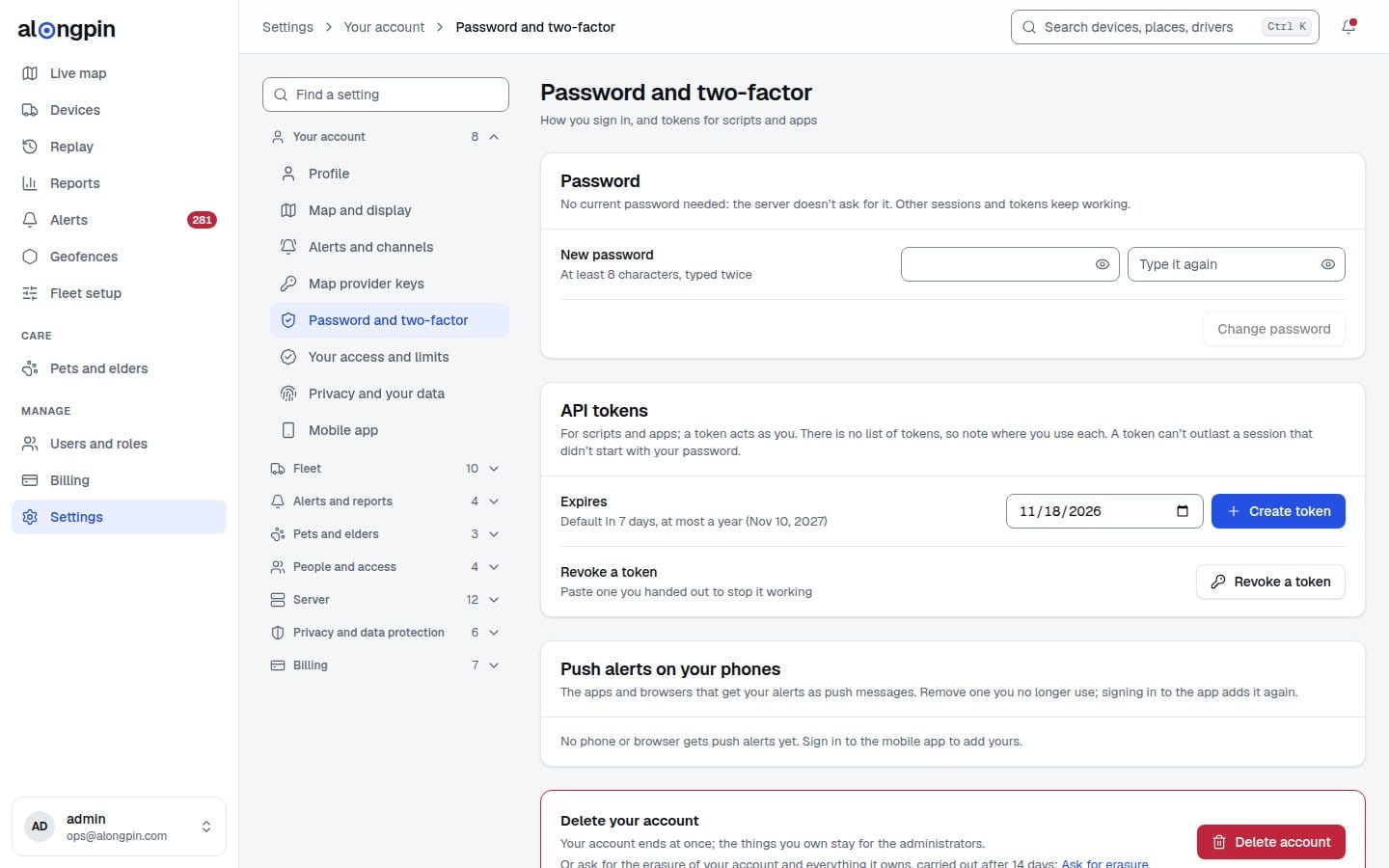
In the portal, Settings → Your account → Password and two-factor lists, under Push alerts on your phones, the apps and browsers that get your alerts as push messages. Remove stops push alerts to that app; it does not sign the app out.
Why you were sent back to the sign-in page
When a session ends while the portal is open, a message says why. What you were doing is not saved.
| Message | What happened | What to do |
|---|---|---|
| Your session expired | It went unused for too long, or reached 30 days since you signed in | Sign in again |
| Your session was revoked | Someone ended this session or the token it used, for example by signing out somewhere else with it | Sign in again; if it was not you, tell your administrator |
| Your account is no longer active | The account was disabled, expired or deleted | Ask your administrator |
| Your subscription has ended | The account's subscription ran out | Use Sign in to billing to renew it |
| Please sign in again | The session ended for another reason | Sign in again |
If a menu item disappeared rather than the whole session, that is your role, not your session: users and roles explains what each person may see.
Frequently asked questions
Does the mobile app sign me out after 30 days too?
Not in the same way. The app keeps its own sign-in, which renews while you use it. It ends when you sign out in the app or from another phone, when your account is disabled, or after a long time without use.
I was signed out in the middle of the day. Why?
Most often the browser was closed with Keep me signed in unticked, or someone revoked the session. The message on the screen names the reason.
Where can I read more?
The help center has more articles on signing in, passwords and two-factor login.