Billing and account
Resetting a forgotten password
How to ask for a password reset email from the sign-in page, set a new password from its link, and what to do when the email does not arrive or your organisation signs you in with single sign-on.
Ashish Srivastava3 min read

To reset your GPS tracking password, select Forgot password? on the sign-in page, enter the email you sign in with and select Send reset link. Open the link in the email, type your new password twice and select Save new password, then sign in with it. The link works once, for a limited time.
Key takeaways
- The reset page always says a link is on its way, whether or not the address has an account, so check the address you typed.
- Use the newest email; each link works once and for a short time.
- If your company signs you in with its own account, reset the password with your company, not here.
- If no email comes, your manager or administrator can send you a link or set a new password.
Ask for the reset email
- On the sign-in page, select Forgot password? under the password field.
- On Reset your password, enter the email you sign in with (not a login name) and select Send reset link.
- The page says "If an account uses …, a link is on its way." It says this for every address, so that nobody can find out who has an account.
Set a new password from the link
- Open the email and select the link in it. It opens Choose a new password and names the account the link is for (part of the email address) and when the link stops working.
- Type the new password twice. It needs at least 8 characters unless your server asks for more.
- Select Save new password. The page says "Password saved. You are not signed in yet."
- Select Go to sign in and sign in with the new password.
A link works only once, and only for a limited time: an hour in a standard setup. If the page says the link has expired, was already used or "This is not a password reset link", ask for a new email. Setting a new password also lifts a lock after too many wrong passwords.
The email does not arrive
- Check the address. Use the email your account signs in with; an old or work address that is not on the account gets nothing.
- Look in the spam folder, and wait a few minutes before asking again. Only the newest link counts once you use it.
- The page says "This server can't send email". Your server is not set up to send mail, so a password can't be reset by email there. Ask your administrator to set a new password for you.
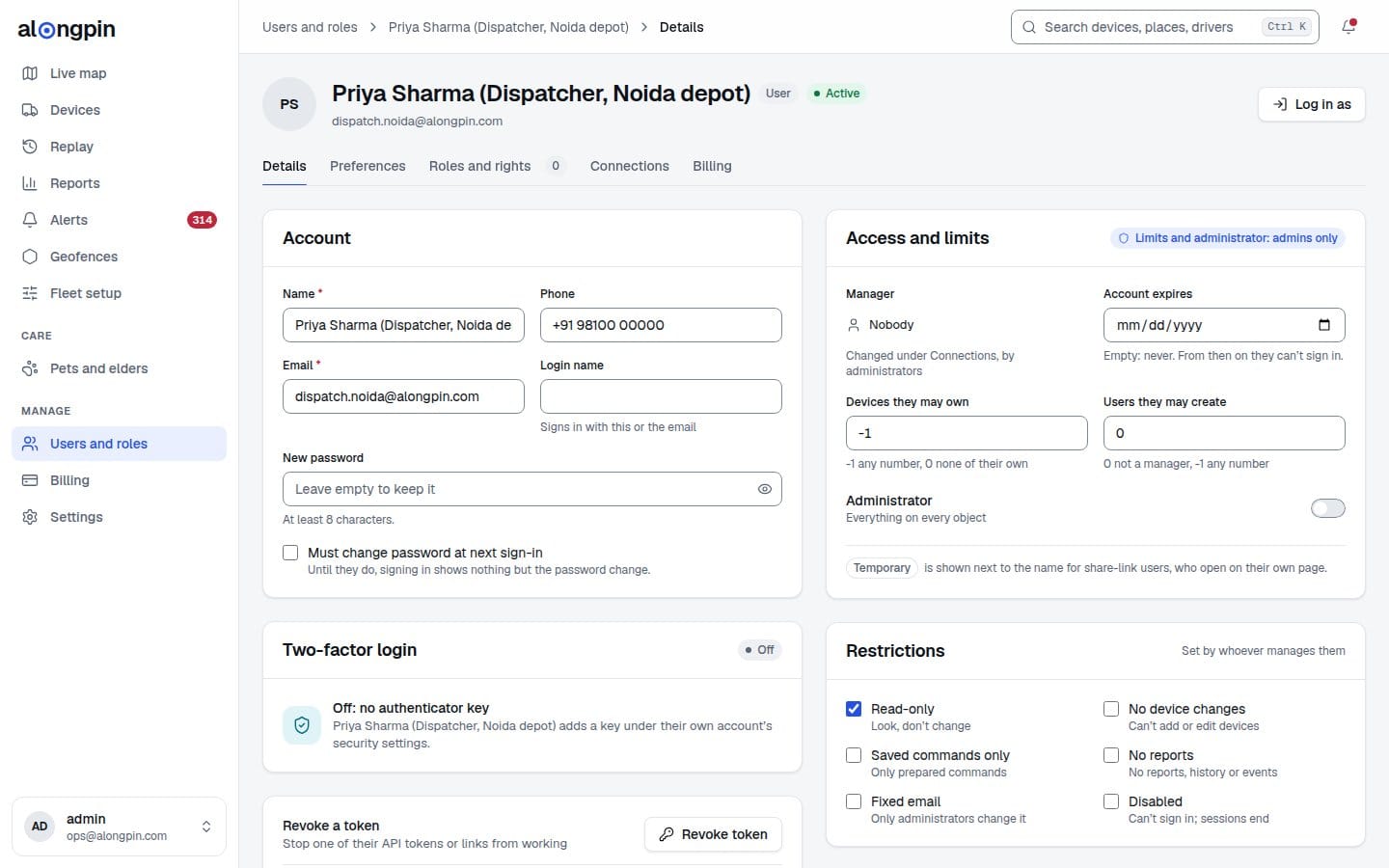
- Still nothing. Disabled and expired accounts get no email. Ask your manager or administrator: on your user page they can send you a reset link or set a new password. If you do not know who manages your account, contact us and we will point you in the right direction.
When your company signs you in
Some organisations sign their people in with their own company account (single sign-on). The sign-in page then shows a button for it, or says that it "signs you in with your company account". Your password belongs to your organisation in that case: reset it the way your company's IT team tells you to. Resetting a password here does not change it.
A password set by your manager
When a manager or administrator creates your account or sets a password for you, the portal asks you to choose your own right after you sign in. The page Choose a new password says: "Your password was set by someone else … Choose your own before you go on." Type it twice and save; nothing else opens until you do.
Changing your password while signed in
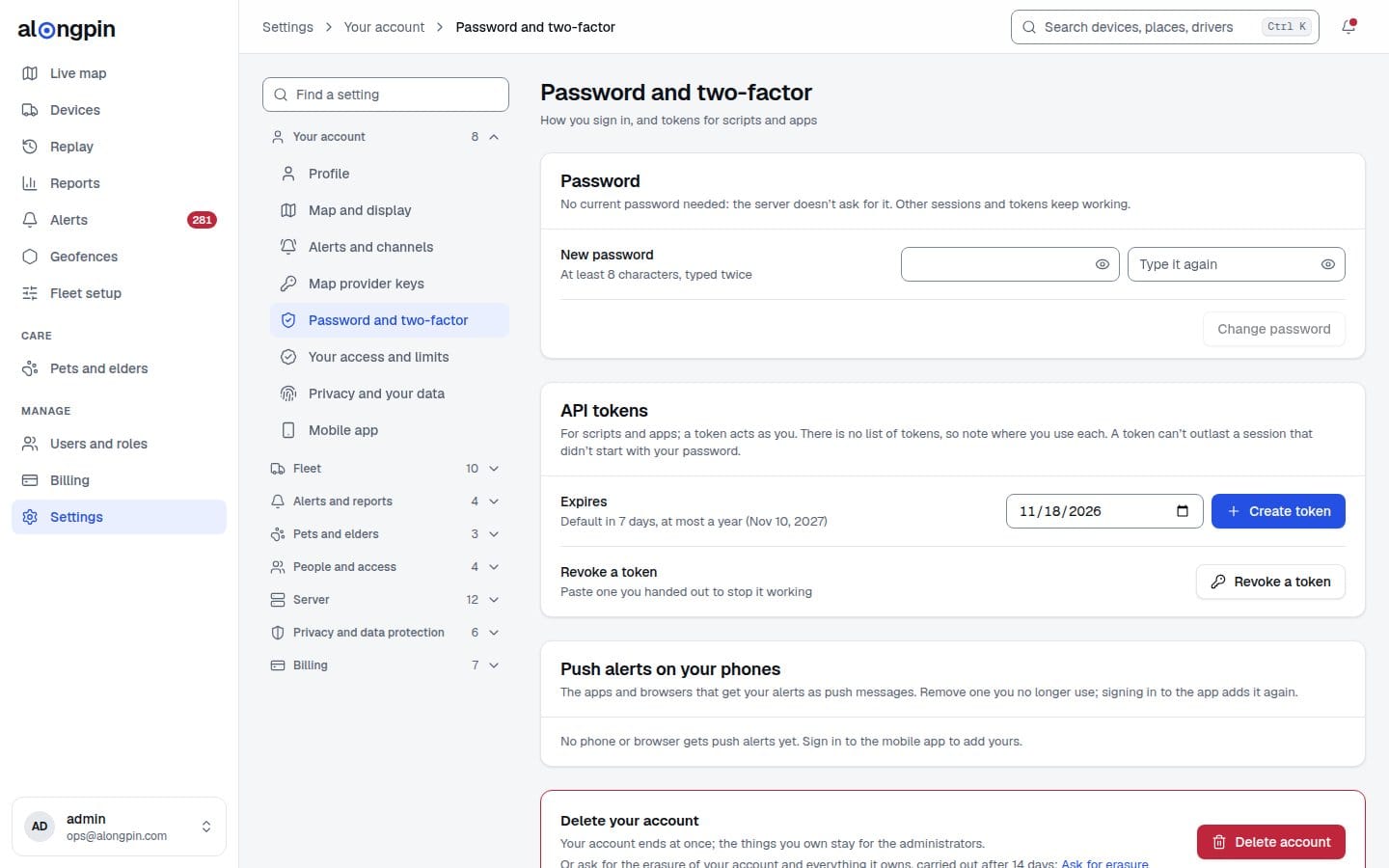
You do not need a reset email if you are signed in. Open Settings → Your account → Password and two-factor, type the New password and Type it again, and select Change password. Your other sessions keep working after the change. The security overview explains how passwords and sign-ins are protected.
Frequently asked questions
I typed my password wrong several times and now the account is locked. Will a reset help?
Yes. Setting a new password from a reset link ends the lock straight away.
Does resetting my password sign me out of the app on my phone?
No. Sessions you already have keep working after a password change.
Where are more answers about signing in?
In the help center, under Billing and account.