Care profiles and health
Setting up the inactivity alert for an elder
How to have an alert raised when an elder’s watch or tracker reports no movement for the time you choose, during the daily hours you choose, and what that alert can and cannot tell you.
Ashish Srivastava4 min read
An inactivity alert for an elderly relative is raised when their watch or tracker reports no movement and no new steps for the number of minutes you choose, within the daily hours you choose. You set it per profile: open the elder's profile under Pets and elders, choose Alert settings, and fill in No movement: Alert after a number of minutes, and optionally Only between two times. Save, and from then on a long still stretch raises a No movement care alert to everyone who gets the profile's alerts.
Key takeaways
- The alert needs a tracker linked to the profile that keeps reporting; a silent tracker raises no inactivity alert.
- Choose 1 to 10,080 minutes (a week). Empty or 0 switches the watch off.
- Monitoring hours are optional and may span midnight, such as 22:00 to 06:00; without them it is watched around the clock.
- The alert says the watch did not move. It can't tell whether the person is unwell or simply took the watch off.
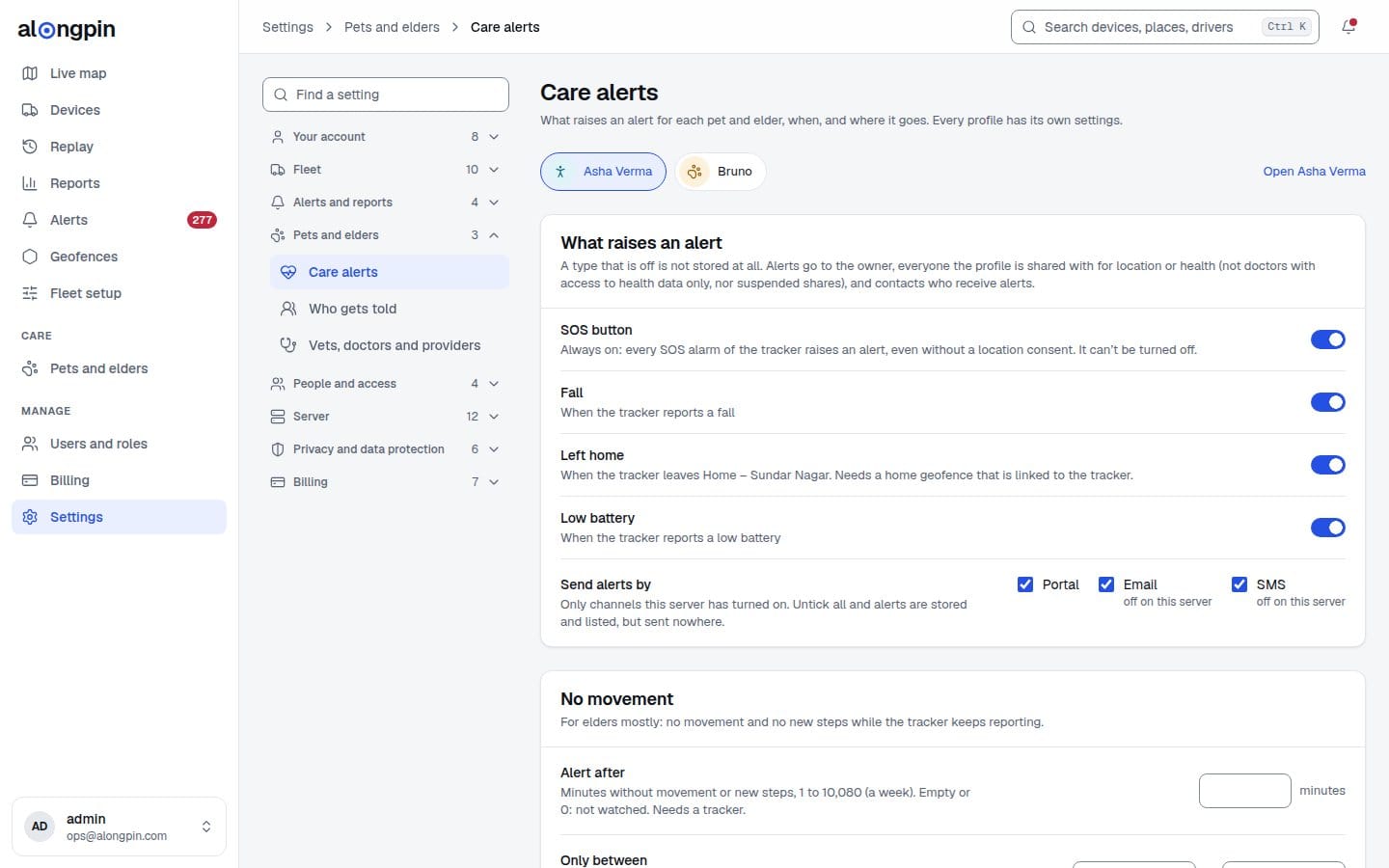
Setting the minutes and the hours
- Open Pets and elders, select the elder's profile and choose Alert settings. The same page is under Settings → Pets and elders → Care alerts, with a profile picker.
- Under No movement, type the minutes in Alert after. Think about a normal day: an afternoon nap or a long film should not set it off, so a few hours is a common starting point during the day.
- If it should only be watched at certain times, give both times under Only between, From and To. Give both or neither. A window such as 08:00 to 21:00 watches the waking day; leave both empty to watch around the clock.
- Check the Time zone. Monitoring hours follow the profile's time zone, not yours, which matters when you live in another country than your parent.
- Under Send alerts by, tick the channels the alert should go out on, then save.
Inactivity counts from the later of the last movement and the start of today's monitoring hours. If your father is still at 07:30 and the window opens at 08:00 with 180 minutes, the alert can come at 11:00 at the earliest, not at 10:30. Outside the window nothing is raised. Each still stretch raises one alert; moving again re-arms it.
What it needs
- A tracker linked to the profile. The option is disabled until the profile has one. Watches suit it best: they report steps as well as motion, and new steps count as movement.
- A tracker that keeps reporting. If the watch goes silent for longer than the care service's limit (two hours in a standard setup), no inactivity alert is raised. A silent tracker is a job for an offline alert rule under Alerts, so add one as well.
- A location consent, where consents are required. Without an active location consent the watch stores no positions, and no movement, leaving home and low battery raise no alert. SOS and falls still do.
The settings page shows how often inactivity is checked and how long a tracker may be silent on your server, so an alert can come up to that interval late.
What the alert can and cannot tell you
A no-movement alert means the watch reported no motion and no new steps for that long. A watch on the bedside table, in a drawer or on the charger looks exactly like a person who has not moved. That makes the first useful step a phone call, not alarm. If it happens often, talk with your relative about when the watch comes off, and shape the monitoring hours around their day.
It is not a medical alarm and it does not detect a fall; falls and the SOS button are separate care alerts that the watch itself reports, if the model supports them. The watches page lists what to look for in a device.
Who is told, and acknowledging
The alert goes out on the ticked channels to the profile's owner, to people it is shared with for everything or for location (not doctors with health-data-only access), and to contacts marked to receive alerts, by email or SMS. The Who gets list on the same page shows exactly whom it reaches. Channels the server has not turned on, such as SMS without a gateway, can't be ticked.
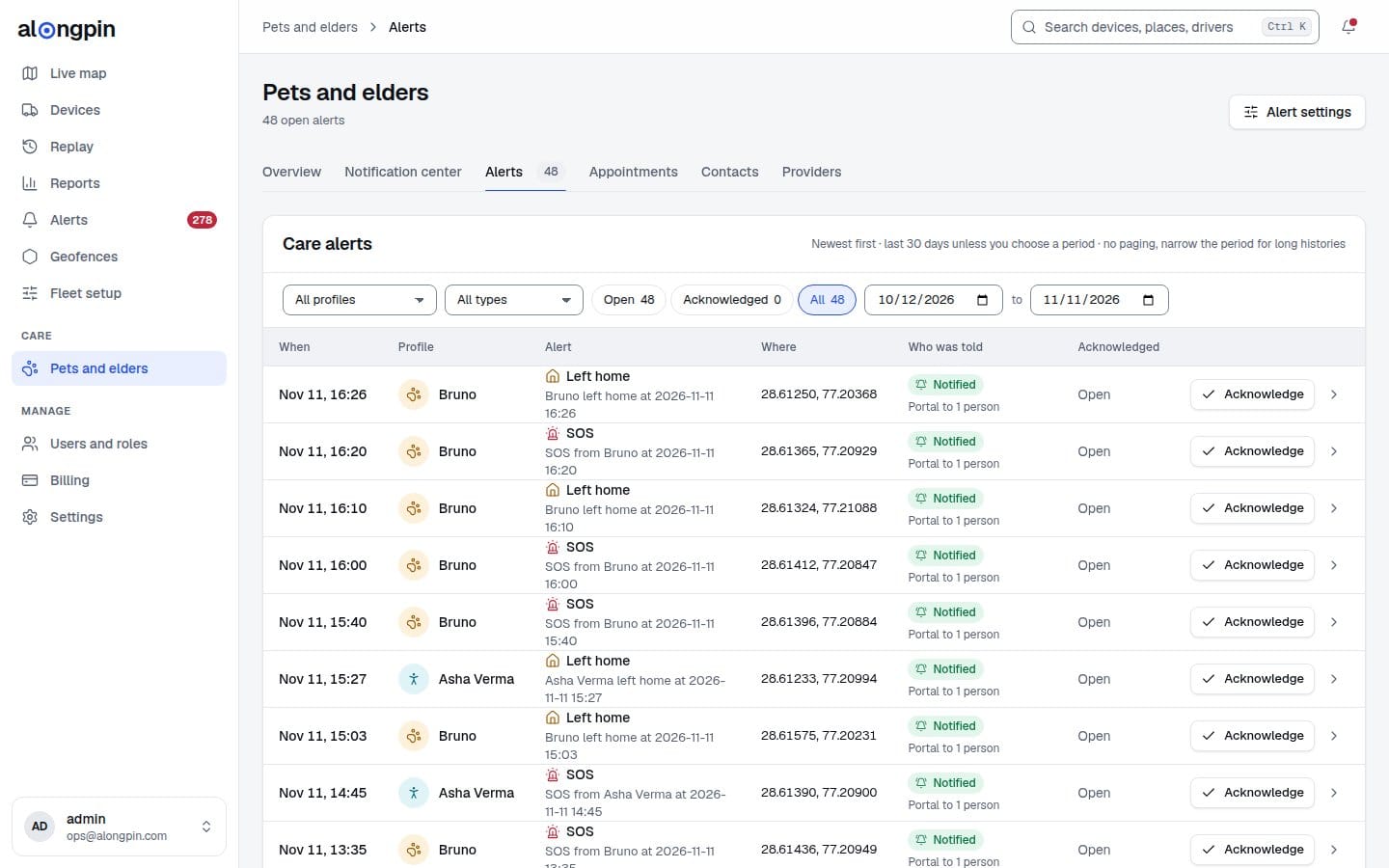
Open alerts are listed under Pets and elders → Alerts. Open one to see the profile's emergency notes and contacts, and choose Acknowledge once someone has checked. Acknowledging records who and when so the others can see it was handled; it tells no one and doesn't stop later alerts.
More about profiles, sharing and alerts is on the care profiles page, and elder care shows how families divide the work.
Frequently asked questions
Does the no-movement alert work with a pet collar?
It is meant for elders mostly, but it is a setting of any profile with a tracker.
Why did no alert come although the watch was still all day?
Check that the watch kept reporting (a silent watch raises none), that the still stretch fell inside the monitoring hours, and that a location consent is active where your server requires one.