Live map and trips
Why a vehicle shows idle or parked
What moving, idle, parked, offline and unknown mean on the live map, and why a vehicle with its engine running can still show parked: idle needs a tracker that reports the ignition.
Ashish Srivastava3 min read

Idle vs parked in vehicle tracking comes down to the ignition. A vehicle shows Idle when it stands still with the engine on, and Parked when it stands still with the ignition off, or when its tracker does not report the ignition at all. So a van waiting with its engine running shows parked if its tracker has no ignition signal: the platform cannot tell the engine is on.
Key takeaways
- Five states: moving, idle, parked, offline and unknown.
- Idle needs a tracker that reports the ignition, usually through its ignition wire.
- The device panel shows Ignition: Not fitted when the tracker sends no ignition data.
- Offline and unknown devices keep their last known position on the map.
The states, one line each
| State | What it means |
|---|---|
| Moving | Connected and moving. The map shows the speed. |
| Idle | Connected, standing still, ignition on. Shown as "Idling 6 min". |
| Parked | Connected, standing still, ignition off or not reported. Shown as "Parked 2 d". |
| Offline | The tracker closed its connection. Shown as "Offline 8 min", counted from its last update. |
| Unknown | Nothing has arrived for a while (10 minutes in a standard setup), or nothing is known yet. |
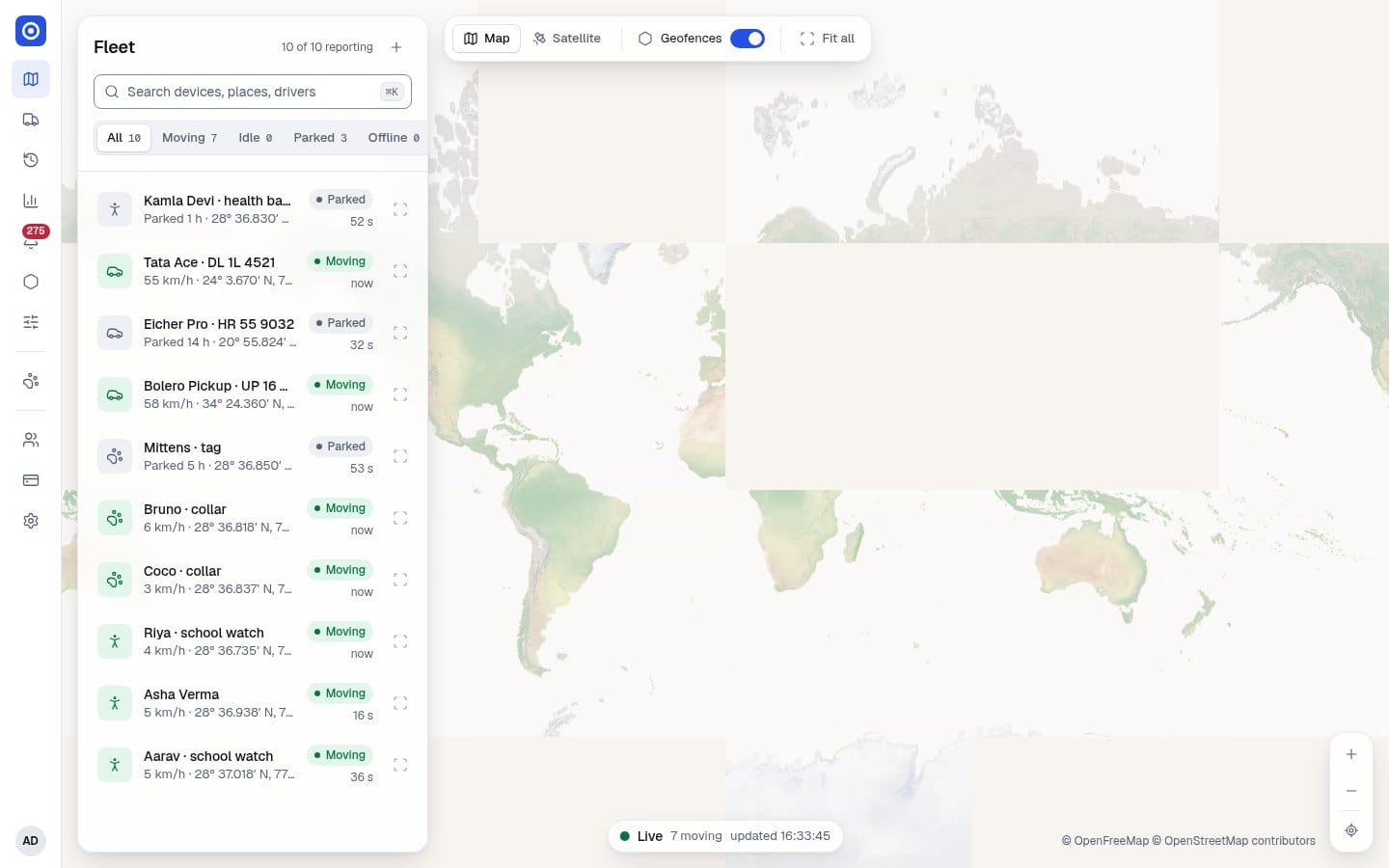
The status chips above the device list on the live map filter by state, with a count on each.
Idle is standing with the engine on
A vehicle is idle when the tracker says it is not moving and reports the ignition as on. Typical cases are a driver waiting at a customer with the engine running to keep the cab warm, a refrigerated van at a loading bay, or a truck queuing at a gate. Idling costs fuel and wears the engine, which is why it shows up in driver behaviour and in the idle report: a span is listed when a vehicle stood with the engine on for at least its idle threshold, one minute unless it is set otherwise for the device, its group or the server.
Without ignition data, a standing vehicle shows parked
The platform only knows the engine is on when the tracker says so. Most hard-wired vehicle trackers report the ignition through a wire connected to the vehicle's ignition circuit. If that wire is not connected, or the device is a phone, a portable tracker or a watch, there is no ignition value, and every standing vehicle shows Parked, engine on or not.
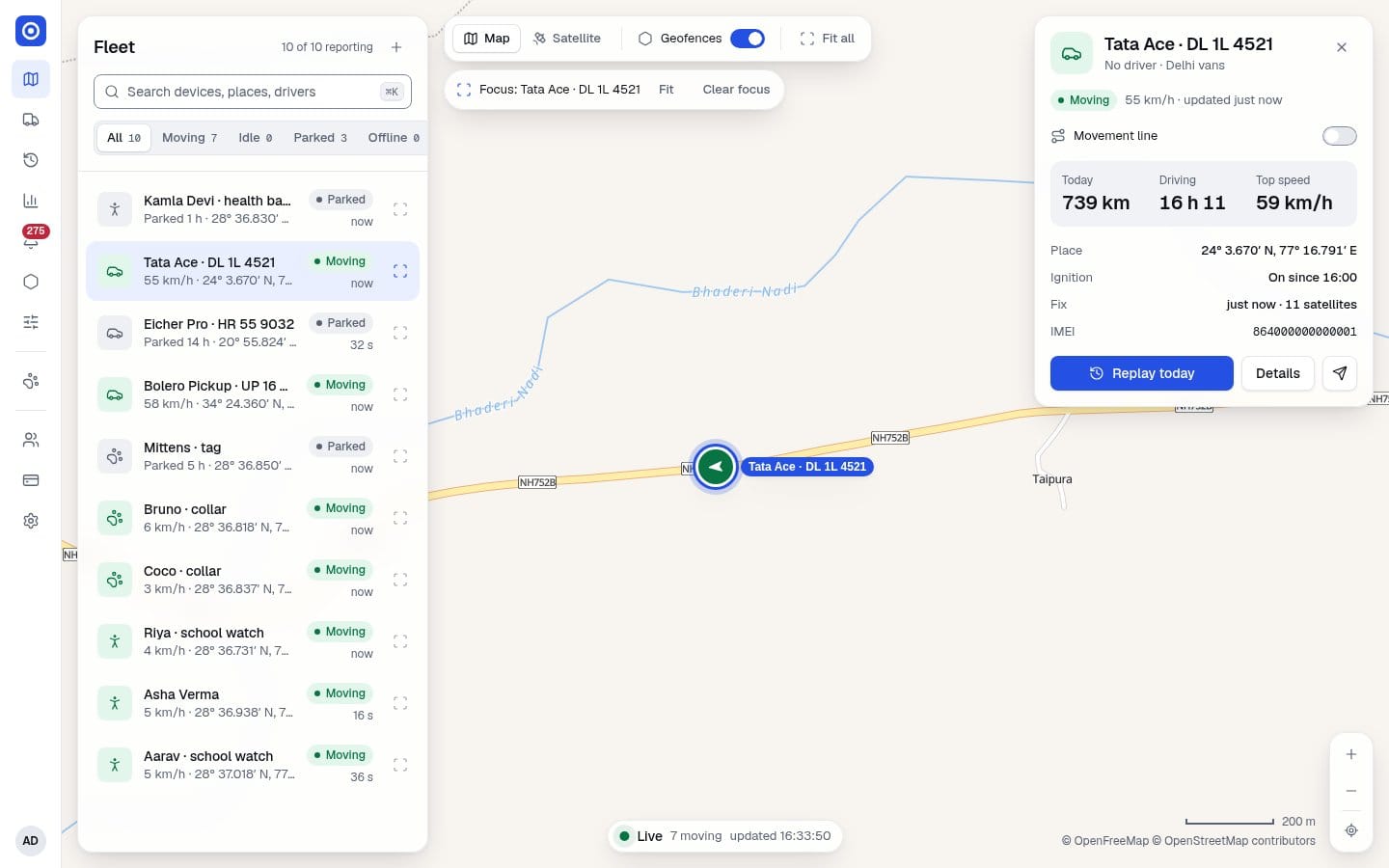
To check, select the vehicle on the live map and look at Ignition in its panel:
- On since 12:15 or Off since 09:02: the tracker reports the ignition, and idle works.
- Not fitted: no ignition data has arrived. Idle cannot be shown for this vehicle.
If it says Not fitted on a vehicle tracker, ask whoever installed it whether the ignition wire is connected, and check the tracker's manual for how it reports ignition. Once ignition data arrives, idle shows from the next report.
When moving counts as moving
Most trackers say whether they are moving. When one does not, the platform treats a speed under about 2 km/h as standing, because a standing GPS receiver drifts slightly. A vehicle creeping in a queue may therefore show idle for a moment.
How long it has been in the state
Next to the state, the live map shows how long it has lasted: "Idling 6 min", "Parked 2 d". The time starts when the platform recognised the change. A stop is recognised once the vehicle has stood still for a short while (3 minutes in a standard setup), so a vehicle shown as "Parked 5 min" may have stopped a few minutes earlier. Right after a tracker is added, the duration appears only after its first stop or start.
Offline keeps the last known position
An offline or unknown device stays on the map at the last position it reported, so you can see where it was last. The duration says how long ago that was. Phone apps and trackers that do not keep a connection open go to Unknown rather than Offline when they stop reporting. Neither state means the vehicle has stopped: it may be in a garage without signal, or the tracker may have lost power.
Frequently asked questions
Can I be alerted when a vehicle idles too long?
Idling shows in the idle report and in driver behaviour. Whether an alert can be raised for it depends on the tracker and on the alert rules your account has; ask your administrator.
Why does a parked vehicle sometimes show moving for a moment?
A GPS jump in a car park or under a bridge can look like movement. It settles with the next reports.