Devices and connection
Why the position on the map is old
Why a marker can sit at an old position while the tracker looks connected: no satellite fix, a long reporting interval or sleep mode, or a private trip. Where to read the last contact and the last fix.
Ashish Srivastava4 min read

When a GPS tracker is not updating its location on the map while it looks connected, the tracker is talking to the server but has no new position to send. The usual reasons are no satellite fix (indoors, in a garage, under a roof), a long reporting interval or sleep mode while parked, or a private trip that hides or pauses positions. The device panel on the live map tells you which, because it shows two different times: when the tracker last reported, and when it last had a fix.
Key takeaways
- "Updated" is the last time the tracker was in contact; Fix is the age of the position itself.
- Indoors or in a garage, a tracker may stay connected without a satellite fix and keep sending its last location.
- Many trackers report less often, or sleep, when the vehicle is parked.
- Private trips and working hours can blur, hide or pause positions on purpose.
- Where the tracker supports it, Send one position now asks for a fresh position.
Last contact versus the time of the position
Select the vehicle on the live map to open its panel. Under its name you see updated with how long ago the tracker was last in contact. In the details, Fix shows how old the position is and how many satellites it used, or No valid fix when the tracker reported without trusting its location.
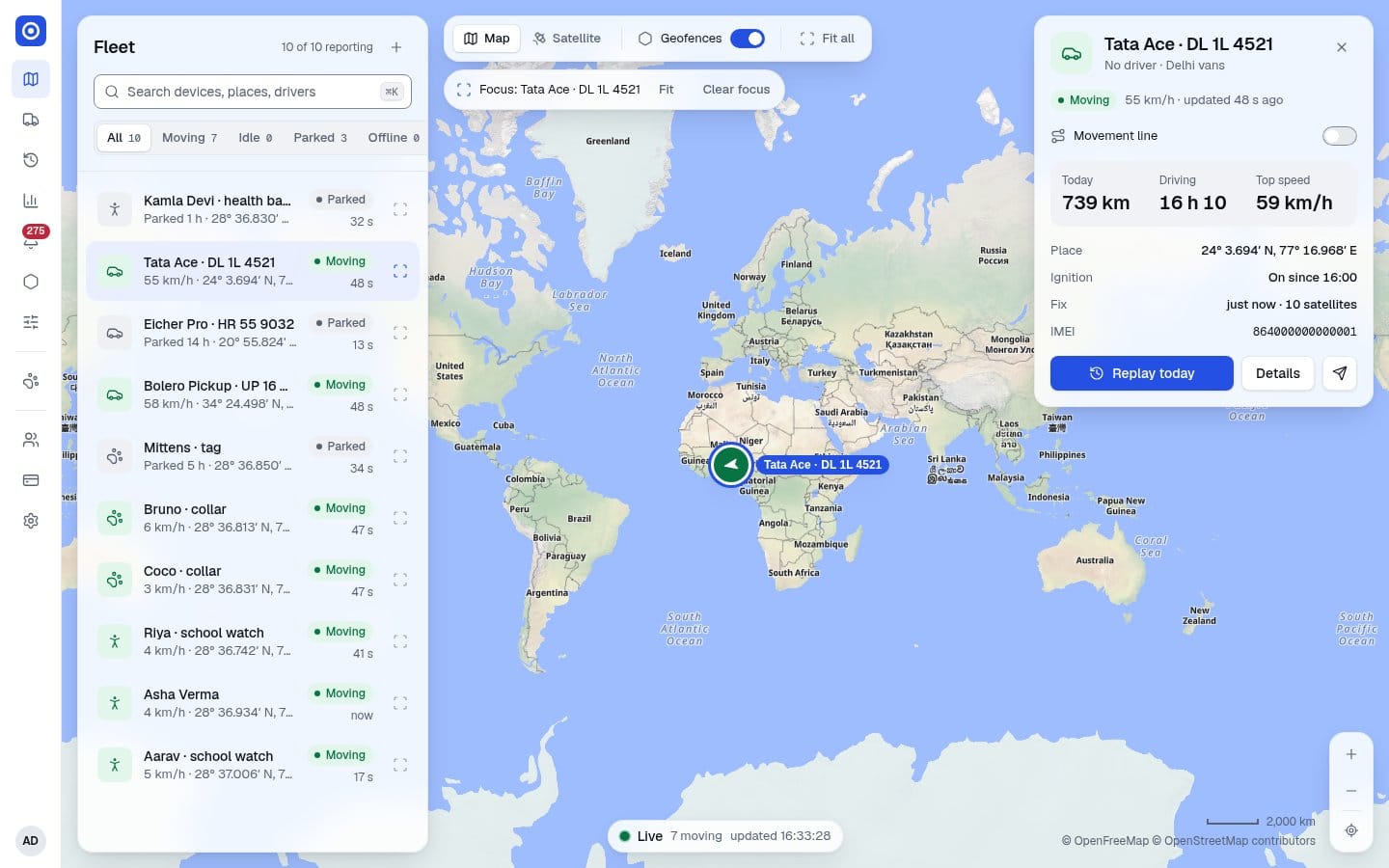
- If updated is old too, the tracker is not reporting at all: that is an offline device, not an old position.
- If updated is recent but the Fix is old, the tracker is connected and has no new fix.
For a single position, Position details (from replay or an event) lists the Device time, the Fix time and when the server Received it, and marks a position as Outdated when the tracker had no new fix and the last location was reused, or Approximate when it came from mobile towers or Wi-Fi.
No GPS fix indoors or in a garage
A tracker needs a view of the sky for a satellite fix. In an underground car park, a workshop, a container or a metal-roofed shed it may keep its mobile connection and go on reporting, but with its last known location. The marker then sits where the vehicle entered. Once the vehicle is outside again for a minute or two, the fix returns and the marker moves. A tracker fitted deep behind metal, or with its GPS antenna facing down, can show the same effect in the open; that is a question for the installer.
Reporting interval and sleep mode when parked
How often a tracker sends a position is set in the tracker itself. Many report every few seconds or every minute while driving and much less often when the ignition is off, or go into a sleep mode to save the vehicle's battery. A parked vehicle may therefore show a position from when it stopped, which is correct: it has not moved. Where the tracker's protocol supports it, the reporting interval can be changed with a command; see remote commands. Shorter intervals use more mobile data and battery.
Private trips and working hours
If driver privacy is set up for the vehicle, positions during a private trip are deliberately reduced. Depending on the mode chosen, the map shows the vehicle blurred to about 1 km, shows only that it is on a private trip with no place, or stops showing positions until the trip ends. Trips outside working hours can turn private by themselves. The panel then says Private trip or Outside working hours, and All private trips lists the vehicles in that state. This is the system working as set up, not a fault; how it works is explained under driver privacy.
Ask for a single position now
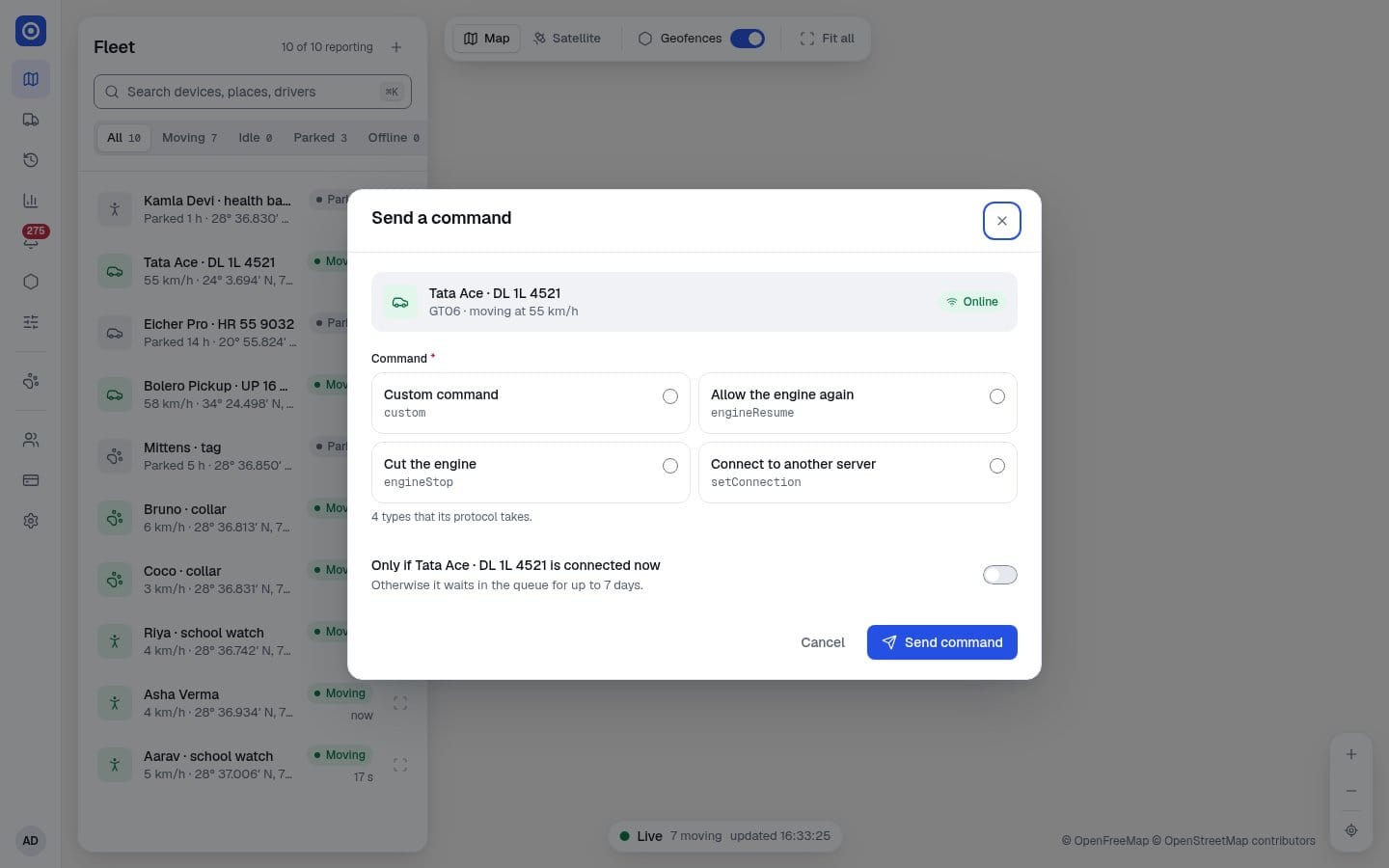
If the tracker is connected and supports it, select Send command in its panel, choose Send one position now and send it. A connected tracker answers within seconds and the marker updates if it has a fix. If the tracker is offline, the command waits in the queue and goes out when it reconnects. Not every tracker offers this command: the dialog lists only the types the device's protocol takes, and sending commands needs the right to command the device.
When to look further
If the position is old while the vehicle is moving in the open, and updated keeps refreshing, check the tracker's GPS antenna and mounting and whether the tracker reports a fix count of zero. If updated is old as well, follow the checks for a device that shows offline.
Frequently asked questions
Why does the marker jump when the vehicle leaves the garage?
The tracker reused its last location while it had no fix. Its first fix outside puts the marker where the vehicle really is, which can look like a jump.
What about positions sent late?
Some trackers store positions while they have no mobile coverage and send them when the network returns. Those positions are stored and show in replay afterwards, but they do not move the marker back in time on the live map.