Geofences
Setting a speed limit inside a zone
Give a geofence its own speed limit, such as 15 km/h in a depot yard, so an overspeed event is raised when a vehicle is faster inside it, and how this relates to the limit on the vehicle or its group.
Ashish Srivastava3 min read

To set up a geofence speed limit alert, open the zone in Geofences, enter a Speed limit inside and save, then make sure an alert rule for Overspeed applies to your vehicles. Inside the zone, the zone's limit replaces the vehicle's own: a van with an 80 km/h limit raises an overspeed event at 20 km/h in a yard limited to 15 km/h. To be told only about speeding in that zone, tick it under Only these geofences on the rule.
Key takeaways
- The zone's limit wins over the limit set on the vehicle or its group.
- Where zones overlap, the highest limit applies.
- The limit works only for vehicles the zone is attached to, and applies at all times, even when the zone has a calendar.
- Positions on a private trip raise no speed events.
Set a speed limit on the geofence
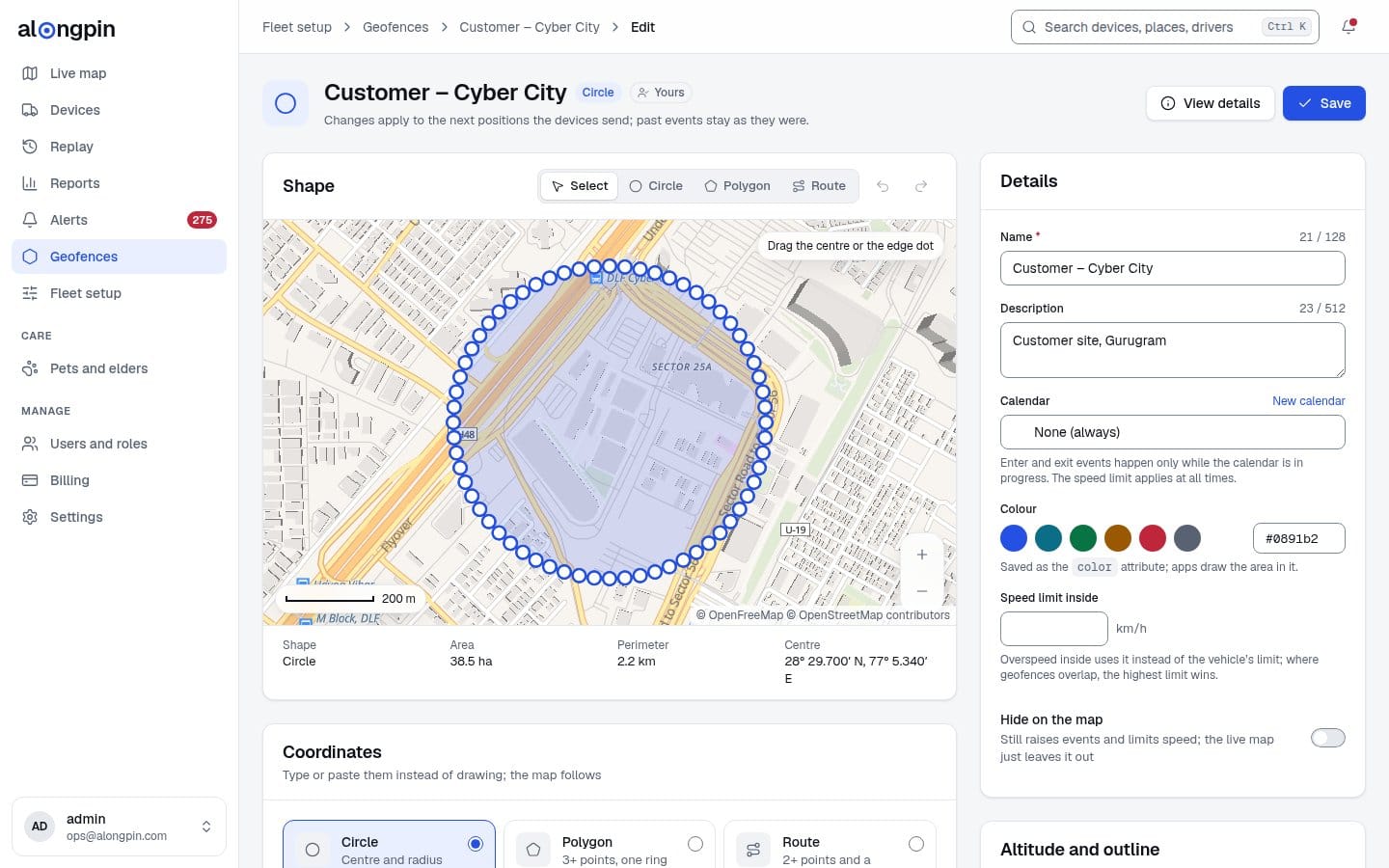
- Open Geofences in the menu and pick the zone.
- In the panel, or on the full form under All fields, enter Speed limit inside in your speed unit.
- Press Save.
The limit takes effect with the next positions the vehicles send. Make sure the zone is attached to the vehicles, directly or through a group; for vehicles it is not attached to, it does nothing.
Vehicle and group speed limits
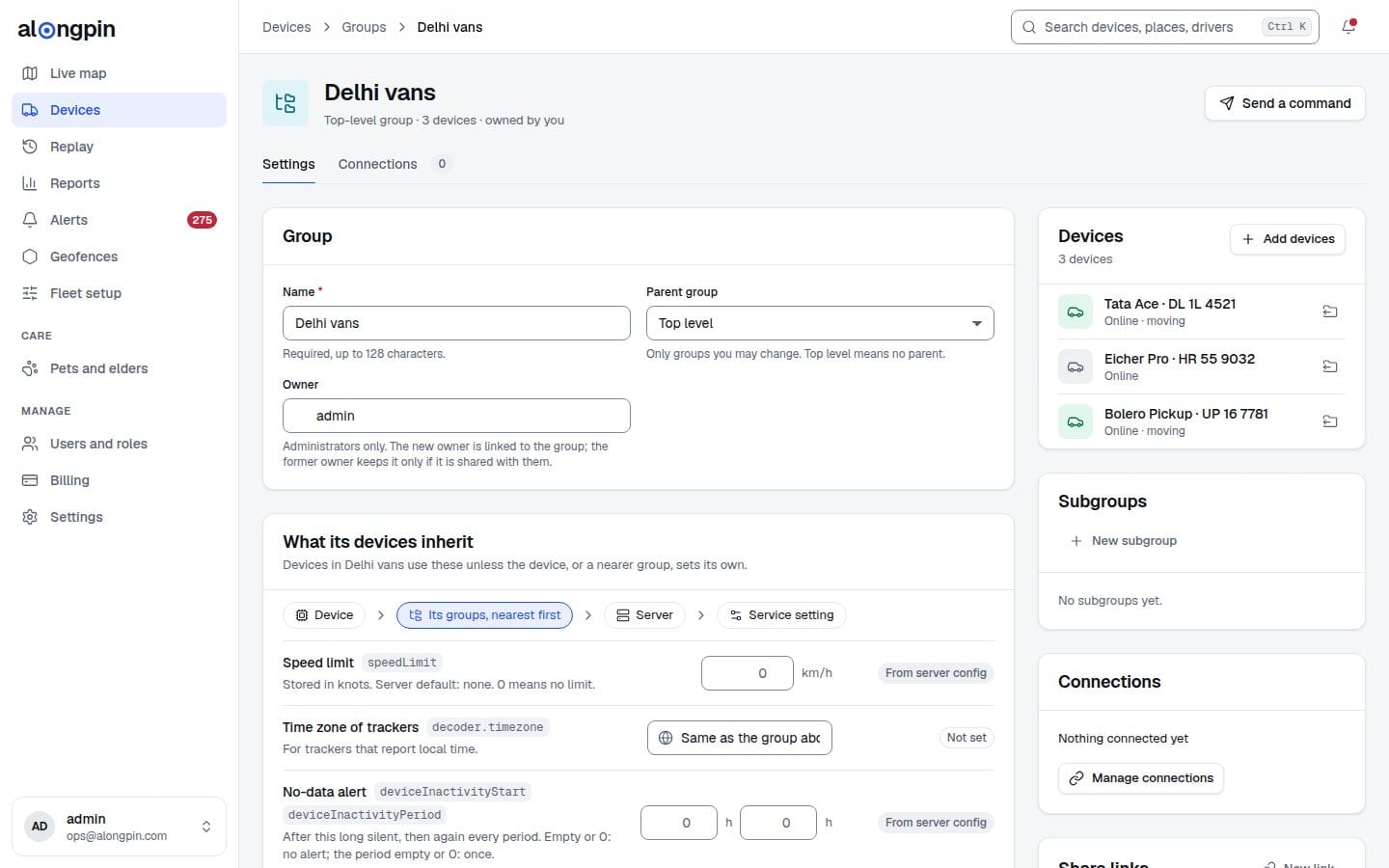
Every vehicle can have its own Speed limit, set on the device (open it in Devices, then Edit) or inherited from its group. Left empty on the vehicle, the group's limit applies; with none on the group either, the server's default, which is usually none. Setting a limit on a group is the quickest way to give a whole fleet the same limit.
Which limit counts at a given moment:
- A geofence's Speed limit inside, when the vehicle is inside a zone that has one.
- A limit the tracker reports for the road it is on, for trackers that report one.
- The vehicle's limit, else its group's, else the server's.
Where several zones with a limit overlap, the highest of their limits applies. Your administrator can switch the server to use the lowest instead.
What an overspeed event records
Each overspeed event carries the speed measured and the limit that applied. Inside a zone, it also names the zone, and the event reads, for example, "22 km/h, limit 15 km/h inside" with the zone's name. The server can be set to raise the event only after the vehicle has been over the limit for a minimum time, so short peaks while overtaking do not count; ask your administrator what applies on yours.
You see the events under Alerts, on the vehicle's Events tab, on the zone's page under Recent events, and in the events report. For speed and other driving habits over time, see driver behaviour.
Narrow an overspeed alert rule to chosen geofences
A rule for Overspeed with no zone ticked fires for every overspeed event, inside zones and out on the road. To be told only about speeding inside the yard:
- Open Alerts, the Rules tab, and choose New alert rule (or open an existing overspeed rule).
- Under When this happens, choose Overspeed.
- Under Only these geofences, tick the yard. The rule now fires only for overspeed events inside the zones you ticked.
- Choose the channels, press Create rule, and pick its devices and the people who receive it.
You can keep a second rule for road speeding with different recipients, for example the driver's manager. The alerts page explains rules and channels.
No speed events during private trips
Where your account uses driver privacy, positions recorded during a private trip raise no overspeed events, inside a zone or anywhere else, and no geofence events either. Speeding inside a yard on a private trip is not reported.
A note on calendars
A zone's Calendar limits only its enter and exit events. The speed limit applies at all times, also outside the calendar. To be told about speeding only during working hours, put the calendar on the alert rule (Only during) instead. More on zones is on the geofences page.
Frequently asked questions
Can a zone have a higher limit than the vehicle?
Yes. Inside the zone, the zone's limit replaces the vehicle's, higher or lower.
Why did I get no overspeed event in the yard?
Check that the zone is attached to the vehicle, that a position fell inside the zone while it was too fast, and that the trip was not private.