Alerts and SOS
E-mail alerts not arriving
What to check when an alert e-mail is missing: the address on your account, a test message, the spam folder and company filters, the rule's channels and schedule, and the delivery log of the event.
Ashish Srivastava3 min read
GPS alert email not received? Check five things in this order: the e-mail address on your account, a test message through the e-mail channel, your spam folder and company mail filters, the alert rule's channels and schedule, and finally the delivery log of the event, which says whether the e-mail was sent, failed or skipped. Most missing alert e-mails are found in the first three steps.
Key takeaways
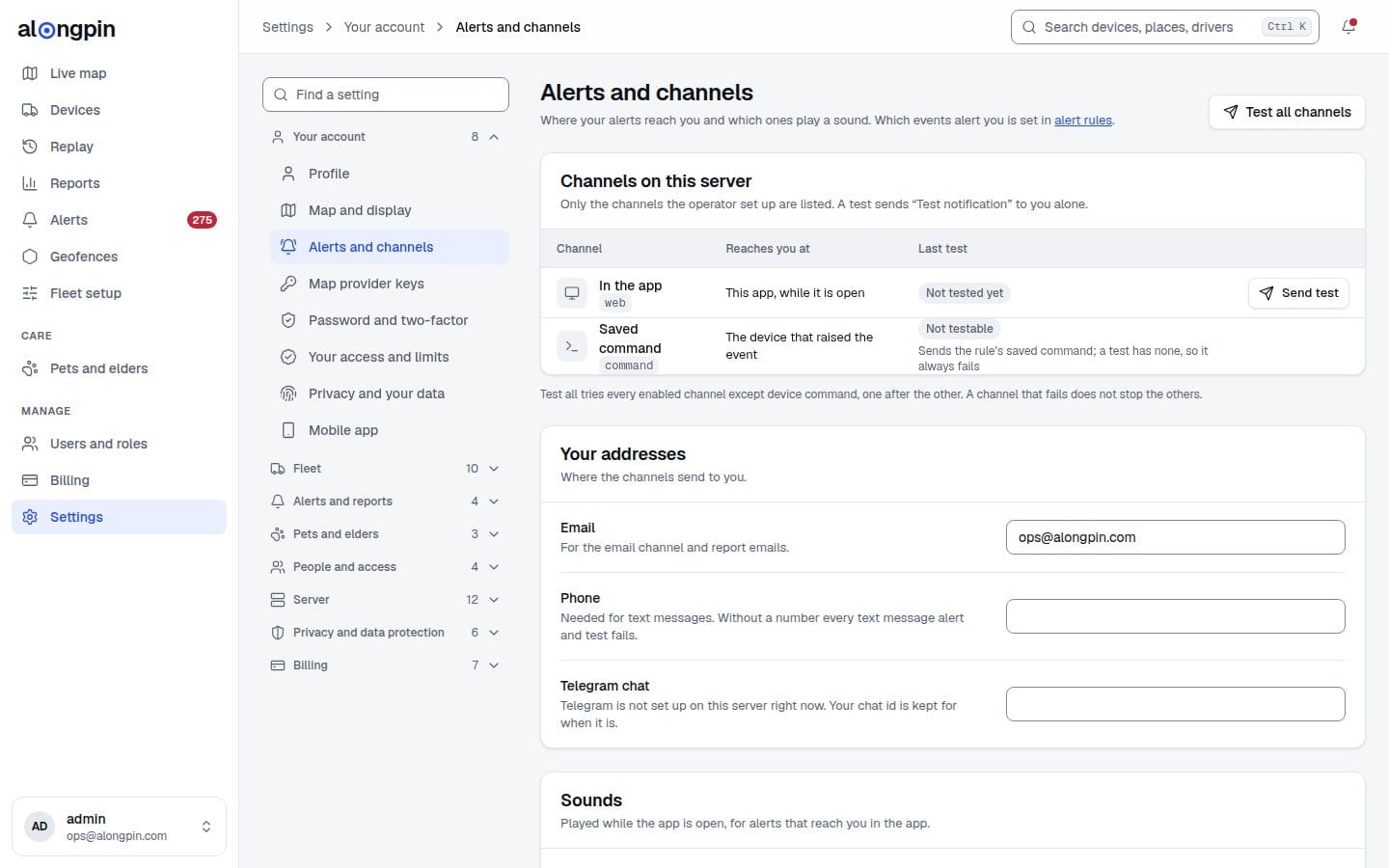
- Alert e-mails go to the e-mail address of your own account; check it under Settings → Your account → Alerts and channels.
- Send test on the Email row sends "Test notification" to you alone and says whether it was delivered.
- The subject of an alert e-mail is the alert itself, such as "Van 12 alarm: SOS", which some filters treat as suspicious.
- The event's Sent to list shows "Email · sent", a failure with its reason, or "held back (quiet hours)".
1. Check the e-mail address of your account
Open Settings → Your account → Alerts and channels. Under Your addresses, Email is where the e-mail channel and report e-mails go. Correct it if it is wrong. If it says your manager locked it, or that your account is read-only, ask the person who manages users in your account to change it.
Each person receives alerts at their own account's address. If a colleague misses e-mails, it is their address that matters, not yours.
2. Send yourself a test message
On the same page, Channels on this server lists every channel with Send test. Press it on the Email row. The result shows next to it:
- Delivered with the time: the mail server accepted the message. Go to step 3.
- Could not deliver, with a reason such as "the provider refused the message (status 550)": the address may be wrong, or the receiving mail server refused it.
- "The provider could not be reached" or "did not answer in time": the sending side has a problem, which your administrator looks into.
If there is no Email row at all, e-mail is not switched on for your account; ask your administrator.
3. Look in the spam folder and at company filters
An alert e-mail has the alert as its subject, for example "Van 12 has exited geofence Depot", and a short text. Look in the spam or junk folder and, at work, in any quarantine your IT team runs. Mark the message as not spam, and ask IT to allow the sending address shown on a test e-mail, so that later alerts are not filtered.
4. Check the rule's channels and schedule
Open Alerts, then the rule. Check that:
- Email is ticked under Tell people by;
- the rule is not Paused, applies to the device, and you are among the people who receive it;
- Only during is set to Any time, or to a calendar that was in progress when the event happened;
- your own Quiet hours were not on at that time: they hold back e-mail, except the alerts you let through.
The Alert rules list shows the channels and the Only during column for every rule at once.
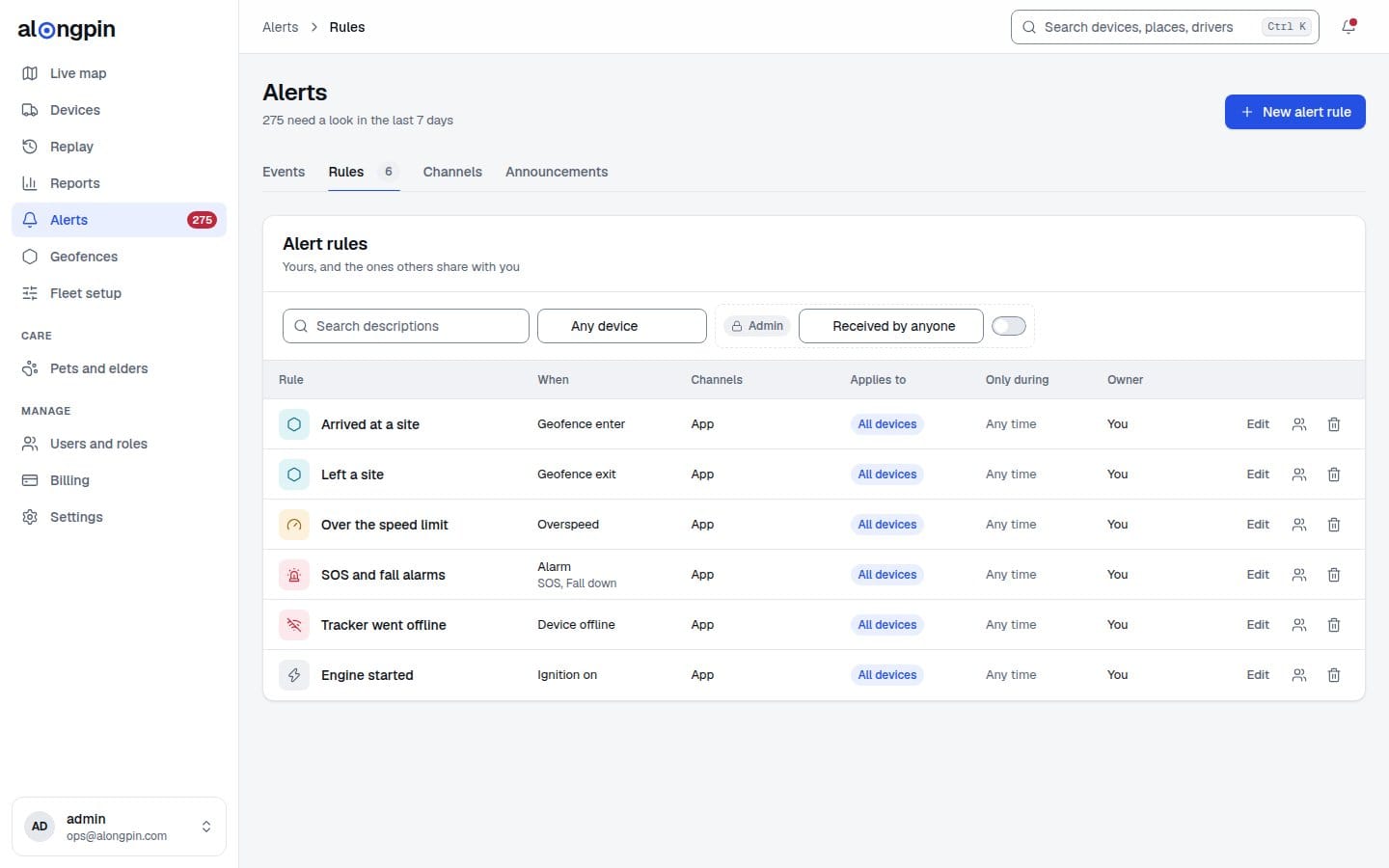
Events a tracker uploads late, for example stored history after a long time without signal, are by default not sent when they are more than 15 minutes old. They are still in the alerts list and the events report.
5. Read the delivery log
Open the alert from Alerts. Sent to lists each person with one entry per channel:
| Entry | What to do |
|---|---|
| Email · sent | The mail left the platform: steps 1 and 3. |
| Email · no email address | Add an address to the account: step 1. |
| Email · gateway refused (550) | The receiving server refused it: check the address, then ask your IT team. |
| Email · held back (quiet hours) | Change your quiet hours or what still goes out. |
| Email · channel off | E-mail is not switched on: ask your administrator. |
A failed e-mail is not sent again later. If tests keep failing and your administrator cannot find the cause, contact us.
Learn more about alerts and channels, and about how SOS alerts reach several people at once.
Frequently asked questions
Why does the e-mail not show where it happened?
By default, alert e-mails carry only the device and what happened, with a link to open the alert in the app. Your administrator decides how much detail leaves the platform.
I got the test but not the alert. Why?
The test proves the address and the mail path work. The alert then depends on the rule, its schedule and your quiet hours: steps 4 and 5.