Dashcam and video
A clip or photo is missing from the gallery
Why a dashcam clip or photo you expected is not in the gallery: no event or a broken upload, the capture policy, retention, a private trip, or a camera without connection. A checklist in order.
Ashish Srivastava4 min read
When a dashcam clip is missing from the gallery, one of five things is almost always behind it: the camera never raised the event or never finished the upload, the capture policy did not keep recordings of that kind, the file was older than the retention period, the trip was private, or the camera had no connection at the time. This checklist goes through them in the order that finds the cause fastest.
Key takeaways
- The Media page lists files from the devices' media events: no event, no file in the gallery.
- The capture policy decides which kinds of recording are kept; by default SOS, collision and requested ones.
- Files older than the retention period (30 days on a fresh installation) are deleted unless a legal hold keeps them.
- Photos and clips recorded during a private trip are deleted on arrival.
- A camera that was offline uploads later, or not at all if the upload broke off.
First, look in the right place
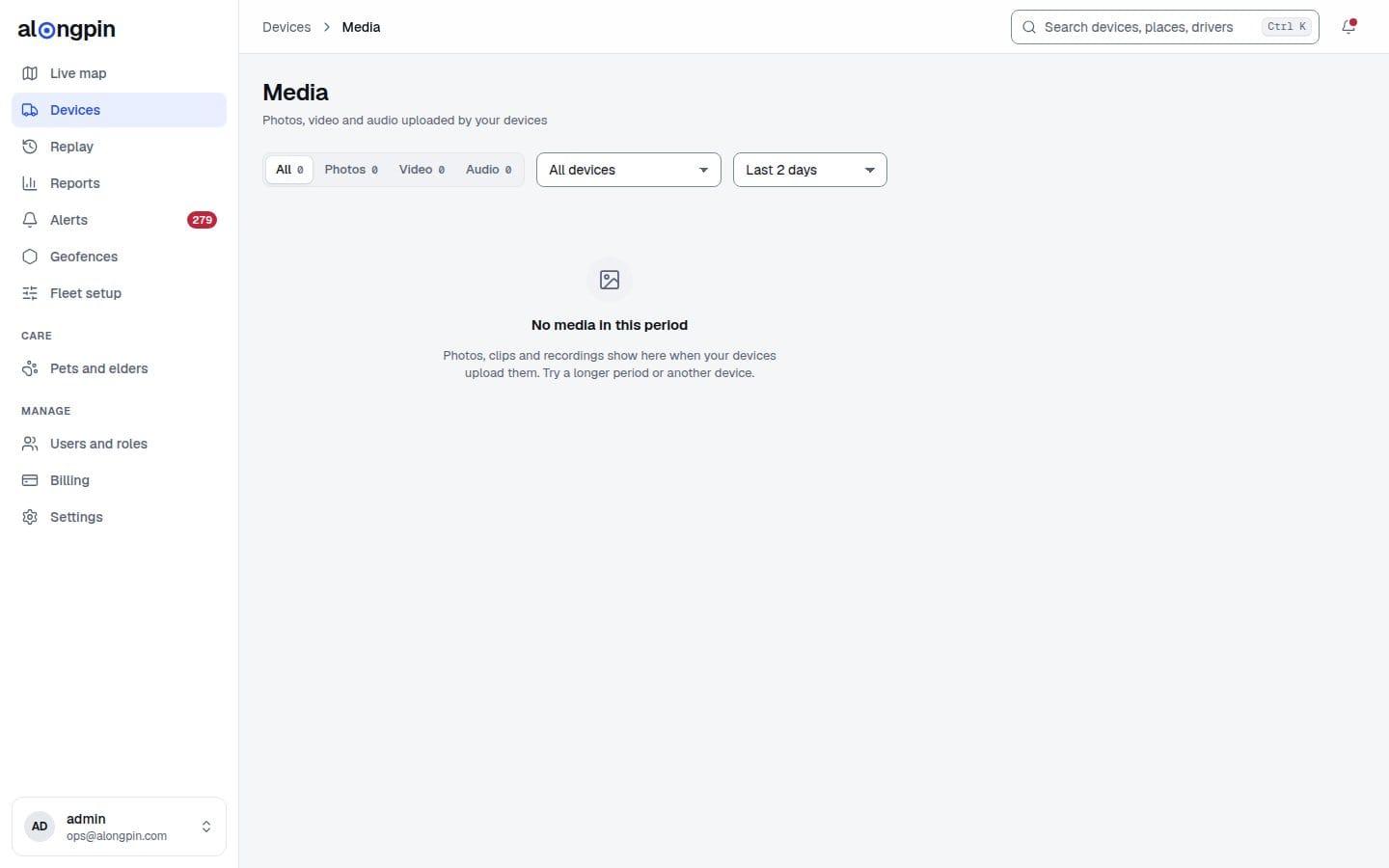
Open the Media page under Devices and widen the filters: Type on All, Device on the vehicle's camera and Period on Last 30 days. If your account has events turned off, the page says so: media are listed from device events, so ask your administrator to switch events on for you. Read about how the dashcam feature collects files if the gallery is new to you.
1. Did the camera raise the event and upload a file?
A clip appears only when the camera itself decided to record and then uploaded the file. Many cameras record only on their own triggers (an SOS button, a collision, harsh braking, a door), and the sensitivity of those triggers is set in the camera, not on the platform. A bump the driver felt may have stayed under the camera's threshold.
Check the vehicle's Events tab for the time in question. If there is no event at all, the camera did not report one. If there is an event but no file, the upload did not complete: a camera sends a file in pieces, and when pieces are missing after one request to send them again, the platform drops the upload and nothing shows. Which triggers a model supports is listed on the dashcams page.
2. The capture policy did not want that kind of recording
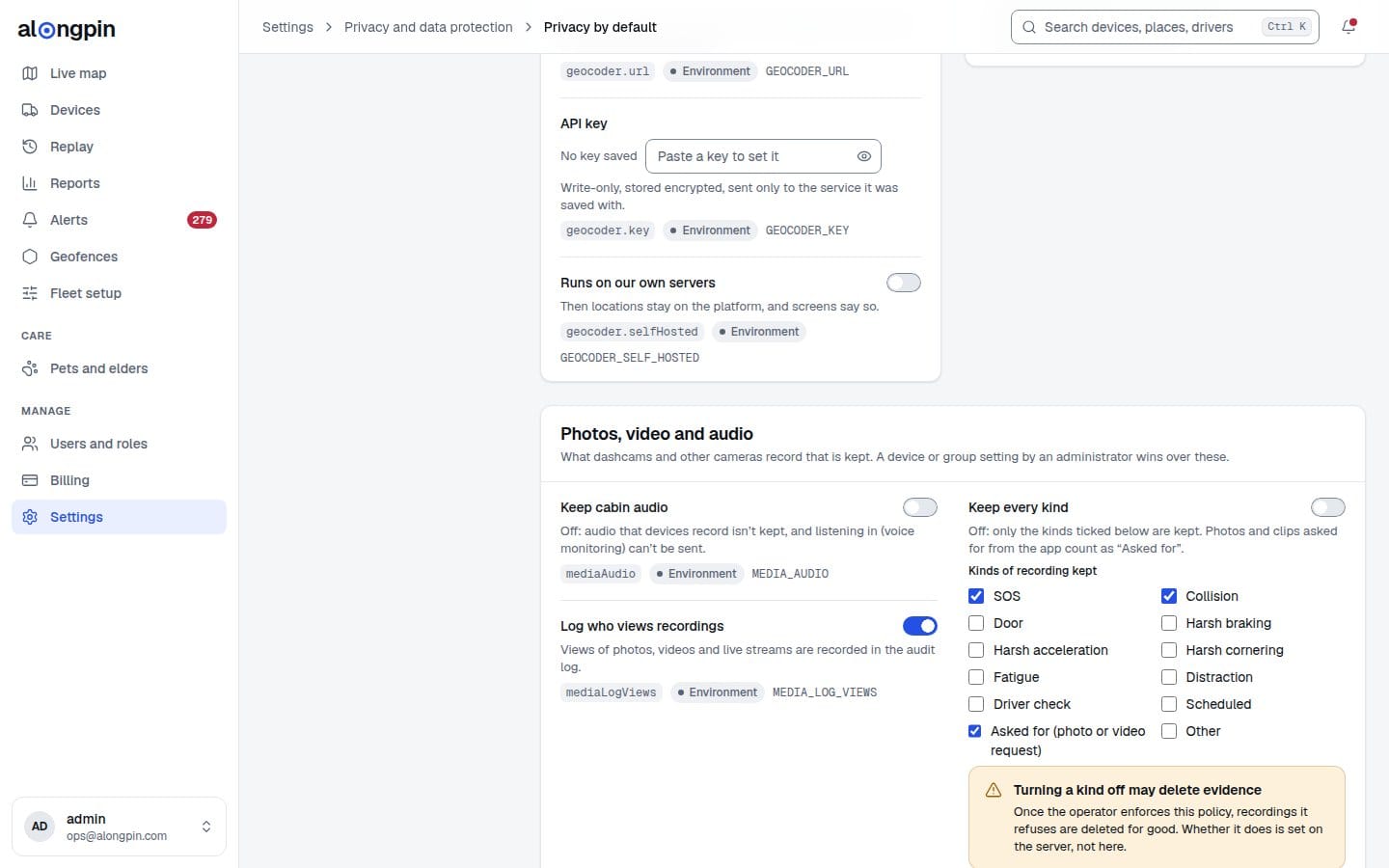
Your installation decides which kinds of photo and video it keeps. Under Settings → Privacy and data protection → Privacy by default, the Photos, video and audio section lists the Photos and videos kept: either every kind, or only the kinds ticked there. A new installation keeps SOS, Collision and requested ones (photos and clips someone asked for). An administrator can also set a different list for one device or group.
What happens to a recording of another kind depends on how the operator runs the policy: it is either kept and only counted, or deleted on arrival, in which case no media event is raised and the gallery never shows it. Ask your administrator which applies. Turning a kind back on helps only for recordings that arrive afterwards.
3. It was older than the retention period
Photos and clips are deleted when they are older than the media retention period. A fresh installation keeps them for 30 days; your administrator sees the period under Retention and deletion. A file under a legal hold stays past that period. Once a file has been deleted, it cannot be brought back, so for anything that may become evidence, place a hold or download a copy straight away.
4. The trip was private
If driver privacy is set up for the vehicle, photos and recordings the camera sends during a private trip are deleted as they arrive, and live video is not available while the trip is private. This protects the driver's private time; it applies whether the private trip was switched on by the driver, by a switch in the vehicle or by working hours. An SOS is never private and ends the private trip, so what happens after it is recorded as usual. More on how private trips work is under driver privacy.
5. The camera was offline or had no data
A camera that has no mobile data at the moment of the event keeps working, but the upload has to wait. Check on the Devices list whether the camera was Online around that time and when it last reported. Some cameras upload what they kept when the connection returns; others drop it. A SIM that ran out of data, a camera switched off with the ignition, or an area without coverage all look the same from the platform: nothing arrived.
Still missing?
Note the vehicle, the date and the time, and whether an event shows in the Events tab. That tells your administrator or support where to look. Two less common causes they will check: the camera's identifier was changed (earlier files stay under the old identifier and no longer show), and the device was deleted and added again, which removes its earlier media.
Frequently asked questions
Can I ask the camera for a clip now?
You can ask a supported camera to Take a photo: the photo arrives in the gallery a few seconds later, marked as Requested. Requesting a recorded clip after the event is not offered.
Why do I see a photo but not the video of the same event?
The camera may have uploaded only one of them, or the video is in a format the browser cannot play; in that case the gallery offers Download to play instead of the player.