Care profiles and health
Adding contacts to a care profile
How to add family, neighbours, carers and emergency contacts to a pet's or an elder's care profile, which numbers and addresses receive messages, and how to choose who gets reminders and who gets alerts.
Ashish Srivastava3 min read
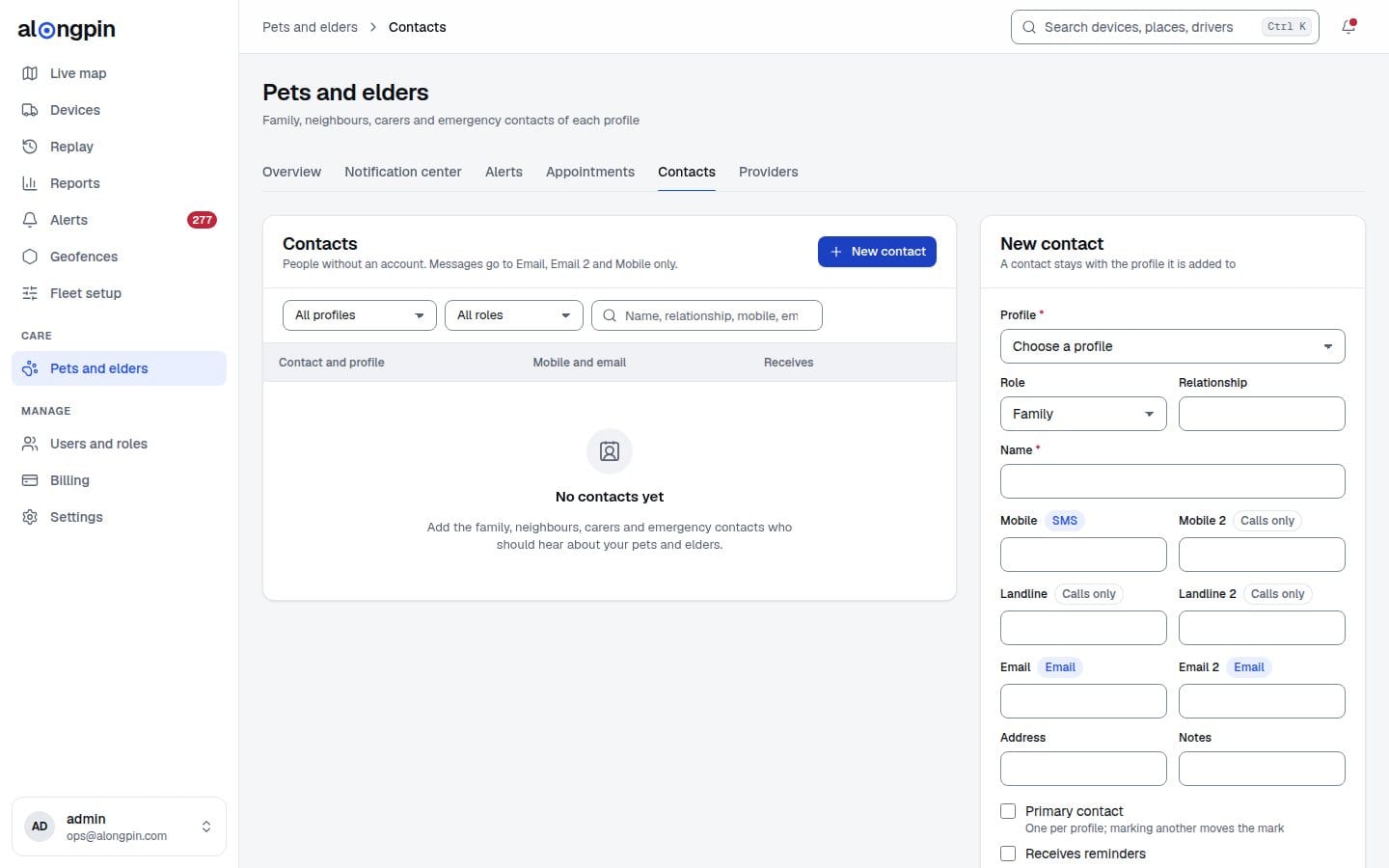
Emergency contacts on a care profile are the family, neighbours and carers around a pet or an elder who should hear when something needs attention. To add one, open Pets and elders → Contacts, select New contact, choose the profile, the role and the name, add a mobile number and an email address, and tick Receives alerts, Receives reminders or both. Contacts need no account: they never sign in, and messages reach them by email and text message.
Key takeaways
- Only Mobile, Email and Email 2 receive messages; second mobiles and landlines are for calling.
- Tick Receives alerts for SOS, falls and leaving home; Receives reminders for medication, vaccinations and appointments.
- Contacts get email and SMS, never portal messages; SMS works where your server has it switched on.
- Vets, doctors and pharmacies go under Providers: a directory that never gets messages.
Add a contact
- Open Pets and elders in the menu and the Contacts tab.
- Select New contact.
- Choose the Profile the contact belongs to. A contact stays with that profile; for someone who looks after two profiles, add them to each.
- Choose the Role: Owner, Guardian, Family, Caregiver, Emergency, Neighbour or Other. Add a Relationship in your own words, such as "Daughter" or "Dog sitter".
- Enter the Name, then the numbers and addresses (see the table below), and an Address and Notes if useful.
- Tick Receives reminders and Receives alerts as needed, and Primary contact for the first person to call.
- Select Save.
You can also start from a profile: its People card has a Contacts link that opens the list for that profile. How profiles, trackers and contacts fit together is shown on the care profiles page.
Which numbers and addresses receive messages
| Field | Used for |
|---|---|
| Mobile | Text messages (SMS) for reminders and alerts, and calls |
| Mobile 2 | Calls only |
| Landline, Landline 2 | Calls only |
| Email and Email 2 | Emails for reminders and alerts; both get them |
Phone numbers are not checked, so type them carefully, in the form the person's phone uses. Email addresses only need to look like name@example.com.
Reminders, alerts, or both
- Receives alerts: the contact hears about SOS, a fall, leaving home, low battery and no movement, through the email and SMS channels ticked in the profile's alert settings.
- Receives reminders: the contact hears about medication, vaccinations, appointments and documents before they are due, through the channels of each item.
Text messages need an SMS gateway, which the operator of your server sets up; without one, contacts are reached by email only. By default alert emails and texts say only "New alert for Rose. Open the app to see it." and nothing about what happened or where. A contact has no app to open, so agree with them what to do: usually, to call you or the primary contact. Your administrator can choose full details in the privacy settings. This is how families and carers use it in elder care.
The primary contact
Tick Primary contact for the person to call first. A profile has one primary contact; marking another moves the mark. The primary contact is shown first next to an open alert, ready to call.
Link a vet, doctor or pharmacy
Professionals are kept apart from contacts, in a directory that never gets messages. Open Pets and elders → Providers, select Add provider and fill in the vet, doctor, groomer, pharmacy or clinic. To link one to a profile, open the provider and select Link to a profile, or choose it under Providers when you edit the profile. Linked providers appear on the profile, ready to call. Pet owners keep their vet here, as described for pets.
Edit or remove a contact
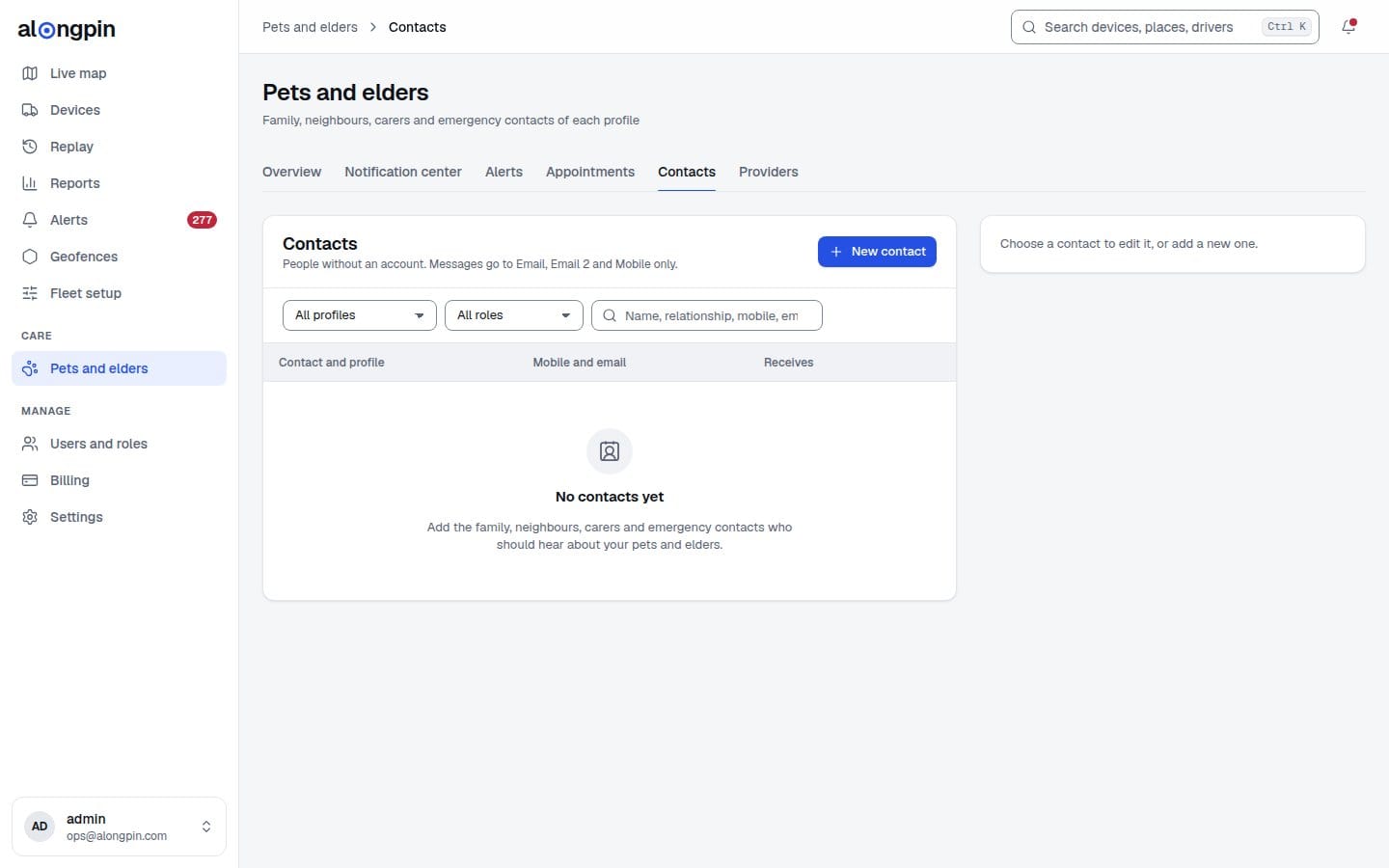
Select a contact in the list to change it, then Save. To remove one, select Delete and confirm Delete contact: they are removed from the profile's contacts and get no more reminders or alerts about it.
Only people who may change the profile change its contacts. Family members the profile is shared with see the contacts but cannot edit them.
Frequently asked questions
Does a contact need to install anything?
No. Contacts have no account and no login; they only receive emails and text messages.
Can a contact see where my parent is?
No. To let someone see the map, share the profile with a person who has an account instead.
Why does a contact get no text messages?
Check that Mobile is filled in, that SMS is ticked for the alerts or the reminder, and that your server has text messages switched on.