Developers and integrations
Running tracking for your own customers: sub-accounts and the API
For resellers and installers: a sub-account per customer with its own users and roles, new trackers approved from the unverified list, onboarding scripted through the API, and packages per device or account.
Ashish Srivastava6 min read
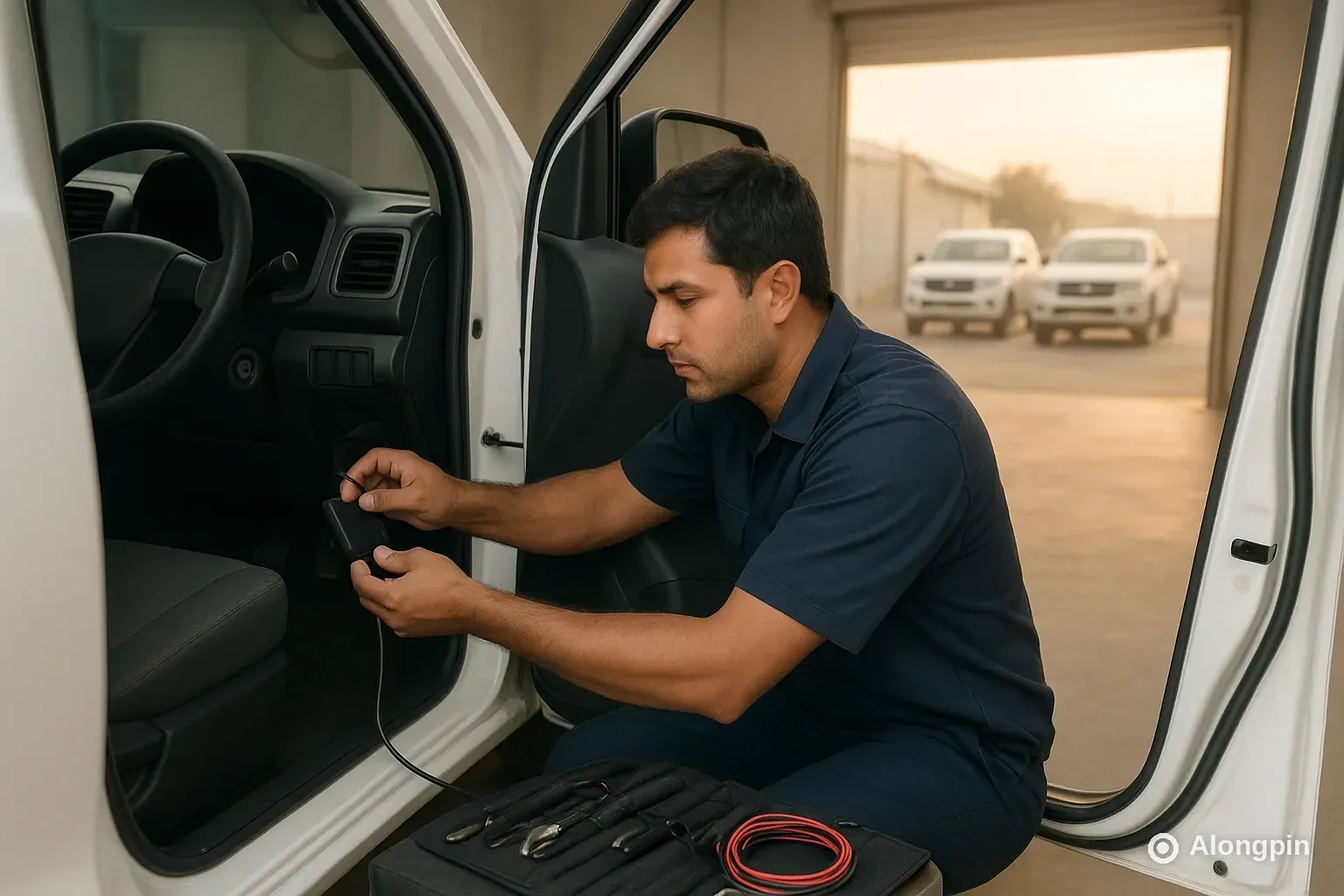
A GPS tracking platform for resellers has to let you run many customers from one place while each customer sees only their own vehicles. Alongpin does this with sub-accounts: as a manager you create a user for each customer, give it roles within your own reach and share that customer's vehicles with it. New trackers can be approved from the list of unverified devices, and the repetitive parts of onboarding can be automated through the REST API. What it is not is a white-label product: branding is a setting of the installation, not a promise of your own name everywhere.
Key takeaways
- Each customer gets a sub-account that belongs to you, with its own users and roles inside your reach.
- Group each customer's vehicles and share the group: new vehicles in the group are covered automatically.
- Trackers that connect before they are registered wait in the unverified list, where someone with the right registers them in one step.
- Users, groups, devices, shares and roles can all be created through the API, so onboarding can be scripted.
- Packages apply per device or per account; a device subscription can move to a replacement tracker.
The reseller model: your customers, their vehicles
Resellers, installers and integrators all run tracking for other people, and they share one need: a clear line between their own view of everything and each customer's view of their own fleet. In Alongpin that line is ownership and sharing:
- You are a manager. The users you create belong to you; you can edit them, log in as them and end their access.
- Each customer is a user under you, a sub-account. They may in turn create their own staff when you allow them to.
- Vehicles are shared with the customer, usually through a group, so the customer sees exactly their fleet and nothing else.
The partners page describes the programme; the rest of this post shows how the pieces fit together day to day.
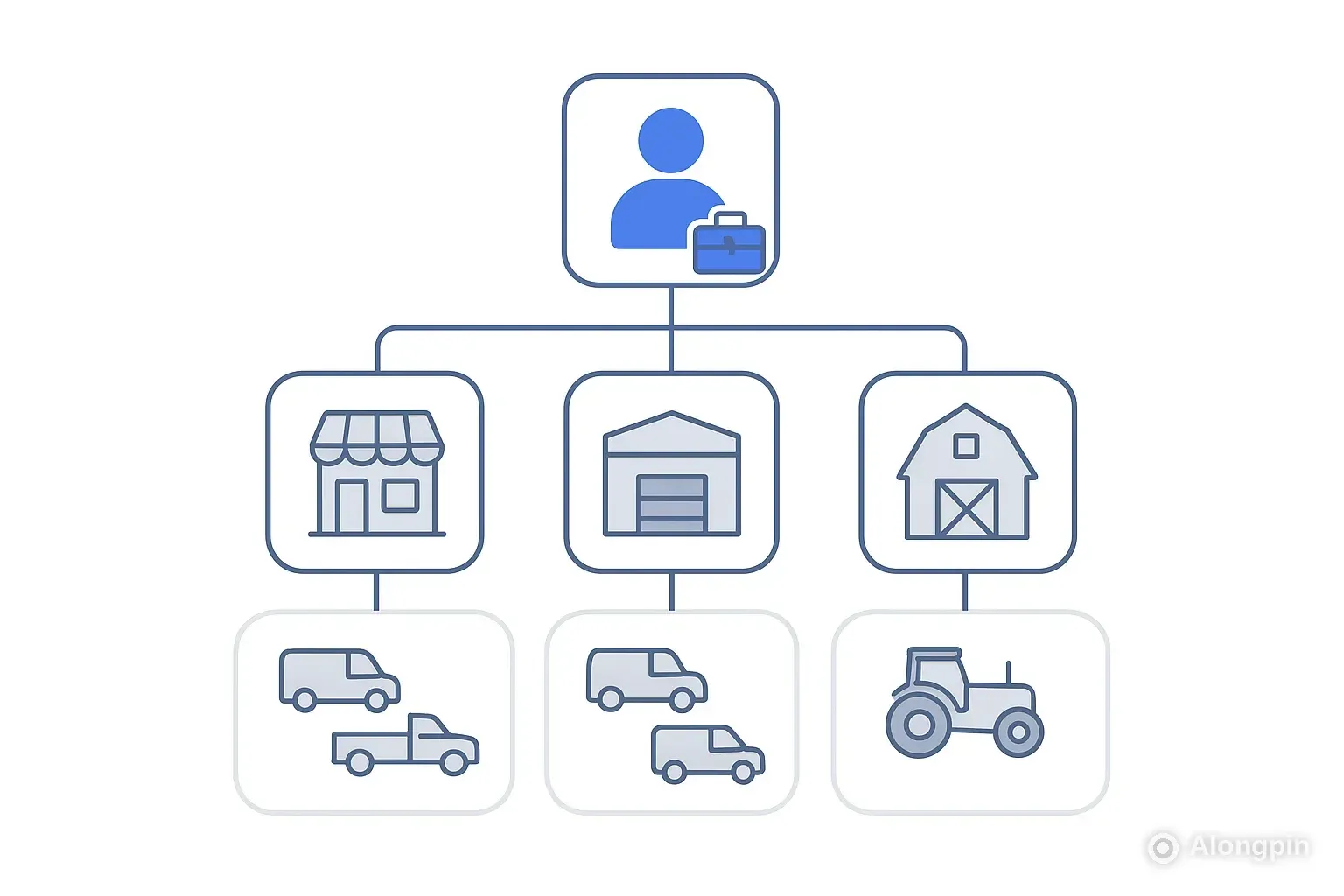
A sub-account per customer with its own users and roles
Create the customer under Users and roles with Add user. The form tells you the user belongs to you. Give it a name your support team will recognise (the company, not a person), and decide two things:
What the customer may do
Without a role a user has the basic rights: what they own and what is shared with them. With roles you decide precisely, from the same catalogue of rights you hold yourself, for a scope such as the customer's group. You can only give rights you have, and only as far as your own rights reach; a role you give is delegated, so it shrinks at once if your own rights do. The users and roles page explains roles, scopes and restrictions such as read-only or saved commands only.
Whether the customer manages their own staff
A customer with a dispatcher and ten drivers will want to add those people themselves. An administrator sets how many users a manager may create and how many devices a user may own; with a user limit above zero, your customer becomes a manager of their own users, inside what you gave them. The help article on creating sub-accounts for a customer or branch walks through the form.
Two tools help support:
- Log in as opens the portal as the customer's user, so you see exactly their menus, vehicles and reports. Your server may ask for a reason, which is logged, and the user may be told.
- Restrictions and expiry let you pause a customer with Disabled or end access on a date with Account expires, without deleting anything.
Approving new trackers from the list of unverified devices
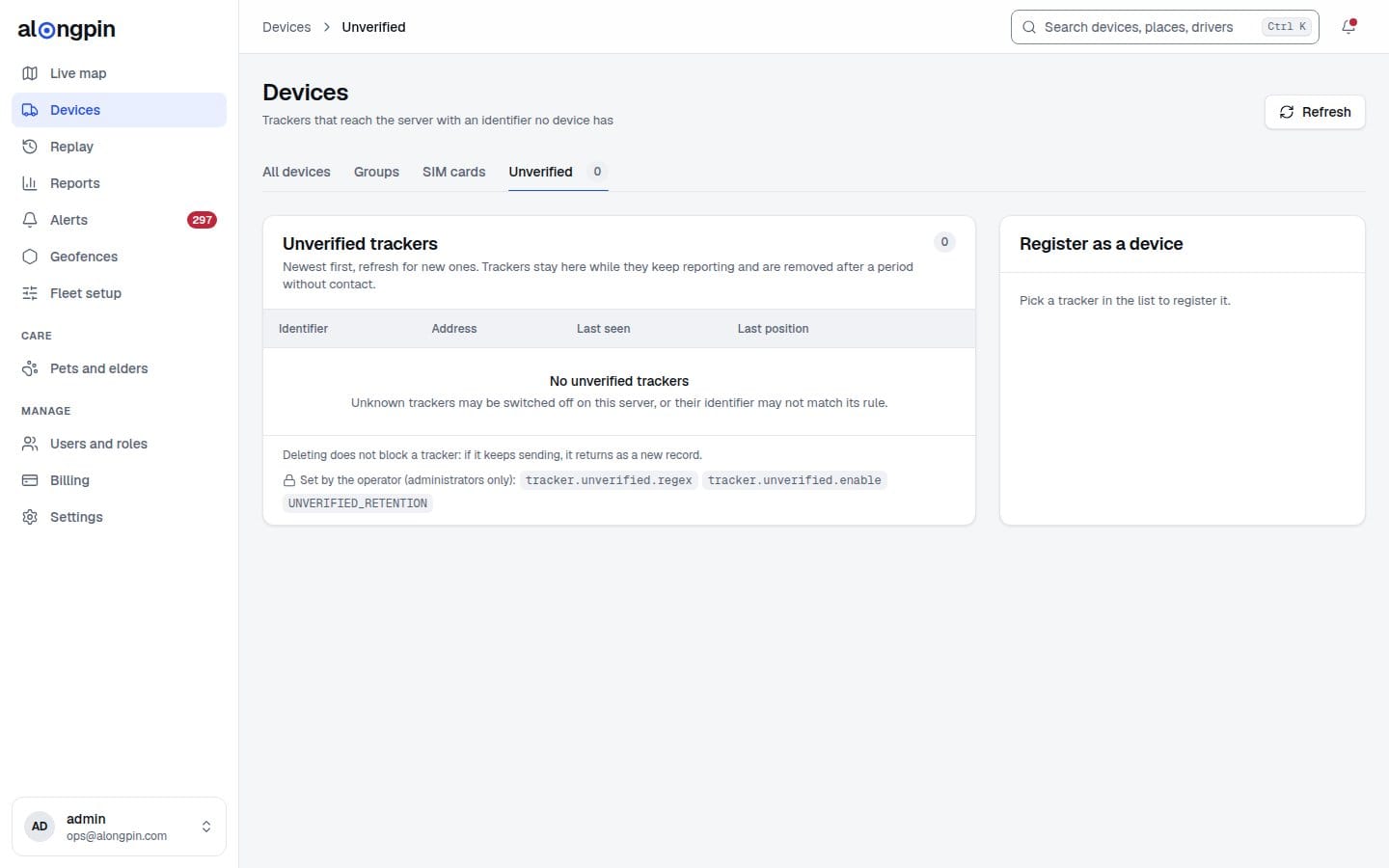
An installer fitting twenty trackers in a day doesn't want to type twenty IMEIs on a phone in a car park. When a tracker connects with an identifier no device has, the platform keeps it under Devices → Unverified, with its protocol, the address it connects from, when it was first and last seen, and its last position. Register turns it into a device in one step: a name, a group, the model and a speed limit. Its history starts with its next message.
Two points matter for resellers:
- Who may see the list. It covers every unknown tracker on the installation, so it needs administrator rights or a role that covers unverified devices for the whole installation. On your own installation that is you; on a shared one, ask us how approvals are handled for your account.
- Who owns the result. The person who registers a tracker becomes its owner, within their device limit. Register into the customer's group, and the customer sees it at once through the shared group.
The device connection guide lists the server address and the ports per protocol for the tracker's settings; each device's Set up the tracker page shows the exact port to use. If a tracker doesn't appear, the help article on unverified devices lists what to check.
Automating onboarding through the API
Once the steps are settled, script them. Everything above is an endpoint of the REST API, called with a token of your manager account (or, better, of a dedicated onboarding user with the rights it needs):
| Step | Call |
|---|---|
| Create the customer's user | POST /api/users |
| Create their group | POST /api/groups |
| Check a batch of IMEIs before adding them | POST /api/devices/check |
| Add the trackers into the group | POST /api/devices |
| Share the group with the customer | POST /api/permissions with the user and the group |
| Give the customer a role for that group | POST /api/users/{id}/roles |
The identifier check is worth running first: it says, per IMEI, whether it is free, already in your fleet, mistyped, a duplicate in the file, or registered by another account. A small script that reads your installation sheet, checks the identifiers, creates what is missing and prints the customer's sign-in link turns a morning of clicking into a few minutes. For bulk work in the portal, the device list also takes a CSV import with the same check.
Keep the script's token as a secret, give it an expiry, and use one token per integration so you can revoke one without stopping the others.
Packages per device or per account
Alongpin's packages come in two shapes, published by the administrator with their prices on the pricing page:
- Per device: each tracker has its own subscription. This fits customers whose fleet grows and shrinks.
- Per account: one subscription covers the account and every device it owns, up to the package's device limit.
As a manager you see the subscriptions and invoices of the users you manage. Subscribing them, and acting on their subscriptions, is for the subscriber themselves, administrators and billing operators; agree with us who does what for your customers before you start.
Transferring a plan to a replacement device
Trackers fail, get stolen or are swapped for a newer model. A device subscription doesn't have to be lost with the hardware: it can move to another device of the same owner, keeping its paid period. Add the replacement tracker, then move the subscription to it. Deleting the old device only stops its subscription renewing; adding the tracker back, or moving the subscription, before the period ends keeps it going.
What this is not
Be clear with your customers about three things:
- Not a white-label product. Whoever runs the installation can set its logo, colours and name in the web app. Your own domain, product name and email sender everywhere is not something we promise.
- No delivery ETAs, route optimisation or driving-hours compliance. The platform tracks, reports and alerts.
- Customers' data is theirs. Where you process customer data, your contracts and theirs decide who is the controller; the data processing agreement covers our part.
Talking to us about partnership
If you install trackers, resell tracking or connect it to other systems, the partner application form is the start: tell us about your customers, the devices you work with and how you want to run their accounts. We will ask whether you want your own installation or accounts on ours, because that decides who approves trackers and who handles billing.
How Alongpin helps
Alongpin (alongpin.com) is a GPS tracking platform you open in a browser or on your phone. Everything the portal shows is in its REST API, with live positions over a WebSocket, webhooks for alerts, and integrations including an MCP server for AI assistants. Start in the developer overview, or sign up and create an API token in your account.
Frequently asked questions
Can my customer see other customers' vehicles?
No. A user sees what they own, what is shared with them and what their roles cover. Share each customer's group only with that customer.
Can I move a tracker from one customer to another?
Change the group shares, or, where the tracker should belong to the other account, ask an administrator: transferring ownership is an administrator action.
Do I need my own server?
No. Partners run on their own servers or on accounts we host; the choice changes who holds administrator rights, not the features.