Watches and trackers
How accurate is a GPS watch
Outdoors a GPS watch is usually accurate to a few metres; indoors it often falls back to Wi-Fi or cell estimates or its last known position. How to read a position’s accuracy and time, and why safe zones need a margin.
Ashish Srivastava6 min read

How accurate is a GPS watch? Outdoors, with a clear view of the sky, a good watch usually places itself within a few metres. Indoors, where satellite signals are blocked, many watches fall back to an estimate from nearby Wi-Fi networks or mobile cells, which can be tens or hundreds of metres off, or they repeat their last known position. So the same watch can be spot-on in the park and wrong by a street in the living room. Reading accuracy well means looking at two things together: how the position was worked out, and when.
Key takeaways
- Outdoors, GPS gives the best positions, usually within a few metres.
- Indoors, many watches report a Wi-Fi or mobile cell estimate, which is less exact, or their last known position.
- On Alongpin, a position's details say Approximate for a Wi-Fi or cell estimate, Outdated when the last location was reused, and the Accuracy in metres where the watch sends it.
- Safe zones need a margin, or indoor estimates set off false "left" alerts.
- Always read the time of a position with the place: a precise position from an hour ago is still an hour old.
GPS outdoors
A GPS receiver works out its position from the signals of satellites high above. The signals are faint by the time they reach the ground, and the receiver needs several of them at once. Outdoors, with open sky, a watch gets a fix that is usually accurate to within a few metres. Tall buildings, trees and narrow streets reflect or block some signals and make it a little worse.
A watch is a small device with a small antenna and a small battery. To save power, many watches switch the GPS receiver on only for a short time at each report. If that is not long enough for a good fix, the watch reports something less exact, or nothing new. That is one reason two watches can behave differently on the same walk.
Wi-Fi and cell estimates indoors
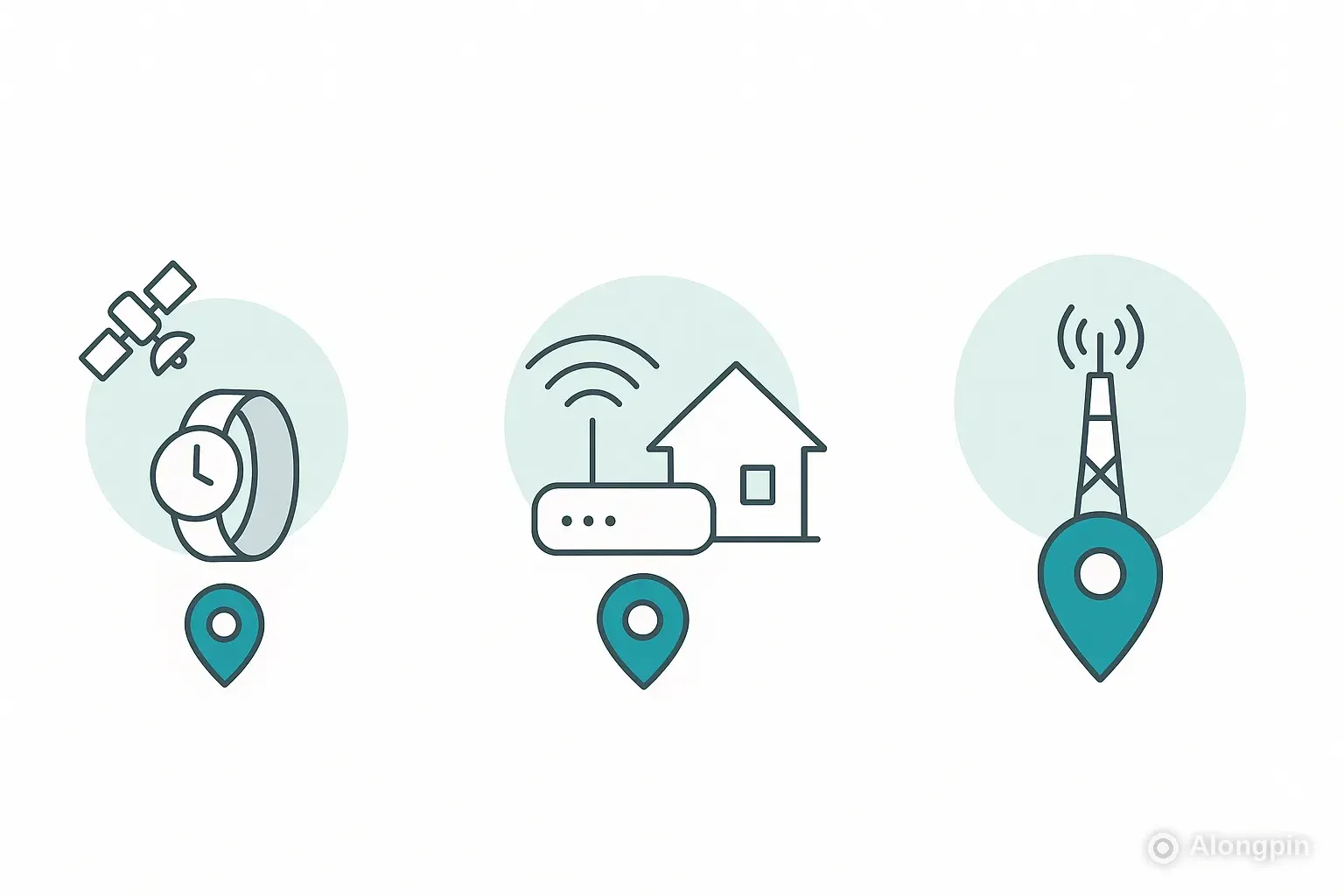
Indoors, satellite signals are weakened by roofs and walls, and in basements, lifts and the middle of large buildings they are gone. Many watches then report what they can sense instead:
- Wi-Fi networks nearby. The position is estimated from where those networks are known to be. In a town this can be good to within tens of metres.
- Mobile cells nearby. The position is estimated from the location of the masts. In a city that may be a few hundred metres off; in the countryside, where masts are far apart, much more.
Whether the estimate is worked out by the watch, by its maker's service or not at all depends on the model. Alongpin shows what the watch reports and does not add a location service of its own. The watches page explains which watch families report positions from GPS, cells and Wi-Fi.
Last known position
When a watch has no fresh fix and no estimate, it may simply repeat the last position it had, perhaps from the school gate in the morning. The dot on the map then shows where the wearer was, not where they are. This is honest only if you can tell it apart from a new fix, which is why the platform marks it.
How to read a position on the platform
Open the watch on the live map and look at its latest position's details:
- Approximate means the position came from towers or Wi-Fi rather than a GPS fix.
- Outdated means there was no new fix and the last location was reused.
- Accuracy, where the watch sends it, is a radius in metres around the dot.
- The time shows when the position was taken.
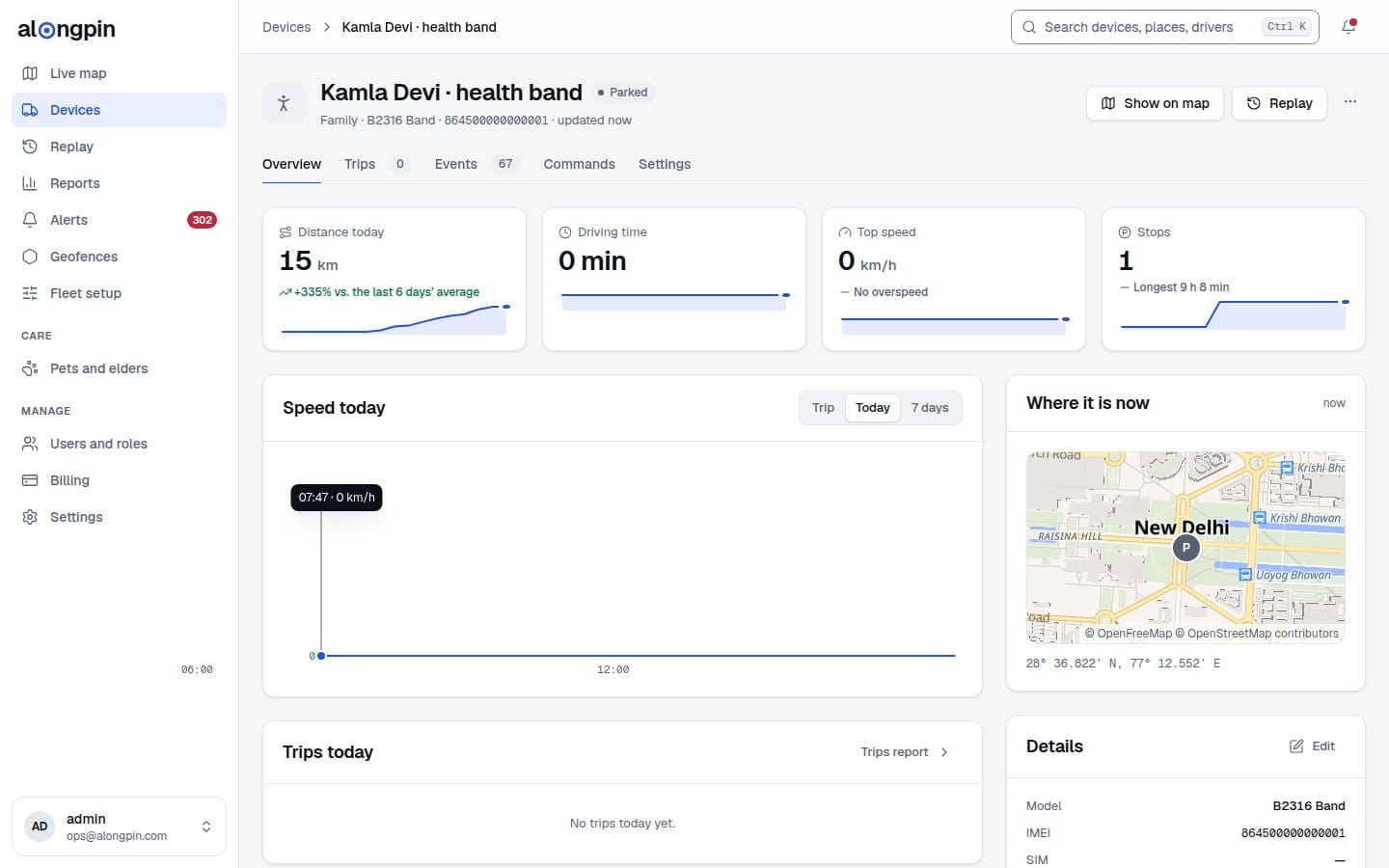
A position that is approximate, with a large accuracy radius, during school hours, is the watch doing its best without a view of the sky. A precise GPS position from forty minutes ago is exact, but old. The watch's page shows when it last reported; if that is long ago, check the battery and the reporting interval before trusting the dot.
What this means for safe zones
A safe zone is checked against each position the watch sends. If one position falls outside the zone and the one before was inside, the platform raises a "left" alert, and when the next falls inside again, an "arrived" alert. It does not know that the outside position was an indoor estimate. That is how a child sitting in class can "leave" school at 10:40 and "arrive" at 10:45.
Three habits prevent most of it:
- Draw zones with a margin. Cover the whole school grounds or the whole building and its entrance, plus some extra on each side, not just the outline of the house.
- Use a schedule. Put alerts on a calendar so a "left school" alert only matters around the time school ends.
- Replay a normal day. Look at where the positions fell during an ordinary day at school or at home, and enlarge the zone on the side where they wander.
The geofences page explains how zones and their alerts work. Why a child's watch shows the wrong place indoors goes into false alerts in more detail.
Reading time and accuracy together
A simple way to read any position:
| Position is | And it is | Read it as |
|---|---|---|
| A GPS fix | Recent | Where they are, within a few metres |
| A GPS fix | Old | Where they were then; check why nothing newer arrived |
| Approximate | Recent | Roughly where they are, often indoors |
| Approximate, large radius | Recent | Somewhere in that area; do not act on the exact spot |
| Outdated | Any | The last known place; the watch has no new fix |
When it matters, a fresh position helps. On watches whose protocol takes the command, Send one position now asks the watch to report where it is immediately. Outdoors it will usually come back as a GPS fix.
Getting the best positions from a watch
A few habits help the watch do its best:
- Let it find the sky after switching on. A watch that has been off, or has travelled far, needs a minute or two outdoors for its first good fix.
- Wear it on the outside. A watch deep in a coat pocket or under a thick sleeve has a harder time than one on a bare wrist.
- Keep it charged. Some watches cut GPS use when the battery is low, and report more estimates as a result.
- Choose the interval with care. A watch that reports very rarely shows an old dot most of the time; how often a tracker should report explains the trade-off with battery.
When it is a device problem
Indoor wandering is normal. Positions that are wrong outdoors, under open sky, for many minutes, are not: they point to poor GPS reception, a damaged watch, or GPS switched off by a setting. A dot that never moves although the wearer does usually means the watch is repeating an old position or reporting rarely. In both cases, check the watch's settings and battery first, then its manual or seller.
How Alongpin helps
Alongpin (alongpin.com) is a GPS tracking platform you open in a browser or on your phone. It works with many GPS watches and personal trackers: position, SOS, battery and, where the watch measures them, health readings, all in one app for the family. See the watches it works with, check a model in the device check, and sign up.
Frequently asked questions
Can the platform make indoor positions more exact?
No. It cannot add satellites the watch cannot see. It shows what the watch reports and marks estimates as approximate.
Is a more expensive watch more accurate?
Sometimes, through a better antenna or a receiver that uses more satellite systems. Indoors, every watch depends on estimates, whatever it cost.
Why does the watch show my child at a neighbour's house?
Most likely a Wi-Fi or cell estimate. Look at the position's details: Approximate with a large accuracy radius confirms it.