Logistics and delivery
What GPS data proves about a delivery, and what it does not
GPS tracking shows that a van was inside a zone at the customer's address, when and for how long. It does not show handover, condition or recipient. What the data records, what it adds to a dispute, and how to keep it.
Ashish Srivastava6 min read
GPS proof of delivery is really proof of arrival: tracking data can show that your vehicle was inside a zone around the customer's address, when it entered, when it left and how long it stayed, and the route and stops of the whole day around that visit. It cannot show that the parcel was handed over, to whom, or in what condition. For most delivery disputes, the first question is "did your van come at all?", and GPS data answers that one well. The questions after it need a signature, a photo or a name from your delivery process. This article sets out what the data records, how much weight it carries, and how to keep it so it is still there when the complaint arrives.
Key takeaways
- A geofence stay records that a vehicle was inside a zone: entered, left and time inside.
- The route, stops and events of the day put the stay in context and answer "did they come, and when?"
- GPS data does not prove handover, condition or recipient. That needs a delivery-proof process.
- Use both: GPS for presence and timing, the signature or photo for the handover.
- History is kept as long as the retention settings allow. Export what you need while it exists.
The question behind most delivery disputes
Delivery complaints come in a few shapes: "nobody came", "the driver came at the wrong time", "the driver didn't wait", "the parcel wasn't there". The first three are about presence and timing. Only the last is about the parcel itself.
Without tracking data, presence and timing come down to the driver's word against the customer's. With it, you have a record that neither of them wrote: positions sent by the vehicle's tracker, with times, while the van moved and while it stood. That record is not perfect, but it is independent, and it settles many disputes before they become arguments. The field service solution shows how delivery and service teams use it day to day.
What a geofence stay records: entered, left, time inside
A geofence is an area drawn on the map, such as a circle around a customer's warehouse or a polygon around a business park. Attach it to your vans, and every position each van sends is checked against it. When a position falls inside and the one before did not, the platform records an entry; when the van leaves, an exit. A pair of entry and exit is a stay.
The Geofence stays report under Reports lists each stay with the vehicle, the zone, when it entered, the time inside, the distance driven and the top speed inside the zone. A van that parked for a delivery shows a distance near zero and a top speed of walking pace. You can download the report as CSV or Excel, or schedule it by email. The geofences page covers drawing and attaching zones.
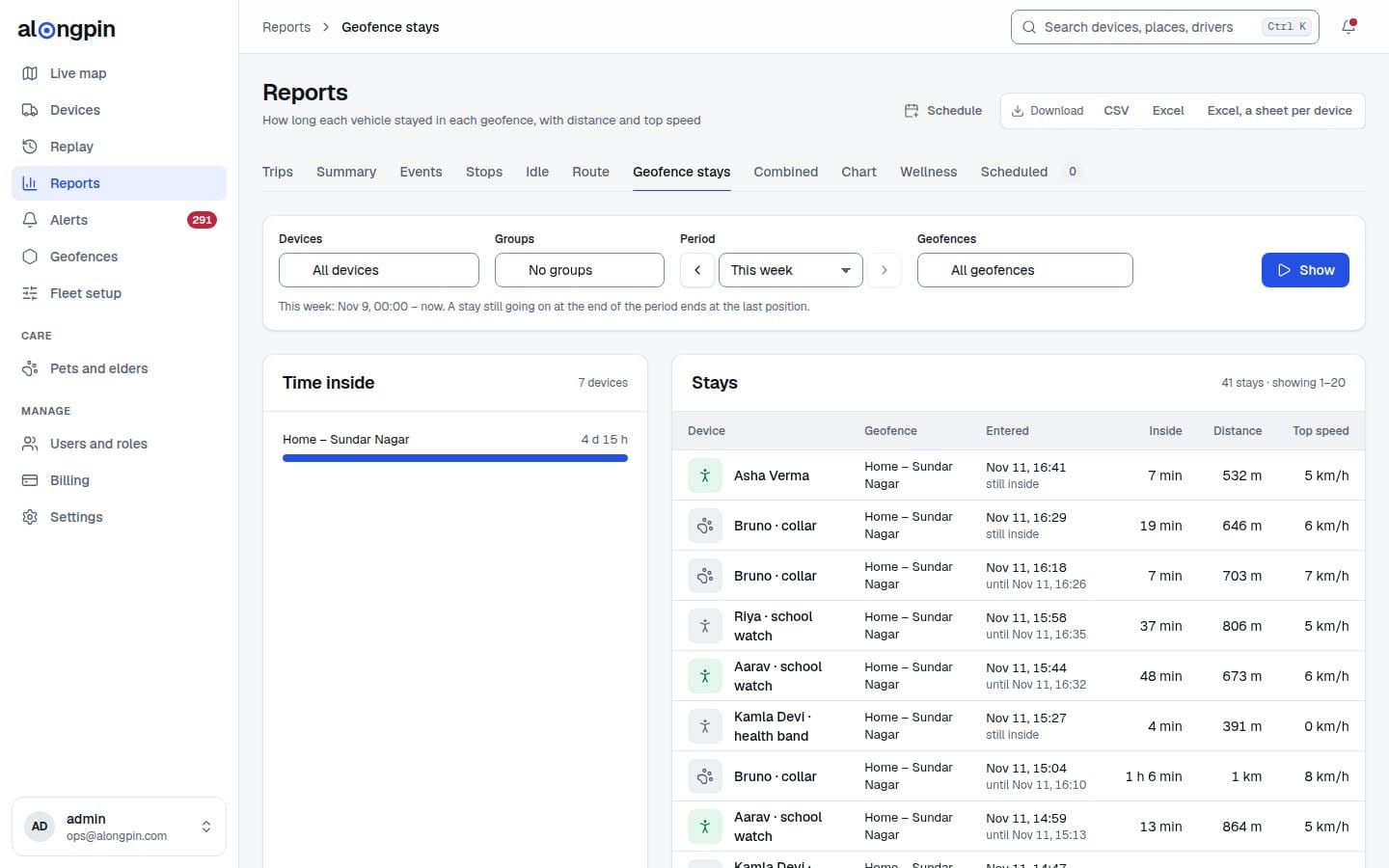
What the stay is worth as evidence depends on a few things:
- The zone has to exist before the visit. Positions are checked against the zones that applied when they arrived. A zone drawn after the complaint finds nothing for last week.
- Precision follows the reporting interval. A tracker that reports every 30 seconds while moving places the entry within that half minute. When parked, many trackers report less often.
- GPS positions wander. Between tall buildings or in a covered loading bay, a position can be tens of metres off. Zones a little larger than the building avoid false gaps.
What the route and its events add
A stay on its own answers "was the van there?". The rest of the day answers the questions around it:
- The route shows where the van came from and where it went next. In Replay, a delivery stop sits in the sequence of the day, so you can see whether it was the third drop or the thirteenth.
- Stops show where the vehicle stood still and for how long, even where no zone was drawn. The Stops report lists them with their place, duration and whether the engine was running.
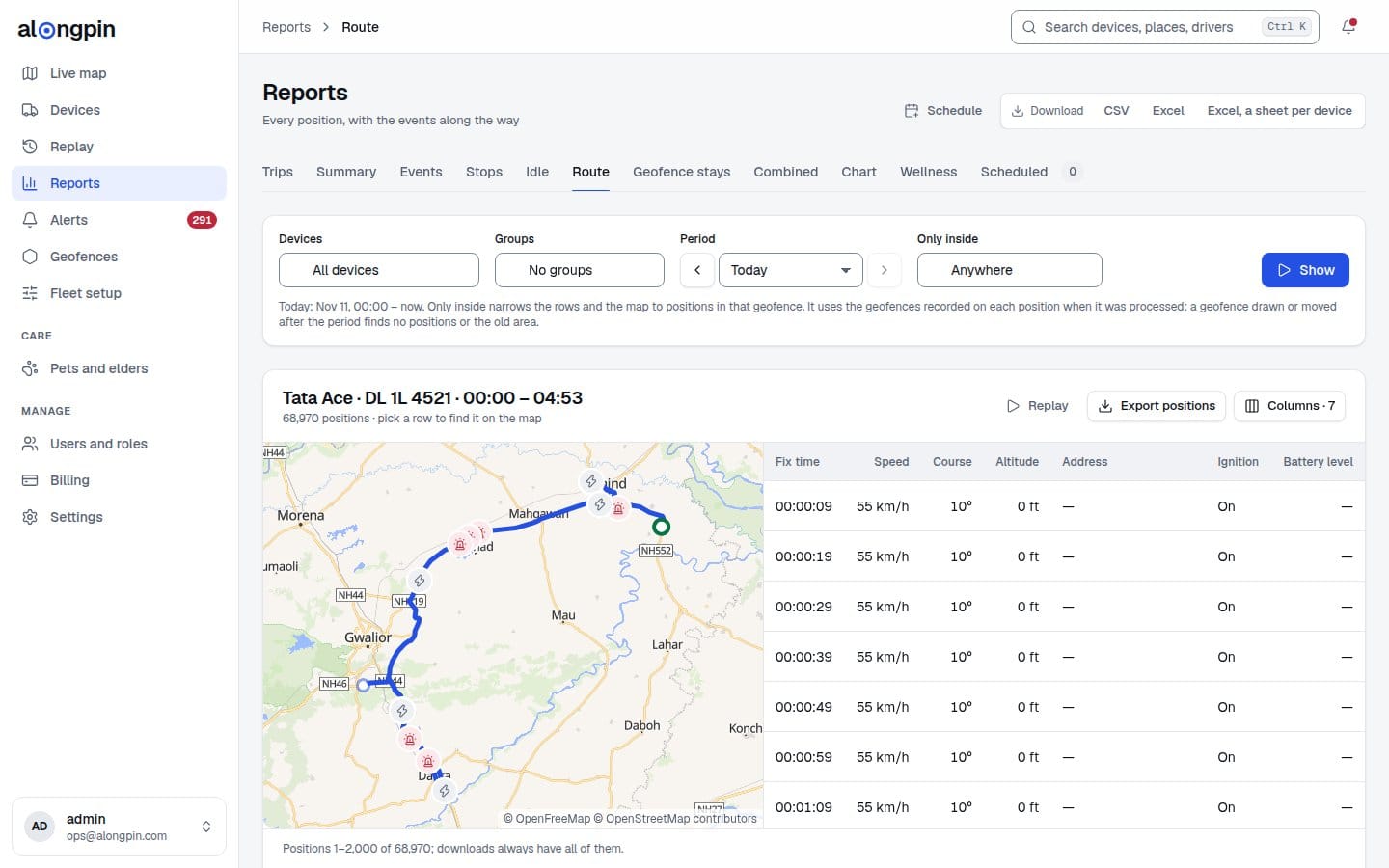
- Events add what the tracker reported along the way: ignition on and off, geofence entries and exits, alarms. The Route report draws each vehicle's route on the map with the events along it.
Together they let you say: the van left the depot at 07:40, made four drops, stood outside the customer's address from 10:12 to 10:19 with the ignition off, and left for the next drop. That is a good answer to "nobody came". The reports page lists every report and its formats.
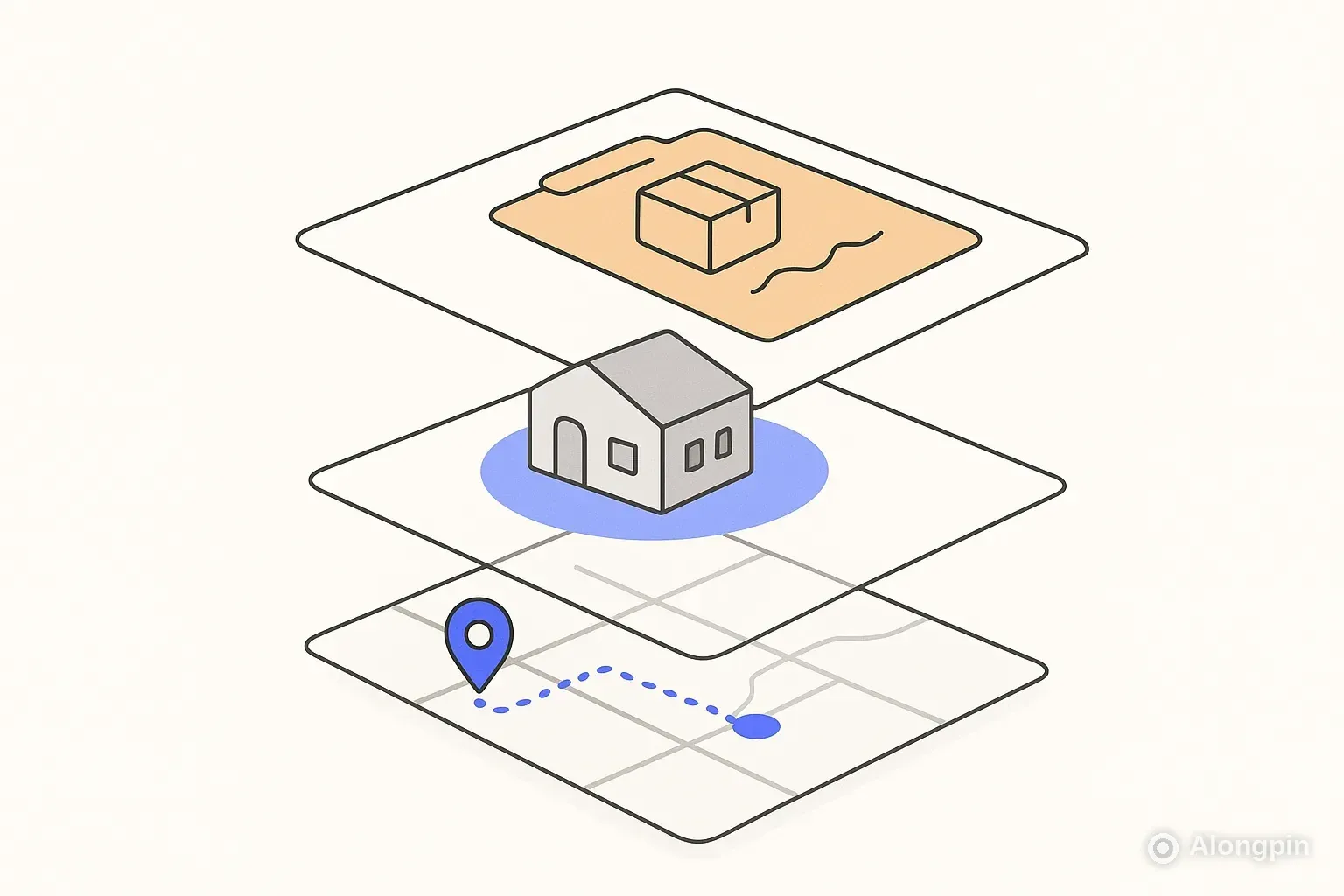
What GPS data does not prove: handover, condition, recipient
Be clear with customers and with your own team about the limits. A stay at the address does not show:
- That the parcel left the van. The driver may have arrived and been unable to deliver.
- Who received it. A neighbour, a receptionist or nobody.
- What condition it was in. Damage claims need a photo or a signature with a note.
- Which door. In a block of flats or a business park, the zone covers the building, not the flat.
- That the driver tried. A van parked outside for seven minutes is consistent with an attempt; it does not show a knock on the door.
Tracking also measures the vehicle, not the person. A driver who parks round the corner and walks shows as a stay somewhere else, or none at all. And a tracker that lost power or signal leaves a gap. When the data says less than a customer hopes, say so plainly.
Using it alongside a delivery-proof process
The strongest record combines two independent sources:
| Question | GPS tracking | Delivery-proof process |
|---|---|---|
| Did the van come? | Yes: stay at the zone, route of the day | Partly: a timestamp on the signature |
| When, and for how long? | Yes: entered, left, time inside | Only the moment of signing |
| Who received it? | No | Yes: name and signature |
| What condition? | No | Yes: photo, notes |
| Was a delivery attempted? | Consistent with it | Yes: a card left, a photo of the door |
Alongpin does not capture signatures or parcel photos; those come from your delivery app, your handheld scanners or a paper docket. When the timestamp on a signature falls inside a stay at that customer's zone, both records support each other. When they disagree, for example a signature time while the van was two streets away, you have found something worth asking about.
Keeping and exporting the record
Data only helps if it still exists when the complaint arrives, which may be weeks later.
- Know your retention. Positions and events are kept as long as the installation's retention settings say: 365 days in a standard setup. Ask your administrator what applies to you.
- Export when a dispute starts. Run the Geofence stays report and the Route report for the vehicle and the day, and download them. Export positions from the Route report downloads the positions themselves as CSV, GPX, KML or KMZ.
- Hold evidence for a claim. When a dispute may become a legal or insurance claim, an administrator can place a legal hold on the vehicle's positions for the period under Settings → Privacy and data protection → Retention and deletion. It keeps them through the automatic retention runs until it is released.
- Write down what you sent. Note which reports you gave the customer and when.
How Alongpin helps
Alongpin (alongpin.com) is a GPS tracking platform you open in a browser or on your phone. Dispatch sees every vehicle on the live map, geofences record arrivals and time on site at depots and customers, and a share link lets a customer follow one delivery without an account. Trip history and reports settle questions after the fact. See how it works for fleets, check your trackers in the device check, or sign up.
Frequently asked questions
Is GPS data accepted as proof of delivery?
It is good evidence that a vehicle was at a place at a time. Whether it settles a particular dispute depends on the contract and the question asked. For handover and condition, it needs a delivery-proof record beside it.
Can I check a delivery from last month if I draw the zone now?
Not with a stay, because positions are checked against zones that existed at the time. Replay the day instead and look at the stops near the address.
Do customer zones need to be drawn by hand?
No. Customer sites can be imported from a CSV, KML or GeoJSON file; each point becomes a circle. Geofences at customer sites covers setting them up for a delivery team.