API and integrations
Webhook not receiving events: what to check
A checklist for a silent webhook: no address set, the channel missing from the rule, a rule that does not cover the device, an endpoint that answers late or with an error, and how to recover events a failed call did not deliver.
Ashish Srivastava4 min read

When a webhook is not firing, the cause is almost always one of five things: the installation has no webhook address, the rule does not name the webhook channel, the rule does not cover the device or the event, your endpoint answered late or with an error, or it was down when the event happened. A failed call is not sent again, so the delivery log tells you what went wrong and the events API brings back what you missed. Work through the checks in this order.
Key takeaways
- No
webhookin the list of channels means no address is set: only the administrator can fix that.- No delivery-log row at all means the rule never matched; a
failedrow means your endpoint did not accept it.- Answer
2xxwithin the timeout (10 seconds by default).- Missed events are not re-sent: read them with
GET /api/eventsfor the period.
1. Is the webhook channel offered at all?
Ask the API which channels this installation offers:
curl -H "Authorization: Bearer $TOKEN" https://YOUR_HOST/api/notifications/notificators
If webhook is not in the answer, no webhook address is set, and no rule can post anywhere. The address is one per installation and only its administrator sets it. In the portal, Settings → Your account → Alerts and channels lists the channels on this server, and administrators see the full picture under Settings → Notification channels.
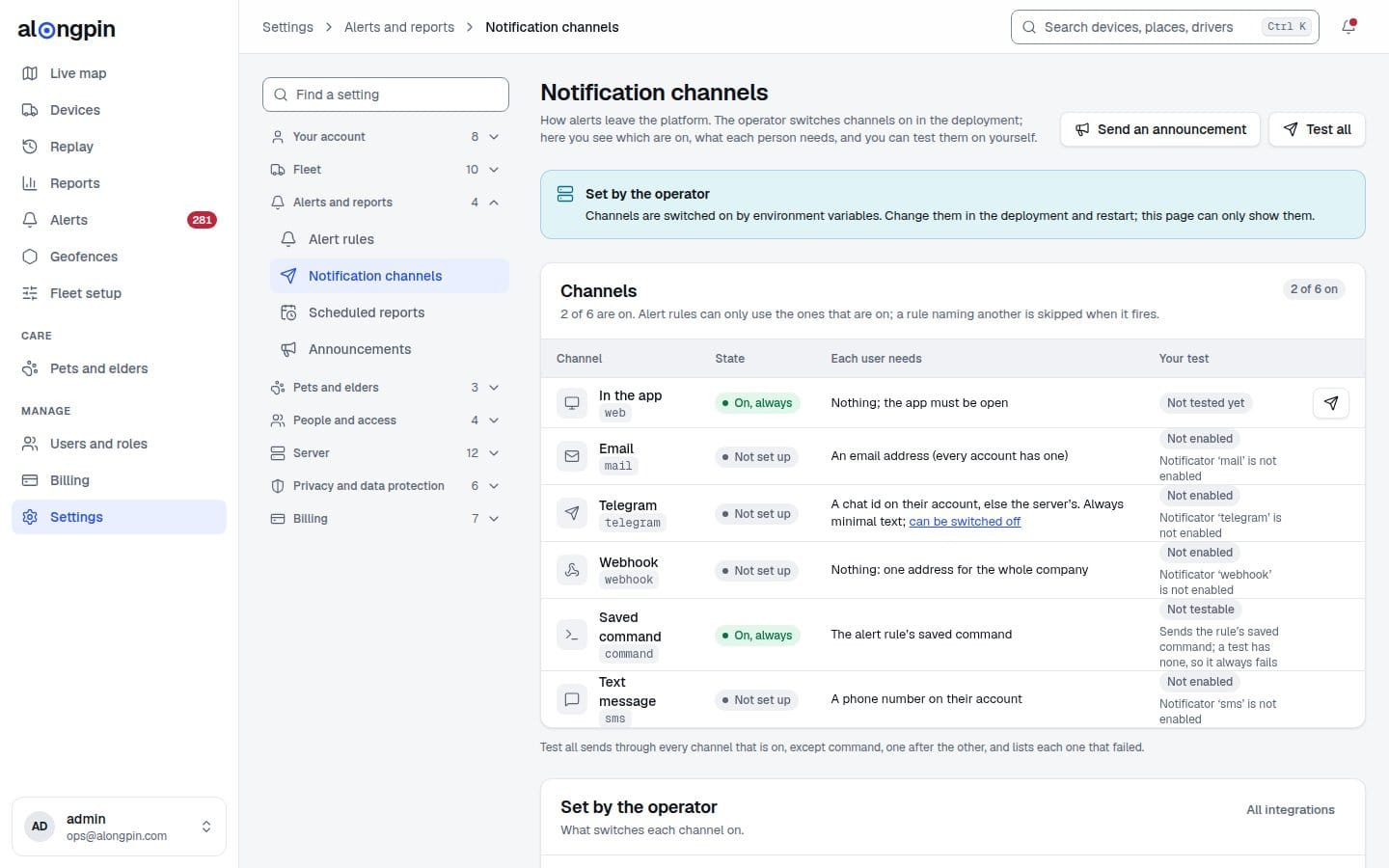
A rule that names the webhook while it is switched off writes a skipped row with the reason channelDisabled for each delivery: a quick sign of this cause.
2. Is it named on the rule, and does the rule cover the device?
Read the rule with GET /api/notifications/{id} and check:
notificatorscontainswebhook;pausedisfalse(a paused rule notifies no one);typeis the event you expect, and for an alarm rule thealarmsattribute, if set, includes the alarm kind (onlysos, for example);geofenceIds, if set, includes the geofence where the event happened;calendarId, if set, belongs to a calendar that was active at the time.
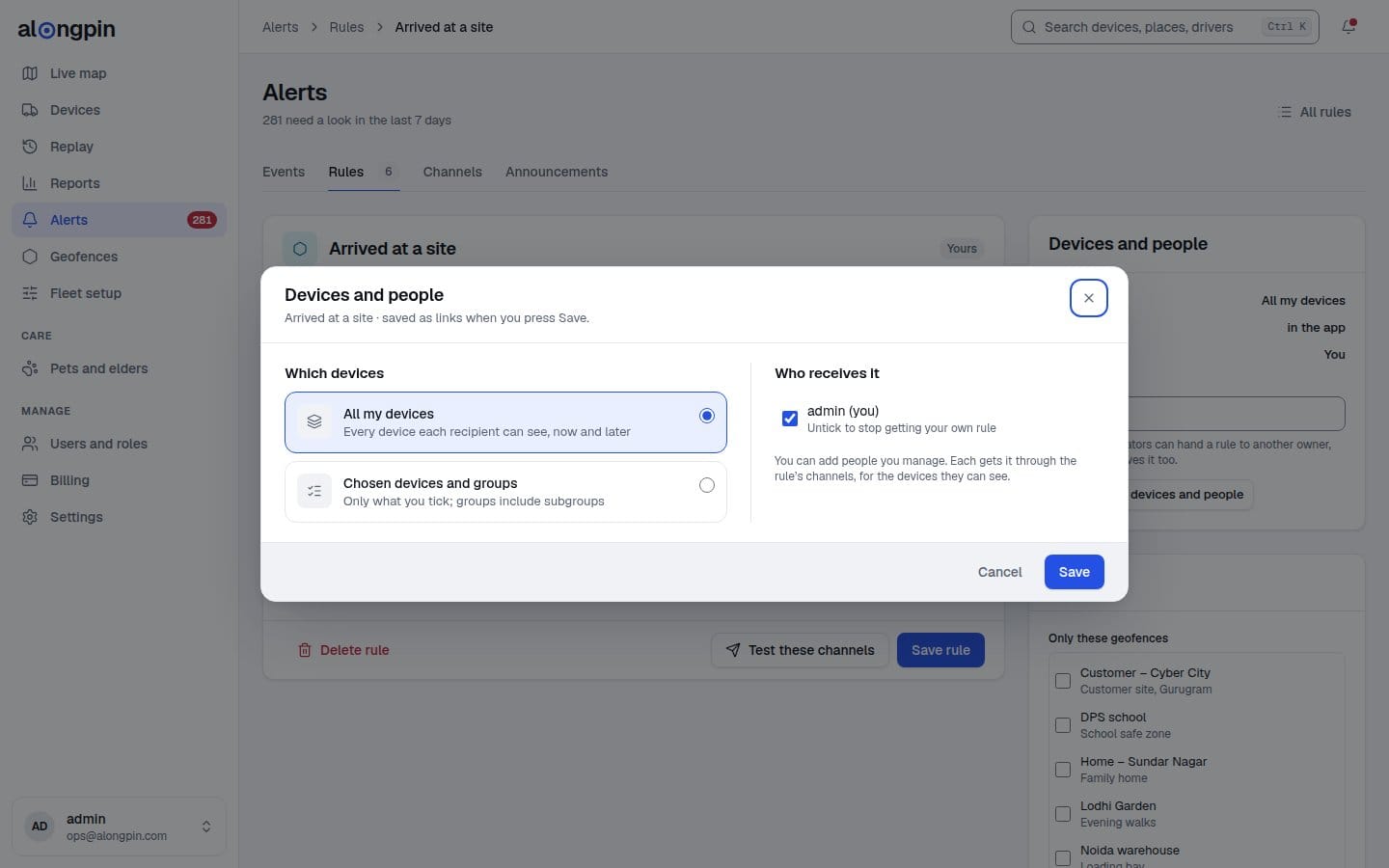
Then check that the rule covers the device: either always is true, or the device, or a group it is in, is linked to the rule. In the portal, the rule's Devices and people shows this, and the list of rules warns when a rule "reaches nobody yet". Each recipient receives the rule only for the devices they can see.
3. Does your endpoint answer with a 2xx status in time?
The platform waits 10 seconds by default (the administrator can change it). Any status outside 2xx counts as refused. Send a test to see the answer at once, without waiting for a real event:
curl -X POST -H "Authorization: Bearer $TOKEN" \
  https://YOUR_HOST/api/notifications/{id}/test
The result names each channel with sent or failed, the reason and the status your endpoint returned. Common culprits: an endpoint that does its work before answering, an authentication check that rejects the call, a firewall that only accepts known senders, or a certificate the caller cannot reach. Answer first, then process.
4. Read rejected deliveries in the delivery log
Real events write one row per recipient and channel. Read a device's rows for a period:
curl -H "Authorization: Bearer $TOKEN" \
  "https://YOUR_HOST/api/notifications/deliveries?deviceId=12&from=2026-11-10T00:00:00Z&to=2026-11-11T00:00:00Z"
| Row | Meaning |
|---|---|
sent |
Your endpoint answered 2xx |
failed, gatewayRejected |
It answered with an error; gatewayStatus has the status |
failed, timeout |
No answer in time; your endpoint may still have received the call |
failed, gatewayUnreachable |
No connection: address, DNS or network |
skipped, channelDisabled |
The webhook is not switched on |
| no row | The rule did not match the event (see step 2) |
Rows are kept for 90 days by default, and reading them needs access to the device's events. In the portal, the same appears on the event's page under Sent to.
5. Fetch missed events through the API by time
Because a failed call is not repeated, recover a gap by reading the events themselves:
curl -H "Authorization: Bearer $TOKEN" \
  "https://YOUR_HOST/api/events?deviceId=12&from=2026-11-10T00:00:00Z&to=2026-11-11T00:00:00Z&type=geofenceExit"
Process those whose id you have not handled yet; the same id is in event.id of each webhook call, so it also guards against doubles after a timeout. If many deliveries failed at the same time, check the system status as well.
The webhooks page describes the payload and delivery, and the API reference every endpoint used here.
Frequently asked questions
Will the platform retry a failed call?
No. Each event is posted once per recipient. Use the delivery log and the events API to catch up.
Do quiet hours hold back the webhook?
No. Quiet hours apply to email, text messages, Telegram and push only.